

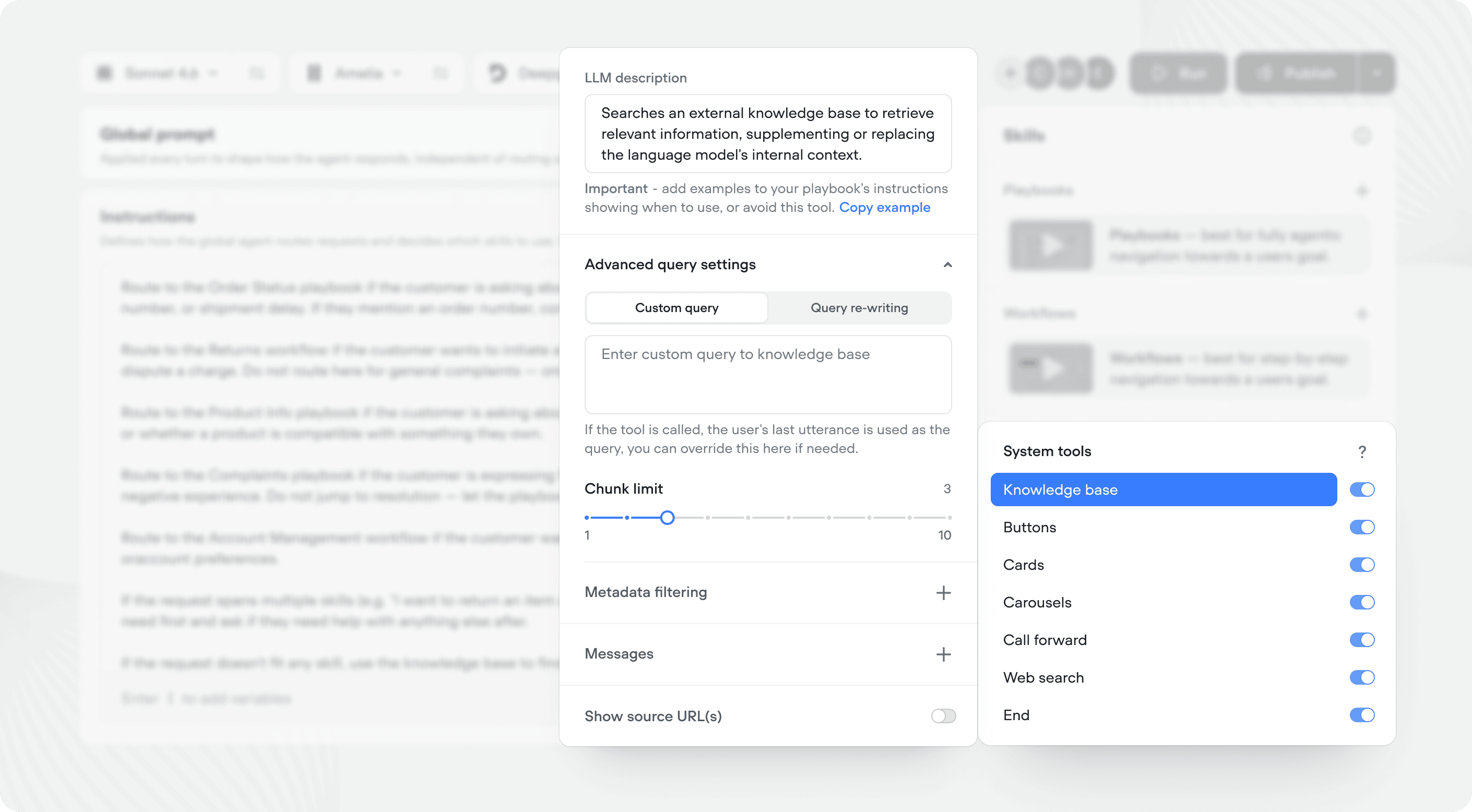
Enabling system tools
Open the Agent tab or a Playbook to see the System tools section in the right editor. Toggle a tool on to make it available, or off to disable it. When a system tool is enabled, your agent will automatically use it when appropriate.Available system tools
Knowledge base
The knowledge base tool lets your agent search your knowledge base to answer questions. When enabled, your agent will automatically query your knowledge base when it needs information it doesn’t already have. This system tool has advances configuration that you can learn about here.Buttons
The buttons tool allows your agent to generate clickable button options in its responses. Use buttons to offer users quick choices without requiring them to type. When a user clicks a button, it’s treated as if they typed the button’s label.Call forward
The call forward tool forward the active call to a phone number or SIP address. Available in voice projects only. Configure a destination phone number (with optional extension) or a SIP endpoint. When enabled, your agent can transfer the call to a live agent or external line when the conversation requires human support.Cards
The card tool enables your agent to display rich cards with titles, descriptions, images, and action buttons. Cards are useful for presenting structured information like products, articles, or options.Carousels
The carousel tool lets your agent show multiple cards in a horizontally scrollable carousel. Use carousels when you need to present several options or items at once.Web search
The web search tool gives your agent the ability to search the web for current information. This is useful when users ask questions that require up-to-date information beyond what’s in your knowledge base.Skip turn
The skip turn tool lets the agent stay quiet and wait for the user instead of replying. Use it when the user asks for a moment - things like “hold on,” “give me a sec,” “let me think,” or “one moment” - so the agent doesn’t talk over them or fill the pause with something unnecessary.End
The end tool allows your agent to end the conversation when appropriate. When enabled, your agent can determine when a conversation has reached a natural conclusion and close the session.Getting the most out of system tools
System tools come with opinionated descriptions that cover both what they do and when the agent should use them - in most cases you won’t need to touch them. You can shape usage further in two places:- Edit the Trigger on a system tool (at the agent or playbook level) to tighten up when it should or shouldn’t fire.
- Add instructions in your global prompt or playbook for cross-cutting rules that go beyond a single tool.
- “Always offer buttons when presenting more than two options”
- “Search the knowledge base before falling back to web search”
- “Only forward calls if the customer explicitly asks to speak to someone”
- “Use cards when showing product details, carousels when showing multiple products”