

Understanding evaluations
Each evaluation consists of a name, a model that performs the analysis, a metric type that determines how results are formatted, and criteria that describe what the model should look for. When an evaluation runs, the model reads the full transcript and returns a score based on your criteria, along with reasoning that explains how it reached that conclusion. The evaluations table shows all your evaluations with their criteria, type, number of logs (transcripts evaluated), and average credit cost per evaluation. Use the toggle on the right to enable or disable each evaluation.Creating an evaluation
Click New evaluation to create a custom evaluation. Give it a descriptive Name like “Technical accuracy” or “Upsell success rate”, then select a Model to analyze the transcripts. GPT-4o mini is the default and works well for most use cases while keeping costs low. Choose a Metric type that determines how results are formatted:- Rating scores transcripts on a numeric scale you define, such as 1 to 5, and works well for subjective measures like satisfaction.
- Binary returns a simple pass or fail, useful for yes/no questions like “Did the agent resolve the issue?”.
- Options lets you define a set of possible outcomes for categorizing conversations.
- Text returns a free-form response for open-ended analysis like summaries.
Viewing evaluation results
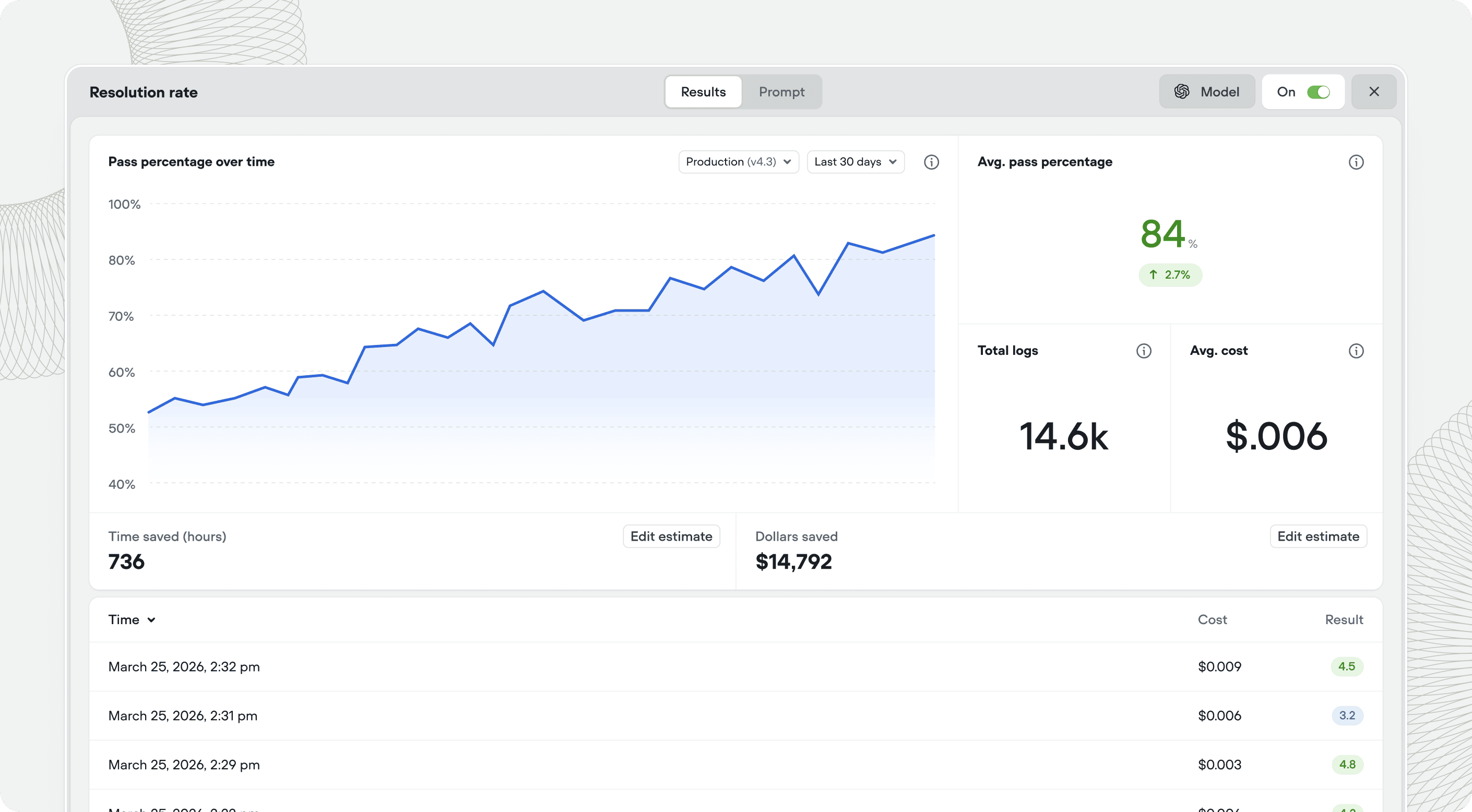
Click any evaluation to see its performance over time. The detail view shows a chart of results, the average score, total number of transcripts evaluated, and average credit cost. Below the chart, you can see individual results for each transcript. Evaluation results are also shown on transcripts and the analytics page.Default evaluations
Voiceflow includes three evaluations out of the box:- Customer satisfaction rates how satisfied the customer appears based on conversation tone and content, on a scale of 1 to 5.
- Deflection rate determines whether the customer’s issue was resolved through self-service or automation without requiring human intervention.
- Resolution rate classifies each conversation by outcome: resolved, escalated to a ticket, unresolved, abandoned, or unrelated.
Resolution categories
The Resolution evaluation sorts every conversation into one of five outcomes. These outcomes feed the Resolution chart on the Analytics dashboard.- Resolved covers conversations where the agent answered the question, completed the requested action, pointed the customer to the right self-serve resource, or gave a concrete fix or set of next steps to try. A conversation still counts as Resolved when the customer never confirms the fix worked.
- Ticket created applies when the agent could not resolve the request inline but successfully created a support ticket on the customer’s behalf, and the customer received a ticket ID. This counts as a successful escalation.
- Unresolved means the agent neither addressed the request nor escalated it, for example by giving wrong information, looping, hitting a dead end, or saying it can’t help with no direction forward.
- Abandoned means the customer had an in-scope request but left before the agent delivered anything usable, whether that’s an early drop-off or leaving while the agent was still gathering information or asking clarifying questions.
- Unrelated means the request had no in-scope purpose the agent could serve: spam, gibberish, adversarial input, or a well-formed but out-of-scope request the agent correctly declined and redirected.