

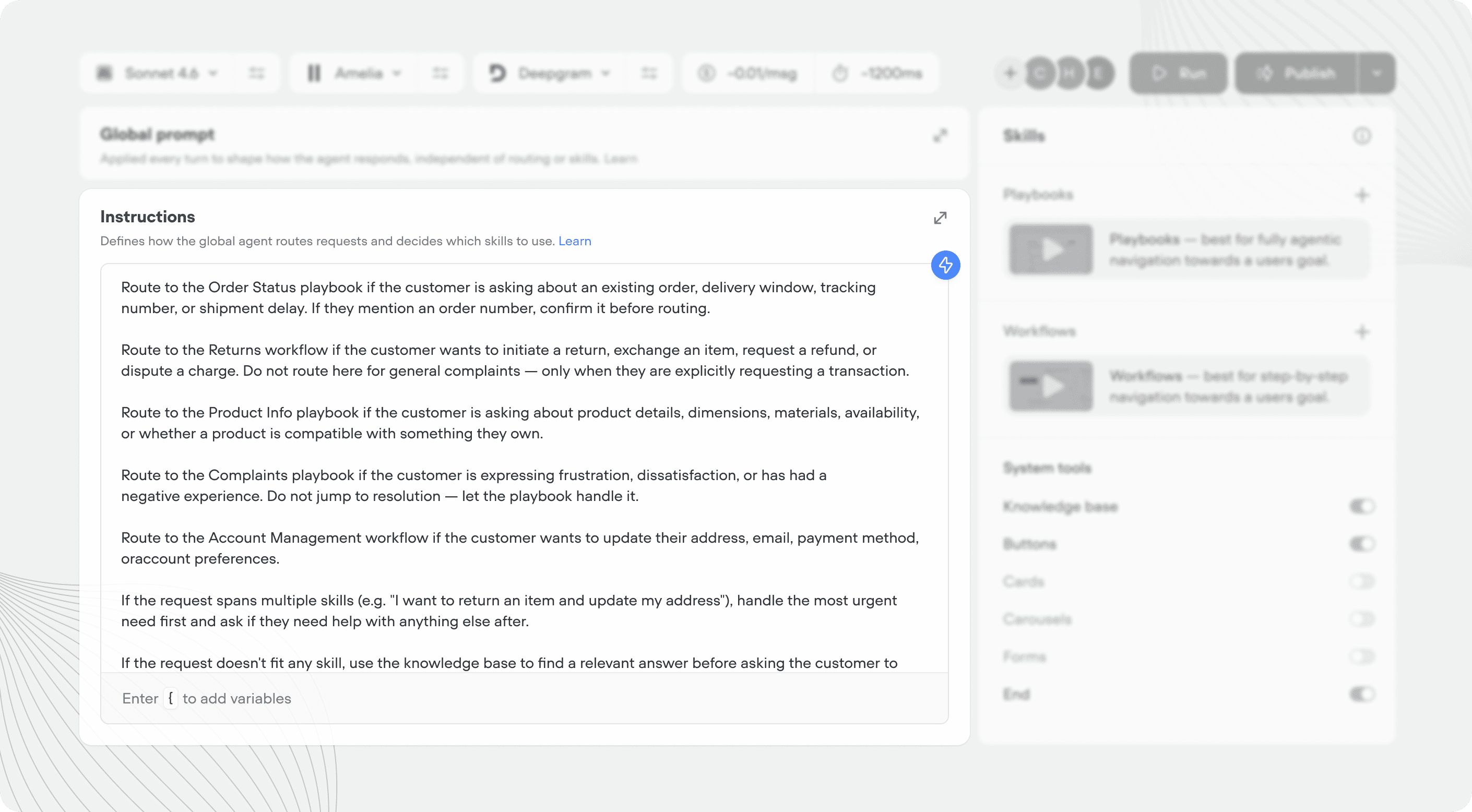
What are agent instructions?
Instructions are the decision-making layer of your agent. Where the global prompt defines how your agent behaves, instructions define when it does things. When a user message comes in, the agent reads its instructions and picks the most appropriate way to handle it. Instructions are written in plain language, not code.Writing agent instructions
Instructions work best when they’re clear about which tool handles which type of request. Think of it like a brief for a team - each member needs to know what they own. Every playbook, workflow, and tool has a name and a trigger. You can layer supporting context on top in the agent instructions, or playbook instructions.- Name - what it is. Short and literal.
- Trigger - what it does and when the AI agent should use it. This is the primary signal the agent reads when deciding whether to call a tool or route into a playbook.
- Instructions - any additional context, routing reminders, phrasing rules, or ordering that apply on top of the trigger.
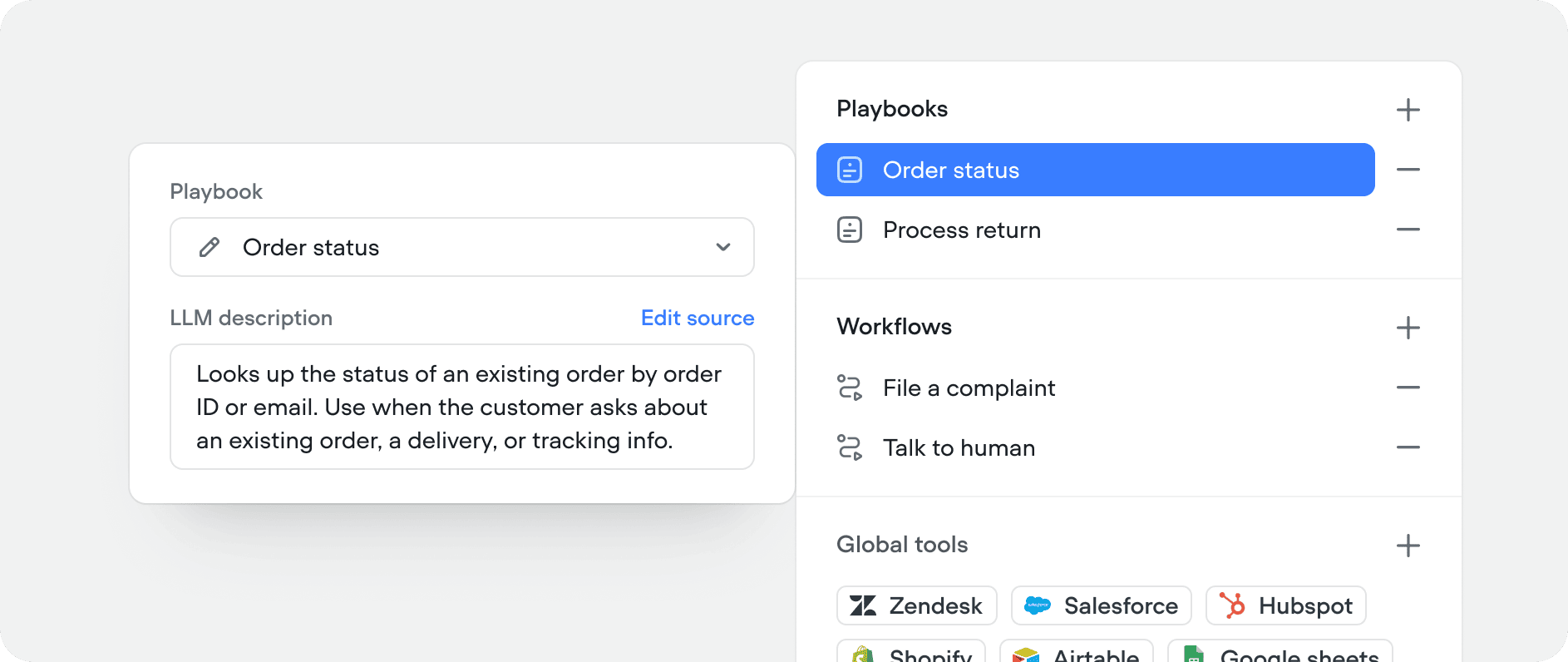
Simple agent insturctions example
Adding a start message
If you want to define an agentic start message in your agent, you can add it to agent instructions.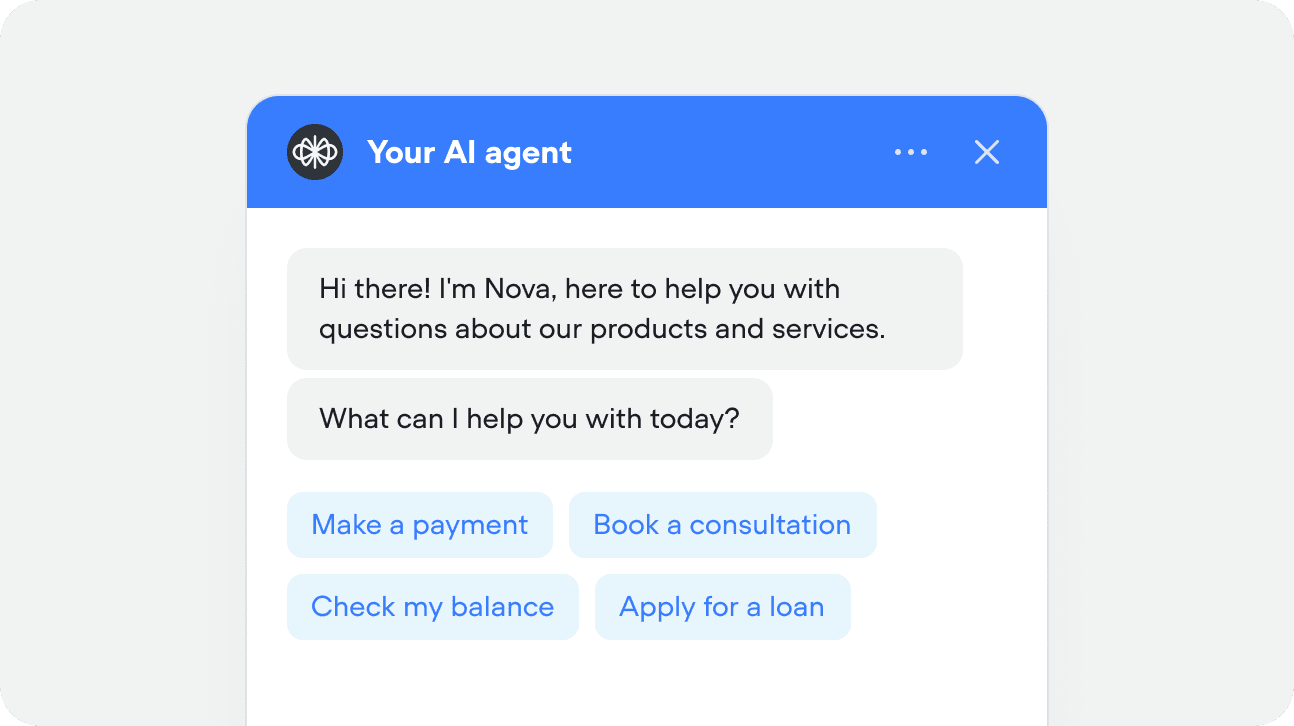
Testing instructions
1
Run your agent
From the agent tab, press ‘Run’ in the top right, or use the shortcut Shift + R
2
Ask your agent a question
Type or talk to your agent from the message input
3
See if your agent routed correctly
Check logs the logs section and state viewer to see if your agent is routing correctly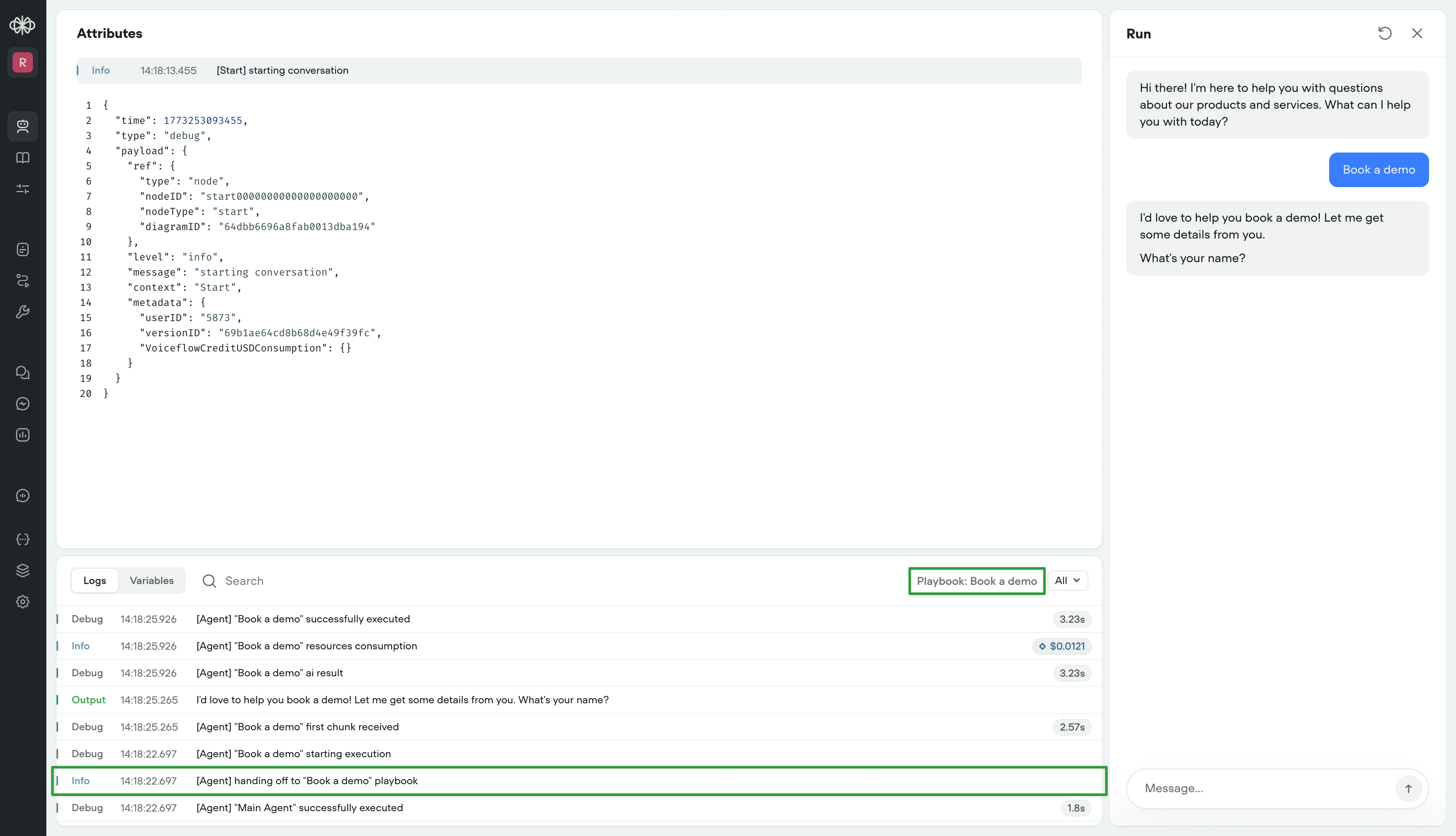
4
Iterate
If your agent doesn’t route make sure you’re following best practices for tool name and trigger. From there, try improving the instructions for that tool.