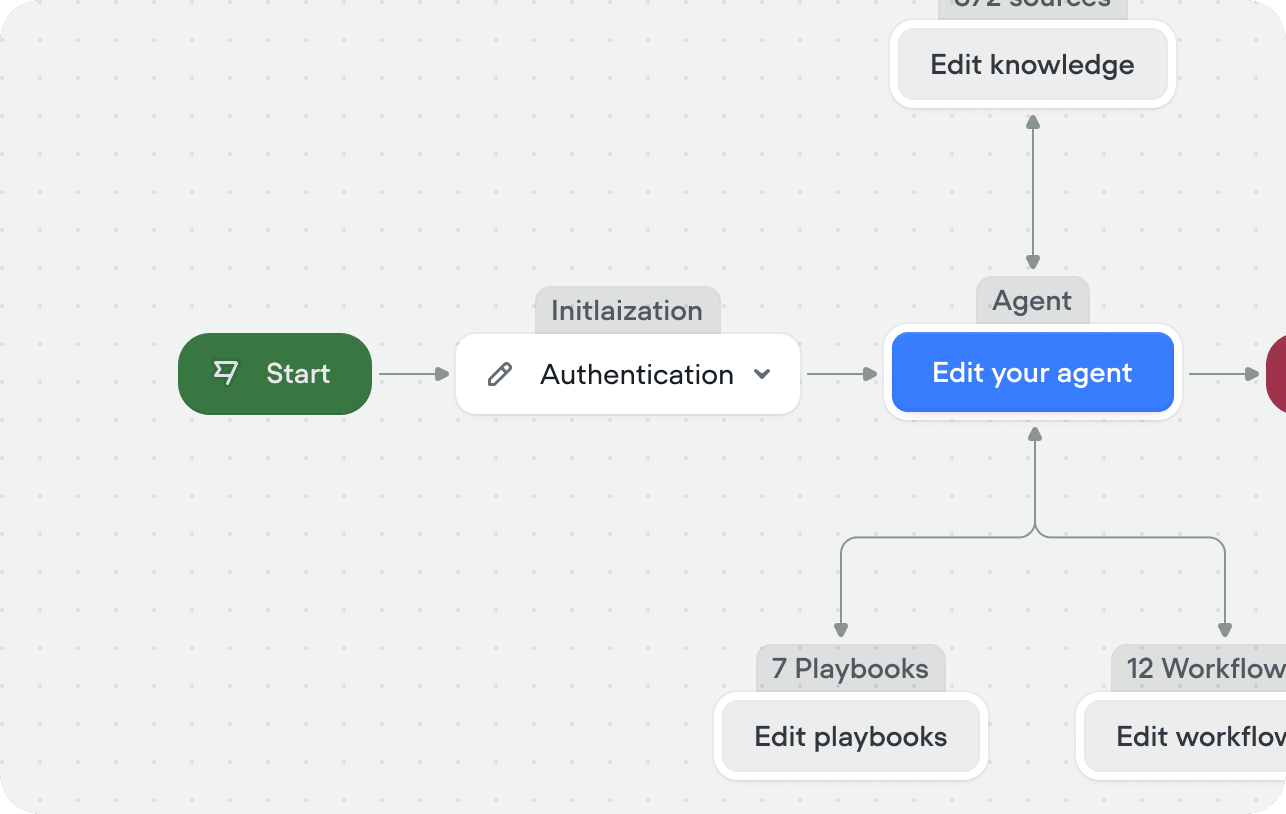
The initialization workflow is the first thing that runs when a conversation starts — before your agent sees any messages. It gives you a controlled, deterministic space to handle setup: load user data, authenticate, set variables, or send a static greeting. Once the workflow completes, control passes to your agent and the conversation continues normally. If you don’t set an initialization workflow, conversations begin directly with your agent.

Setting an initialization workflow

Open the Framework tab in the sidebar. Click the Add workflow on the initialization node and select an existing workflow, or click create to build a new one. Init Workflow Once set, this workflow runs automatically at the start of every conversation. When the workflow ends — or when any step has an empty output port — the conversation navigates directly to your agent. You don’t need to explicitly route to the agent; any unconnected port does this automatically.
Common patterns

Loading context

The most common use case. Make API calls at the start of a conversation to fetch user data — account info, order history, subscription tier — and store it in variables. This means your agent and playbooks have the context they need from the very first turn.

Static start message

If you want your agent to open with a specific greeting rather than generating one, add a text response step to your initialization workflow. Turn on Wait for user input after the message so the workflow pauses for the user to respond before handing off to the agent — otherwise the agent will immediately start talking over your greeting.

Authentication

Gate the conversation behind identity verification. Check a user token, validate credentials via API, or collect an account number before your agent has access to any sensitive tools or data.

Onboarding

Collect required information upfront — name, language preference, reason for contact — using a structured flow before the agent takes over. This is useful when you need specific variables set before any playbook can run effectively.