

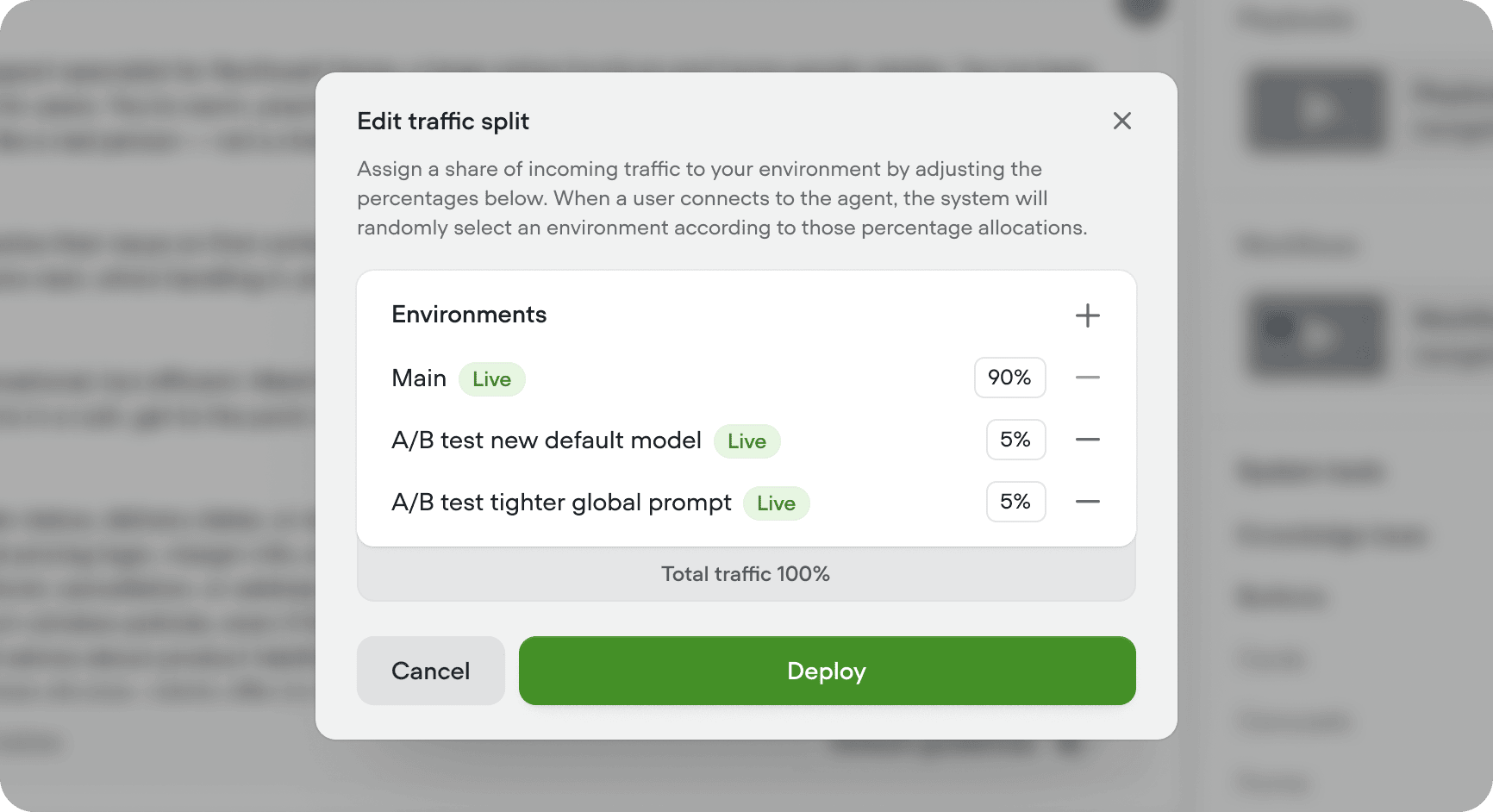
Individual users stay on the same environment across sessions so their experience is consistent.
When to use a traffic split
Use a traffic split when you want to measure a meaningful change before it reaches everyone, or compare two approaches head-to-head in production. For small, well-understood edits - copy tweaks, typos, minor prompt updates - you can simply editMain and publish.
Once an environment has been validated as the winner, you should merge it back into Main rather than leave it running under a traffic split.
Editing traffic split
Click Edit traffic split in the top right of Settings → Environments. Add a row for each environment you want to include, set its percentage, and click Deploy. Percentages must add up to 100%. Removing an environment from the traffic split prevents users from automatically being routed to it but doesn’t remove the environment from your project.When a traffic split is changed, the new settings will only be enforced for new sessions. Existing sessions will continue on their current environment.
Recommended rollout
1
Clone Main
Create a new environment cloned from
Main and name it after the change(s) you’re making.2
Iterate
Work on the new environment and save ⇧⌘S or publish versions as you go.
3
Route a small percentage of live traffic
Once you’re happy with the changes, open edit traffic split and send a small percentage of live traffic to the new environment.
4
View results (A/B test)
Compare this environment to
Main using your KPIs in Analytics, Evaluations and Transcripts.5
Merge and clean up
If this environments proves to be performing better than the live version of Main, merge the environment to
Main. Delete the environment on merge to keep your project clean.6
Repeat
Repeat this process to continually improve your agent over time.
Considerations
- Users are automatically routed to an environment based on your specified traffic split. You can’t pick specific users or cohorts to land on a particular environment. If you need cohort-based routing, pass a specific environment alias when your users connect (for example, in your chat widget snippet) instead of relying on this feature.
- Traffic split applies to every way your users connect to your agent (chat widget, phone, API, custom clients). If you need different routing per channel, point each channel at a specific environment alias.