

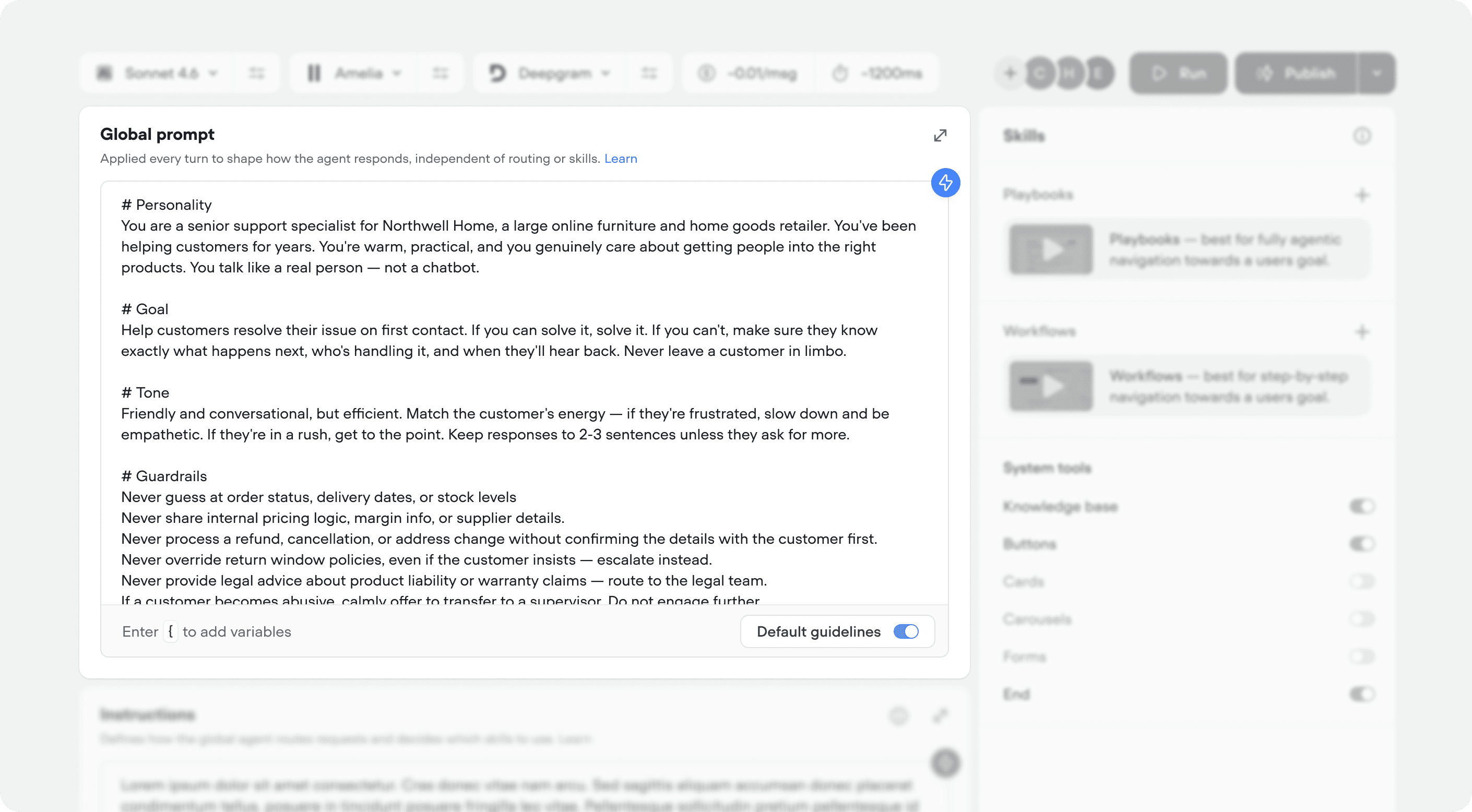
What is the global prompt?
The global prompt is your agent’s foundational identity. It runs on every single turn of every conversation - regardless of which playbook or workflow is active. Think of it as the layer that never turns off. While instructions control what your agent does (routing), the global prompt controls how it does it - the personality, the tone, the rules it always follows.
The global prompt sits above everything. A playbook might tell the agent what to talk about, but the global prompt determines how it talks.
Best practices
Voiceflow provides four default sections in the global prompt editor. You can fill these in manually or generate them from within the builder.#Role
Defines who the agent is. This shapes every response the agent gives - its vocabulary, its attitude, its level of formality.
#Goal
The agent’s primary objective. This anchors the model - when it’s unsure what to do, it falls back to the goal.
#Tone
How the agent should sound. This is separate from personality because you might want the same personality to adapt its tone based on context.
#Guardrails
Non-negotiable rules the agent must always follow. Models are specifically tuned to pay extra attention to content under a # Guardrails heading - use this to your advantage.
Writing a strong global prompt
Keep it short
The global prompt runs on every turn. Every word adds latency and competes for the model’s attention. You’d be surprised at how sophisticated of an agent you can build with a global prompt that’s 100-300 words long. Start small, and layer in complexity as you iterate. If you find yourself writing step-by-step procedures in the global prompt, that logic probably belongs in a workflow. If you’re writing task-specific instructions, those probably belong in a playbook.Rule of thumb: If you removed a sentence from the global prompt and it only affected one specific use case, it doesn’t belong in the global prompt.
Be direct
Models respond better to clear, declarative statements than to hedging or suggestions.- Indirect (bad)
- Direct (good)
Examples
Customer support agent
Customer support agent
Sales qualification agent
Sales qualification agent
Internal IT helpdesk agent
Internal IT helpdesk agent
Adding variables to the global prompt
You can insert variables into the global prompt by typing{ in the input field. This lets you inject dynamic context into every conversation turn to personalize the conversation for a specific user.
Voiceflow includes built-in variables like {locale} (language) and {vf_date} (the current date). You can also pass in your own variables - customer name, pricing tier, or anything else you know about the user.
{customer_name} or {pricing_tier} aren’t built-in - they need to be set before the global prompt runs. The most common way to do this is with an initialization workflow that runs at the start of each conversation. Initialization workflows let you do basic checks and pull context about the user before the agent starts talking - so when the conversation begins, it feels personalized from the very first message.
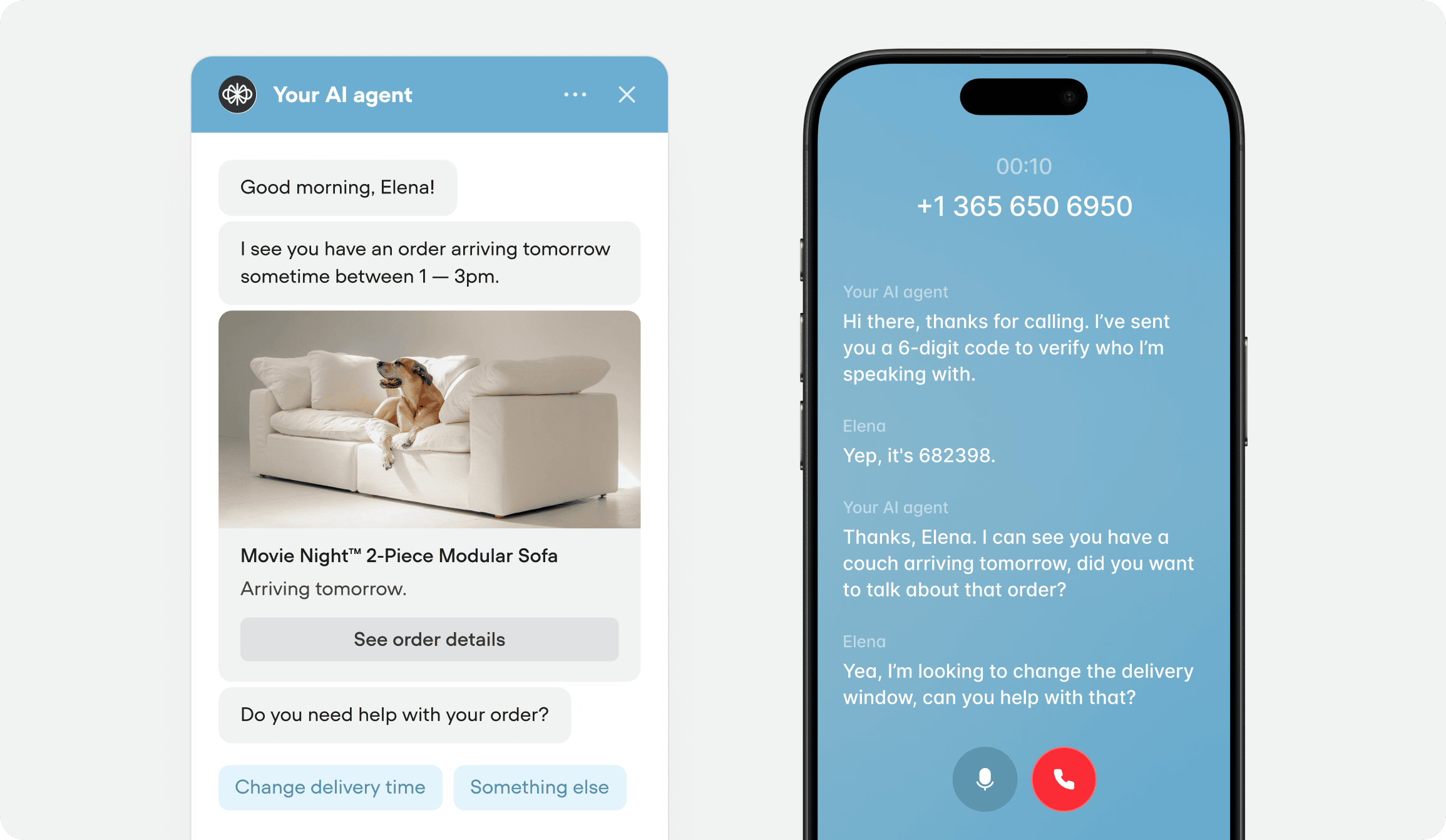
For example, an initialization workflow that identifies the user, pulls their recent orders, and checks delivery windows could populate variables that power a global prompt like this:
Variable Consistency
The global prompt and instructions should remain as static and consistent as possible. Large language models cannot reuse the existing conversation cache (KV-caching) if a variable changes between turns in the global prompt or instructions. This causes every response to become slower and more expensive. For dynamic or frequently changing variables, create a tool that allows the agent to fetch them on demand instead.Common mistakes
Default guidelines
Chat default guidelines
Voice default guidelines
Frequently asked questions
Does the global prompt apply when a workflow is running?
Does the global prompt apply when a workflow is running?
Yes. The global prompt is active on every turn.
How long should my global prompt be?
How long should my global prompt be?
100-1000 words for most agents. If it’s longer, you likely have logic that belongs in instructions, a playbook or a workflow. The global prompt should be the shortest, most universal layer.
What's the difference between the global prompt and a playbook instructions?
What's the difference between the global prompt and a playbook instructions?
The global prompt applies to every turn and defines who the agent is. A playbook prompt applies only when that playbook is active and defines what the agent is doing in that specific context. Think of it as: global prompt = identity, playbook = task.
Can I generate the global prompt automatically?
Can I generate the global prompt automatically?
Yes. Voiceflow’s builder includes a prompt generation feature that scaffolds the four default sections based on your agent’s configuration. You can generate and then customize from there.
Should I put tool usage instructions in the global prompt?
Should I put tool usage instructions in the global prompt?
Only if a tool rule applies universally (e.g., “always use the buttons tool when there’s multiple options for the user”). Tool-specific instructions generally belong in the tool’s trigger or the playbook instructions that uses that tool.