> ## Documentation Index
> Fetch the complete documentation index at: https://docs.voiceflow.com/llms.txt
> Use this file to discover all available pages before exploring further.
# Inbound calling
> Receive phone calls and route them to your agent automatically.
Once a phone number is [connected to your project](/documentation/deploy/phone/connect-a-phone-number), incoming calls are automatically routed to your agent.
## How it works
When someone calls your connected phone number, Voiceflow routes the call based on how the number is configured:
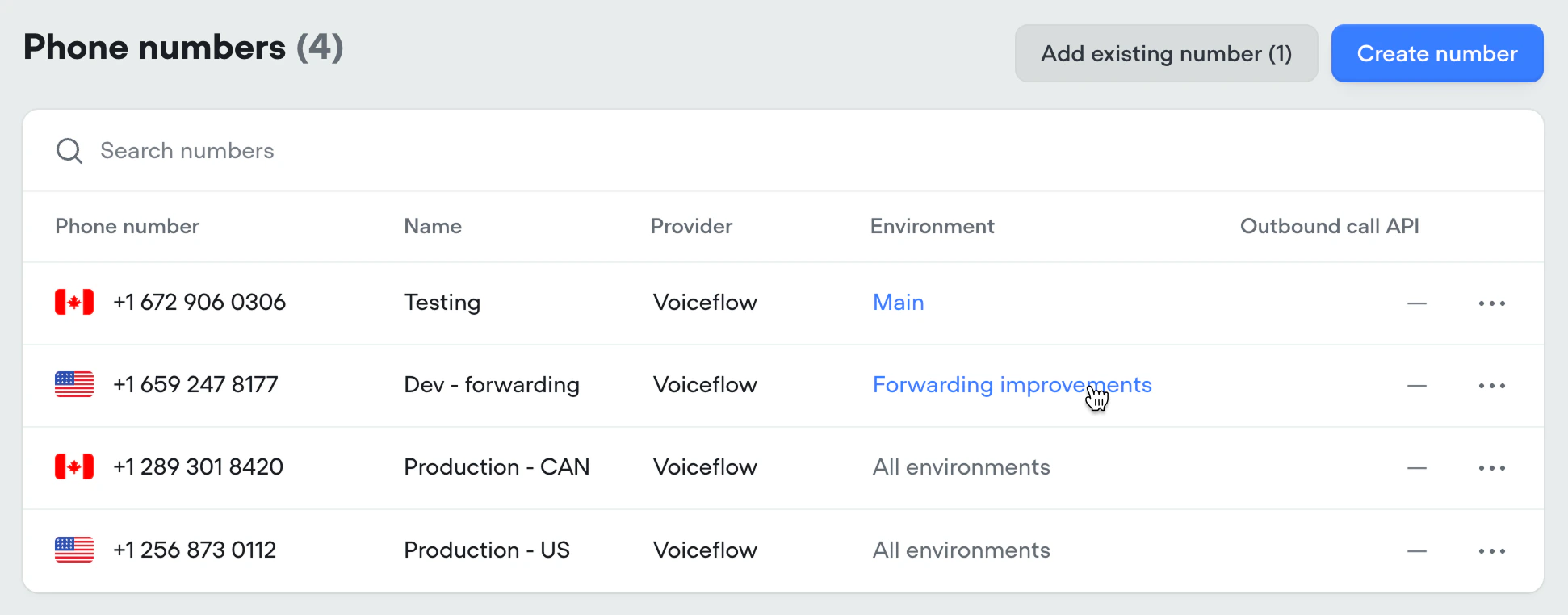
* **Assigned to an environment:** every call goes to that environment, using either its **Published** (live) version or its **Draft**, depending on which you picked when assigning.
* **Unassigned:** calls follow the [traffic split](/documentation/deploy/environments/traffic-split) configured in **Settings** → **Environments**, just like web chat sessions and API conversations.
To change a number's assignment, click the environment label next to the number in the **Phone numbers** tab. See [Routing calls to an environment](/documentation/deploy/phone/connect-a-phone-number#routing-calls-to-an-environment) for the full flow.
 ## Caller identification
When a call comes in, the caller's phone number is automatically set as the `user_id` [variable](/documentation/build/data/variables). This lets you identify returning callers and personalize conversations based on their information.
## Testing draft changes by phone
While you're working on a change, point a non-production phone number at the environment's **draft** **version**. Calls to that number use your unpublished work, so you can dial in and verify the change yourself before publishing. A phone number that real callers use should never be pointed at a draft.
## Testing changes with real callers
When you want to validate a change against `Main` using real call data, use a [traffic split](/documentation/deploy/environments/traffic-split). Clone `Main`, make and publish your change in the new environment, then route a small percentage of phone traffic to it. Compare the results in [Analytics](/documentation/measure/analytics) and [Transcripts](/documentation/measure/transcripts), and once you're confident, [merge the environment](/documentation/deploy/environments/merging) back into `Main`.
## Caller identification
When a call comes in, the caller's phone number is automatically set as the `user_id` [variable](/documentation/build/data/variables). This lets you identify returning callers and personalize conversations based on their information.
## Testing draft changes by phone
While you're working on a change, point a non-production phone number at the environment's **draft** **version**. Calls to that number use your unpublished work, so you can dial in and verify the change yourself before publishing. A phone number that real callers use should never be pointed at a draft.
## Testing changes with real callers
When you want to validate a change against `Main` using real call data, use a [traffic split](/documentation/deploy/environments/traffic-split). Clone `Main`, make and publish your change in the new environment, then route a small percentage of phone traffic to it. Compare the results in [Analytics](/documentation/measure/analytics) and [Transcripts](/documentation/measure/transcripts), and once you're confident, [merge the environment](/documentation/deploy/environments/merging) back into `Main`.