> ## Documentation Index
> Fetch the complete documentation index at: https://docs.voiceflow.com/llms.txt
> Use this file to discover all available pages before exploring further.
# Test execution
> Run test suites manually or on schedule to validate agents.
## Overview
Test Execution is the process of running your Test Suites against your Voiceflow applications to validate functionality, responses, and user experience flows.
## How Test Execution Works
### Manual Execution
You can run tests immediately in several ways:
* **From Test Suites Page**: Click the "Run Test" button on any test suite card
* **From Test Suite Editor**: Use the "Execute Test" button when viewing/editing a suite
### Status Indicators
* **Pending** ⏳: Test has been submitted and is waiting to start
* **Running** 🔄: Test is currently executing
* **Completed** ✅: Test finished successfully with all validations
* **Failed** ❌: Test failed due to validation errors or system issues
* **Scheduled** 📅: Test is queued for future execution
## Test Types
The Voiceflow CLI supports two distinct types of tests:
### Traditional Interaction-Based Tests
* **Purpose**: Test specific user inputs and validate exact agent responses
* **Structure**: Defined as a series of interactions with expected validations
* **Use Case**: Regression testing, validation of specific conversation flows
* **Execution**: Sequential interaction testing with predefined inputs
### Agent-to-Agent Testing
* **Purpose**: Simulate realistic conversations using AI-powered agents
* **Structure**: Defined with goals, personas, and user information
* **Use Case**: End-to-end conversation testing, realistic user behavior simulation
* **Execution**: AI agent interacts naturally with your Voiceflow agent to achieve specific goals
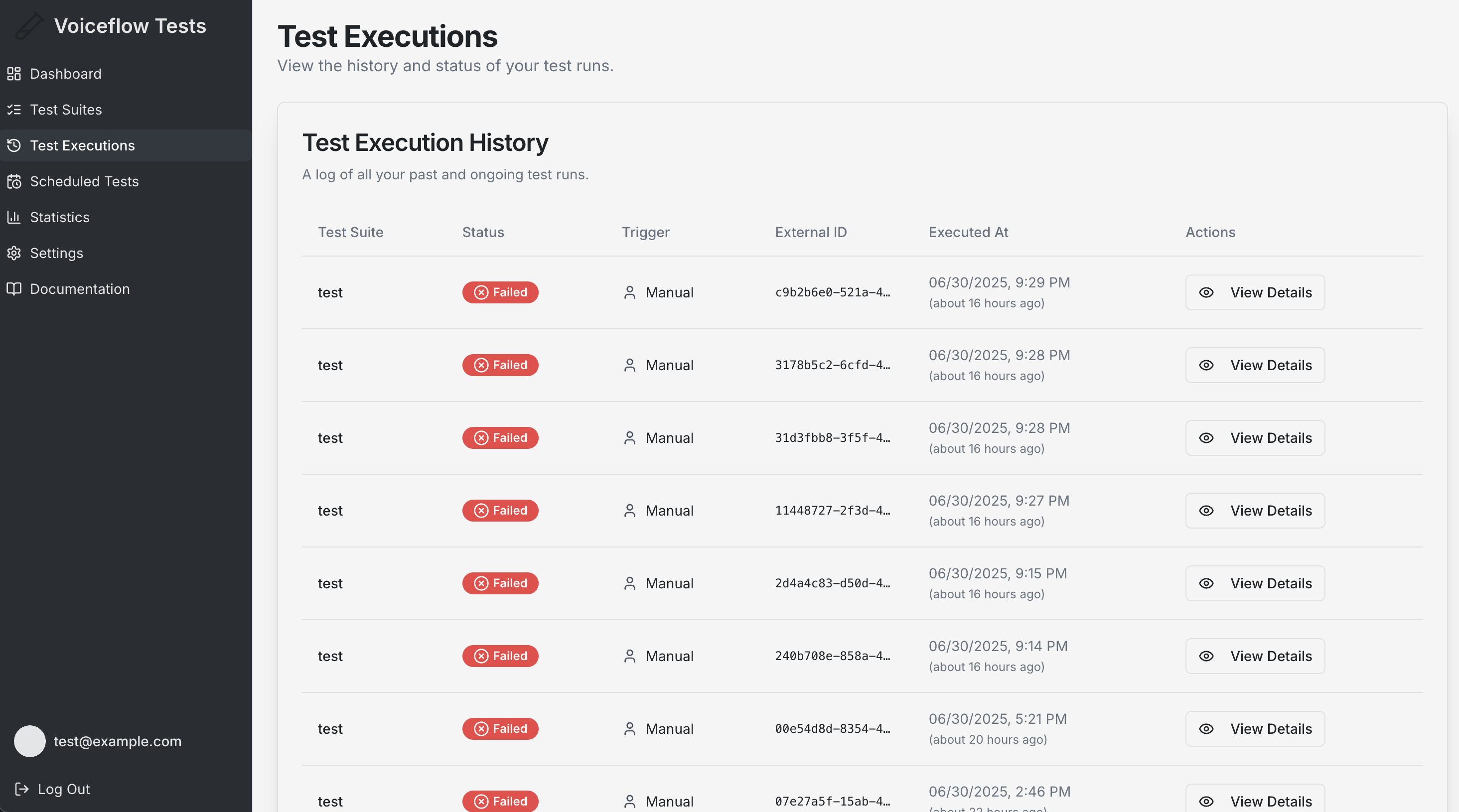
## Test Execution History
### Viewing Executions
Navigate to **Test Executions** to see:
* **Complete History**: All your past test executions
* **Execution Details**: Date, time, duration, and status for each run
* **Suite Information**: Which test suite was executed
* **Trigger Type**: Whether the test was run manually or scheduled
### Execution Details
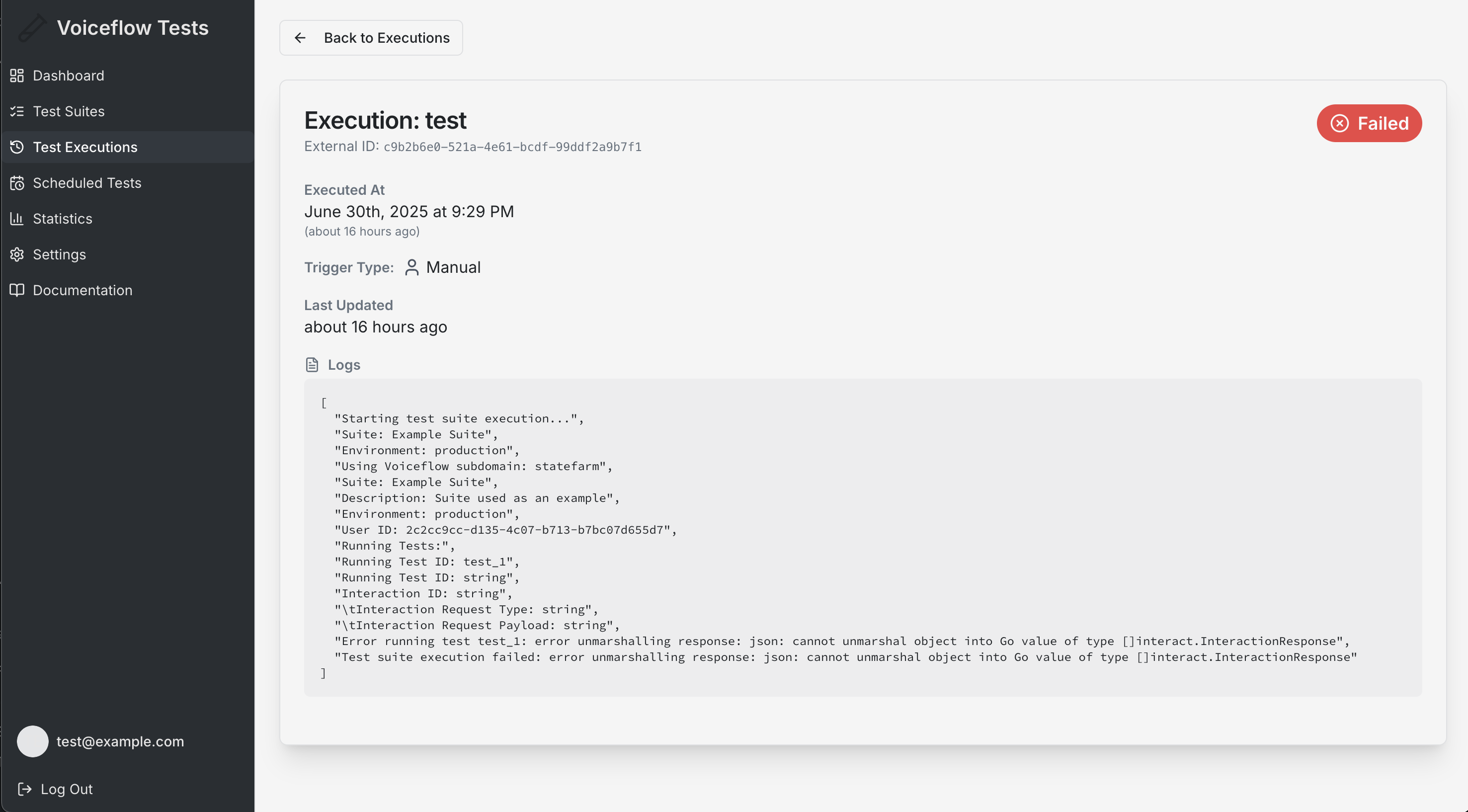
Click on any execution to view:
* **Test Logs**: Detailed step-by-step execution logs
* **Results**: Pass/fail status for each test case
* **Timing Information**: How long each test case took
* **Error Details**: Specific failure reasons and debugging information
## Execution Types
* Manual Executions: Triggered by user action
* Scheduled Executions: Automated runs at specified times
## Understanding Test Results
### Success Criteria
A test execution is considered successful when:
* All test cases pass their validation criteria
* No system errors occur during execution
* All API calls complete successfully
### Failure Analysis
When tests fail, review:
* **Validation Errors**: Which specific validations failed
* **Response Differences**: How actual responses differed from expected
* **System Issues**: API connectivity or timeout problems
* **Configuration Errors**: Incorrect test setup or parameters
### Logs and Debugging
Execution logs provide detailed information for debugging tests.
## Execution Limits and Considerations
### API Limitations
* Respect Voiceflow API rate limits
* Monitor Voiceflow token usage to avoid quota exhaustion
* Plan execution timing to optimize resources
### Performance Factors
* Test complexity affects execution time
* Network latency impacts overall duration
* API response times vary based on bot complexity
### Data Retention
* Execution history is retained for your account
* Logs and results are available for analysis
* Export capabilities for external reporting