> ## Documentation Index
> Fetch the complete documentation index at: https://docs.voiceflow.com/llms.txt
> Use this file to discover all available pages before exploring further.
# Scheduled tests
> Automate recurring test execution on predefined schedules.
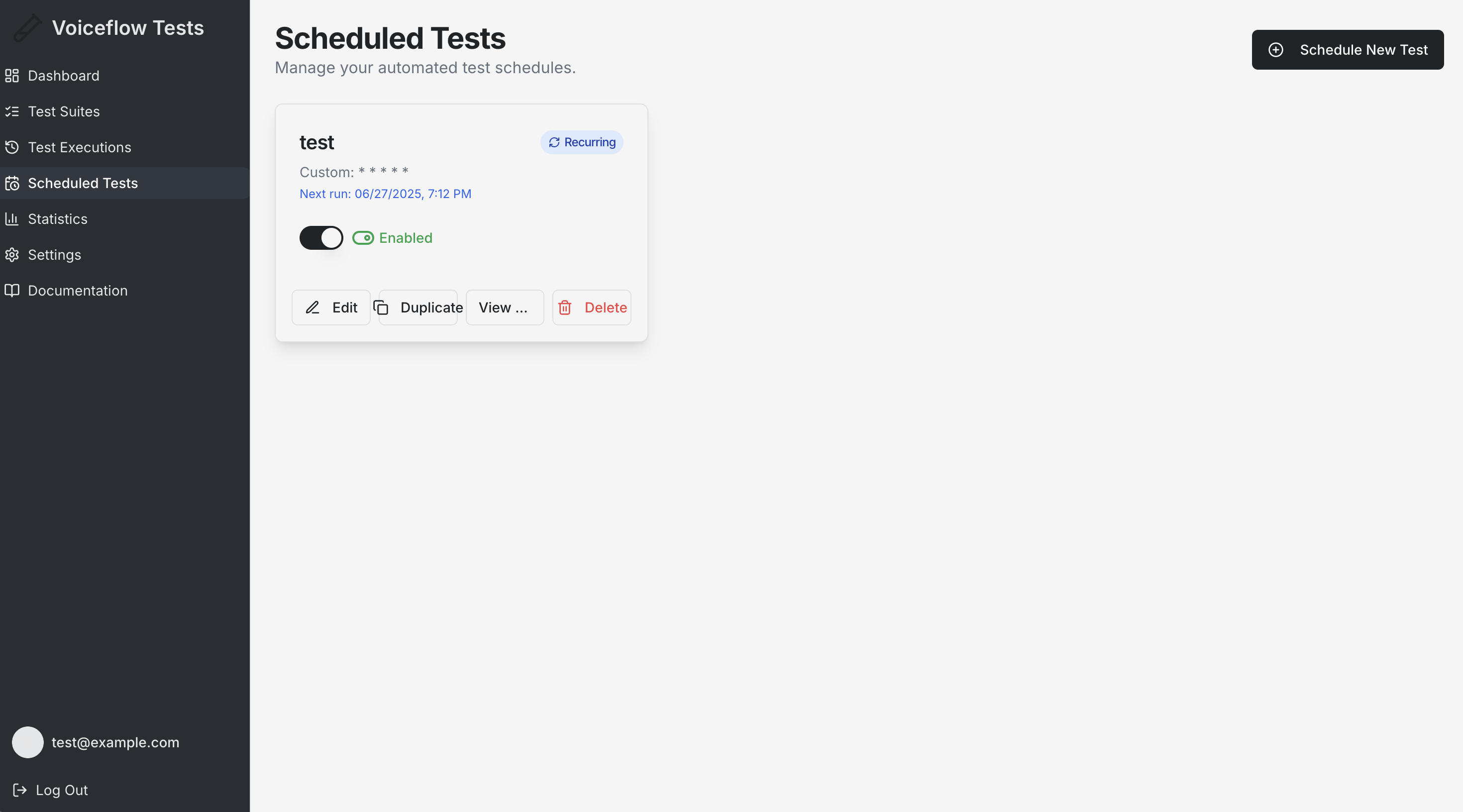
## Overview
Scheduled Tests enable automated, recurring execution of your Test Suites at predefined times. This feature ensures continuous monitoring of your Voiceflow agents without manual intervention.
## What are Scheduled Tests?
Scheduled Tests are automated test executions that:
* **Run Automatically**: Execute without user interaction at specified times
* **Follow Schedules**: Run once or repeatedly based on your configuration
* **Monitor Continuously**: Provide ongoing validation of your agents
* **Send Notifications**: Alert you of results via email (when configured)
## Creating Scheduled Tests
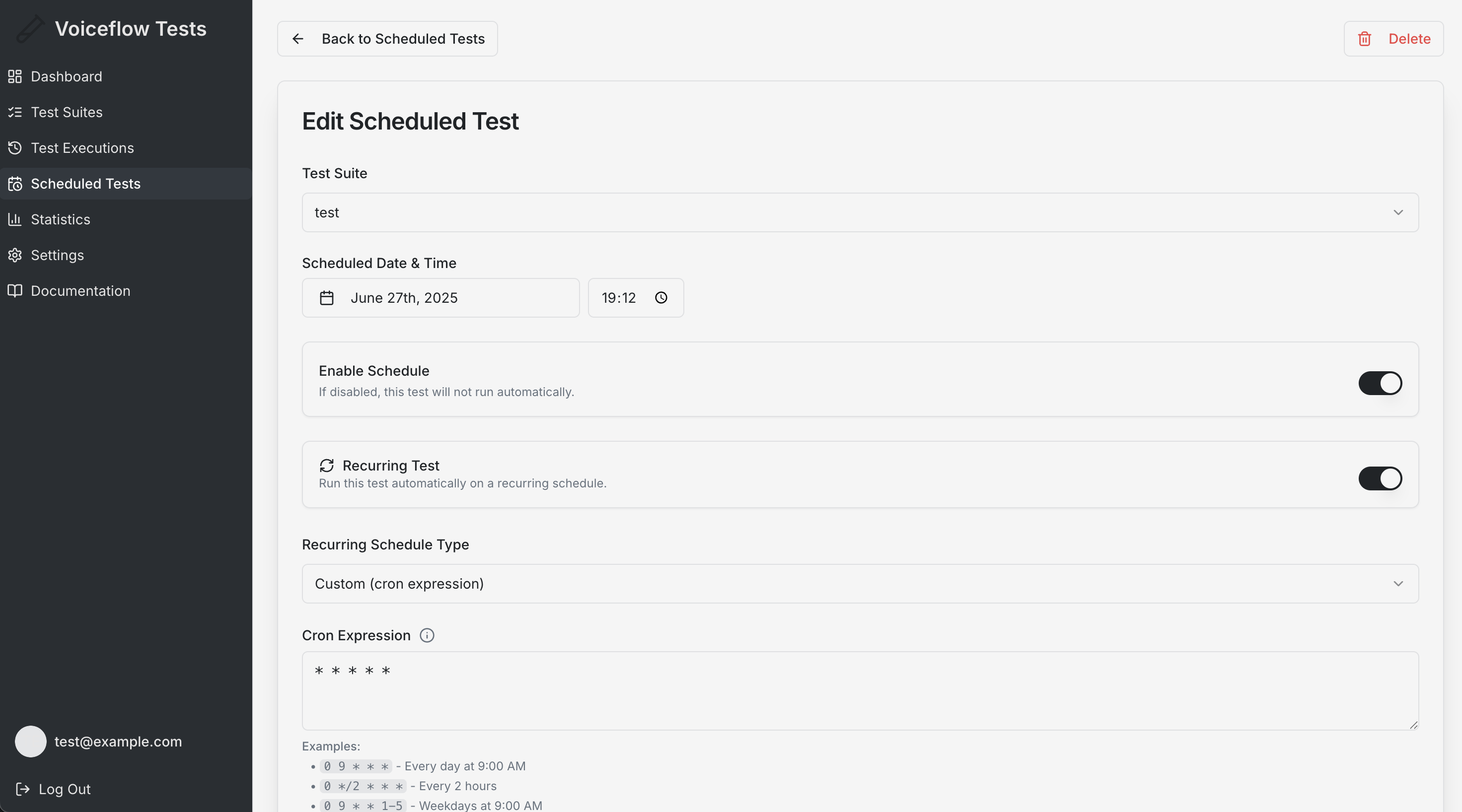
### Basic Setup
1. Navigate to **Scheduled Tests** in the sidebar
2. Click **"Create New Scheduled Test"**
3. Configure the following:
* **Test Suite**: Select which test suite to run
* **Schedule Date & Time**: Choose when to execute
* **Enable/Disable**: Toggle to activate or deactivate the schedule
### Schedule Configuration
#### One-time Execution
* Select a specific date and time
* Test runs once at the scheduled time
* Automatically disabled after execution
#### Recurring Execution
* **Daily**: Repeat every day at the specified time
* **Custom**: Use cron expressions for complex schedules
* Examples:
* `0 9 * * 1-5`: Every weekday at 9:00 AM
* `0 */6 * * *`: Every 6 hours
* `0 0 1 * *`: First day of every month at midnight
### Advanced Options
* **Description**: Add notes about the scheduled test purpose
* **Enable/Disable**: Control whether the schedule is active
* **Email Notifications**: Receive results via email (requires configuration in Settings)
### Email Notifications
Configure in Settings to receive **Failure Alerts** which are immediate notifications of test failures