> ## Documentation Index
> Fetch the complete documentation index at: https://docs.voiceflow.com/llms.txt
> Use this file to discover all available pages before exploring further.
# Email notifications
> Configure email alerts for test failures and weekly summaries.
## Overview
Email Notifications keep you informed about your test results and platform activity without requiring constant monitoring. The system automatically sends alerts for test failures, weekly summaries, and important updates, ensuring you stay on top of your agents's quality and performance.
## Types of Email Notifications
### Test Failure Alerts
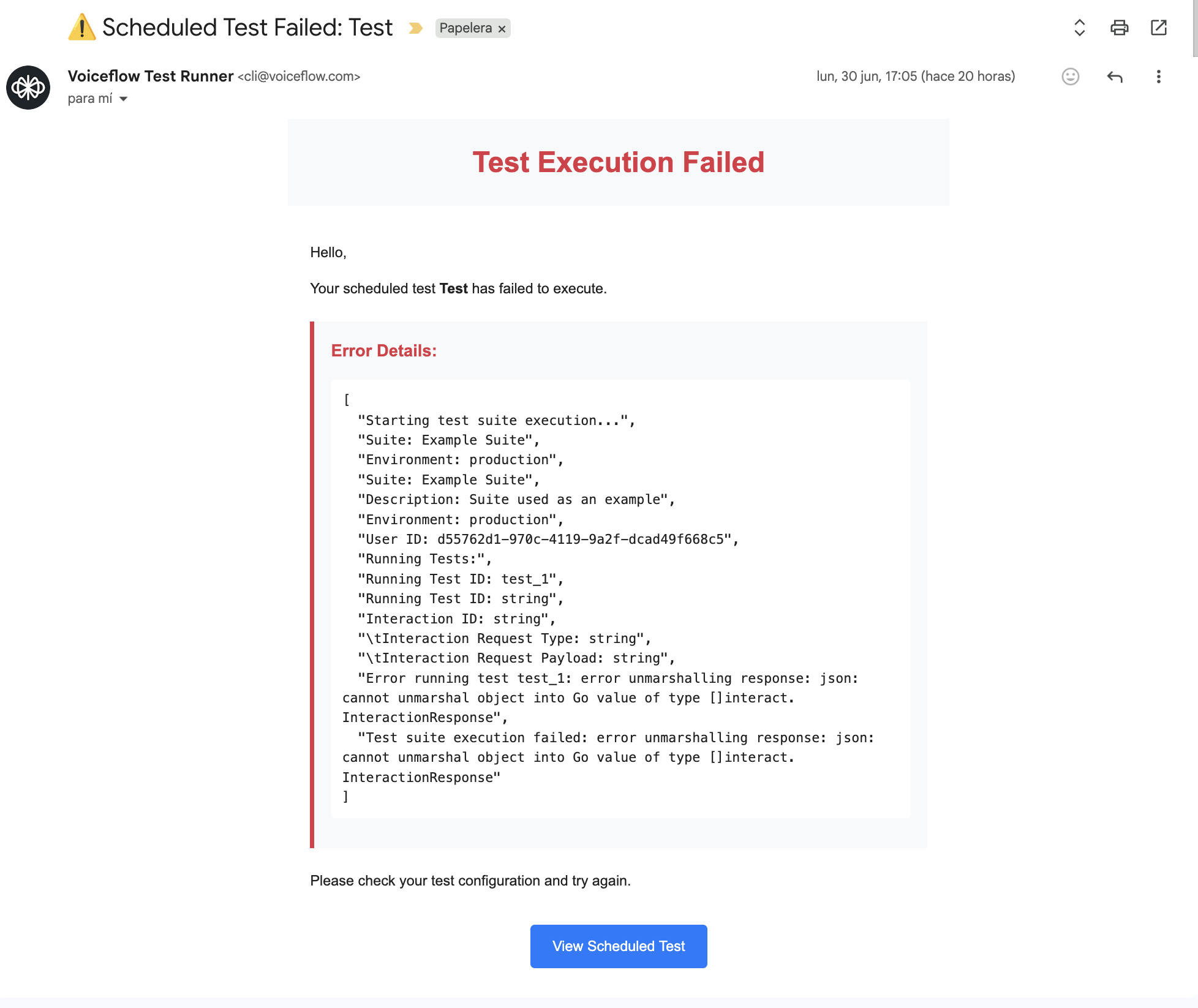
Receive immediate notifications when tests fail:
* **Instant Delivery**: Sent immediately when a test execution fails
* **Detailed Information**: Includes failure reason, test suite name, and execution details
* **Quick Actions**: Direct links to view full logs and retry failed tests
* **Context Aware**: Distinguishes between manual and scheduled test failures
### Weekly Summary Reports
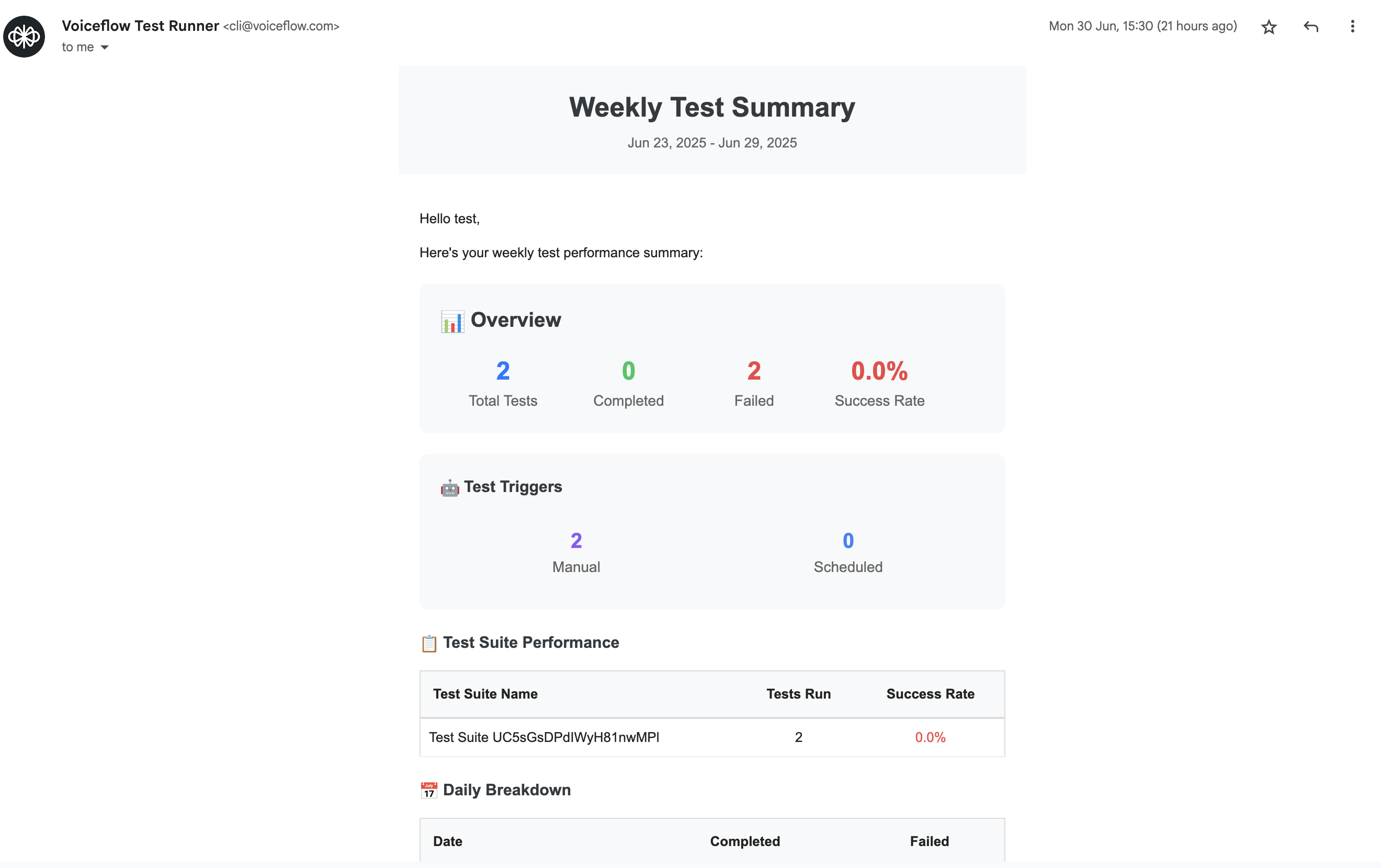
Comprehensive weekly overviews of your testing activity:
* **Scheduled Delivery**: Sent every Monday morning with previous week's data
* **Performance Metrics**: Success rates, execution counts, and trend analysis
* **Key Insights**: Notable changes, improvements, or concerns
* **Action Items**: Recommended follow-up actions based on test results
## Configuring Email Notifications
### Basic Setup
1. **Navigate to Settings**: Click "Settings" in the sidebar navigation
2. **Find Email Section**: Locate the "Email Notifications" section
3. **Enable Notifications**: Toggle on the notification types you want
4. **Set Email Address**: Enter your preferred notification email address
5. **Save Settings**: Click "Save" to apply your configuration