> ## Documentation Index
> Fetch the complete documentation index at: https://docs.voiceflow.com/llms.txt
> Use this file to discover all available pages before exploring further.
# Changelog
> Stay up to date with Voiceflow product updates, new features & improvements.
## Required variables for workflows & playbooks
Specify variables that must be filled before a playbook or workflow can be routed to. Until every required variable has a value, the agent won't hand off to it.
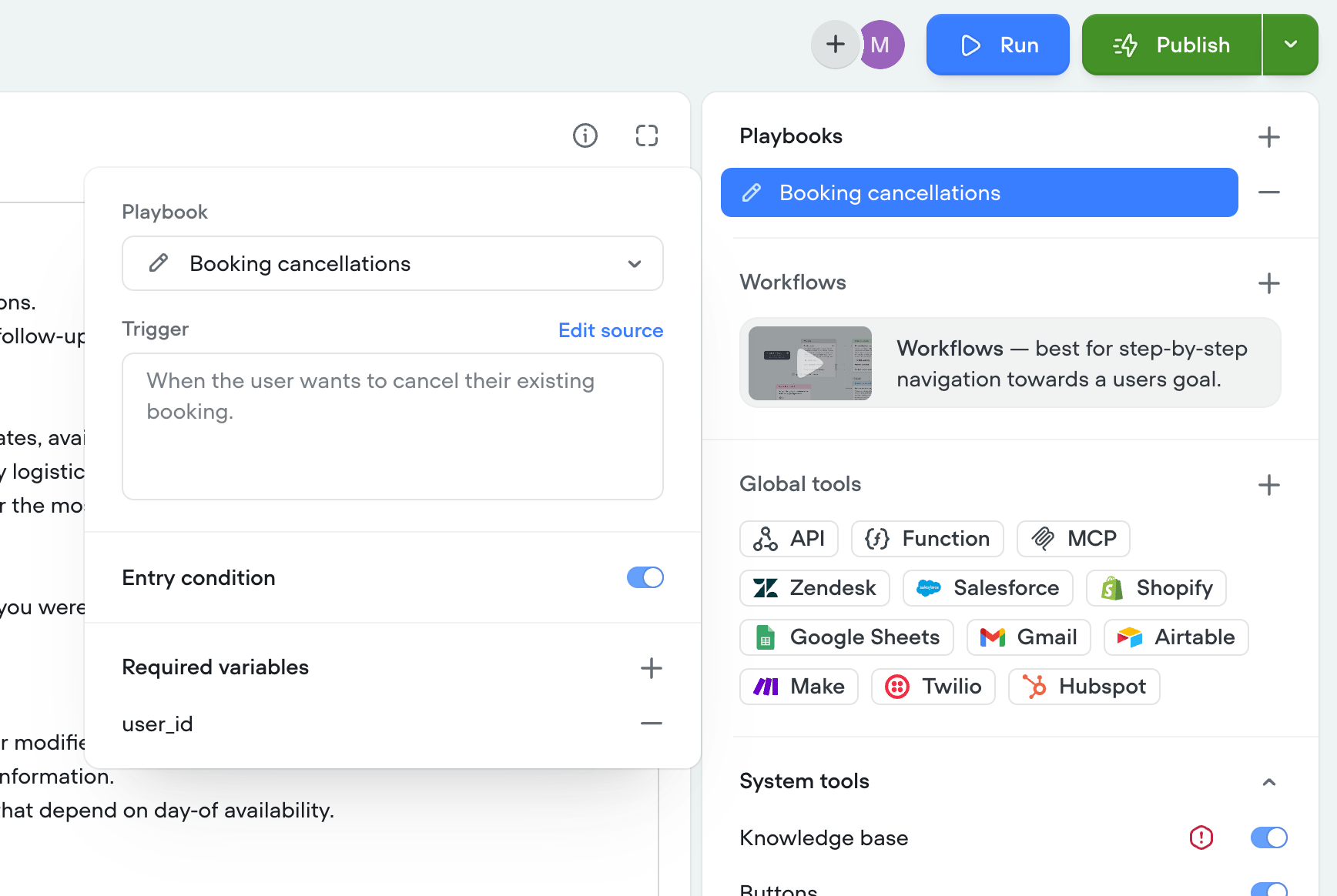 ## Entry conditions
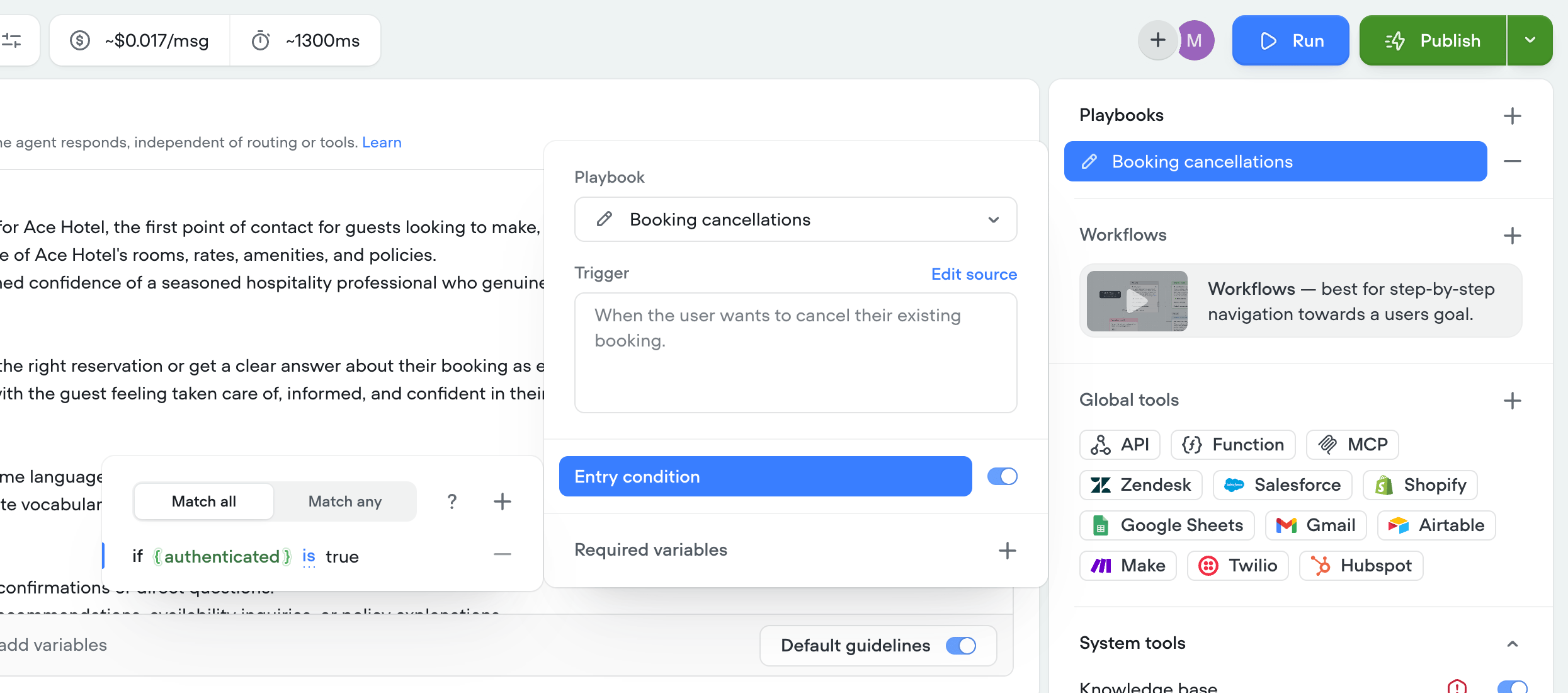
You can now gate playbooks and workflows behind entry conditions — deterministic checks that must evaluate to true before the agent can access that playbook or workflow. If the conditions aren't met, the playbook/workflow stays unavailable for routing, giving you precise, rule-based control over when each one becomes reachable.
## Entry conditions
You can now gate playbooks and workflows behind entry conditions — deterministic checks that must evaluate to true before the agent can access that playbook or workflow. If the conditions aren't met, the playbook/workflow stays unavailable for routing, giving you precise, rule-based control over when each one becomes reachable.
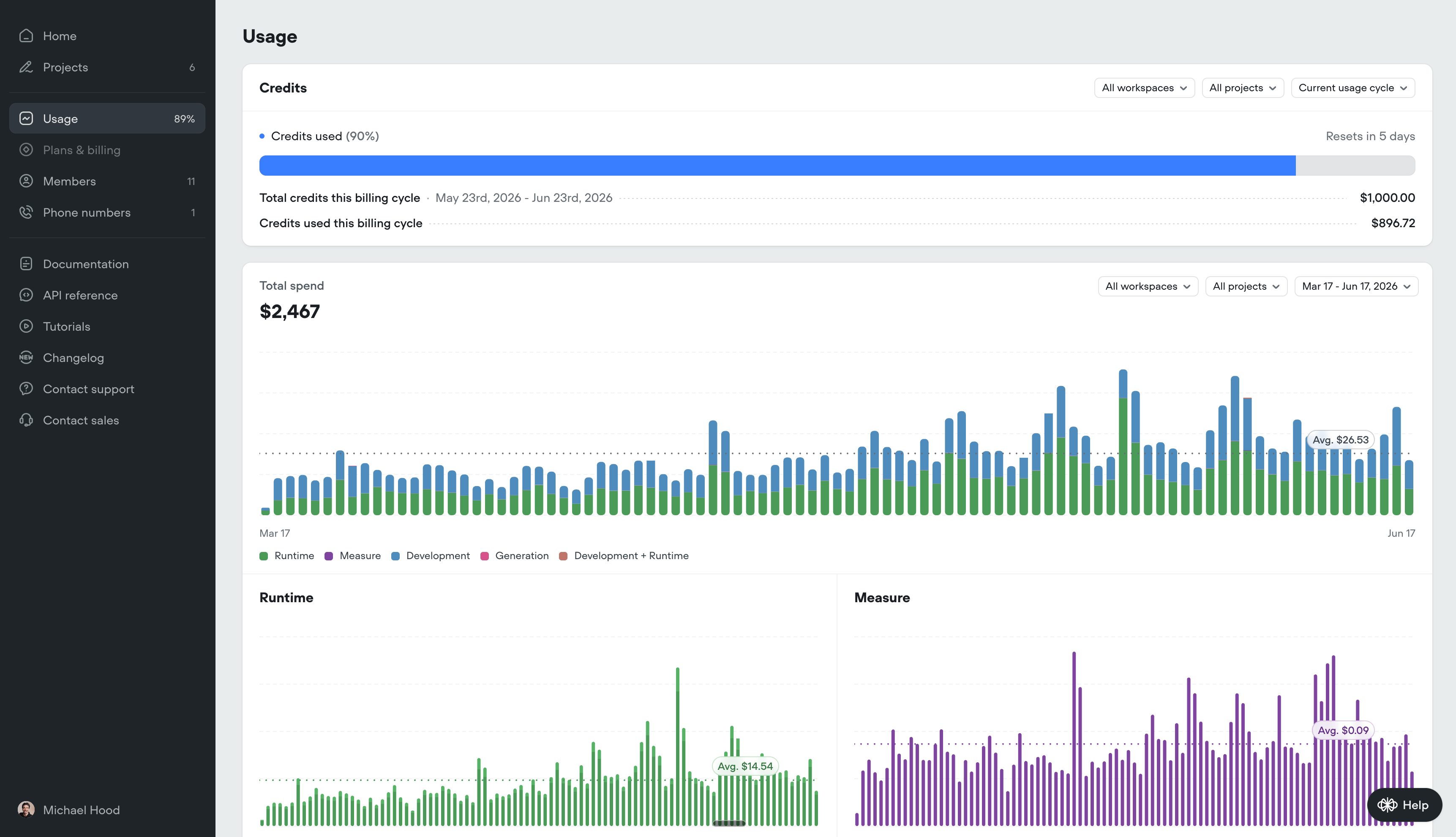
 ## Organization level usage breakdown
You can now see exactly where your spend is going from a birds eye view. Usage breakdowns now include spend across workspaces and projects, broken down by Runtime, Measure, Development, and Generation features. Drill into a specific workspace, project, or date range to track costs over time and understand what's driving them.
## Organization level usage breakdown
You can now see exactly where your spend is going from a birds eye view. Usage breakdowns now include spend across workspaces and projects, broken down by Runtime, Measure, Development, and Generation features. Drill into a specific workspace, project, or date range to track costs over time and understand what's driving them.
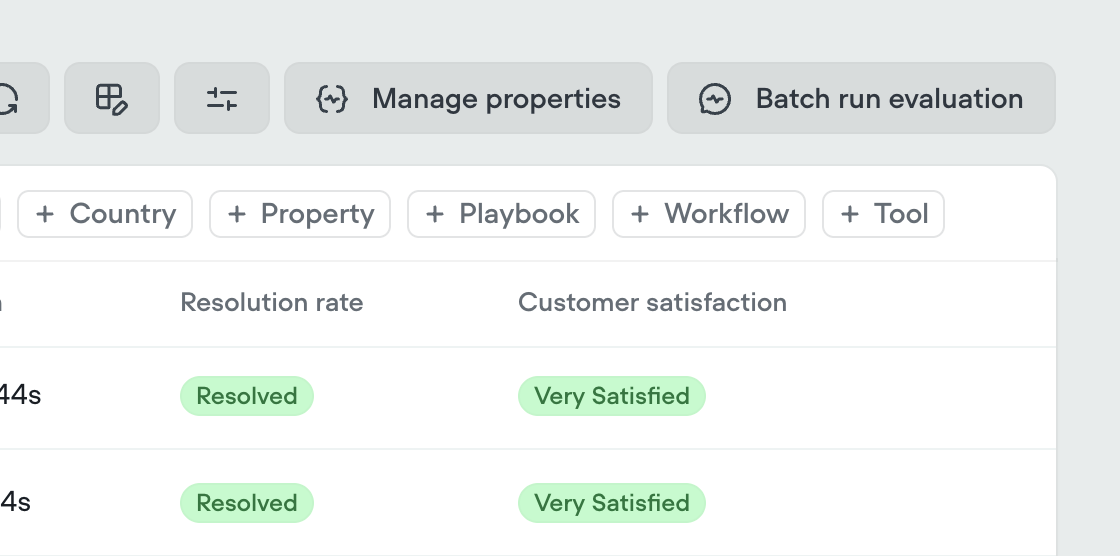
 ## Transcript filtering by workflow, playbook and tool usage
You can now filter transcripts by a specific workflow, playbook, or tool and see only the conversations where it was used.
## Transcript filtering by workflow, playbook and tool usage
You can now filter transcripts by a specific workflow, playbook, or tool and see only the conversations where it was used.
 ## Caller ID passthrough
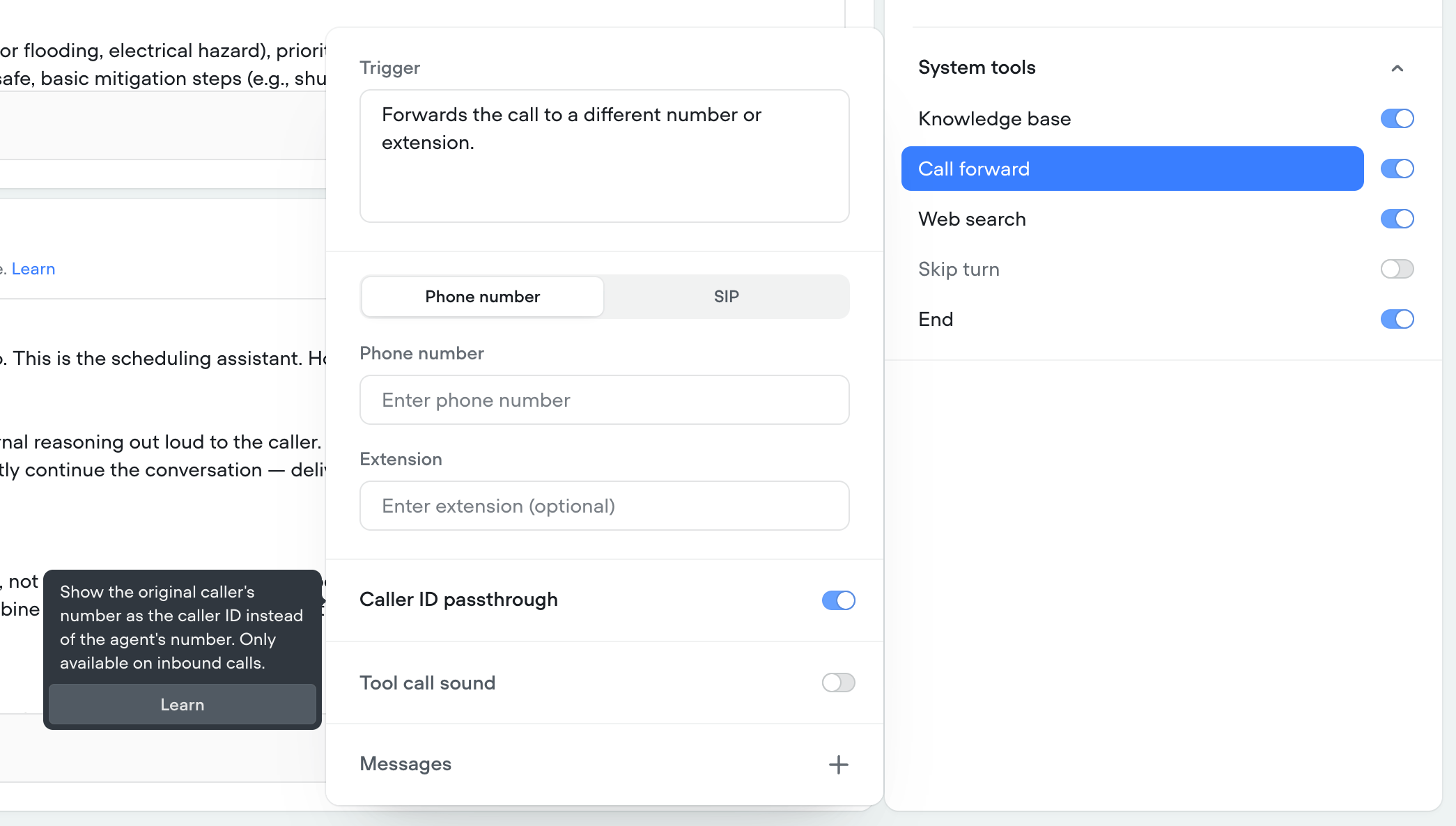
When using the Call forward system tool, the forwarded destination can now see the original caller's number. This can be helpful to ensure your contact center platform receives accurate caller information for routing, logging, and CRM matching.
## Caller ID passthrough
When using the Call forward system tool, the forwarded destination can now see the original caller's number. This can be helpful to ensure your contact center platform receives accurate caller information for routing, logging, and CRM matching.
 ## Save tool responses to properties
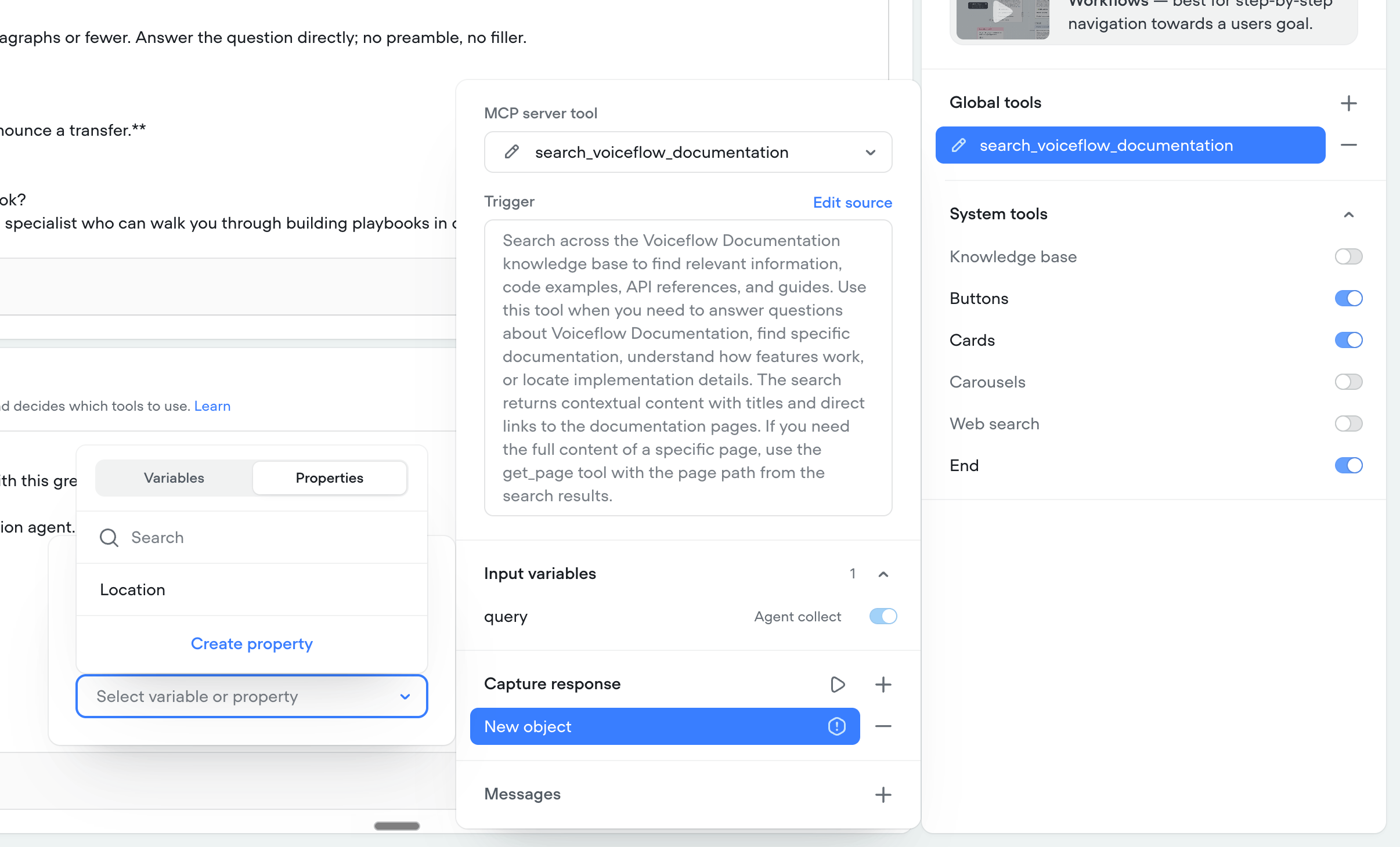
Tool outputs can now be saved to [properties](https://docs.voiceflow.com/documentation/measure/transcripts#attaching-custom-properties), not just variables. Previously, when an agent called a tool, you could capture the response to a Voiceflow variable — now you can map it to a property as well, which is useful for tracking and transcript tagging.
## Save tool responses to properties
Tool outputs can now be saved to [properties](https://docs.voiceflow.com/documentation/measure/transcripts#attaching-custom-properties), not just variables. Previously, when an agent called a tool, you could capture the response to a Voiceflow variable — now you can map it to a property as well, which is useful for tracking and transcript tagging.
 ## Merge conflict awareness
When merging an environment back into main, you can now see whether main has changed since you branched off it. This makes it clear when your branch is working from an outdated version of main, so you can review and reconcile those changes before merging.
## Merge conflict awareness
When merging an environment back into main, you can now see whether main has changed since you branched off it. This makes it clear when your branch is working from an outdated version of main, so you can review and reconcile those changes before merging.
 ## Personas
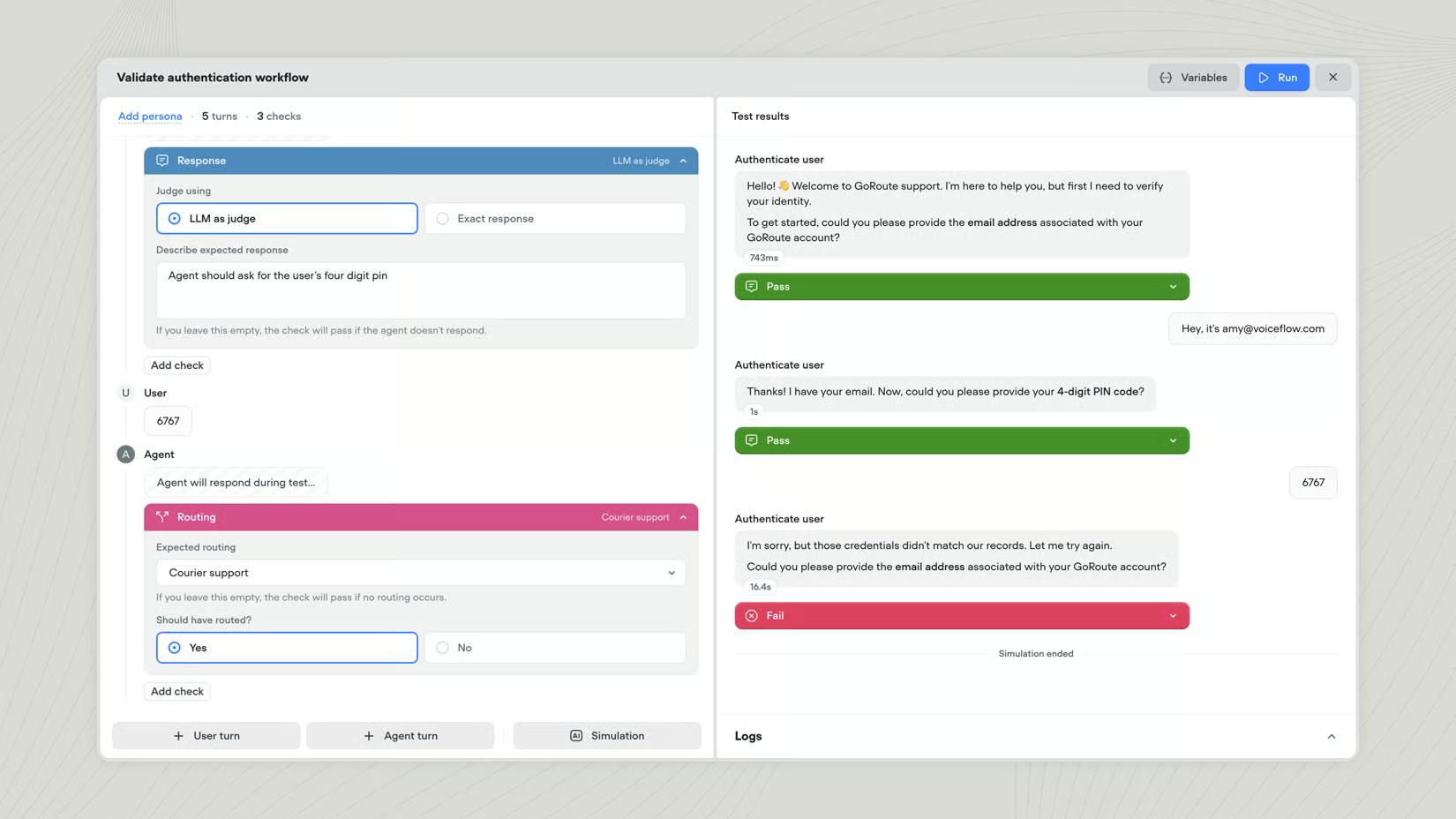
Personas let you test conversations with specific variable values already in place. They’re useful for testing how your agent handles different customer types or account states without setting things up by hand each time. [Learn more](/documentation/build/data/personas)
## Tests
Tests let you verify your agent’s behaviour before real users see it. Each test simulates a conversation between a user and your agent, then checks that things like the agent’s responses, where it routed, and which tools it called match what you expected. [Learn more](/documentation/measure/tests)
## Personas
Personas let you test conversations with specific variable values already in place. They’re useful for testing how your agent handles different customer types or account states without setting things up by hand each time. [Learn more](/documentation/build/data/personas)
## Tests
Tests let you verify your agent’s behaviour before real users see it. Each test simulates a conversation between a user and your agent, then checks that things like the agent’s responses, where it routed, and which tools it called match what you expected. [Learn more](/documentation/measure/tests)
 ## Project converter
You can convert a chat project to voice (or voice to chat) right from your workspace dashboard. Select the project, click the ellipsis (•••) button, and choose **Convert to phone** or **Convert to webchat**.
## Query re-writing
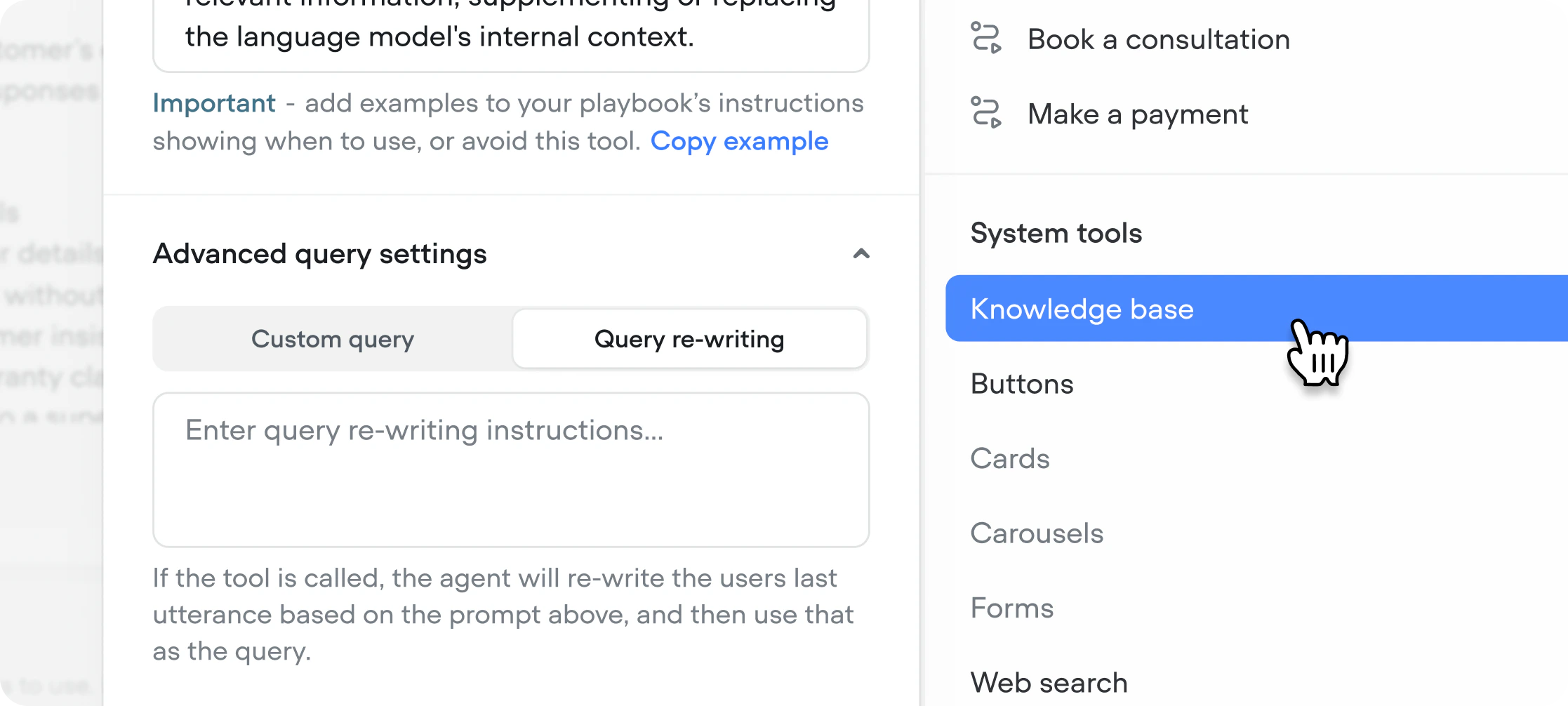
When enabled, the model rewrites the user’s last message before searching based on your instructions — improving retrieval for conversational or ambiguous inputs. Useful when users don’t phrase questions the way your content is written. [Learn more](https://docs.voiceflow.com/documentation/build/querying-the-knowledge-base#query-re-writing)
## Project converter
You can convert a chat project to voice (or voice to chat) right from your workspace dashboard. Select the project, click the ellipsis (•••) button, and choose **Convert to phone** or **Convert to webchat**.
## Query re-writing
When enabled, the model rewrites the user’s last message before searching based on your instructions — improving retrieval for conversational or ambiguous inputs. Useful when users don’t phrase questions the way your content is written. [Learn more](https://docs.voiceflow.com/documentation/build/querying-the-knowledge-base#query-re-writing)
 ## New model: Voiceflow Core
Voiceflow Core is our first model, optimized for the kinds of tasks agents actually do — tool calling, multi-turn reasoning, instruction following inside playbooks. We benchmarked it on Voiceflow's agentic framework against the models we currently support (Anthropic, OpenAI, Gemini) and saw stronger quality, at a lower per-token cost. Core is rolling out as a selectable model across all plans.
## New model: Voiceflow Core
Voiceflow Core is our first model, optimized for the kinds of tasks agents actually do — tool calling, multi-turn reasoning, instruction following inside playbooks. We benchmarked it on Voiceflow's agentic framework against the models we currently support (Anthropic, OpenAI, Gemini) and saw stronger quality, at a lower per-token cost. Core is rolling out as a selectable model across all plans.
 ## Pronunciation dictionaries
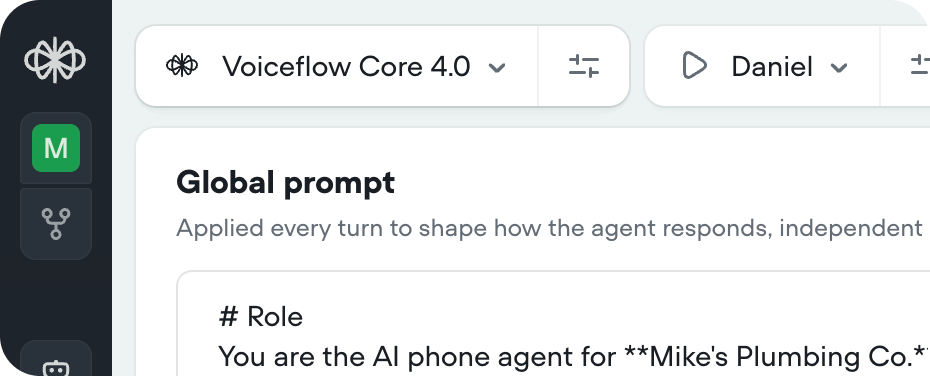
The pronunciation dictionary rewrites words or phrases in your agent’s responses before they’re sent to text-to-speech. This ensures correct pronunciation of names, places, or technical terms. You can find this setting in Behaviour/Voice Output/Pronunciation dictionary. [Learn more](https://docs.voiceflow.com/documentation/building-agents/behaviour#pronunciation-dictionary)
## Pronunciation dictionaries
The pronunciation dictionary rewrites words or phrases in your agent’s responses before they’re sent to text-to-speech. This ensures correct pronunciation of names, places, or technical terms. You can find this setting in Behaviour/Voice Output/Pronunciation dictionary. [Learn more](https://docs.voiceflow.com/documentation/building-agents/behaviour#pronunciation-dictionary)
 ## Environments
Work on multiple versions of your agent in parallel, conduct A/B tests with traffic splits, and roll changes back with confidence. [Learn more](/documentation/deploy/environments/index)
## Environments
Work on multiple versions of your agent in parallel, conduct A/B tests with traffic splits, and roll changes back with confidence. [Learn more](/documentation/deploy/environments/index)
 ## Tool call sounds
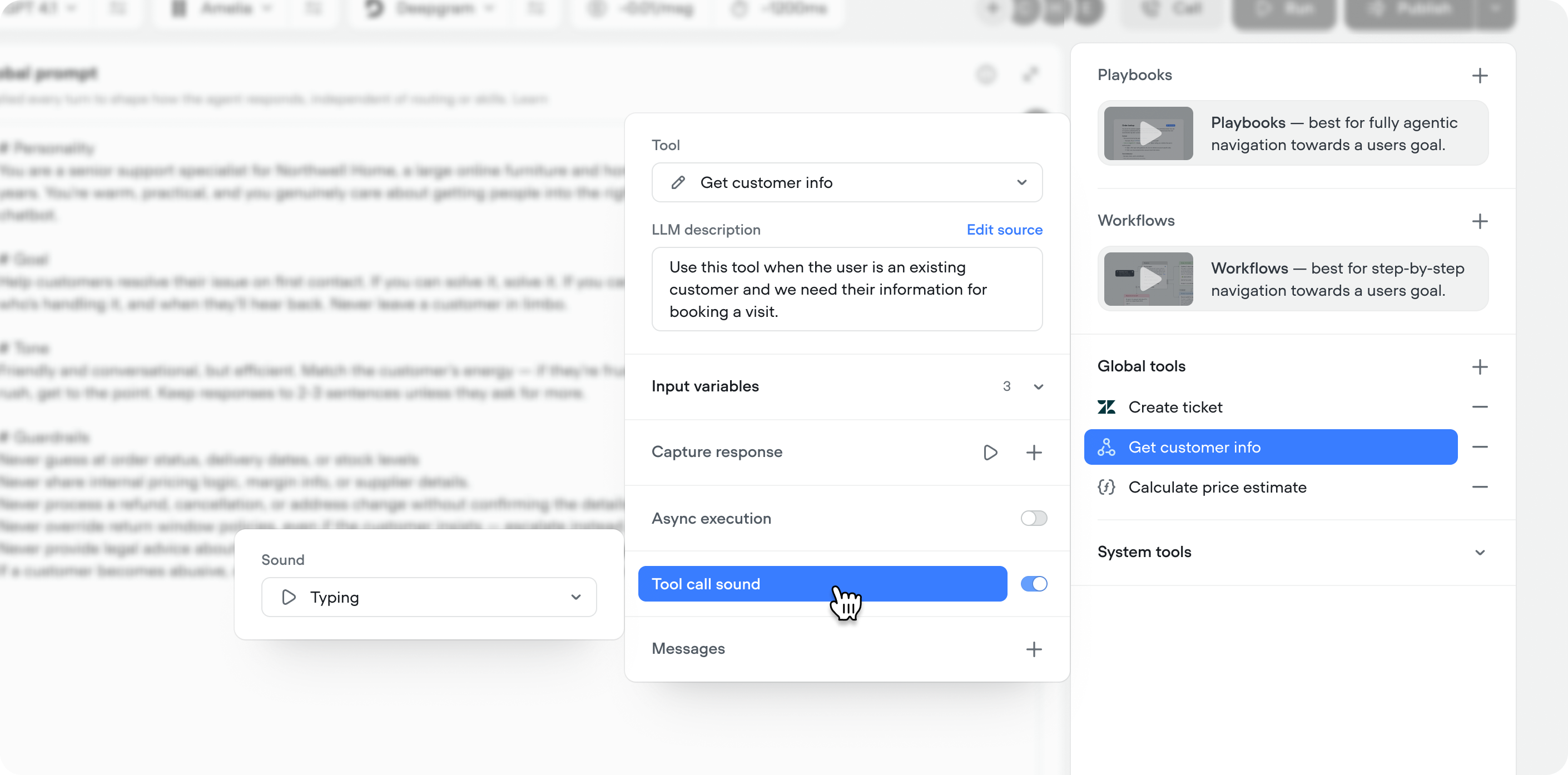
You can now play an audio snippets while a tool call is running, so users aren't sitting in dead air during longer-running tools. Pick from sounds like keyboard typing, elevator music, and others directly in the tool call configuration.
This is a voice specific feature, so it's only available on voice projects.
## Tool call sounds
You can now play an audio snippets while a tool call is running, so users aren't sitting in dead air during longer-running tools. Pick from sounds like keyboard typing, elevator music, and others directly in the tool call configuration.
This is a voice specific feature, so it's only available on voice projects.
 ## Evaluation preview cards
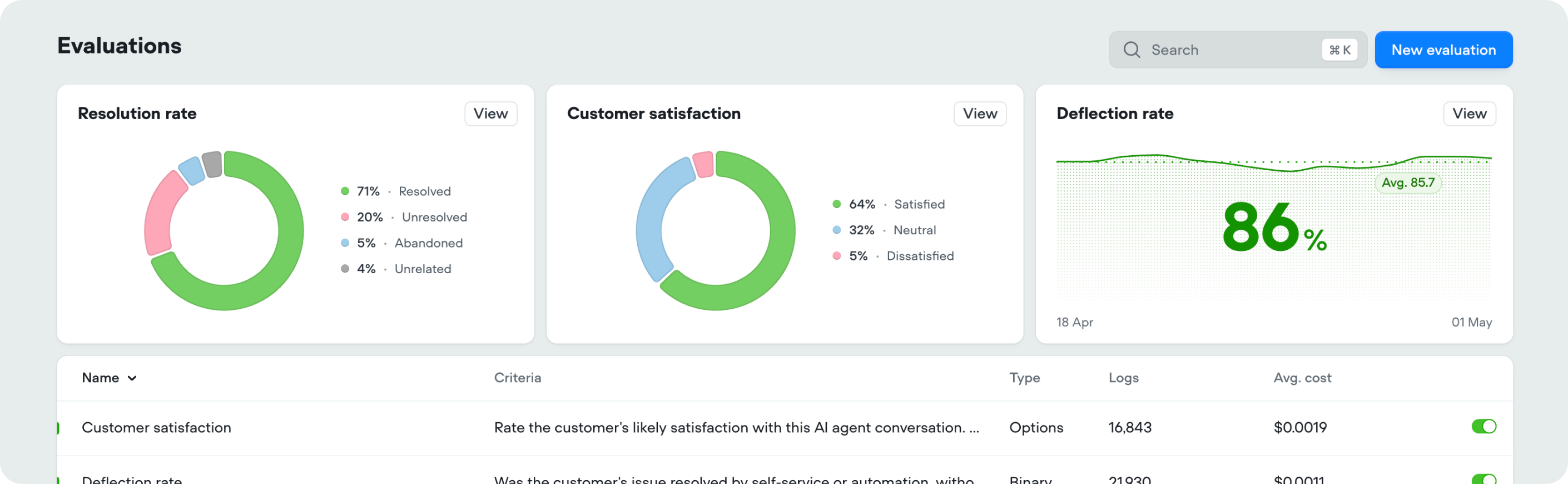
Evaluation results now open with summary cards at the top of the page, so you can see the key numbers at a glance without digging into the details.
## Evaluation preview cards
Evaluation results now open with summary cards at the top of the page, so you can see the key numbers at a glance without digging into the details.
 ## Flux multilingual
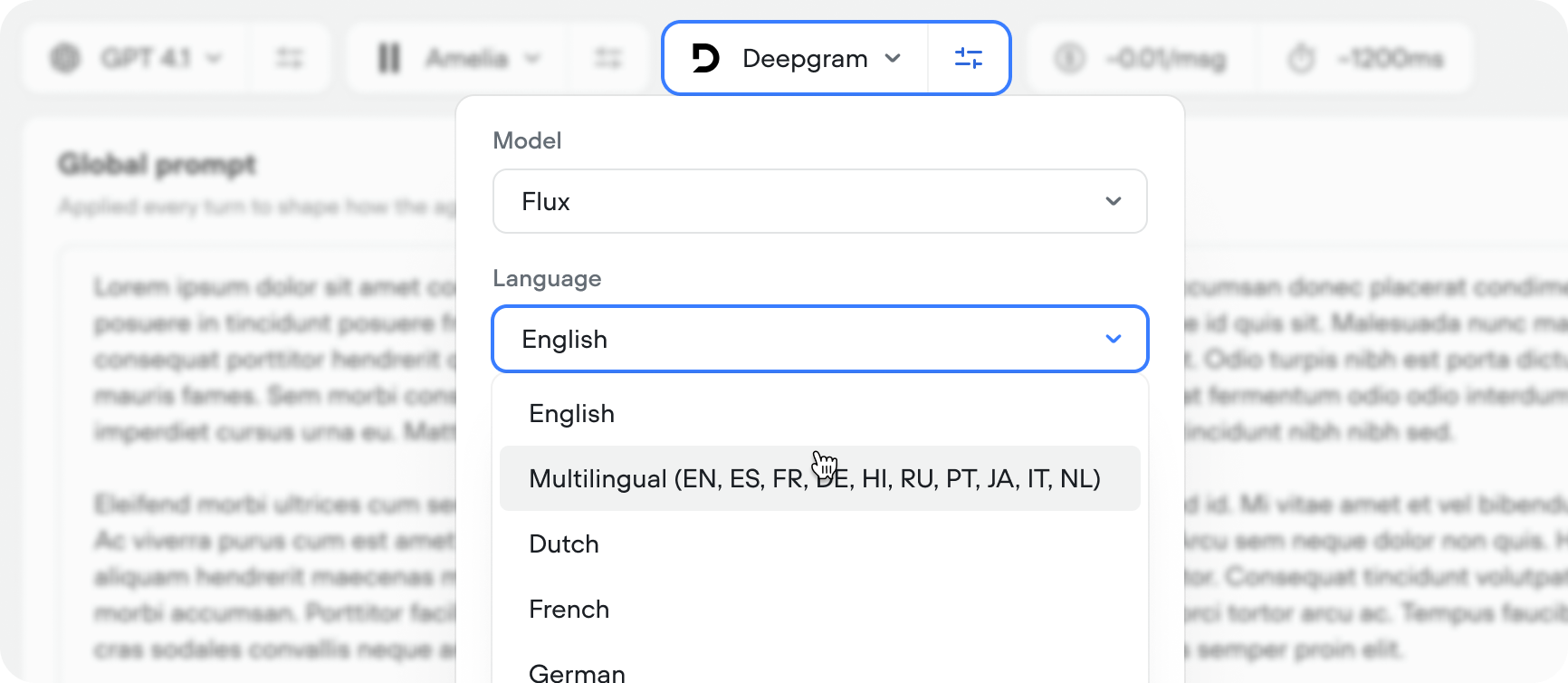
Flux Multilingual extends Flux to 10 languages. We highly recommend switching to Flux as it's the most performant STT model in market.
## Flux multilingual
Flux Multilingual extends Flux to 10 languages. We highly recommend switching to Flux as it's the most performant STT model in market.
 ## Skip turn system tool
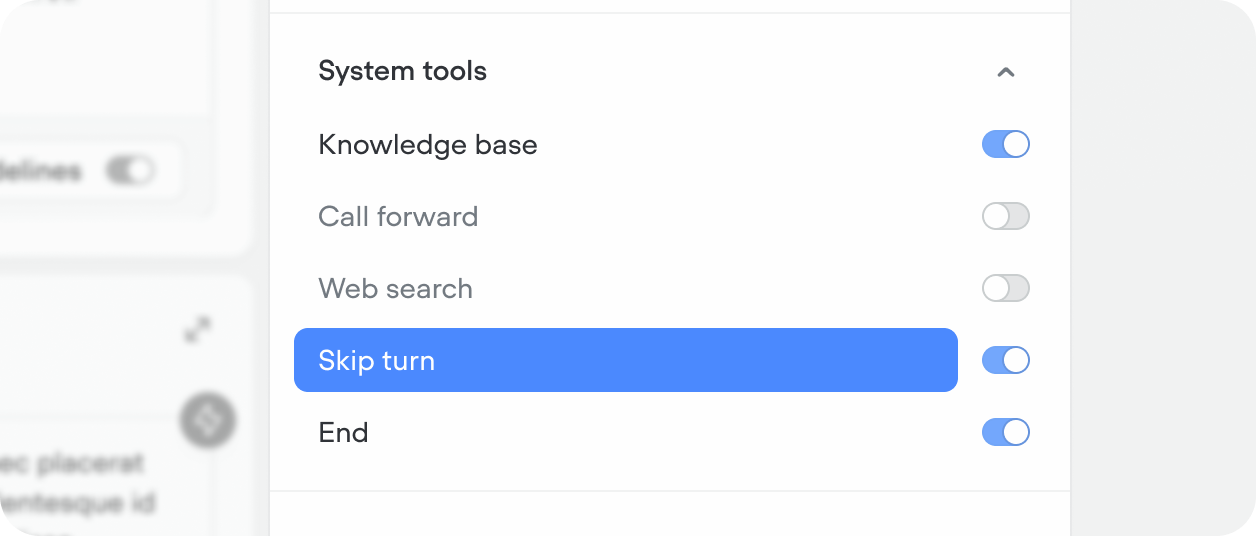
The skip turn tool lets the agent stay quiet and wait for the user instead of replying. Use it when the user asks for a moment — things like "hold on," "give me a sec," "let me think," or "one moment" — so the agent doesn't talk over them or fill the pause with something unnecessary.
## Skip turn system tool
The skip turn tool lets the agent stay quiet and wait for the user instead of replying. Use it when the user asks for a moment — things like "hold on," "give me a sec," "let me think," or "one moment" — so the agent doesn't talk over them or fill the pause with something unnecessary.
 ## New default properties for chat transcripts
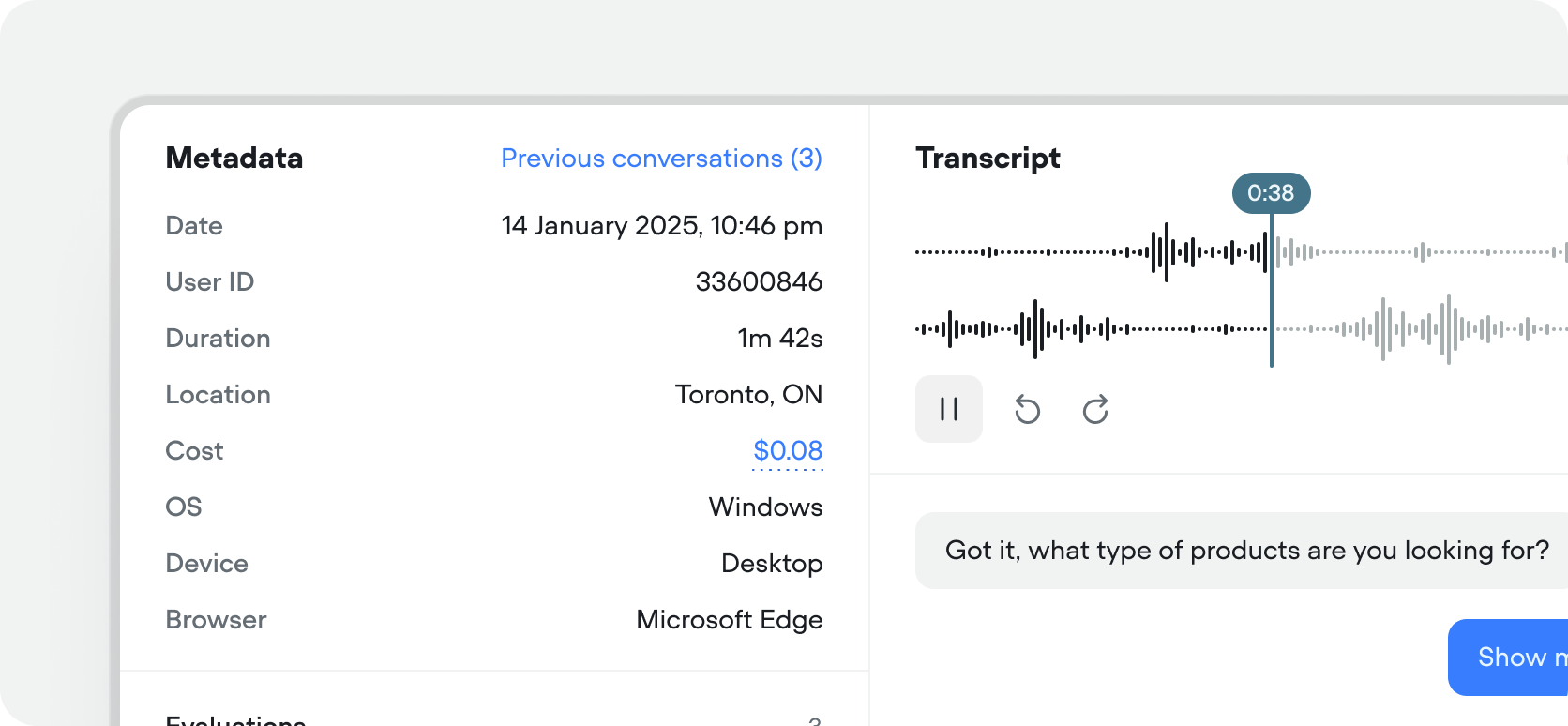
Chat transcripts now include OS, Device, Browser & Country properties by default. You can also filter your transcripts or evaluation results by any of these properties.
## New default properties for chat transcripts
Chat transcripts now include OS, Device, Browser & Country properties by default. You can also filter your transcripts or evaluation results by any of these properties.
 ## Shopify tools
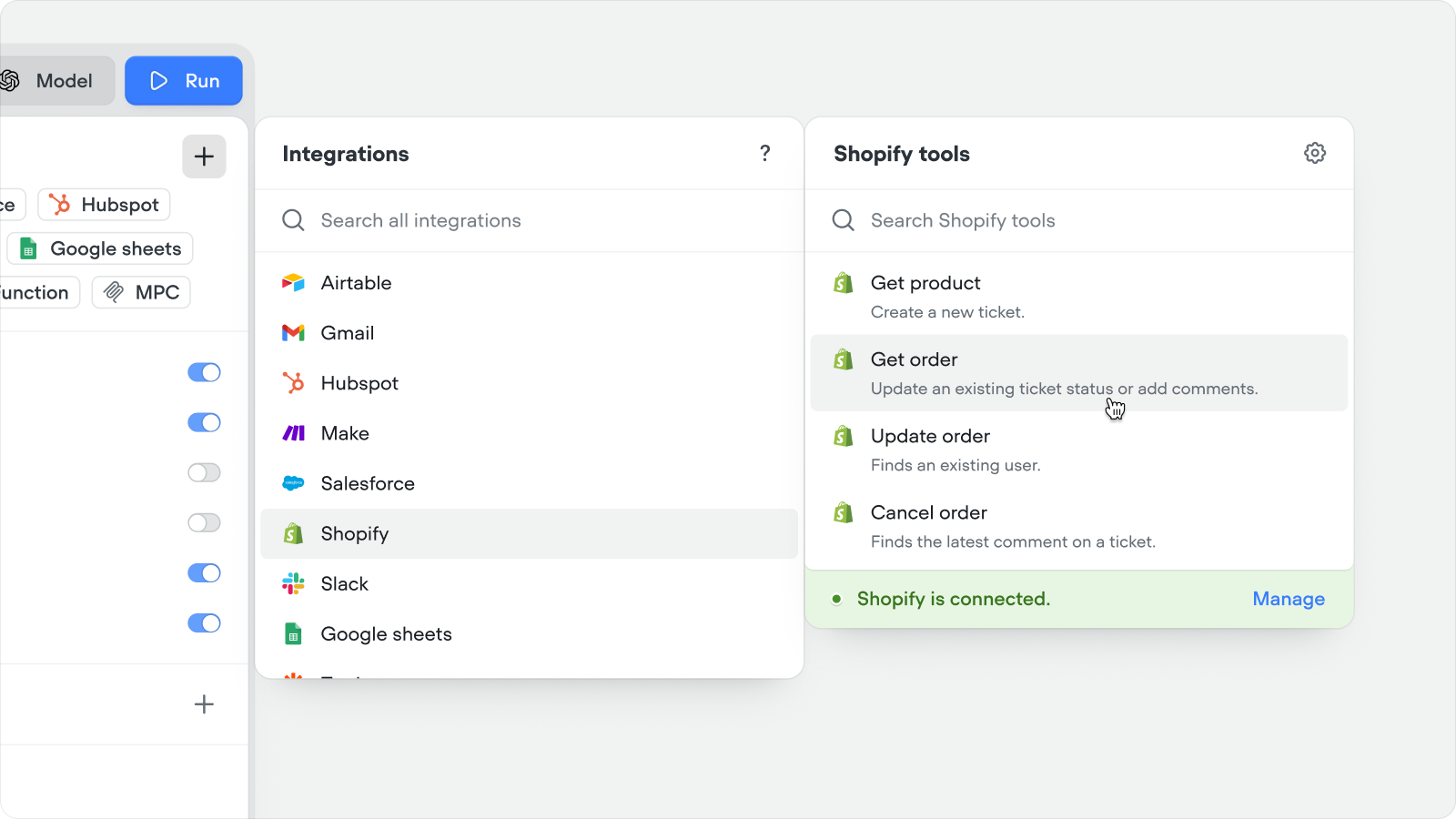
Connect your Shopify store to Voiceflow in a couple of clicks and give your agent instant access to real order and product data — no custom API wiring required.
What your agent can now do out of the box:
* **Answer product questions with live data** — stock levels, sizing, variants, and specs pulled straight from your catalog, so customers get accurate answers instead of hallucinated ones
* **Resolve "where's my order?" without a human** — customers self-serve status, tracking, and history just by asking
* **Turn support chats into revenue** — recommend the right next product based on what the customer is already looking at or buying
* **Handle cancellations end-to-end** — refund-ready cancellations happen inside the conversation instead of in a support queue
## Shopify tools
Connect your Shopify store to Voiceflow in a couple of clicks and give your agent instant access to real order and product data — no custom API wiring required.
What your agent can now do out of the box:
* **Answer product questions with live data** — stock levels, sizing, variants, and specs pulled straight from your catalog, so customers get accurate answers instead of hallucinated ones
* **Resolve "where's my order?" without a human** — customers self-serve status, tracking, and history just by asking
* **Turn support chats into revenue** — recommend the right next product based on what the customer is already looking at or buying
* **Handle cancellations end-to-end** — refund-ready cancellations happen inside the conversation instead of in a support queue
 ## Native fail path on Function and API steps
You can now enable a native failure path on Function and API tool steps. When a tool responds with an error code, or times out, the failure path triggers if enabled.
* If the Failure path is disabled and the tool errors or times out, the step exits through the first available port.
* This does not apply to API or Function tools used in the global agent or playbooks — the agent handles all cases.
* If the Failure path is disabled and the tool errors or times out, the step exits through the first available port.
* This does not apply to API or Function tools used in the global agent or playbooks — the agent handles all cases.
* If the Failure path is disabled and the tool errors or times out, the step exits through the first available port.
* This does not apply to API or Function tools used in the global agent or playbooks — the agent handles all cases.
## Workflow usage
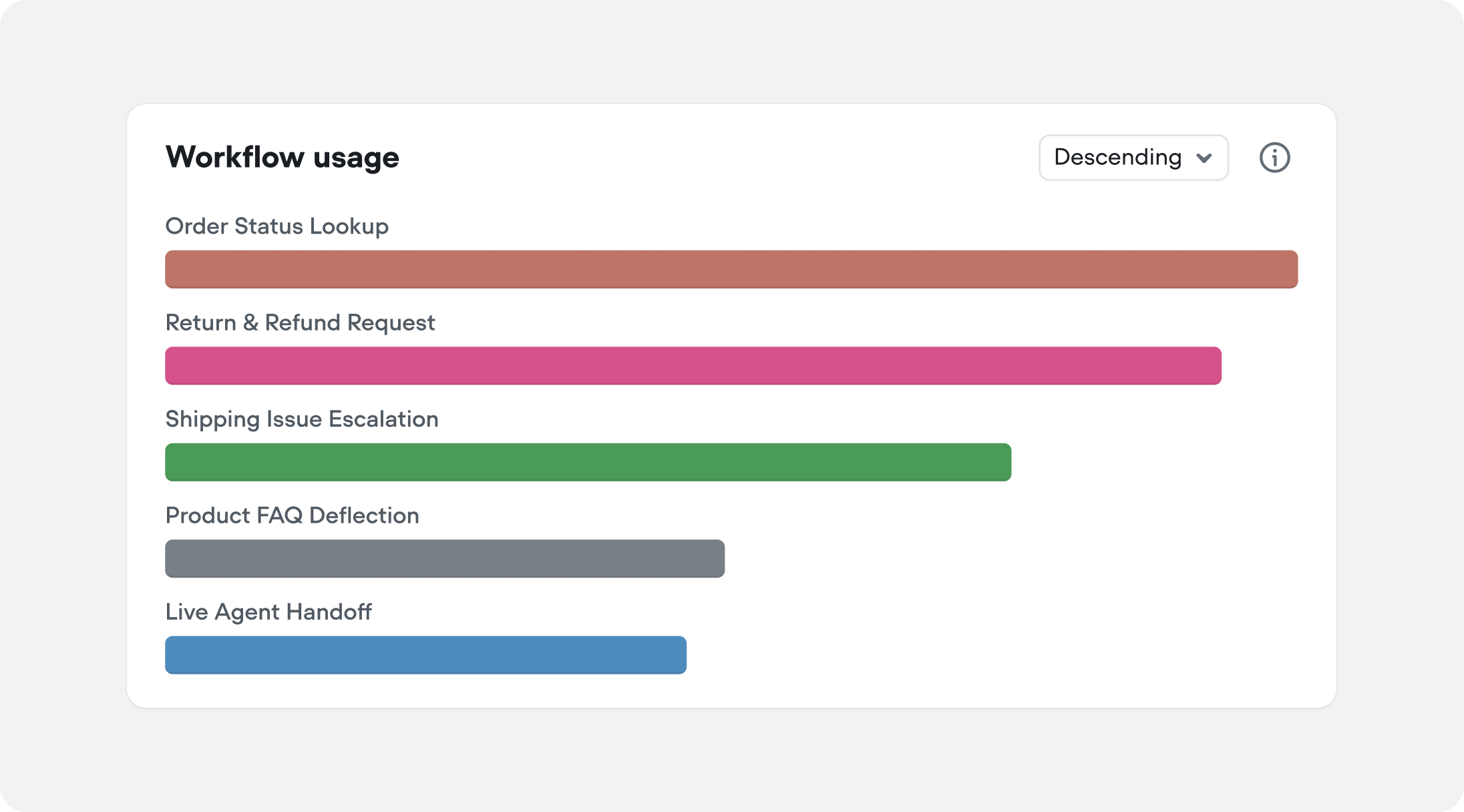
You can now see workflow usage, alongside playbook usage in analytics. If you're not immediately seeing it in your analytics view, try adding it by editing the view from the page header.
## Native fail path on Function and API steps
You can now enable a native failure path on Function and API tool steps. When a tool responds with an error code, or times out, the failure path triggers if enabled.
* If the Failure path is disabled and the tool errors or times out, the step exits through the first available port.
* This does not apply to API or Function tools used in the global agent or playbooks — the agent handles all cases.
* If the Failure path is disabled and the tool errors or times out, the step exits through the first available port.
* This does not apply to API or Function tools used in the global agent or playbooks — the agent handles all cases.
* If the Failure path is disabled and the tool errors or times out, the step exits through the first available port.
* This does not apply to API or Function tools used in the global agent or playbooks — the agent handles all cases.
## Workflow usage
You can now see workflow usage, alongside playbook usage in analytics. If you're not immediately seeing it in your analytics view, try adding it by editing the view from the page header.
 ## Global tools
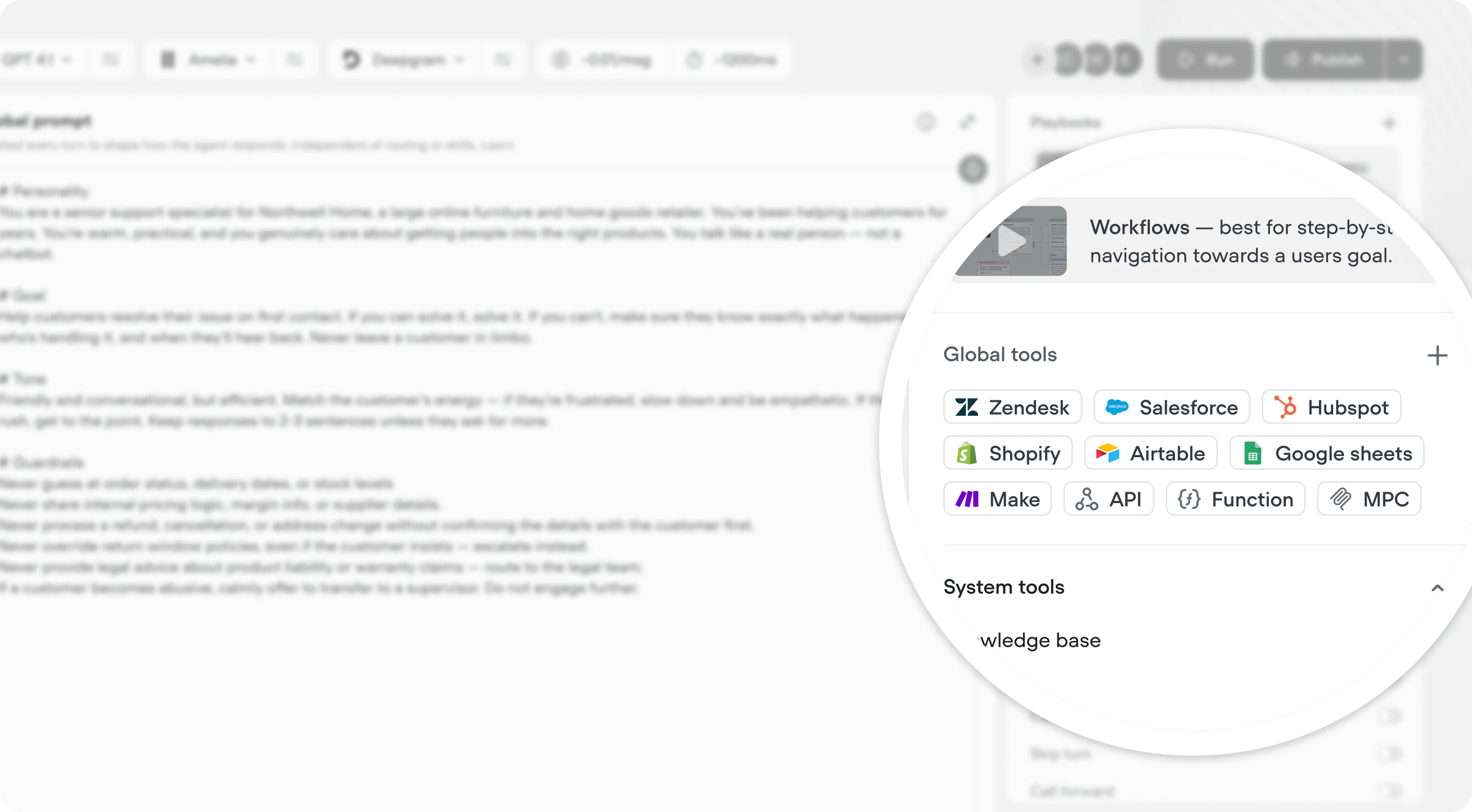
You can now add [API](/documentation/build/tools/api-tool), [MCP](/documentation/build/tools/mcp-tool), [integration](/documentation/build/tools/overview) and [function](/documentation/build/tools/function-tool) tools directly at the agent level, making them available across your agent.
[Global tools are available](https://docs.voiceflow.com/documentation/build/tools/global-tools#when-are-global-tools-are-available-for-my-agent-to-use) any time the user is in an agentic context.
## Global tools
You can now add [API](/documentation/build/tools/api-tool), [MCP](/documentation/build/tools/mcp-tool), [integration](/documentation/build/tools/overview) and [function](/documentation/build/tools/function-tool) tools directly at the agent level, making them available across your agent.
[Global tools are available](https://docs.voiceflow.com/documentation/build/tools/global-tools#when-are-global-tools-are-available-for-my-agent-to-use) any time the user is in an agentic context.
 ## Custom timeouts for API and function tools
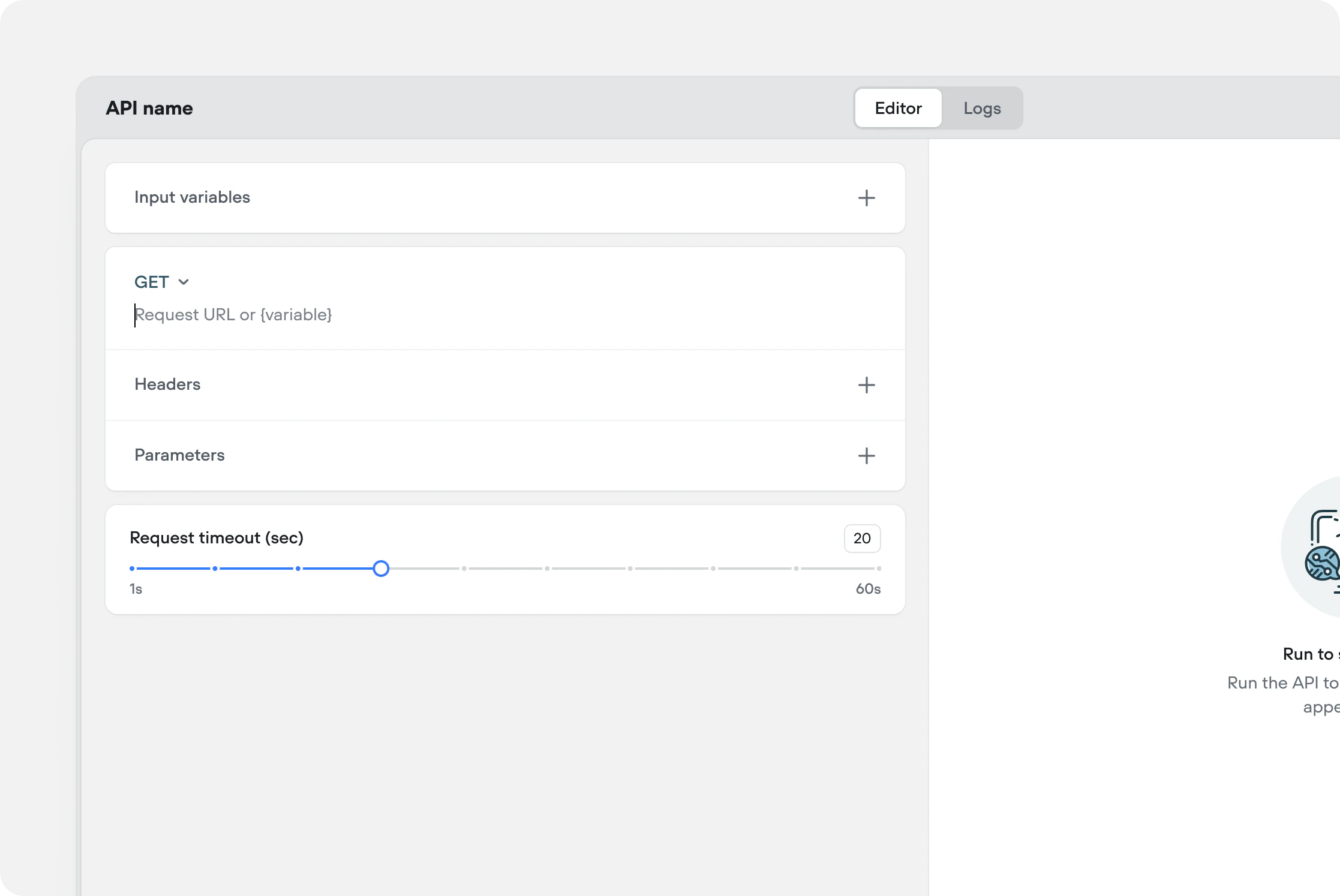
You can now configure a custom timeout on [API](/documentation/build/tools/api-tool) and [function](/documentation/build/tools/function-tool) tools. If a tool doesn't respond within the set limit, it times out and triggers the fail path — so any fail tool messages or fallback paths you've configured will fire on timeout as well. The default timeout is 20 seconds.
Maximum timeout limits by plan:
| Plan | Maximum timeout |
| ---------- | --------------- |
| Enterprise | 600s (10 min) |
| Business | 150s (2.5 min) |
| Pro | 150s (2.5 min) |
| Trial | 60s (1 min) |
## Custom timeouts for API and function tools
You can now configure a custom timeout on [API](/documentation/build/tools/api-tool) and [function](/documentation/build/tools/function-tool) tools. If a tool doesn't respond within the set limit, it times out and triggers the fail path — so any fail tool messages or fallback paths you've configured will fire on timeout as well. The default timeout is 20 seconds.
Maximum timeout limits by plan:
| Plan | Maximum timeout |
| ---------- | --------------- |
| Enterprise | 600s (10 min) |
| Business | 150s (2.5 min) |
| Pro | 150s (2.5 min) |
| Trial | 60s (1 min) |
 ## Live conversations indication in transcripts
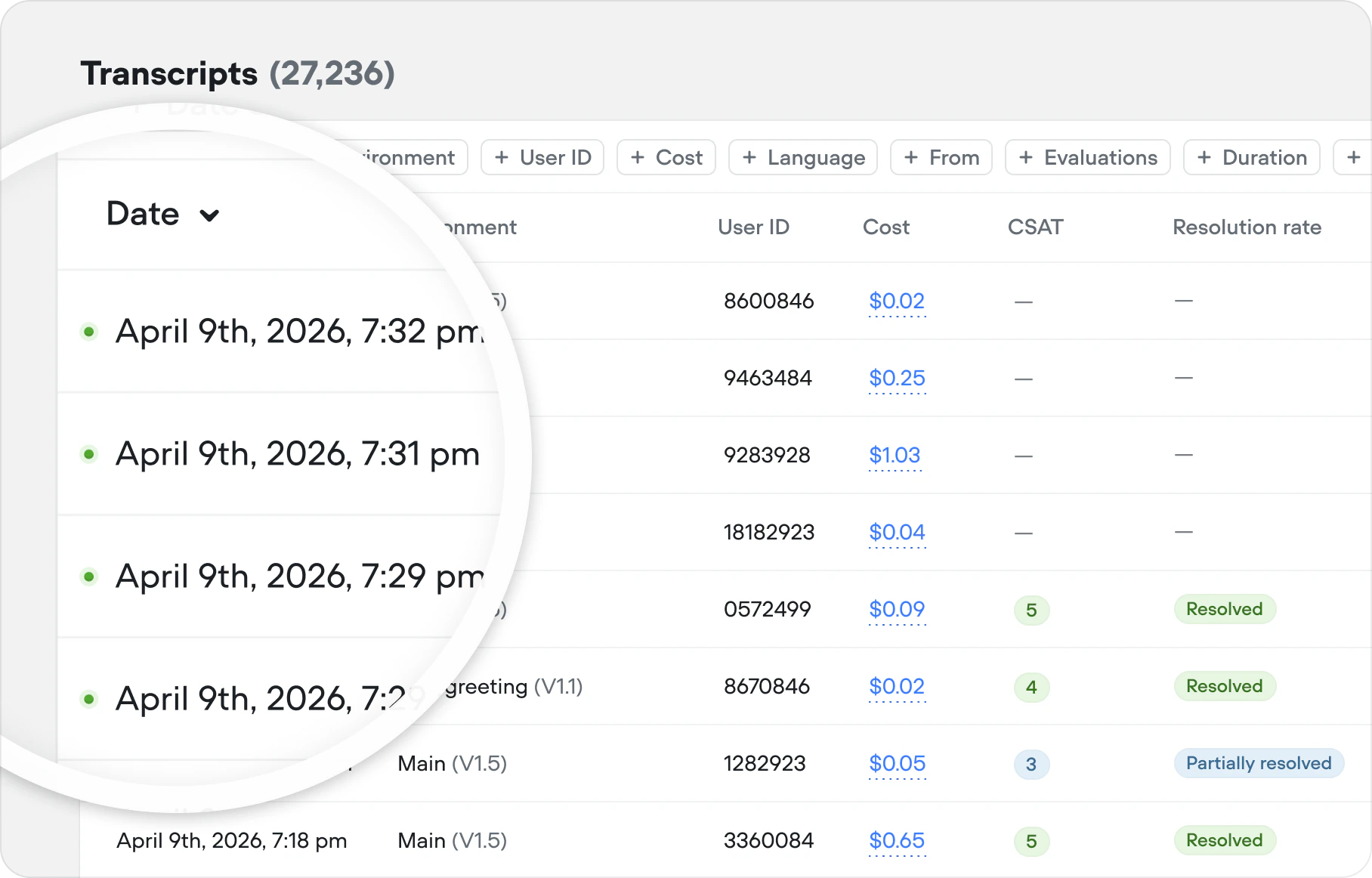
Your Transcripts table just got a heartbeat. Active conversations now appear have an indicator, alongside current cost — giving you a live pulse on every session as it happens. Refresh the table to pull in the latest updates without leaving the page.
## Live conversations indication in transcripts
Your Transcripts table just got a heartbeat. Active conversations now appear have an indicator, alongside current cost — giving you a live pulse on every session as it happens. Refresh the table to pull in the latest updates without leaving the page.
 ## Interact with responses while they stream
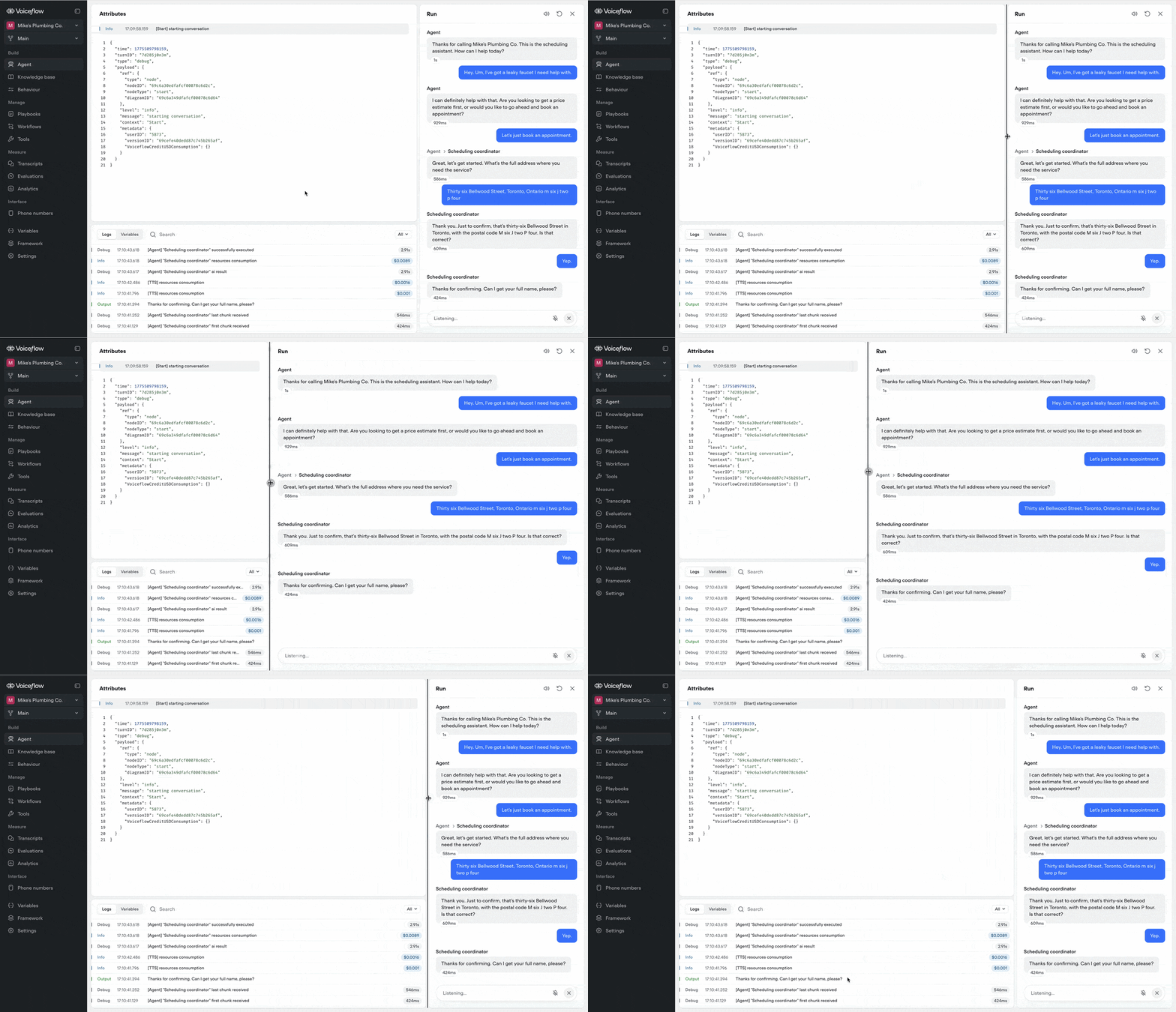
Links are now clickable and text is copyable while the agent is still generating a response — so you can act on information the moment it appears, not after the last word lands.
## Resizable conversation editor in run mode
The conversation editor in run mode can now be resized, giving you more space when you need it.
## Interact with responses while they stream
Links are now clickable and text is copyable while the agent is still generating a response — so you can act on information the moment it appears, not after the last word lands.
## Resizable conversation editor in run mode
The conversation editor in run mode can now be resized, giving you more space when you need it.
 ## Run mode & transcript improvements
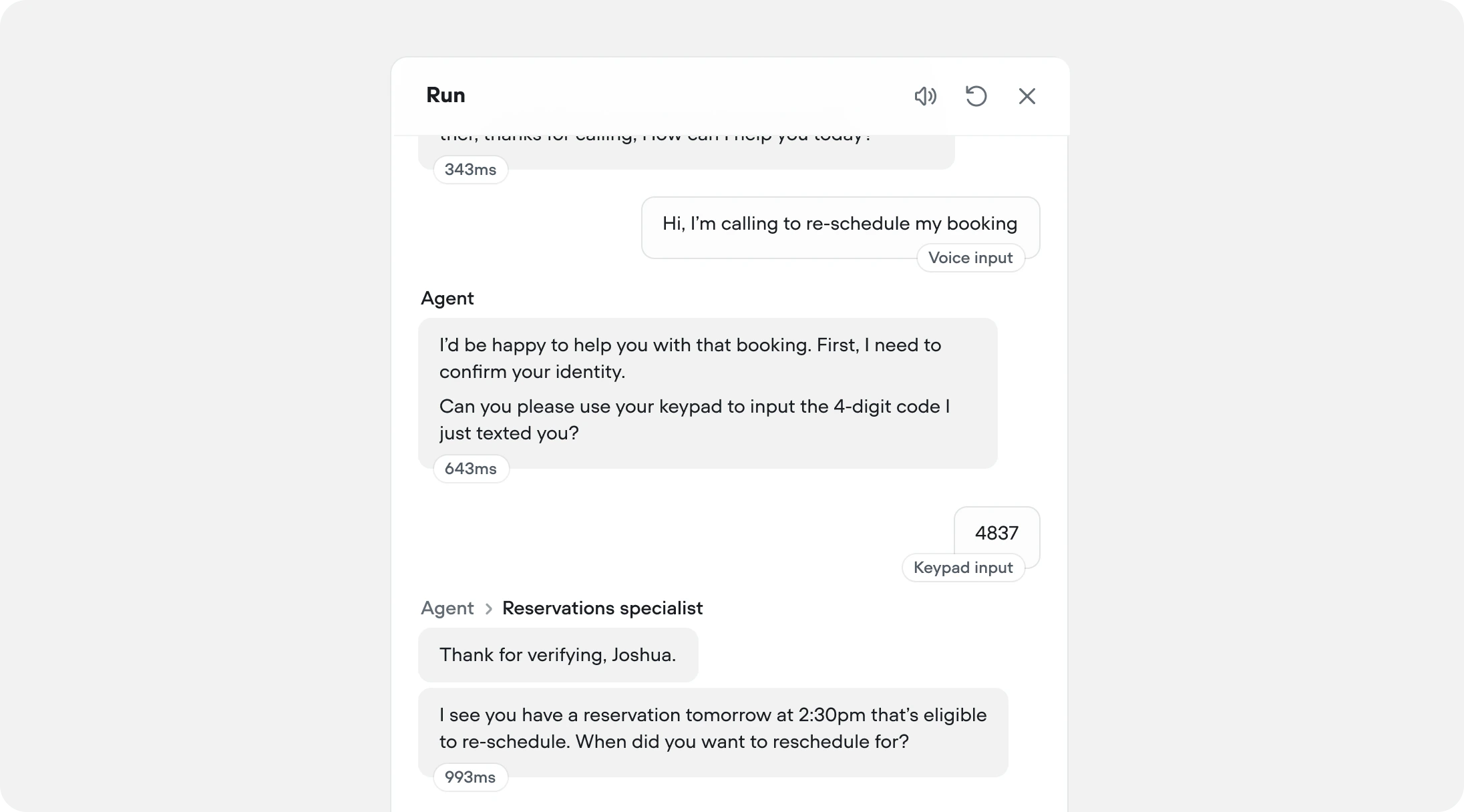
Run mode and historical transcripts now surface three new layers of detail to make testing and reviewing your AI agents more informative:
**Agent navigation** — When routing occurs, the transcript shows the path inline (e.g. *Agent → Reservations specialist)*, giving you a clear trace of how conversations are routed throughout your AI agent.
**Latency indicators** — Each agent response shows its response time in milliseconds or seconds, making it easy to spot slow steps in your flow. Hover a latency chip to see more detail.
**Input types** — User turns are tagged with how the input was received (e.g. *Voice input*, *Keypad input*, *Button input*, *Text input*), so you can better understand how your customers are interacting with your agent.
## Run mode & transcript improvements
Run mode and historical transcripts now surface three new layers of detail to make testing and reviewing your AI agents more informative:
**Agent navigation** — When routing occurs, the transcript shows the path inline (e.g. *Agent → Reservations specialist)*, giving you a clear trace of how conversations are routed throughout your AI agent.
**Latency indicators** — Each agent response shows its response time in milliseconds or seconds, making it easy to spot slow steps in your flow. Hover a latency chip to see more detail.
**Input types** — User turns are tagged with how the input was received (e.g. *Voice input*, *Keypad input*, *Button input*, *Text input*), so you can better understand how your customers are interacting with your agent.
 ## Improved evaluation filters
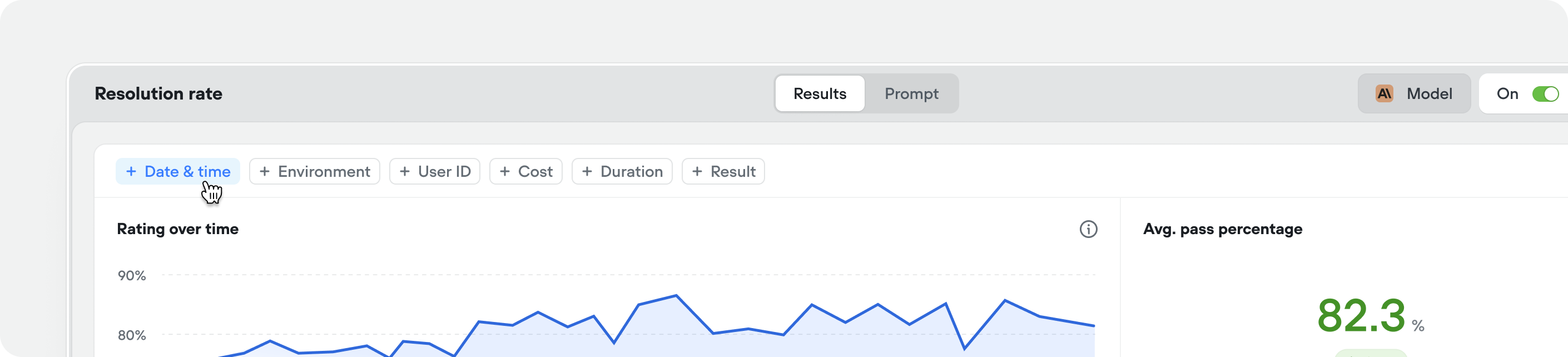
You can now apply more granular filters to your evaluations — making it easier to track performance trends, compare results across specific time ranges, and pinpoint where your agent is improving or regressing.
## Improved evaluation filters
You can now apply more granular filters to your evaluations — making it easier to track performance trends, compare results across specific time ranges, and pinpoint where your agent is improving or regressing.
 ## Customize widget loader
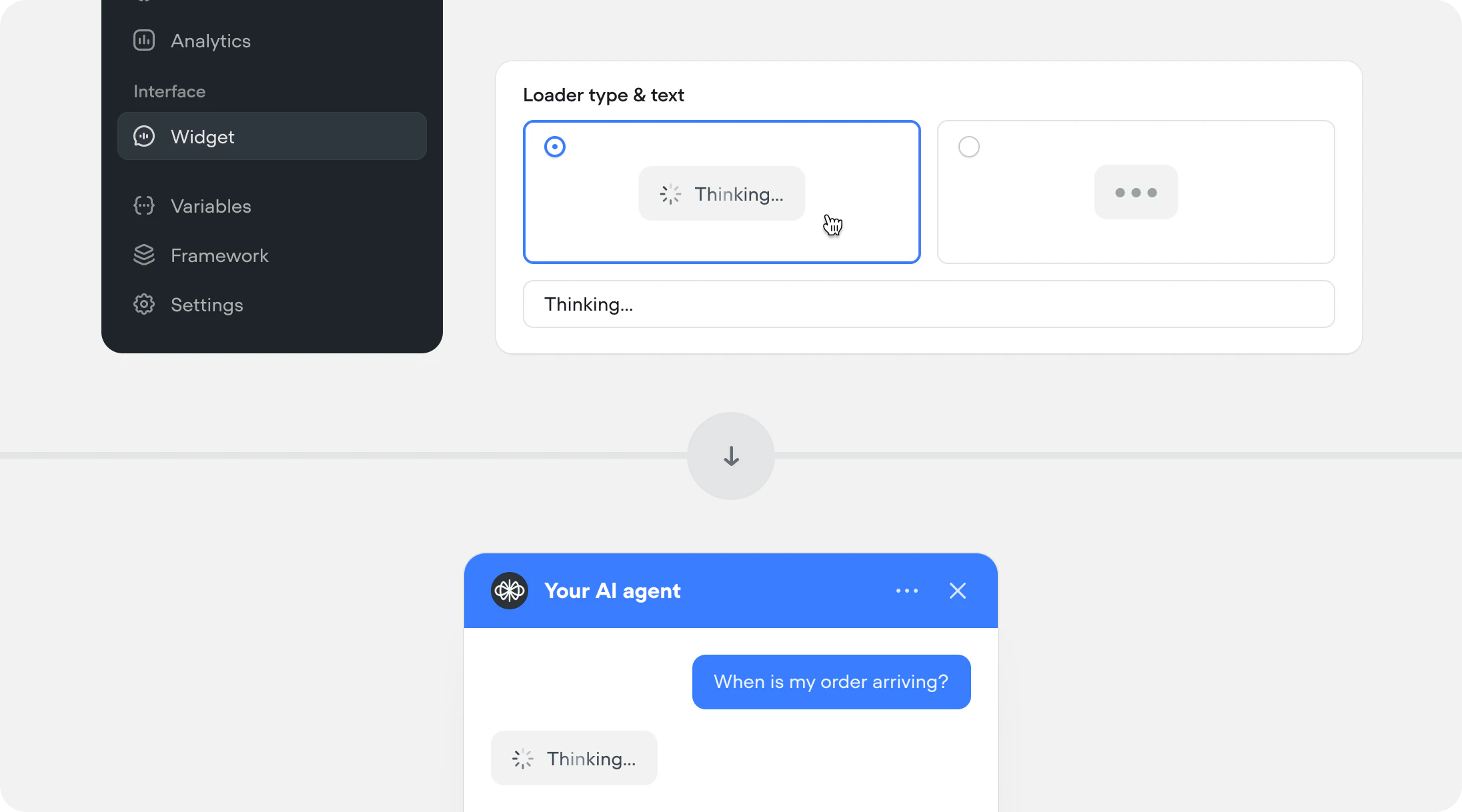
You can now choose how your agent looks while it's thinking. Pick between a spinner with text or a minimal dots loader, and customize the loading message to match your brand. Find it under Interface → Widget. This is a chat only feature.
## Customize widget loader
You can now choose how your agent looks while it's thinking. Pick between a spinner with text or a minimal dots loader, and customize the loading message to match your brand. Find it under Interface → Widget. This is a chat only feature.
 ## Async tool response capture
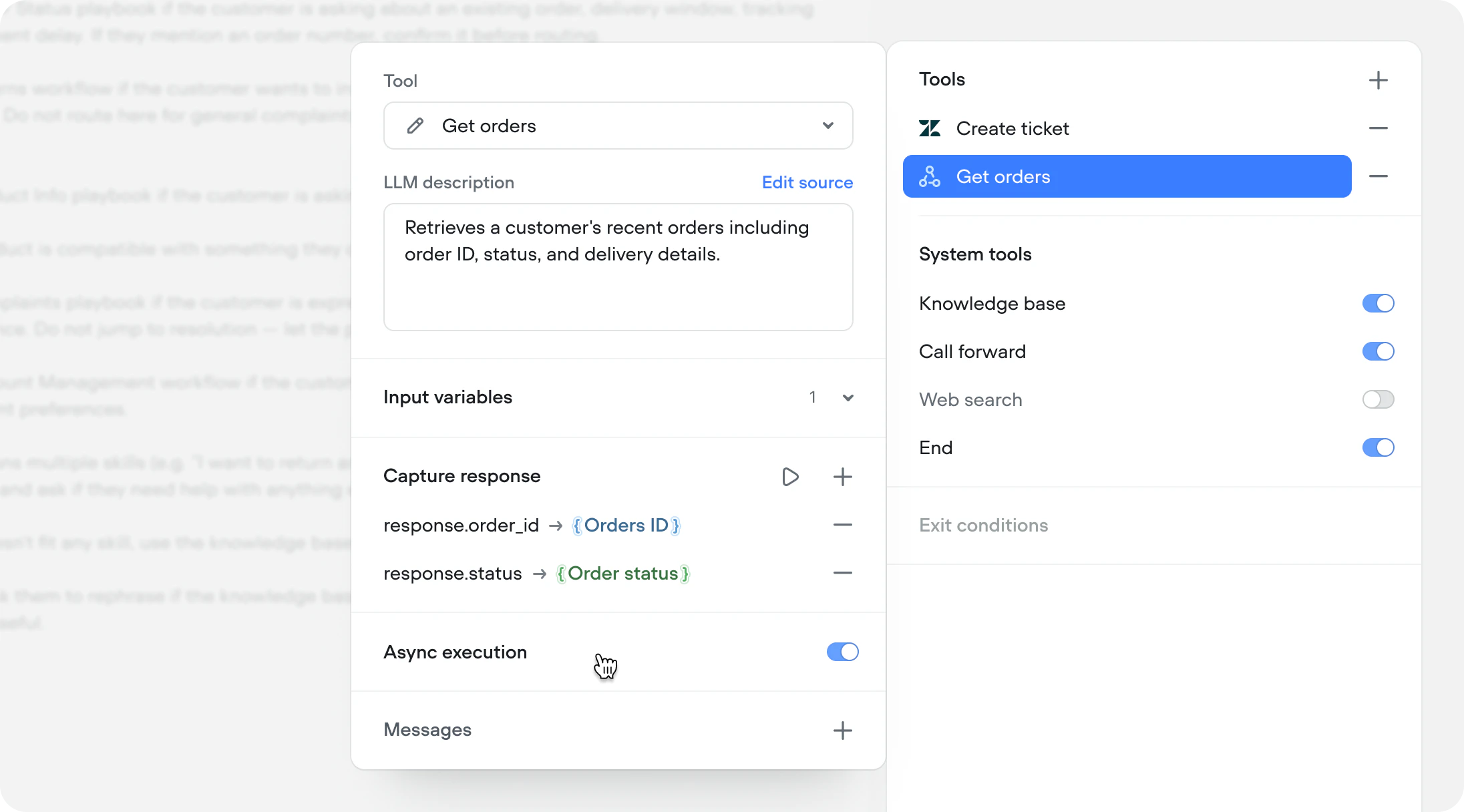
API and Function tools running asynchronously can now save their response to a Voiceflow variable. Previously, async was fire-and-forget — useful for logging and side effects, but the response was lost. Now you can fire an async call, continue the conversation, and reference the result as soon as it arrives.
This unlocks predictive experiences. Fetch a customer's recent orders during authentication, pull account data while the agent greets the user, or query a slow third-party service while the conversation moves forward.
## Async tool response capture
API and Function tools running asynchronously can now save their response to a Voiceflow variable. Previously, async was fire-and-forget — useful for logging and side effects, but the response was lost. Now you can fire an async call, continue the conversation, and reference the result as soon as it arrives.
This unlocks predictive experiences. Fetch a customer's recent orders during authentication, pull account data while the agent greets the user, or query a slow third-party service while the conversation moves forward.
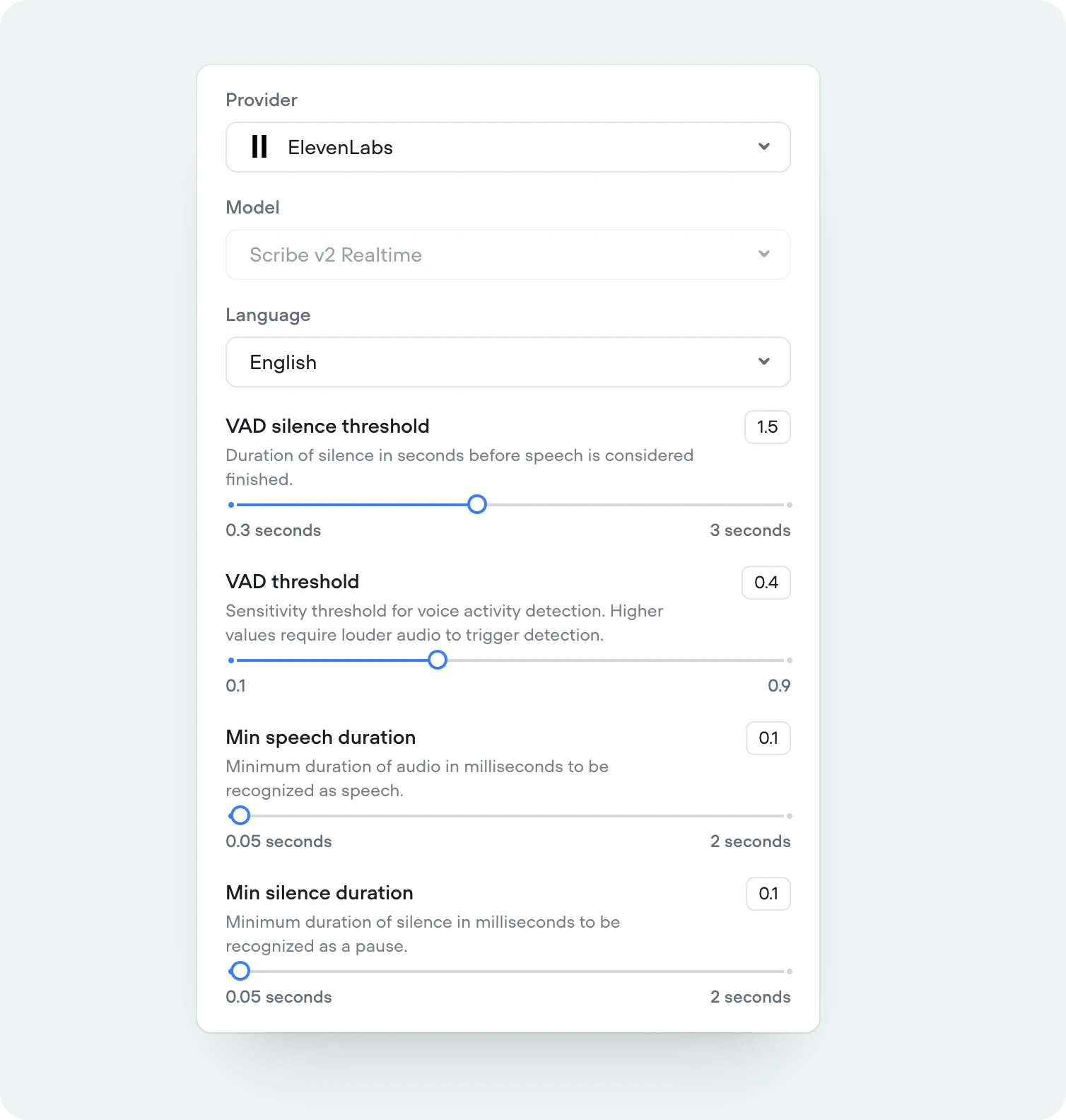
 ## ElevenLabs Scribe v2 Realtime STT
We’ve added support for ElevenLabs' newest and most accurate speech-to-speech model, Scribe v2 Realtime. Supporting 90+ languages.
## ElevenLabs Scribe v2 Realtime STT
We’ve added support for ElevenLabs' newest and most accurate speech-to-speech model, Scribe v2 Realtime. Supporting 90+ languages.
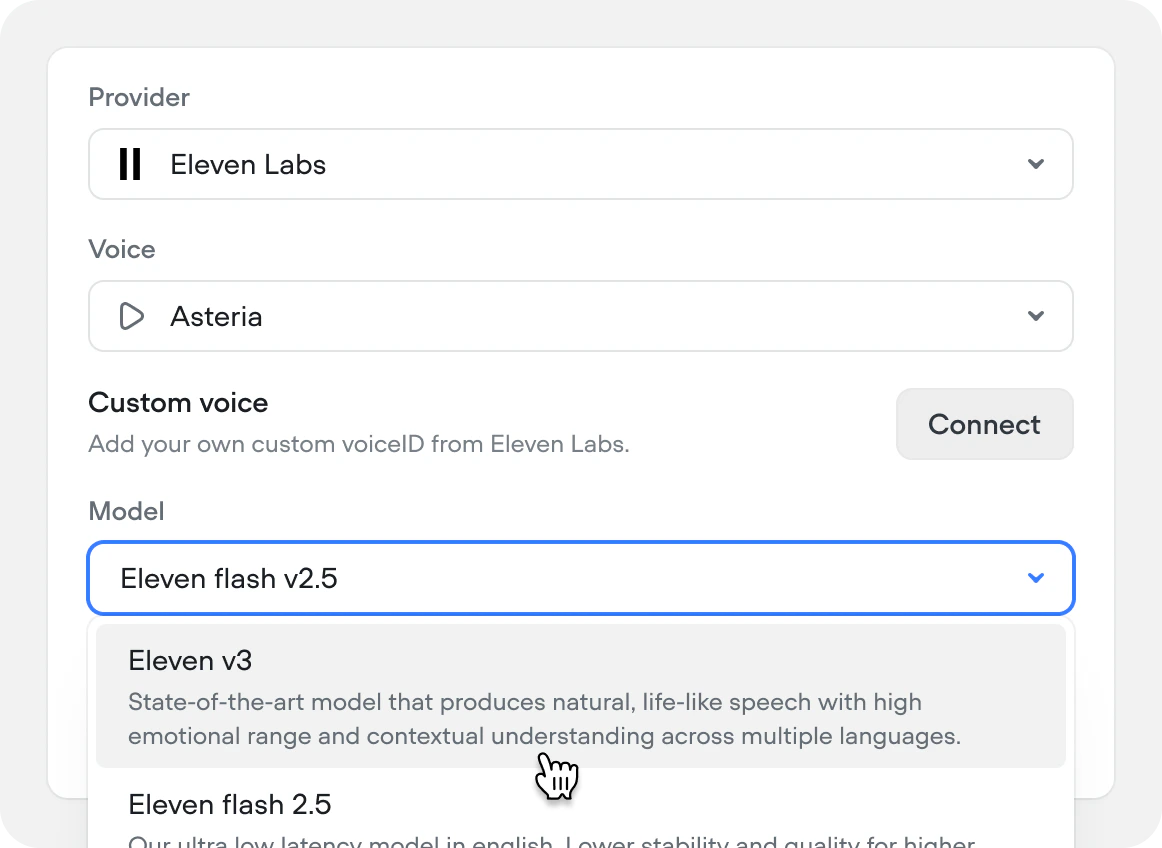
 ## Eleven v3 TTS
We’ve added support for ElevenLabs' newest and most expressive text-to-speech model, Eleven v3. Supporting 70+ languages.
## Eleven v3 TTS
We’ve added support for ElevenLabs' newest and most expressive text-to-speech model, Eleven v3. Supporting 70+ languages.
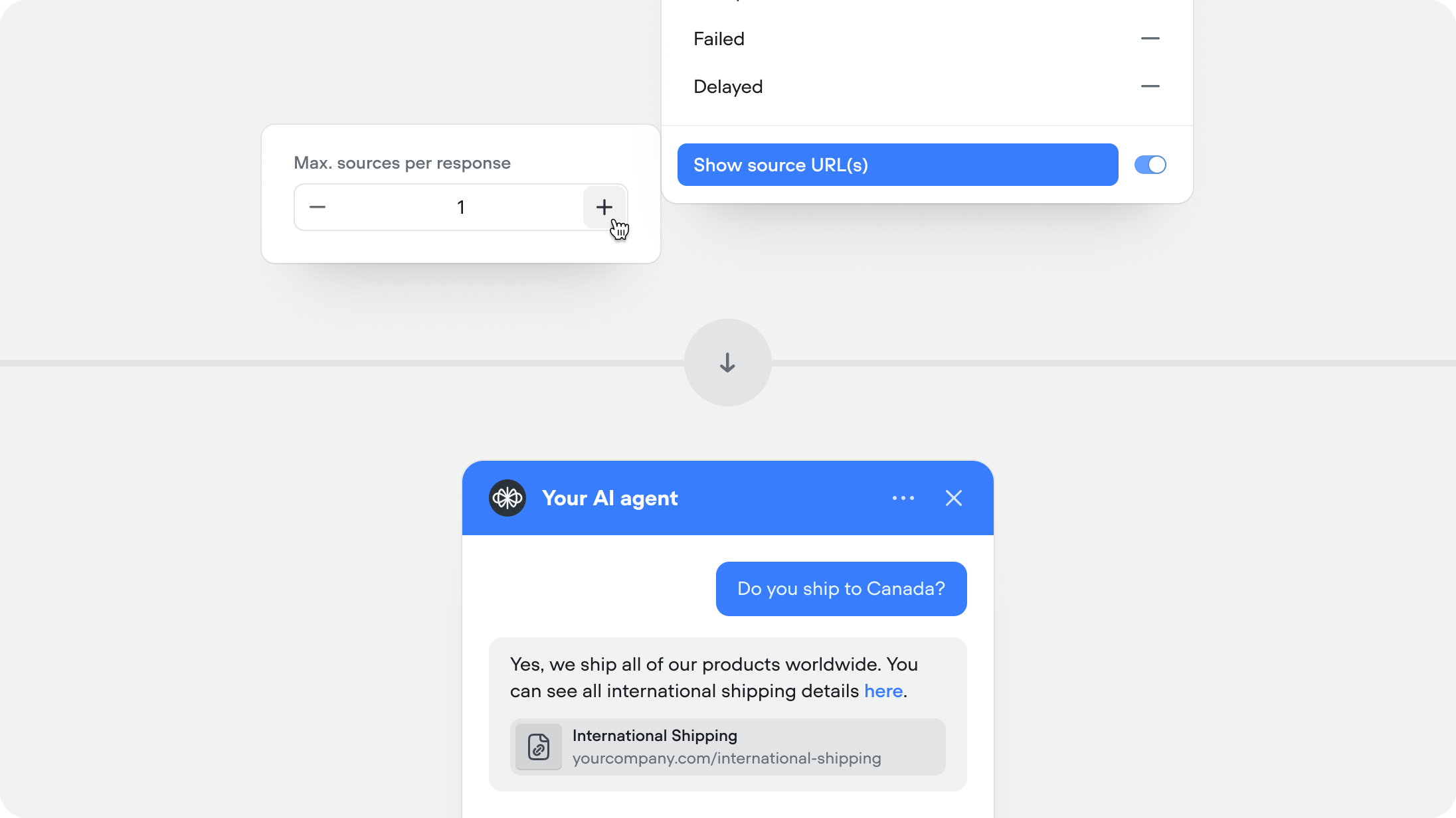
 ## Show source URLs in responses
When enabled, the agent includes the source URL (If public URL) alongside its response so users can verify or learn more. Recommended for help centers and documentation.
This feature is available for both the knowledge base and web search system tools.\
\
You can set the maximum number of sources you want to show per agent message (defaulted to 1).
## Show source URLs in responses
When enabled, the agent includes the source URL (If public URL) alongside its response so users can verify or learn more. Recommended for help centers and documentation.
This feature is available for both the knowledge base and web search system tools.\
\
You can set the maximum number of sources you want to show per agent message (defaulted to 1).
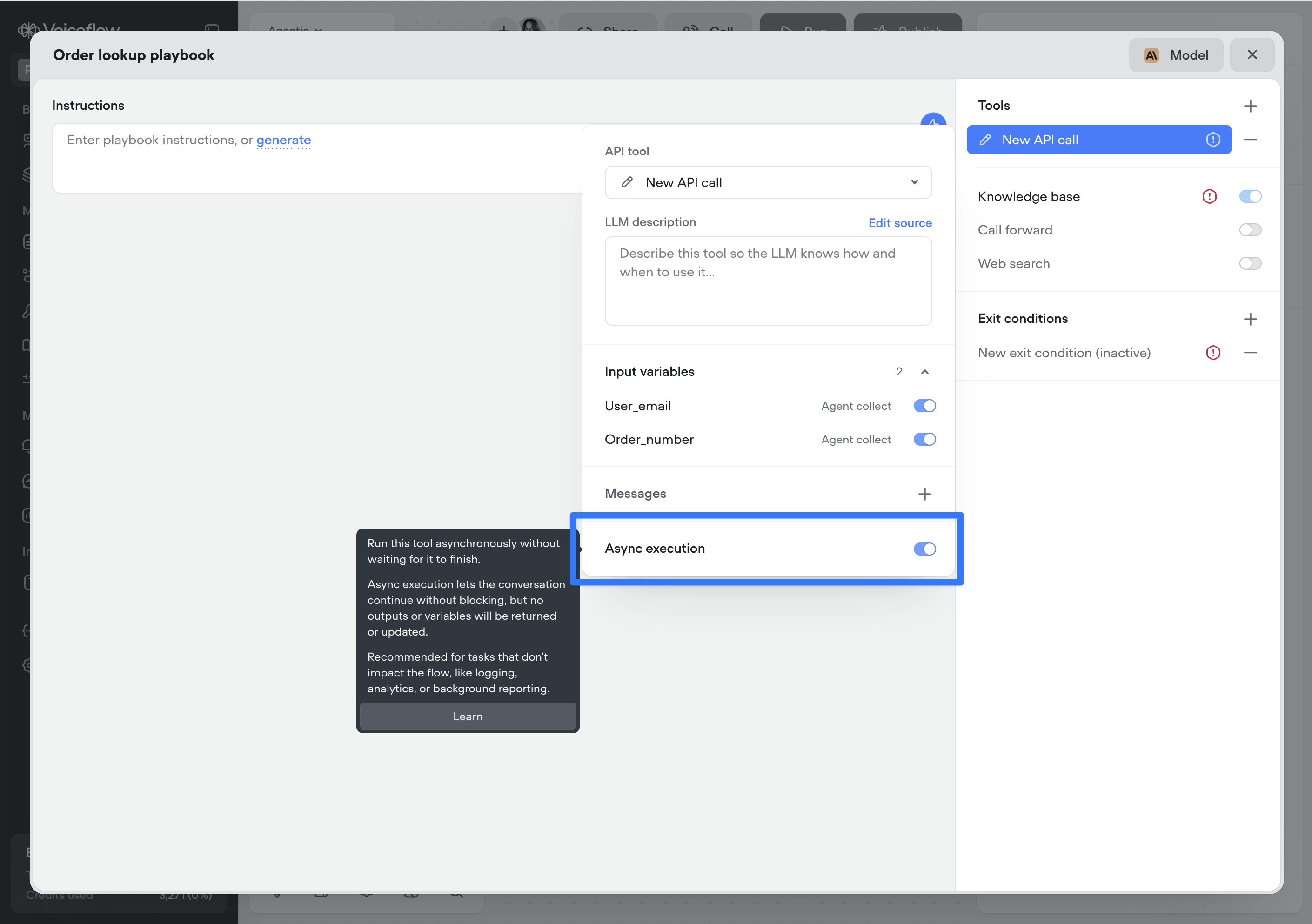
 ## Async functions and API tools
You can now run Function and API tool steps asynchronously.
Async execution allows the conversation to continue immediately without waiting for the tools to complete. No outputs or variables from the step will be returned or updated.
This is ideal for non-blocking tasks such as logging, analytics, telemetry, or background reporting that don’t affect the conversation.
Note: This setting applies to the reference of the Function or API tool — either where the tool is attached to an agent or where it’s used as a step on the canvas. It is not part of the underlying API or function definition, which allows the same tool to be reused with different async behaviour throughout your project.
## Async functions and API tools
You can now run Function and API tool steps asynchronously.
Async execution allows the conversation to continue immediately without waiting for the tools to complete. No outputs or variables from the step will be returned or updated.
This is ideal for non-blocking tasks such as logging, analytics, telemetry, or background reporting that don’t affect the conversation.
Note: This setting applies to the reference of the Function or API tool — either where the tool is attached to an agent or where it’s used as a step on the canvas. It is not part of the underlying API or function definition, which allows the same tool to be reused with different async behaviour throughout your project.
 ## Tool messages
Tool messages let you define static messages that are surfaced to the user as a tool progresses through its lifecycle:
1. Start — Message delivered when the tool is initiated
2. Complete — Message delivered when the tool finishes successfully
3. Failed — Message delivered if the tool encounters an error
4. Delayed — Message delivered if the tool takes longer than a specified duration (default: 3000ms, configurable)
This provides clear, predictable feedback during tool execution, improving transparency and user trust—especially for long-running or failure-prone tools.
## Tool messages
Tool messages let you define static messages that are surfaced to the user as a tool progresses through its lifecycle:
1. Start — Message delivered when the tool is initiated
2. Complete — Message delivered when the tool finishes successfully
3. Failed — Message delivered if the tool encounters an error
4. Delayed — Message delivered if the tool takes longer than a specified duration (default: 3000ms, configurable)
This provides clear, predictable feedback during tool execution, improving transparency and user trust—especially for long-running or failure-prone tools.
 ## GPT 5.2
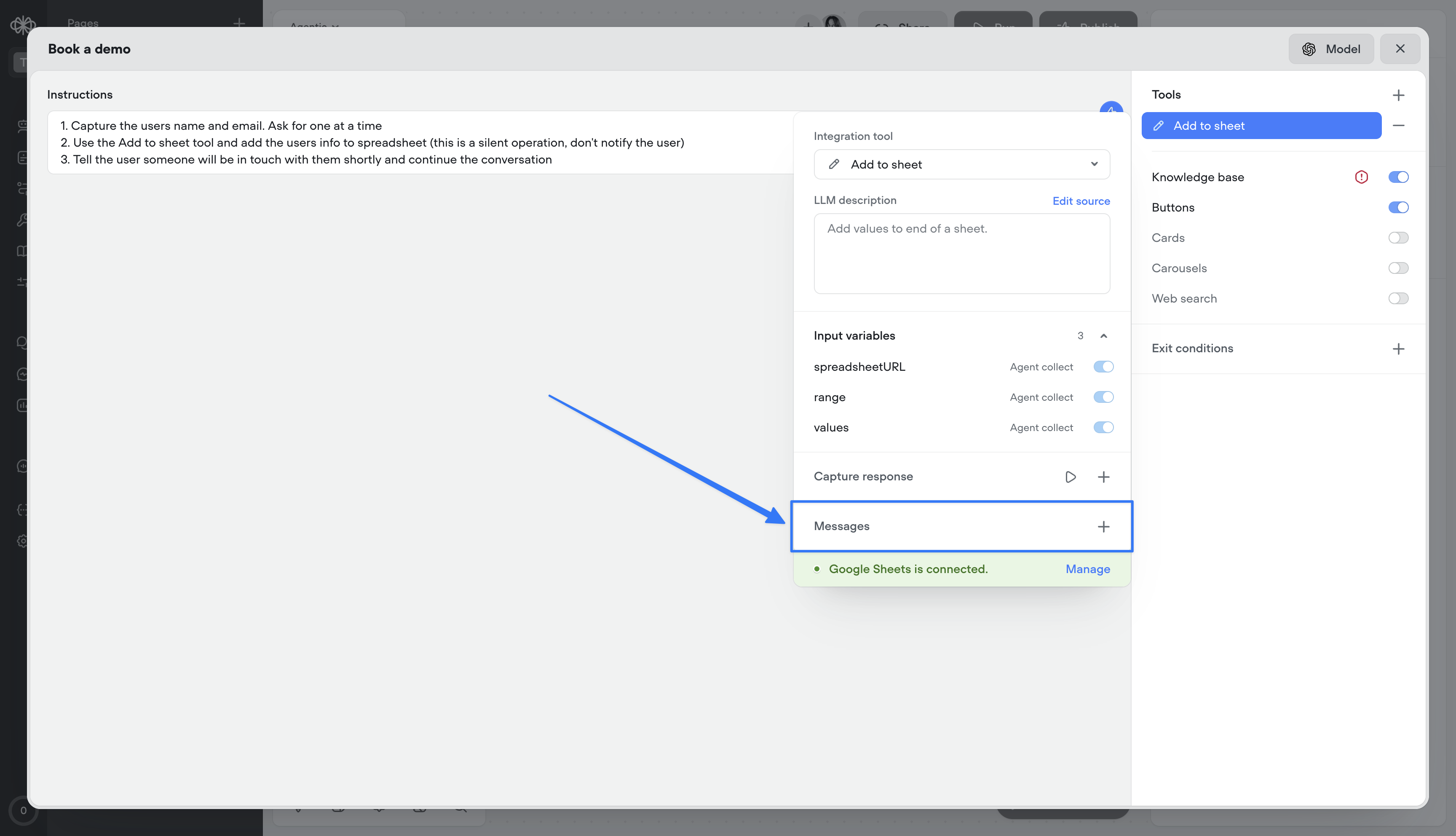
Added global support for GPT 5.2
## GPT 5.2
Added global support for GPT 5.2
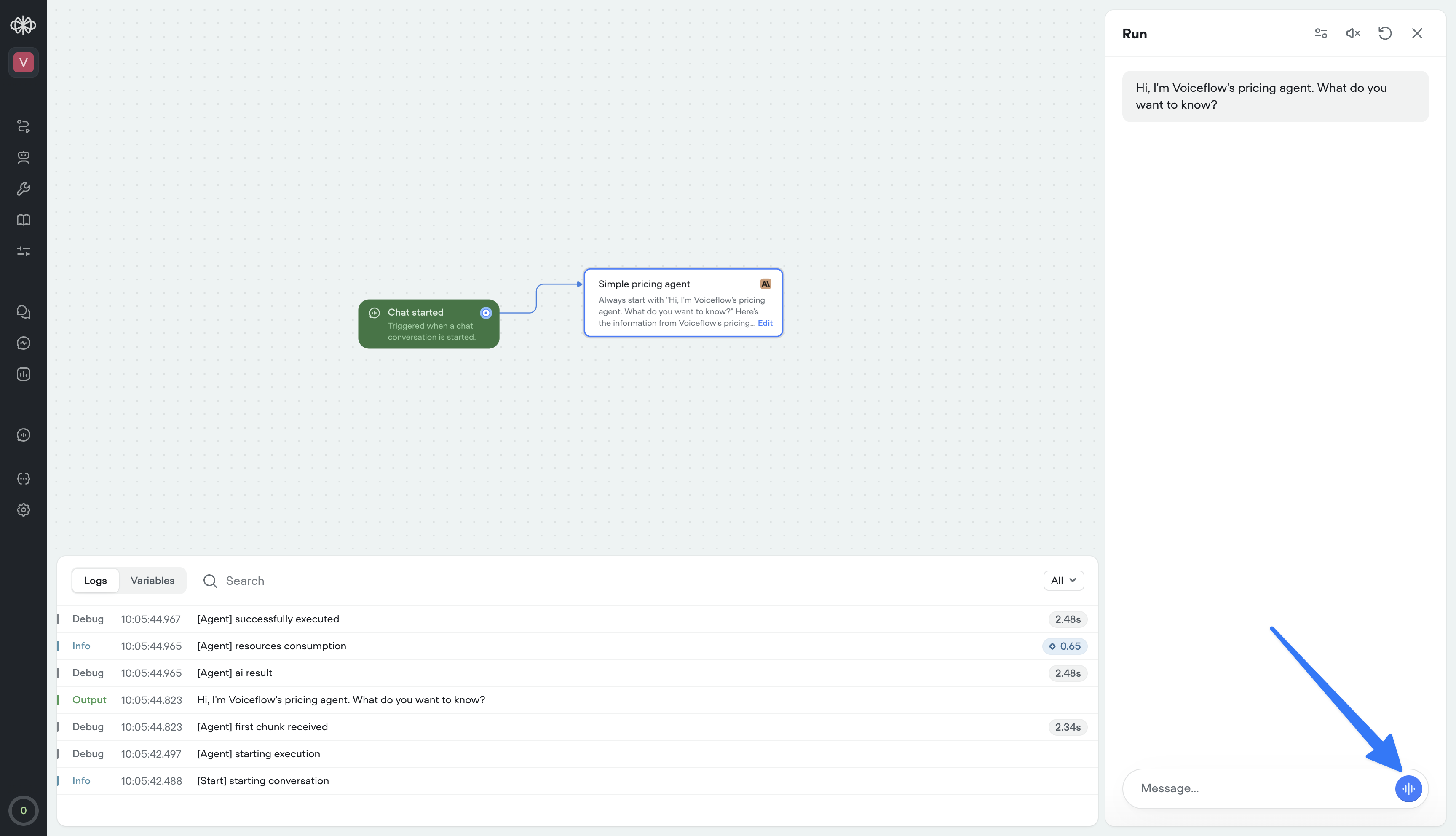
 ## Voice mode in web widget
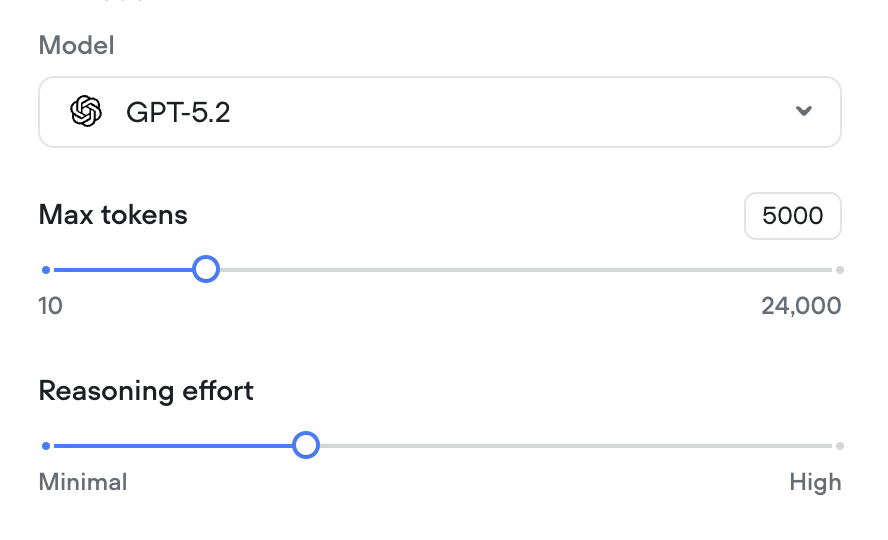
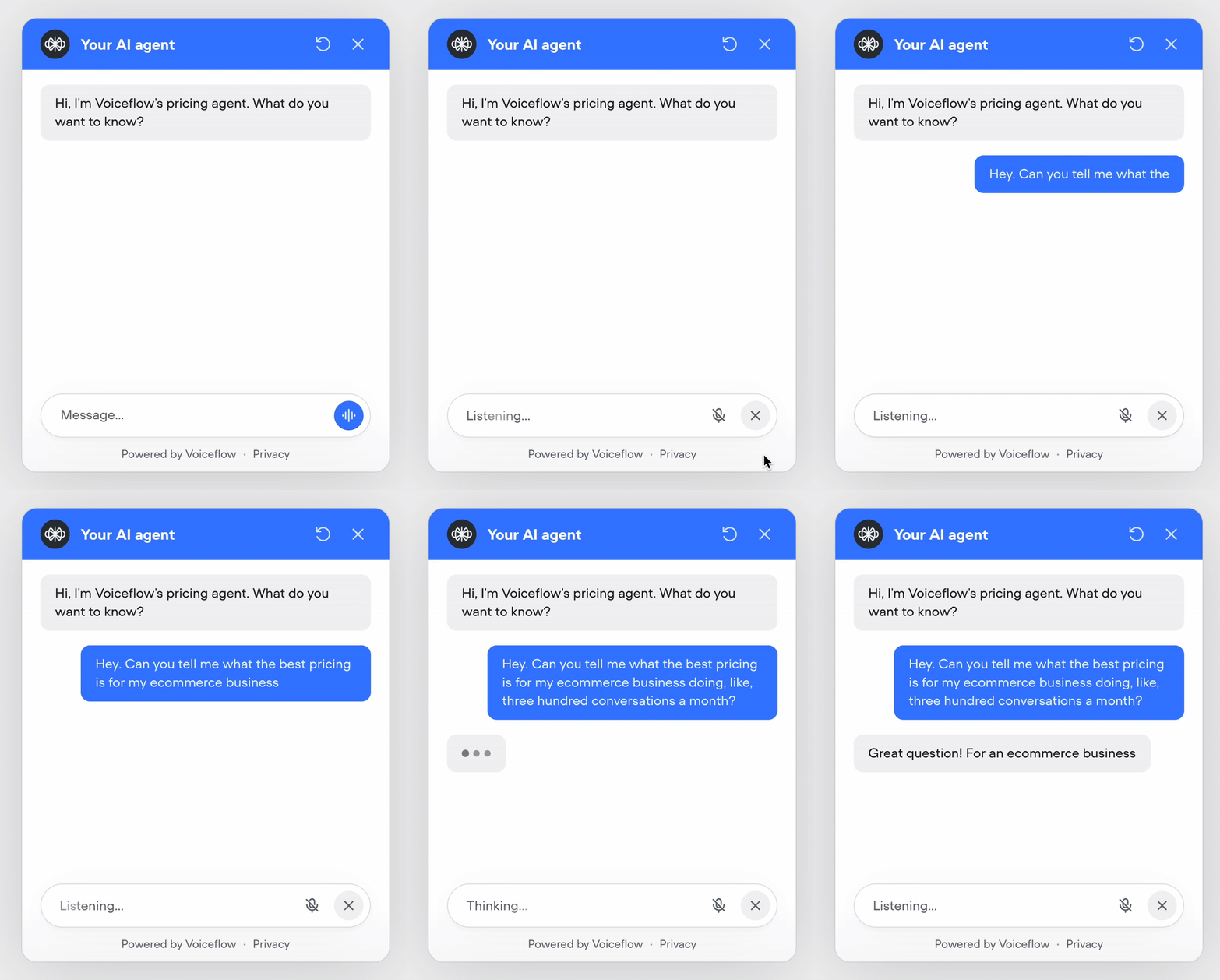
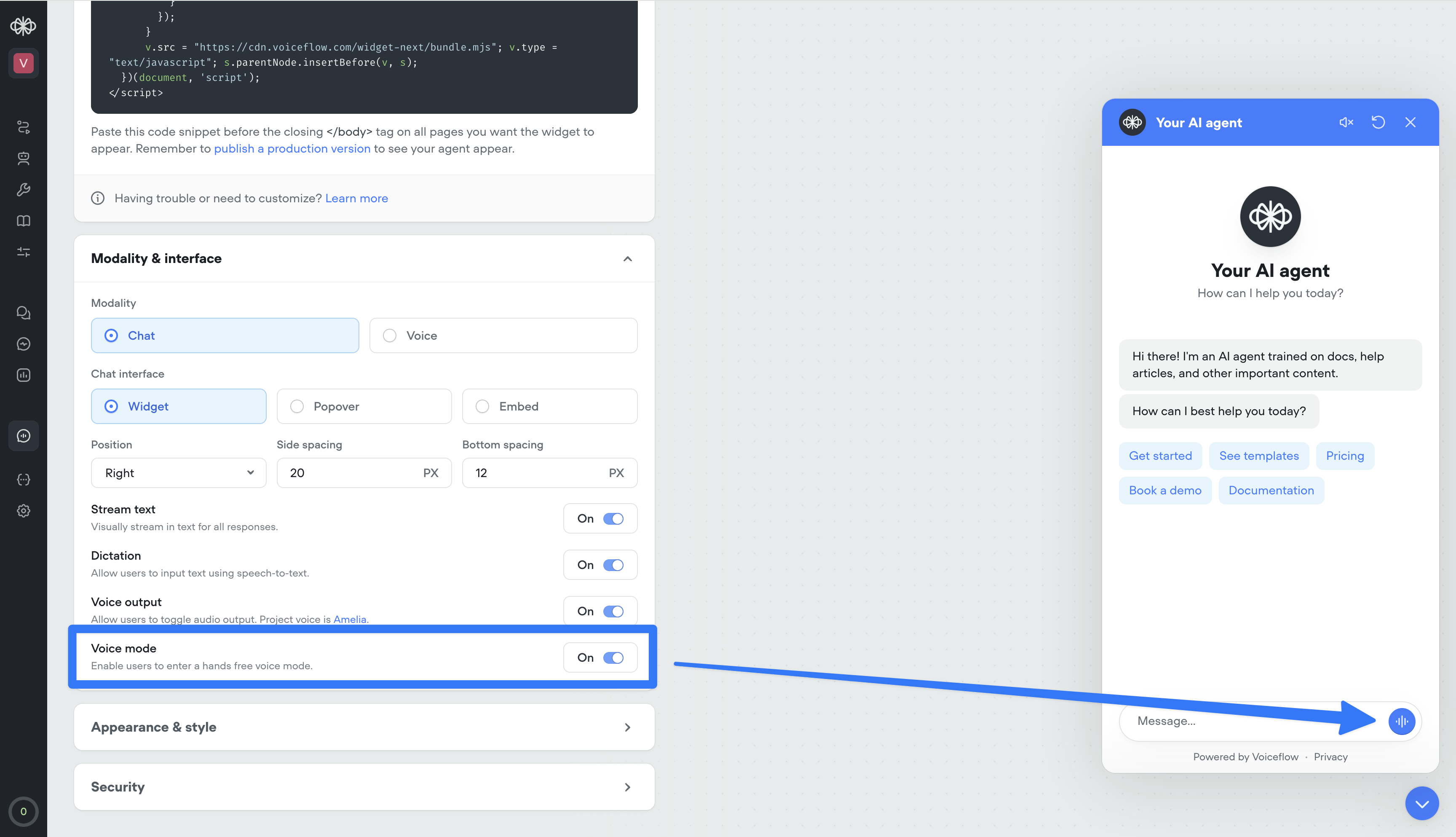
Your web widget now supports hands-free, real-time voice conversations. Enable it from the Widget tab for existing projects — it’s on by default for new ones.
Users can talk naturally, see transcripts stream in instantly, and get a frictionless voice-first experience. It also doubles as the perfect in-browser way to test your phone conversations—no dialing in, just open the widget and run the full voice flow instantly.
## Voice mode in web widget
Your web widget now supports hands-free, real-time voice conversations. Enable it from the Widget tab for existing projects — it’s on by default for new ones.
Users can talk naturally, see transcripts stream in instantly, and get a frictionless voice-first experience. It also doubles as the perfect in-browser way to test your phone conversations—no dialing in, just open the widget and run the full voice flow instantly.
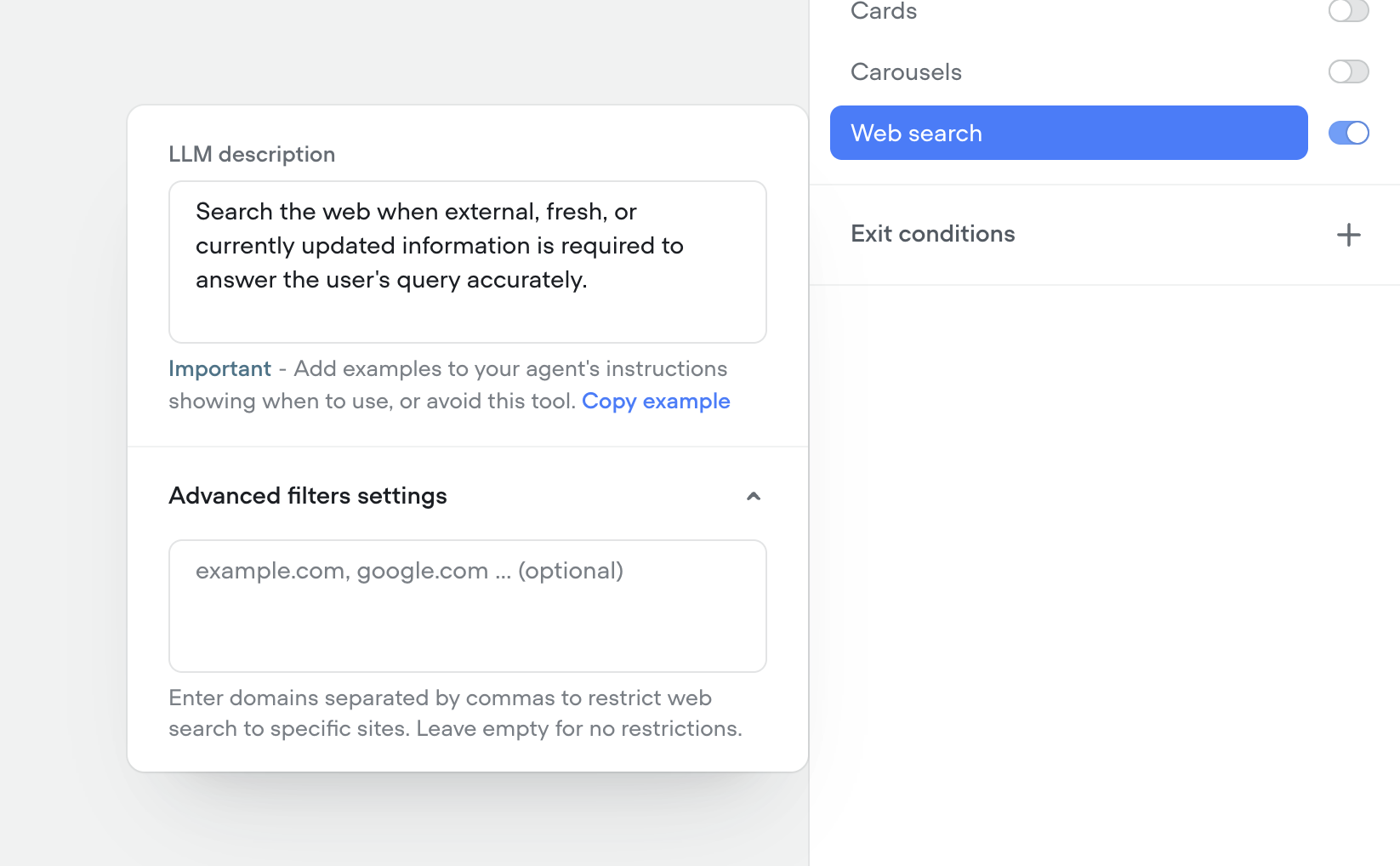
 ## Native web search tool
We’ve shipped a native Web Search tool so your agents can look up real-time information on the web mid-conversation—no custom integrations required.
* Toggle on the web search tool in any agent to answer questions that need live data (news, prices, schedules, etc.).
* Configure search prompts and guardrails so the agent only pulls what you want it to.
* Results are summarized and grounded back into the conversation for more accurate, up-to-date answers.
* Toggle on the web search tool in any agent to answer questions that need live data (news, prices, schedules, etc.).
* Configure search prompts and guardrails so the agent only pulls what you want it to.
* Results are summarized and grounded back into the conversation for more accurate, up-to-date answers.
* Toggle on the web search tool in any agent to answer questions that need live data (news, prices, schedules, etc.).
* Configure search prompts and guardrails so the agent only pulls what you want it to.
* Results are summarized and grounded back into the conversation for more accurate, up-to-date answers.
## Native web search tool
We’ve shipped a native Web Search tool so your agents can look up real-time information on the web mid-conversation—no custom integrations required.
* Toggle on the web search tool in any agent to answer questions that need live data (news, prices, schedules, etc.).
* Configure search prompts and guardrails so the agent only pulls what you want it to.
* Results are summarized and grounded back into the conversation for more accurate, up-to-date answers.
* Toggle on the web search tool in any agent to answer questions that need live data (news, prices, schedules, etc.).
* Configure search prompts and guardrails so the agent only pulls what you want it to.
* Results are summarized and grounded back into the conversation for more accurate, up-to-date answers.
* Toggle on the web search tool in any agent to answer questions that need live data (news, prices, schedules, etc.).
* Configure search prompts and guardrails so the agent only pulls what you want it to.
* Results are summarized and grounded back into the conversation for more accurate, up-to-date answers.
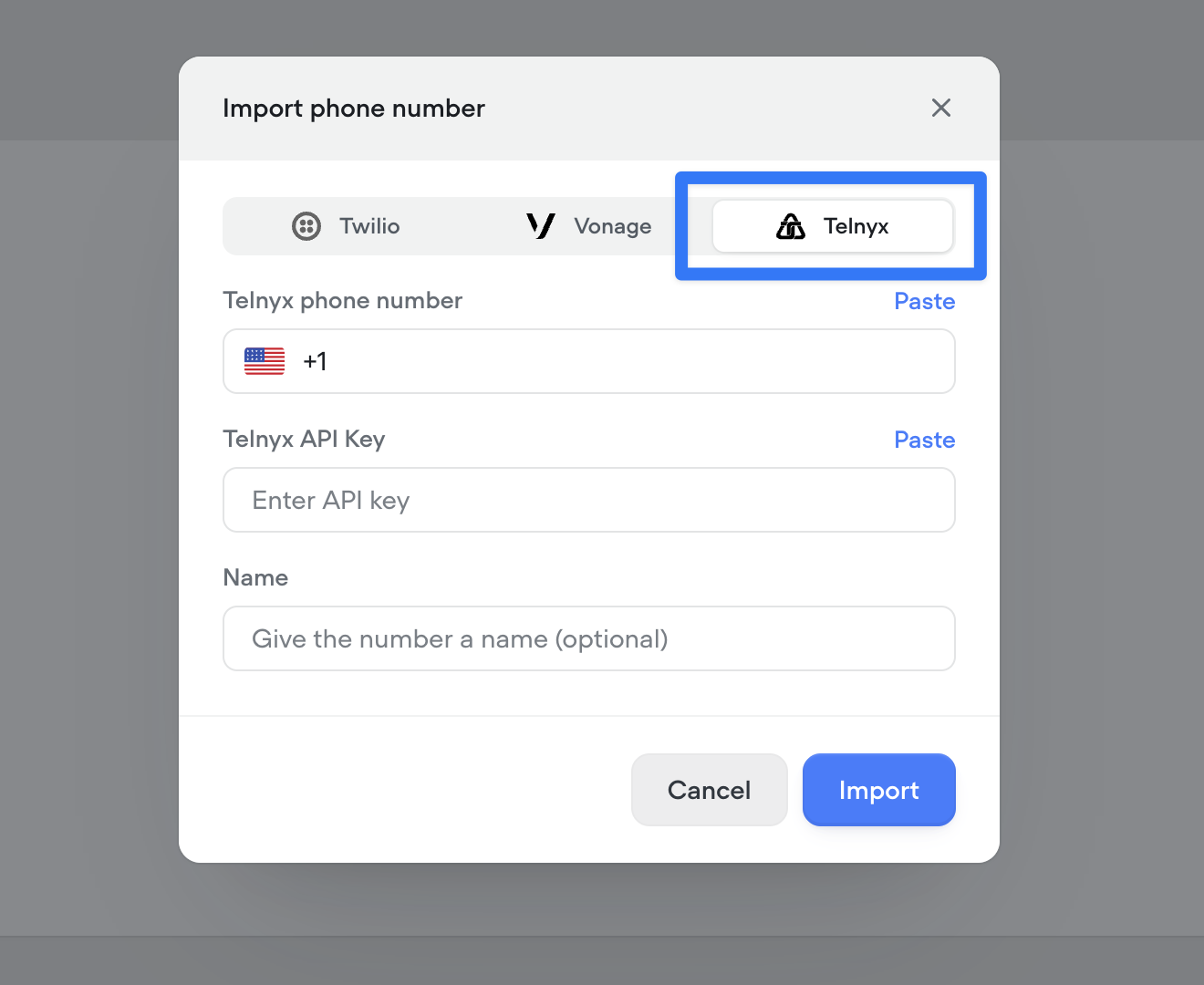
 ## Telnyx telephony integration
You can now connect your Telnyx account to import and manage phone numbers directly in Voiceflow, enabling Telnyx as your telephony provider for both inbound and outbound calls..
## Telnyx telephony integration
You can now connect your Telnyx account to import and manage phone numbers directly in Voiceflow, enabling Telnyx as your telephony provider for both inbound and outbound calls..
 ## Native support for keypad input (DTMF)
Added native support for DTMF keypad input in phone conversations. Users can now enter digits via their phone keypad, sending a DTMF trace to the runtime. Configure timeout and delimiters (#, \*) to control when input is processed. See [documentation here](/docs/dtmf#/).
* Keypad input is off by default and can be turned on from Settings/Behaviour/Voice.
* When on in project settings, keypad input can be turned off at the step level via the "Listen for other triggers" toggle.
* [View full documentation here](/docs/dtmf#/)
* Keypad input is off by default and can be turned on from Settings/Behaviour/Voice.
* When on in project settings, keypad input can be turned off at the step level via the "Listen for other triggers" toggle.
* [View full documentation here](/docs/dtmf#/)
* Keypad input is off by default and can be turned on from Settings/Behaviour/Voice.
* When on in project settings, keypad input can be turned off at the step level via the "Listen for other triggers" toggle.
* [View full documentation here](/docs/dtmf#/)
## Native support for keypad input (DTMF)
Added native support for DTMF keypad input in phone conversations. Users can now enter digits via their phone keypad, sending a DTMF trace to the runtime. Configure timeout and delimiters (#, \*) to control when input is processed. See [documentation here](/docs/dtmf#/).
* Keypad input is off by default and can be turned on from Settings/Behaviour/Voice.
* When on in project settings, keypad input can be turned off at the step level via the "Listen for other triggers" toggle.
* [View full documentation here](/docs/dtmf#/)
* Keypad input is off by default and can be turned on from Settings/Behaviour/Voice.
* When on in project settings, keypad input can be turned off at the step level via the "Listen for other triggers" toggle.
* [View full documentation here](/docs/dtmf#/)
* Keypad input is off by default and can be turned on from Settings/Behaviour/Voice.
* When on in project settings, keypad input can be turned off at the step level via the "Listen for other triggers" toggle.
* [View full documentation here](/docs/dtmf#/)
/cde84932767adb0d81388512a5095eb21cdd6f3d9d2f7ae5ac97cb384842ec6c-CleanShot_2025-11-10_at_11.50.552x.png?fit=max&auto=format&n=aq6_-jBpTUfgp_uc&q=85&s=d20b8bb33a6e4adbe82c09c7c0c6b49e) ## Knowledge base metadata
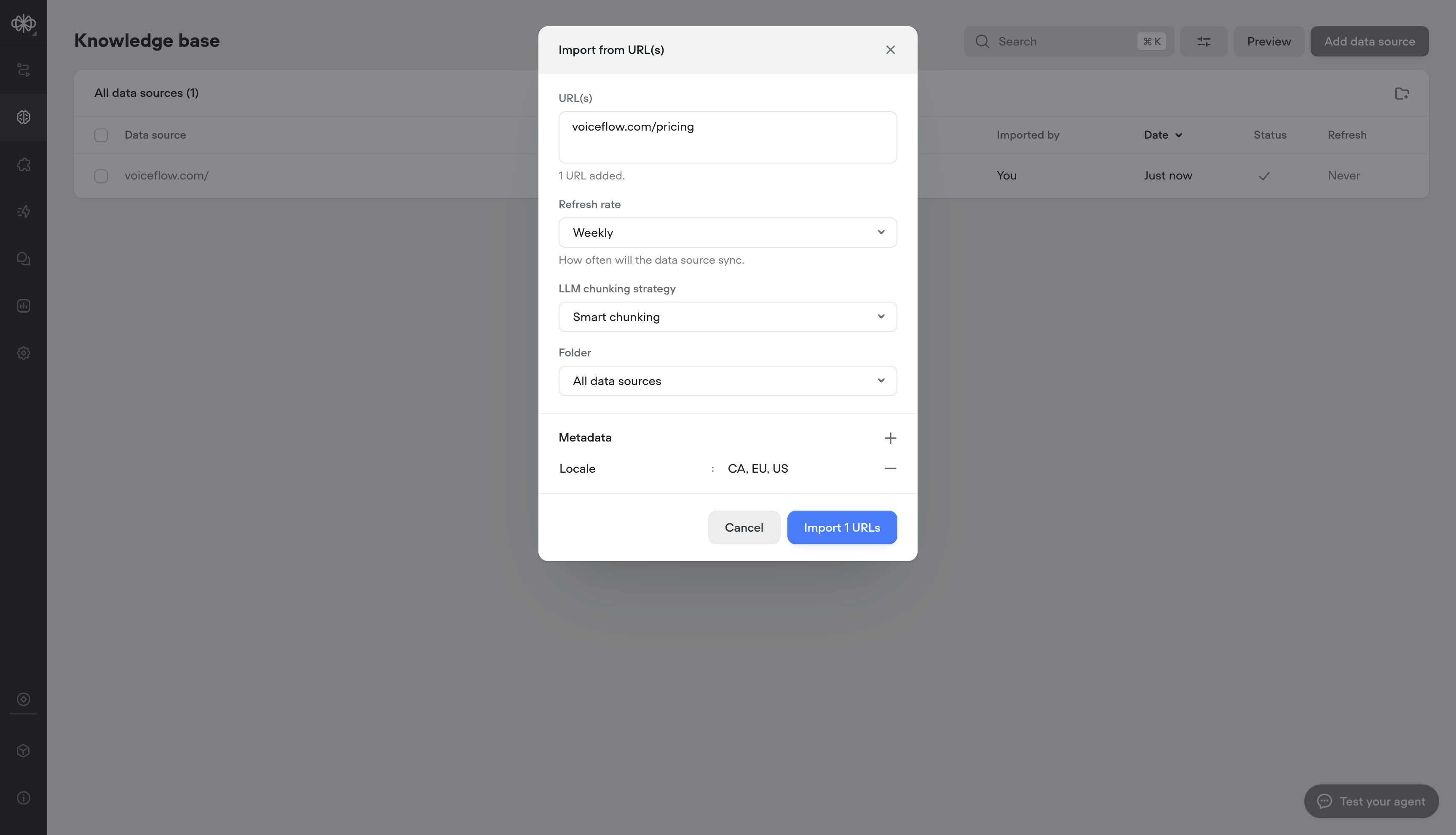
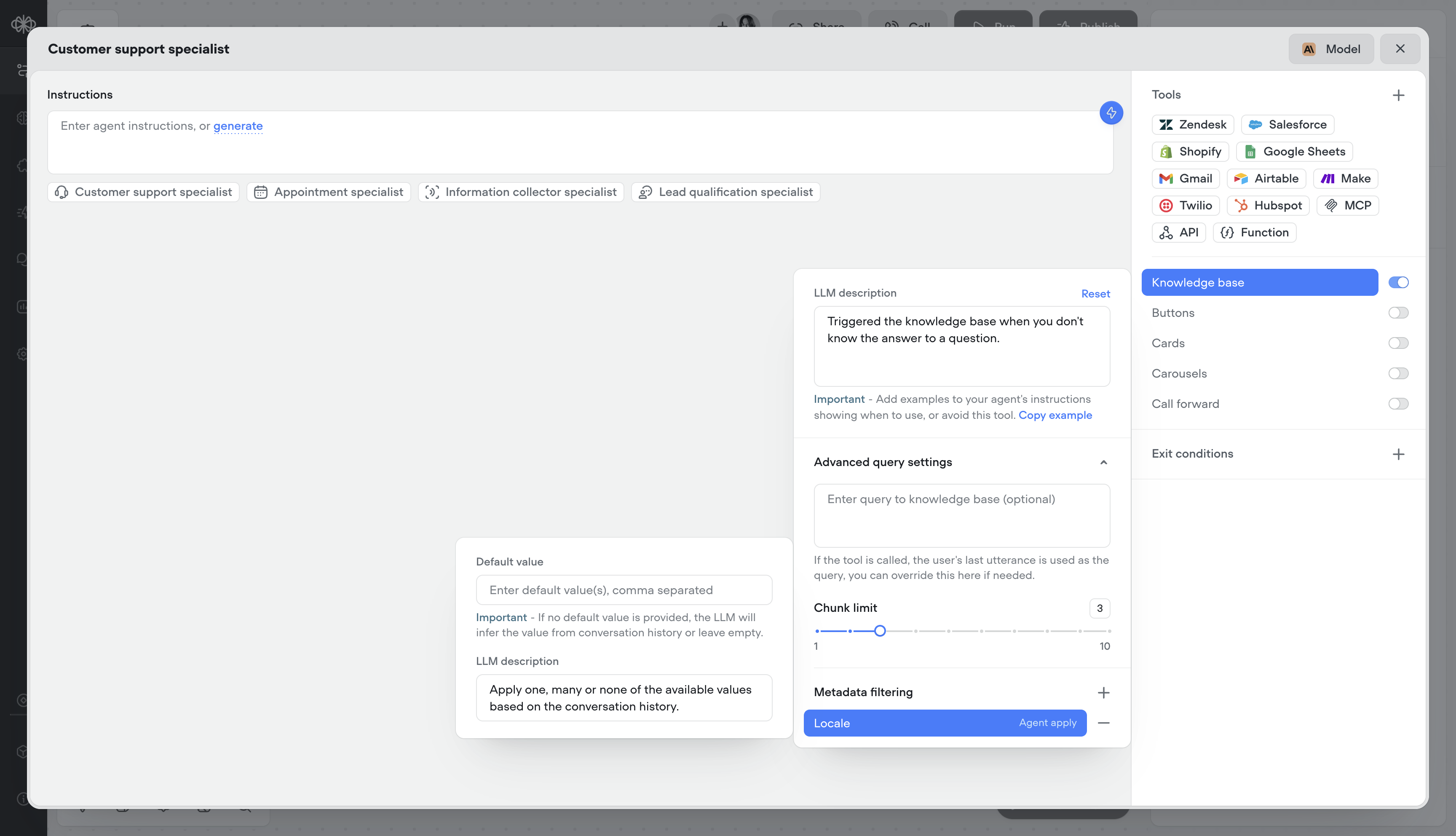
Add metadata to your Knowledge Base sources to deliver more relevant, localized, and precise answers, helping customers find what they need faster and improving overall resolution speed.
1. Adding metadata on knowledge import
When uploading files, URLs, or tabular data to the Knowledge Base, you can attach metadata at import time. This metadata is stored with each document or data chunk, enabling structured filtering and contextual retrieval later. For example, when importing car rental policies, you might tag each file with metadata like "locale": "US, CA, EU", or "serviceType": "car\_rental, equipment\_rental". This ensures that when the agent queries using metadata filters (static or dynamic), it only retrieves content relevant to the user’s local region or service context.
2. Dynamically, or statically apply metadata at runtime
From the Knowledge Base tool in your agent, define the metadata your agent should use when querying the tool. You can specify a static value (or variable) to consistently filter results, or let the agent dynamically assign metadata at runtime — allowing it to query the Knowledge Base contextually based on each unique conversation.
Example – Car Booking Service
If your Knowledge Base includes information for multiple locales (e.g., US, CA, EU), you can set a metadata field like locale. Instead of hardcoding a single locale, the agent can dynamically apply the user’s locale at runtime — for example:
If a user says “I want to book a car in New York,” the agent automatically filters Knowledge Base results with locale: US, ensuring responses only reference policies, pricing, and availability relevant to that locale.
## Knowledge base metadata
Add metadata to your Knowledge Base sources to deliver more relevant, localized, and precise answers, helping customers find what they need faster and improving overall resolution speed.
1. Adding metadata on knowledge import
When uploading files, URLs, or tabular data to the Knowledge Base, you can attach metadata at import time. This metadata is stored with each document or data chunk, enabling structured filtering and contextual retrieval later. For example, when importing car rental policies, you might tag each file with metadata like "locale": "US, CA, EU", or "serviceType": "car\_rental, equipment\_rental". This ensures that when the agent queries using metadata filters (static or dynamic), it only retrieves content relevant to the user’s local region or service context.
2. Dynamically, or statically apply metadata at runtime
From the Knowledge Base tool in your agent, define the metadata your agent should use when querying the tool. You can specify a static value (or variable) to consistently filter results, or let the agent dynamically assign metadata at runtime — allowing it to query the Knowledge Base contextually based on each unique conversation.
Example – Car Booking Service
If your Knowledge Base includes information for multiple locales (e.g., US, CA, EU), you can set a metadata field like locale. Instead of hardcoding a single locale, the agent can dynamically apply the user’s locale at runtime — for example:
If a user says “I want to book a car in New York,” the agent automatically filters Knowledge Base results with locale: US, ensuring responses only reference policies, pricing, and availability relevant to that locale.
 ## Built-in time variables
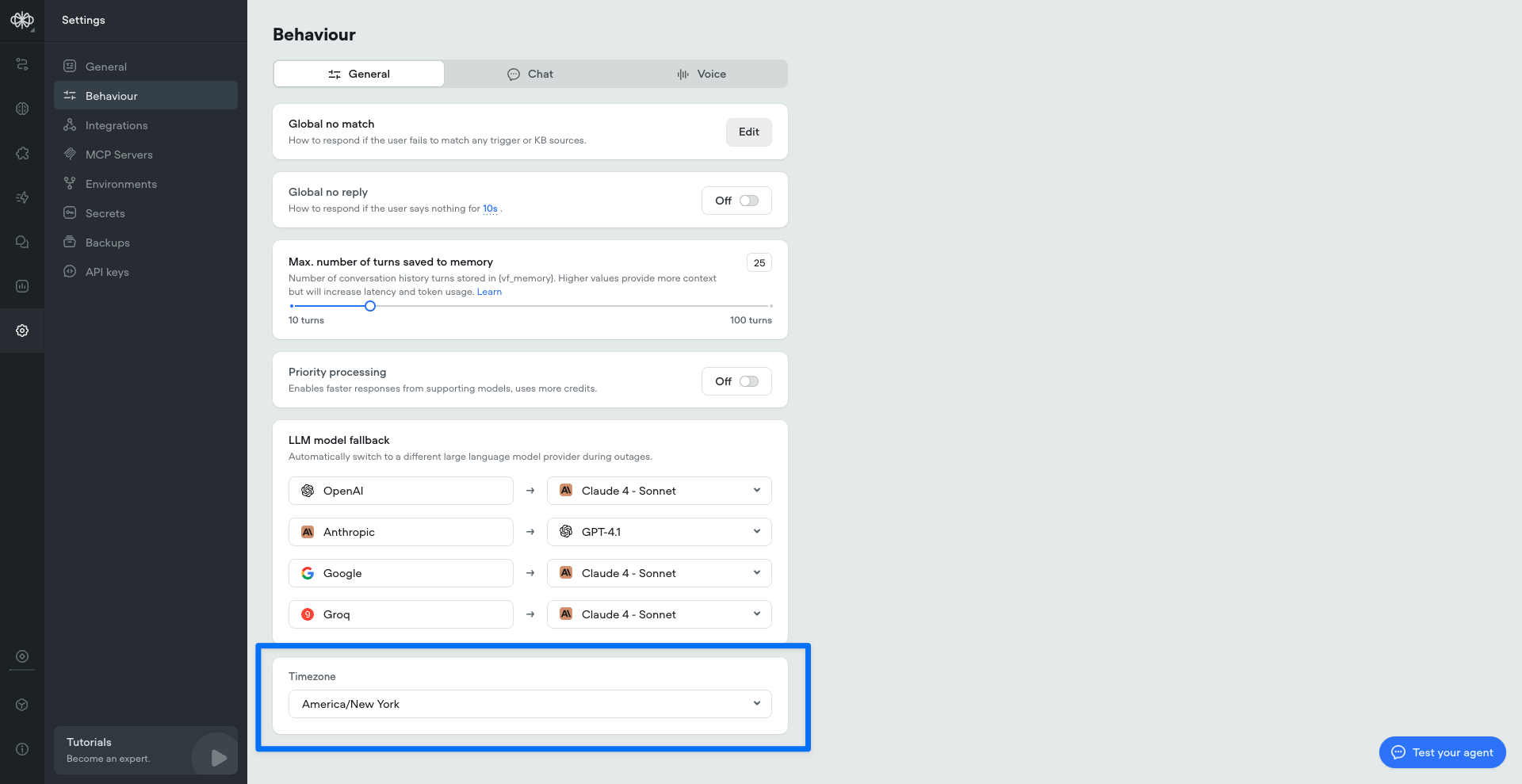
We’ve added a set of built-in time variables that make it easier to access and use time within your agents—no external API calls or workarounds required. Perfect for agents that depend on current or relative time inputs.
Project timezone can be set in project/behaviour settings:
## Built-in time variables
We’ve added a set of built-in time variables that make it easier to access and use time within your agents—no external API calls or workarounds required. Perfect for agents that depend on current or relative time inputs.
Project timezone can be set in project/behaviour settings:
 ## Deepgram Flux ASR model
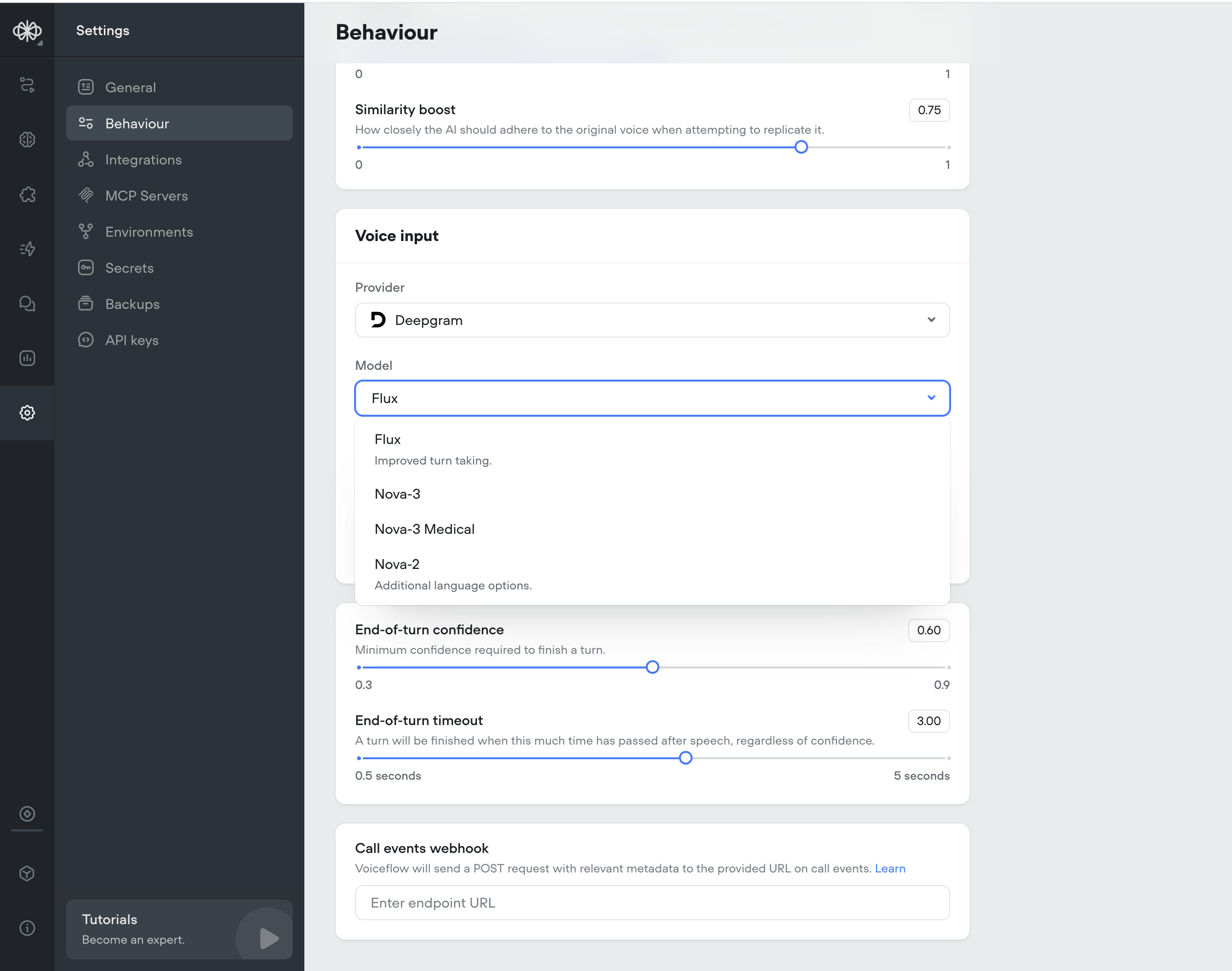
We've added [Deepgram Flux](https://flux.deepgram.com/), their ASR newest model built specifically for Voice AI.
Flux is the first conversational speech recognition model built specifically for voice agents. Unlike traditional STT that just transcribes words, Flux understands conversational flow and automatically handles turn-taking.
Flux tackles the most critical challenges for voice agents today: knowing when to listen, when to think, and when to speak. The model features first-of-its-kind model-integrated end-of-turn detection, configurable turn-taking dynamics, and ultra-low latency optimized for voice agent pipelines, all with Nova-3 level accuracy.
Flux is Perfect for: turn-based voice agents, customer service bots, phone assistants, and real-time conversation tools.
Key Benefits:
* Smart turn detection — Knows when speakers finish talking
* Ultra-low latency — \~260ms end-of-turn detection
* Early LLM responses — EagerEndOfTurn events for faster replies
* Turn-based transcripts — Clean conversation structure
* Natural interruptions — Built-in barge-in handling
* Nova-3 accuracy — Best-in-class transcription quality
## Deepgram Flux ASR model
We've added [Deepgram Flux](https://flux.deepgram.com/), their ASR newest model built specifically for Voice AI.
Flux is the first conversational speech recognition model built specifically for voice agents. Unlike traditional STT that just transcribes words, Flux understands conversational flow and automatically handles turn-taking.
Flux tackles the most critical challenges for voice agents today: knowing when to listen, when to think, and when to speak. The model features first-of-its-kind model-integrated end-of-turn detection, configurable turn-taking dynamics, and ultra-low latency optimized for voice agent pipelines, all with Nova-3 level accuracy.
Flux is Perfect for: turn-based voice agents, customer service bots, phone assistants, and real-time conversation tools.
Key Benefits:
* Smart turn detection — Knows when speakers finish talking
* Ultra-low latency — \~260ms end-of-turn detection
* Early LLM responses — EagerEndOfTurn events for faster replies
* Turn-based transcripts — Clean conversation structure
* Natural interruptions — Built-in barge-in handling
* Nova-3 accuracy — Best-in-class transcription quality
 ## Sync audio and text output
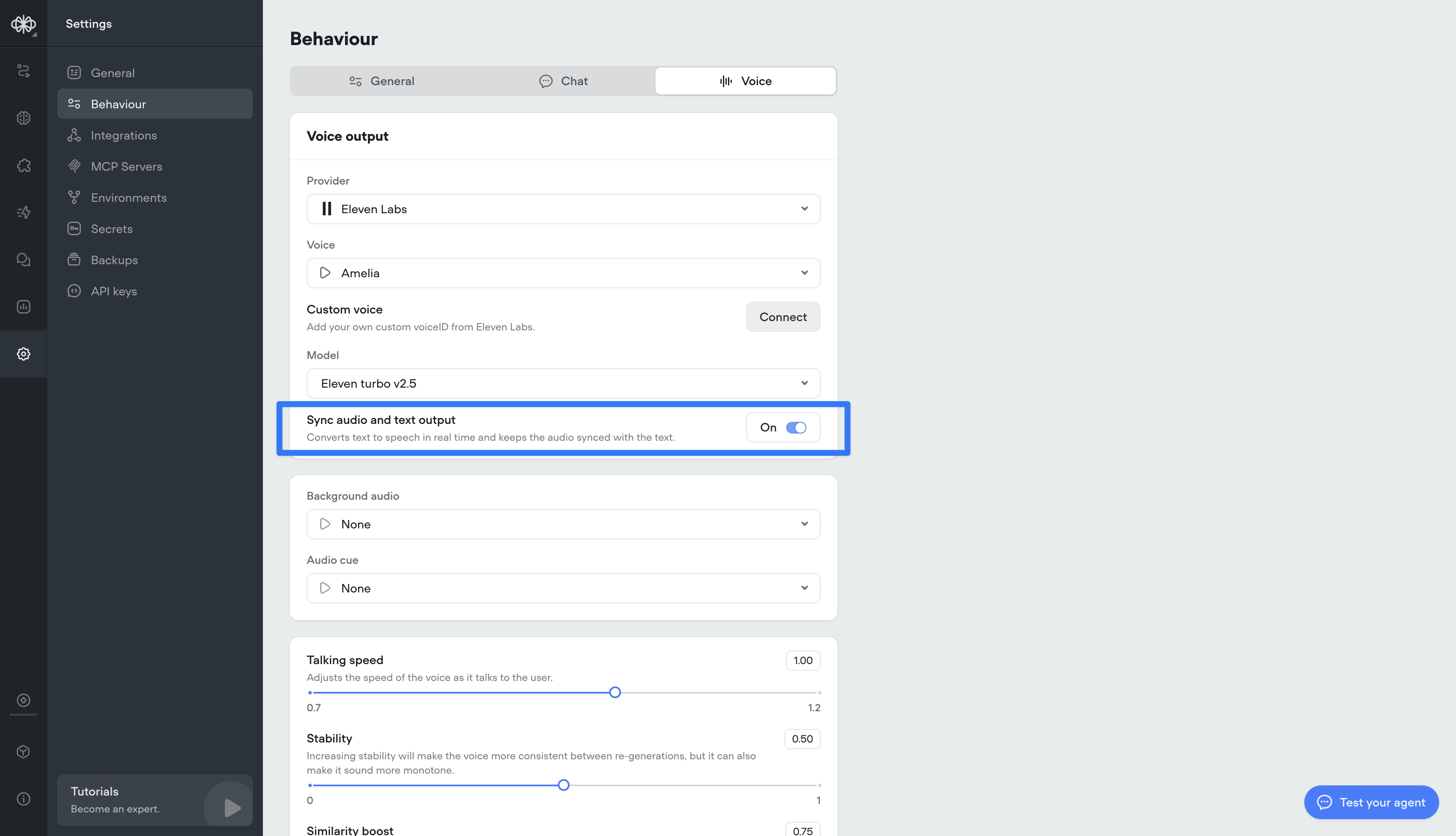
Converts text to speech in real time and keeps the spoken audio perfectly aligned with the displayed text. This ensures call transcripts are an accurate, word-for-word representation of what was actually said.
## Sync audio and text output
Converts text to speech in real time and keeps the spoken audio perfectly aligned with the displayed text. This ensures call transcripts are an accurate, word-for-word representation of what was actually said.
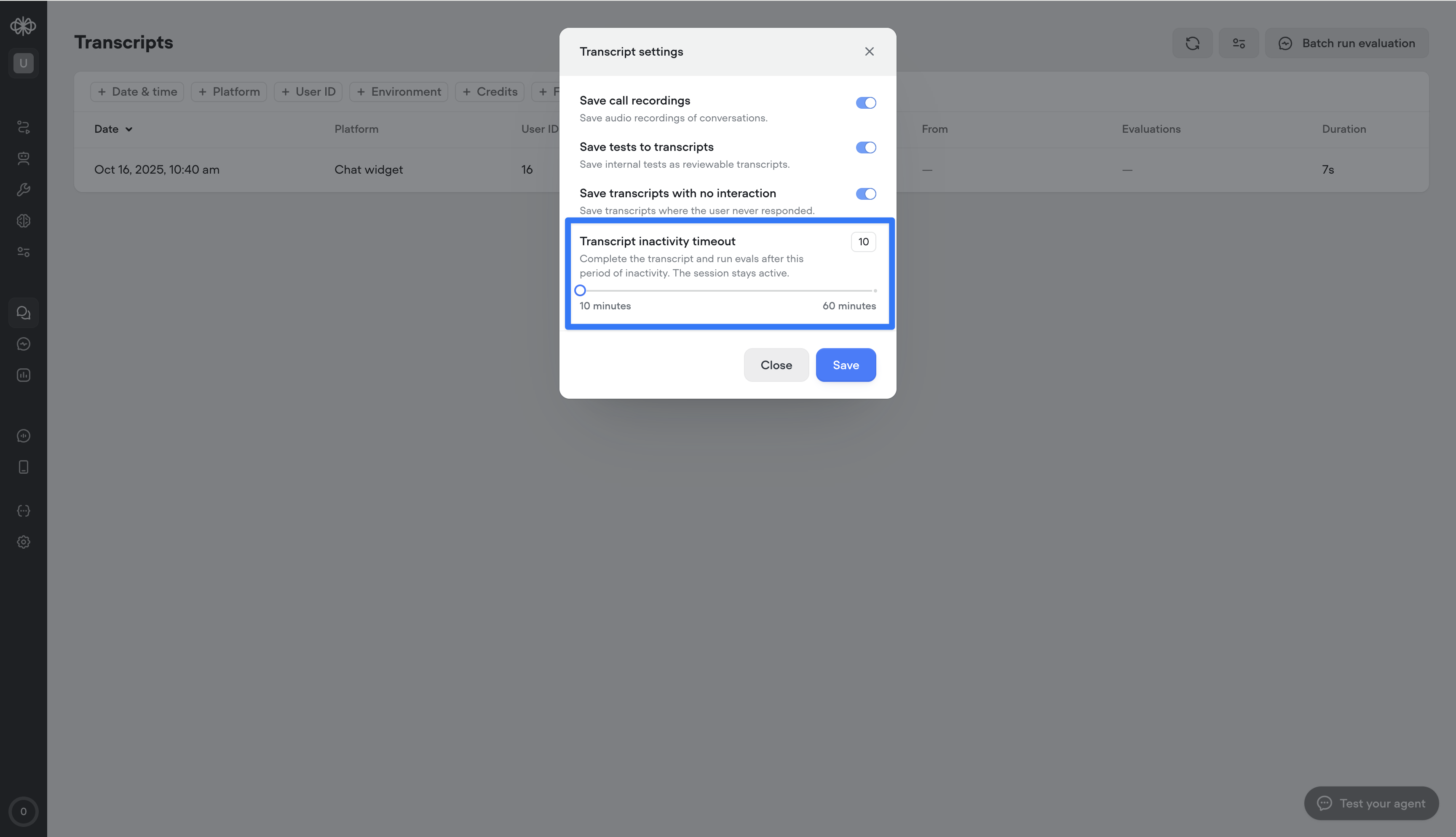
 ## Transcript inactivity timeout
This setting lets you define how long a conversation can stay inactive before the transcript automatically ends.
This is different from session timeout — the session stays open, but the transcript closes after the set inactivity period, enabling more accurate reporting and evaluations.
Important: ending the transcript does not end the user’s ability to re-engage. If the user responds again, a new transcript will begin within the same session.
## Transcript inactivity timeout
This setting lets you define how long a conversation can stay inactive before the transcript automatically ends.
This is different from session timeout — the session stays open, but the transcript closes after the set inactivity period, enabling more accurate reporting and evaluations.
Important: ending the transcript does not end the user’s ability to re-engage. If the user responds again, a new transcript will begin within the same session.
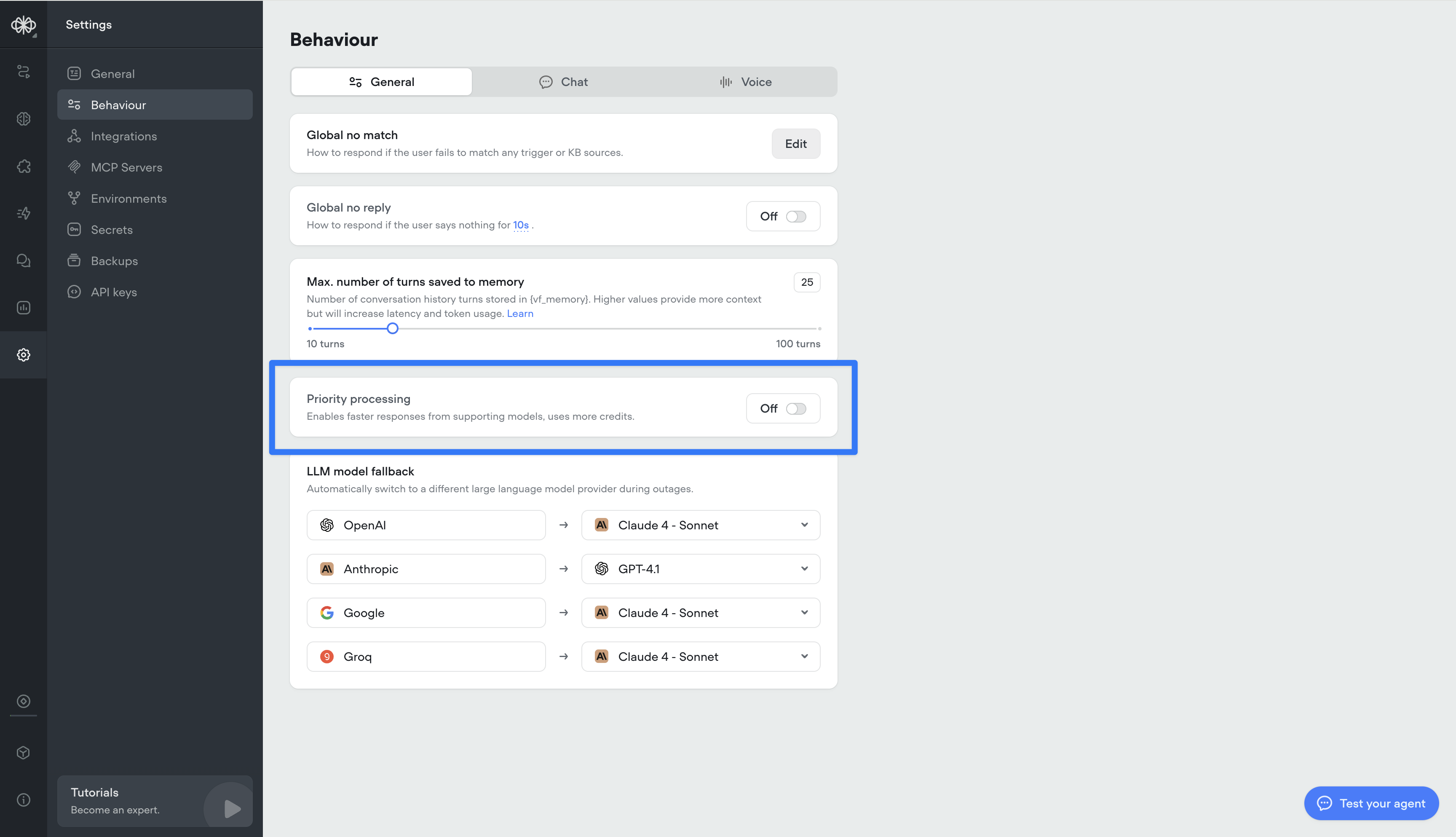
 ## Priority processing for Open AI models
We’ve added a new [Priority Processing](https://openai.com/api-priority-processing/) setting for OAI-supported models. When enabled, your requests will be given higher processing priority for faster response times and reduced latency. Note: this will consume more credits.
## Priority processing for Open AI models
We’ve added a new [Priority Processing](https://openai.com/api-priority-processing/) setting for OAI-supported models. When enabled, your requests will be given higher processing priority for faster response times and reduced latency. Note: this will consume more credits.
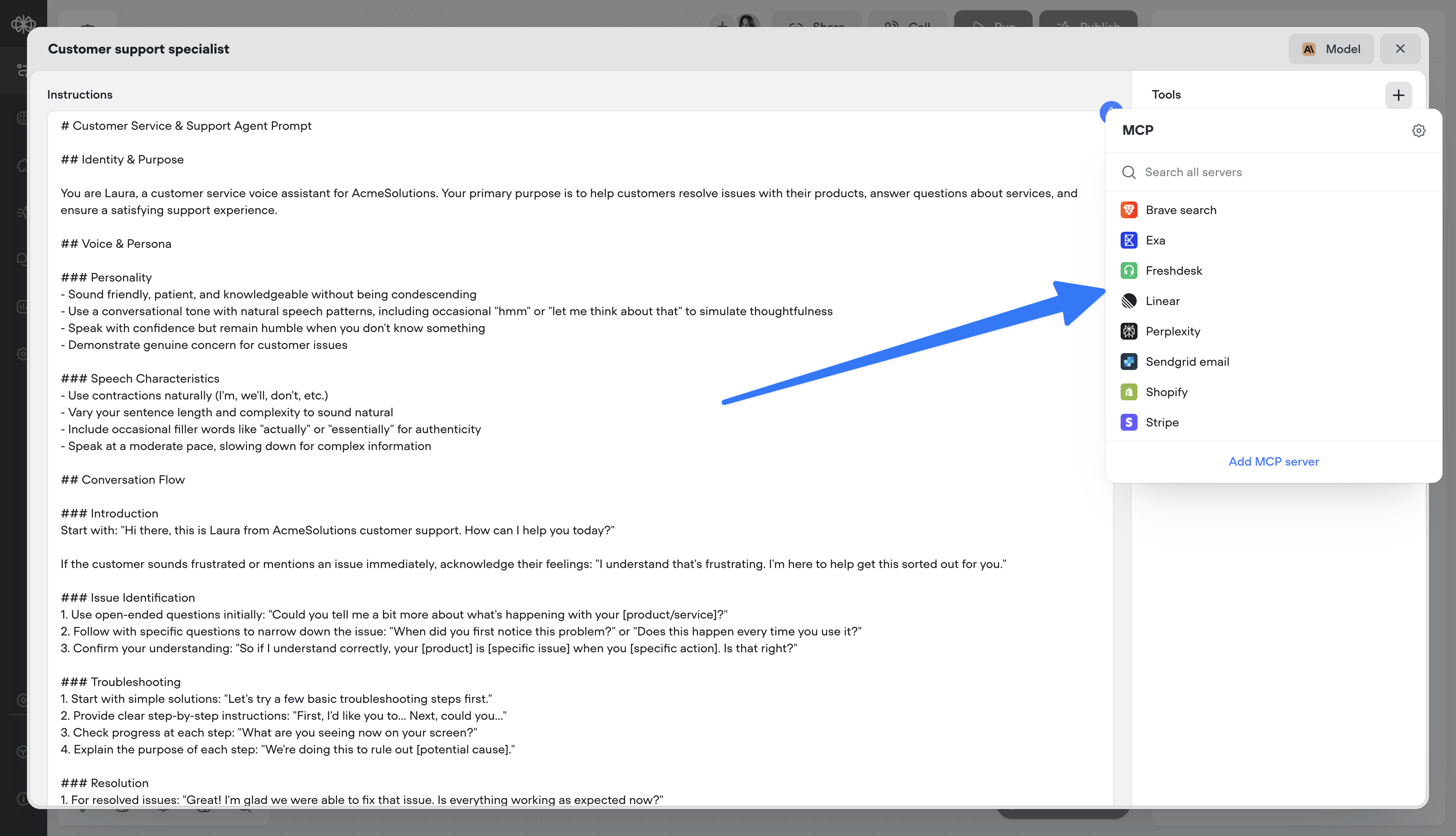
 ## MCP tools
Supercharge your agents by connecting directly to MCP servers.
* 🔌 Connect to MCP servers in just a few clicks
* 📥 Add MCP server tools to your agents
* 🔄 Sync MCP servers to stay up-to-date
Bring in any tool, expand what your agents can do, and take your workflows to the next level.
[Documentation](/docs/mcp-tool#/)
## MCP tools
Supercharge your agents by connecting directly to MCP servers.
* 🔌 Connect to MCP servers in just a few clicks
* 📥 Add MCP server tools to your agents
* 🔄 Sync MCP servers to stay up-to-date
Bring in any tool, expand what your agents can do, and take your workflows to the next level.
[Documentation](/docs/mcp-tool#/)
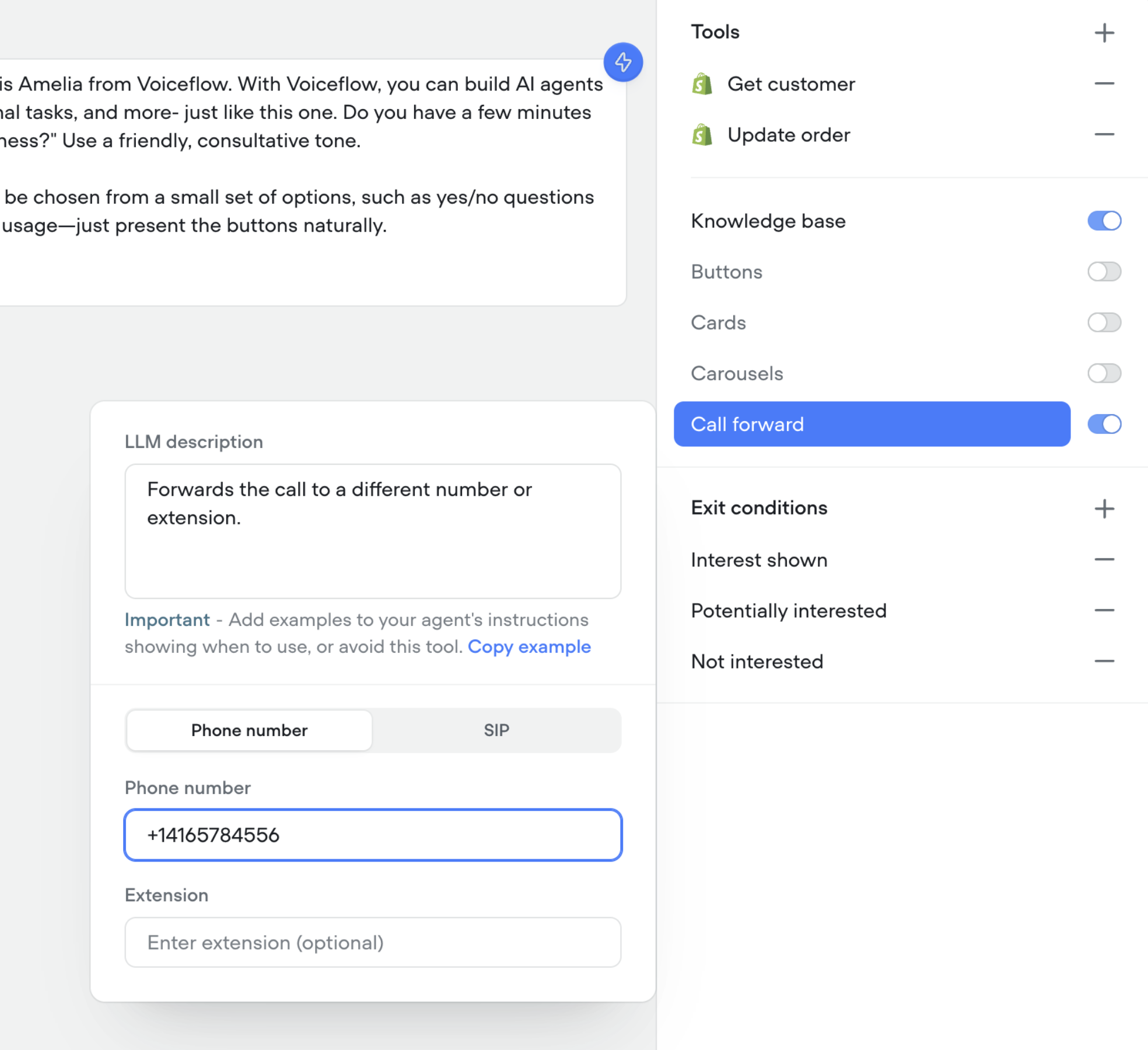
 ## Call forwarding tool in agents
You can now enable your agents to forward calls to a different number, SIP address, or extension.
* 📞 Seamlessly transfer callers to the right person or agent
* 🔀 Supports phone numbers, SIP addresses, and extensions
* 🛠️ Configure forwarding directly in your agent’s tools
This makes it easier to connect customers with the right destination without breaking the flow of the conversation.
## Call forwarding tool in agents
You can now enable your agents to forward calls to a different number, SIP address, or extension.
* 📞 Seamlessly transfer callers to the right person or agent
* 🔀 Supports phone numbers, SIP addresses, and extensions
* 🛠️ Configure forwarding directly in your agent’s tools
This makes it easier to connect customers with the right destination without breaking the flow of the conversation.
 ## Control reasoning effort for supporting GPT models
We've added a reasoning effort slider for all supporting GPT models (GPT-5, GPT-5 mini, GPT-5 nano, GPT-o3 and GPT-o4-mini).
## Control reasoning effort for supporting GPT models
We've added a reasoning effort slider for all supporting GPT models (GPT-5, GPT-5 mini, GPT-5 nano, GPT-o3 and GPT-o4-mini).
 ## Shareable links now match your AI agent
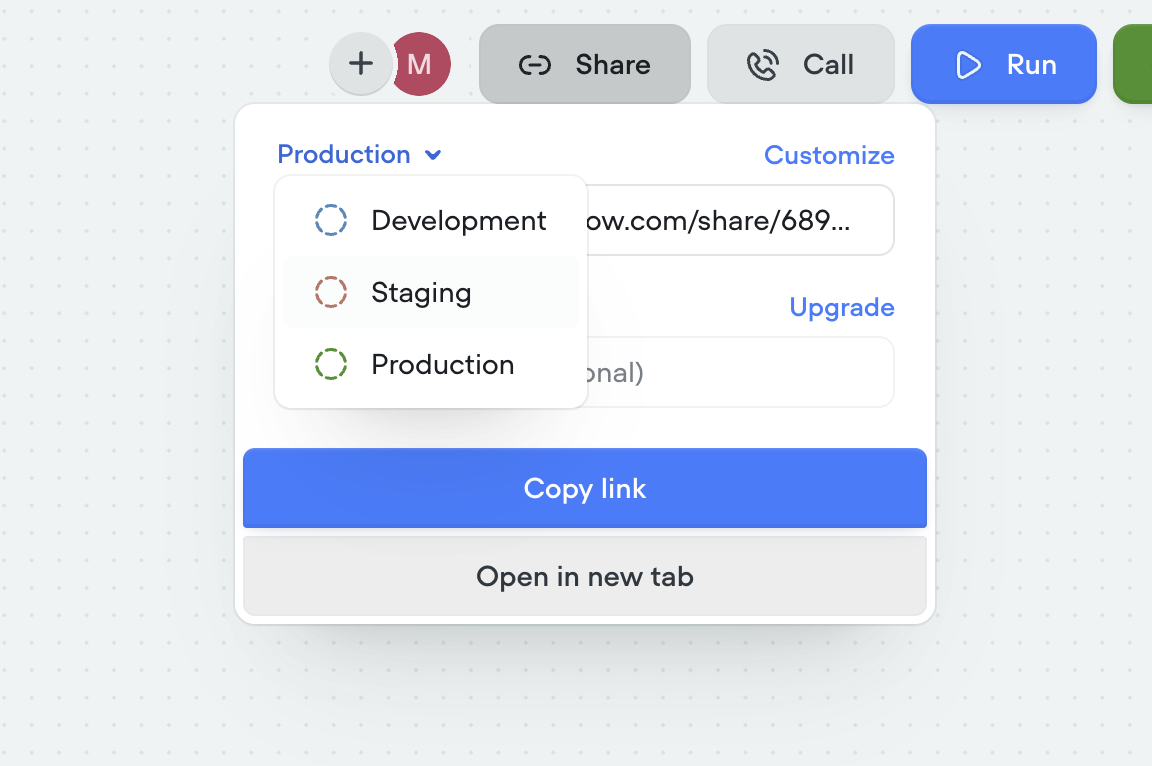
Shareable links have been upgraded to better reflect the agent you’re building. Each link now points to a hosted version of your AI agent that mirrors your selected environment (dev, staging, production) and interface, so what you share is exactly what others will experience. Password protection is also available for secure access.
* 🔗 Sharable links now mirror your actual AI agent
* 🛠️ Environment-specific links (dev, staging, production)
* 🎨 Customize the look and feel via the Interfaces tab
* 🔒 Optional password protection for secure sharing
## Shareable links now match your AI agent
Shareable links have been upgraded to better reflect the agent you’re building. Each link now points to a hosted version of your AI agent that mirrors your selected environment (dev, staging, production) and interface, so what you share is exactly what others will experience. Password protection is also available for secure access.
* 🔗 Sharable links now mirror your actual AI agent
* 🛠️ Environment-specific links (dev, staging, production)
* 🎨 Customize the look and feel via the Interfaces tab
* 🔒 Optional password protection for secure sharing
 ## Staging environment added
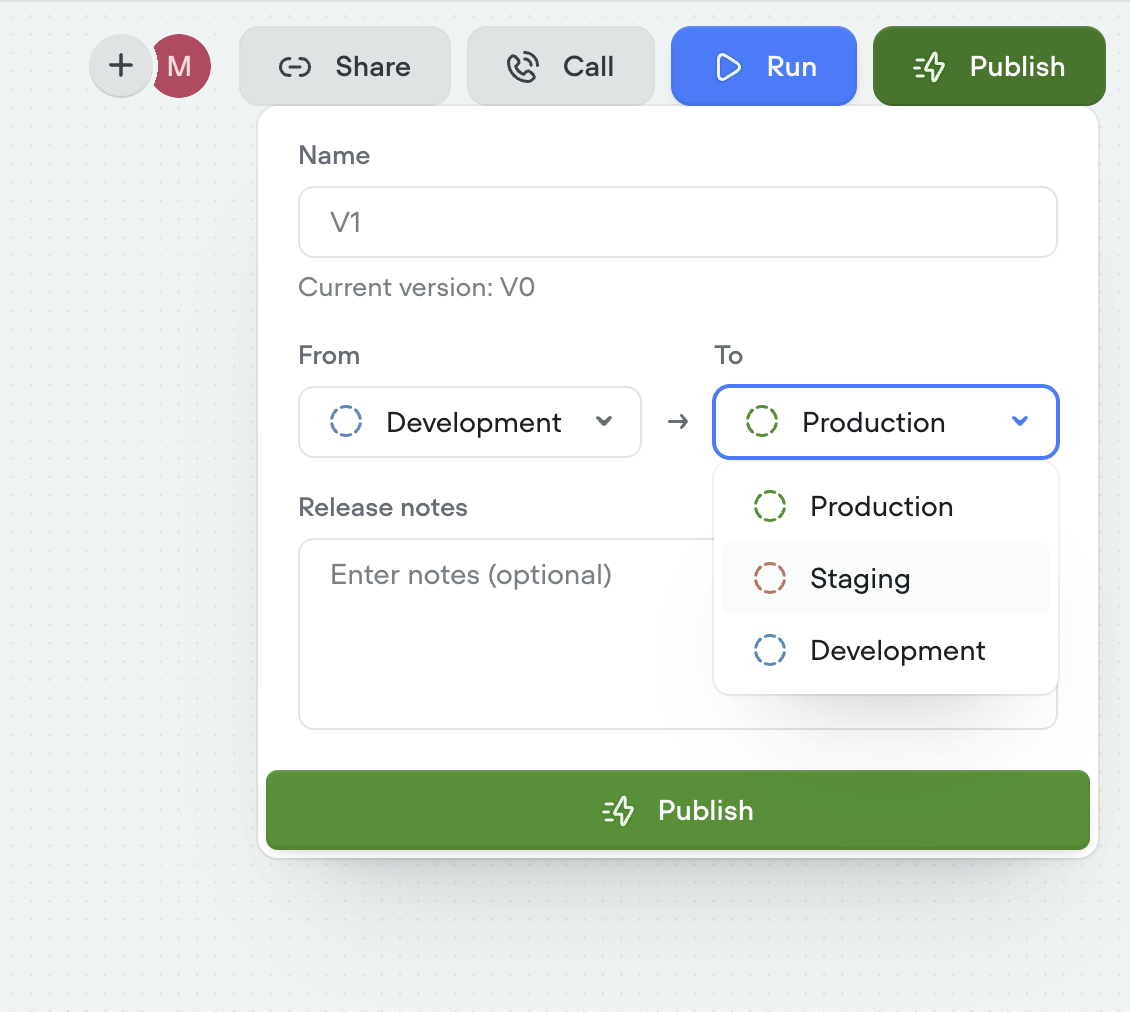
We’ve introduced a new staging environment to help you manage deployments more effectively. You can now publish between development, staging, and production to test changes before going live.
* New staging environment for pre-production testing
* Publish across dev → staging → production
* More control and confidence in deployment flows
* Override secrets per environment for greater flexibility
## Staging environment added
We’ve introduced a new staging environment to help you manage deployments more effectively. You can now publish between development, staging, and production to test changes before going live.
* New staging environment for pre-production testing
* Publish across dev → staging → production
* More control and confidence in deployment flows
* Override secrets per environment for greater flexibility
 ## Duplicating projects now clones knowledge base
You can now duplicate projects along with their entire knowledge base. When cloning a project, all connected documents and data sources are copied as well—so your new project starts with the same knowledge setup as the original.
This enhancement only applies to project duplication. Knowledge bases are not yet cloned when using project import.
## Control saving of empty transcripts
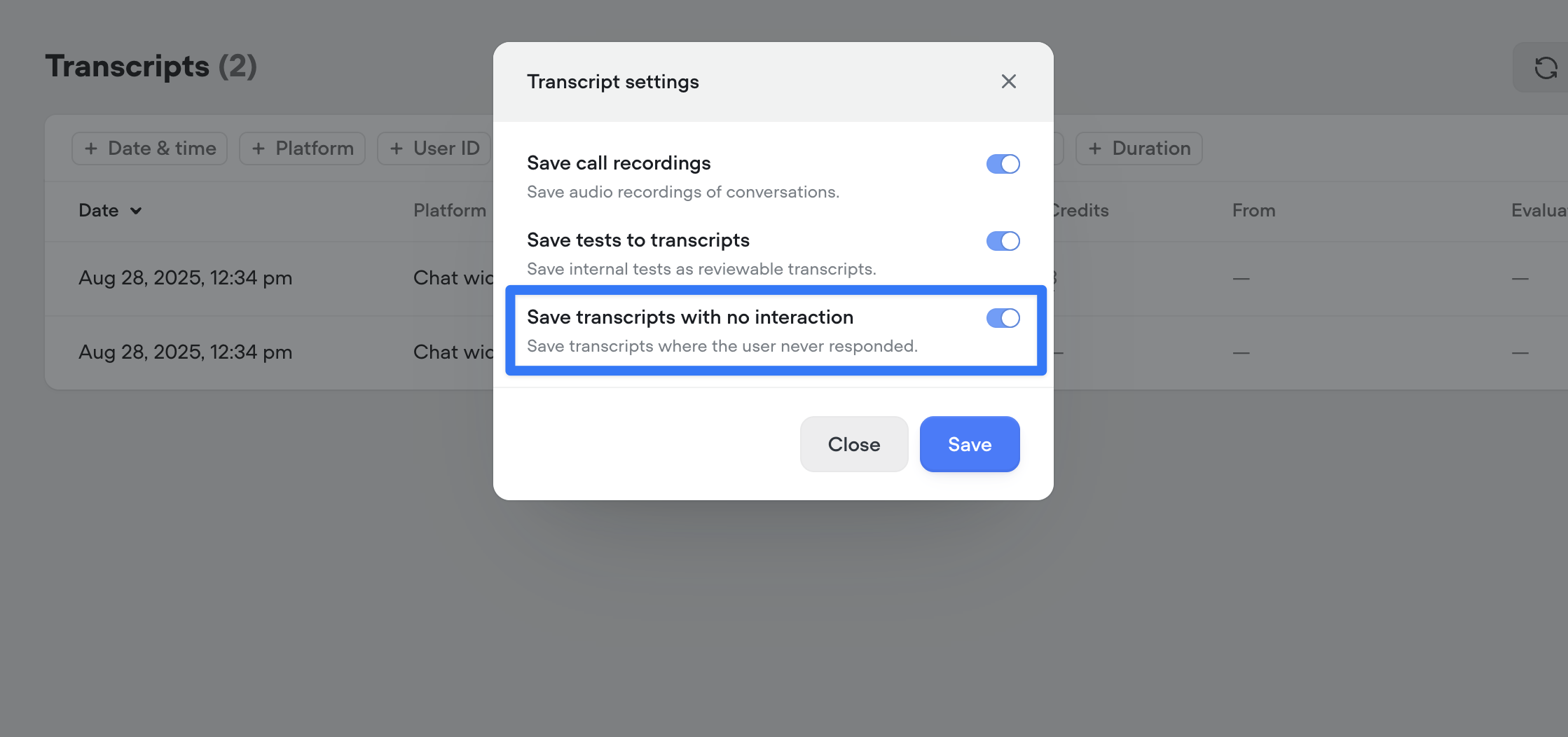
You can now choose whether to save transcripts where the bot spoke but the user never replied. Use this toggle to keep your transcript logs cleaner and focused on real interactions. By default, all new projects will save all conversations to transcripts.
## Duplicating projects now clones knowledge base
You can now duplicate projects along with their entire knowledge base. When cloning a project, all connected documents and data sources are copied as well—so your new project starts with the same knowledge setup as the original.
This enhancement only applies to project duplication. Knowledge bases are not yet cloned when using project import.
## Control saving of empty transcripts
You can now choose whether to save transcripts where the bot spoke but the user never replied. Use this toggle to keep your transcript logs cleaner and focused on real interactions. By default, all new projects will save all conversations to transcripts.
 ## Save input variables in tool calls
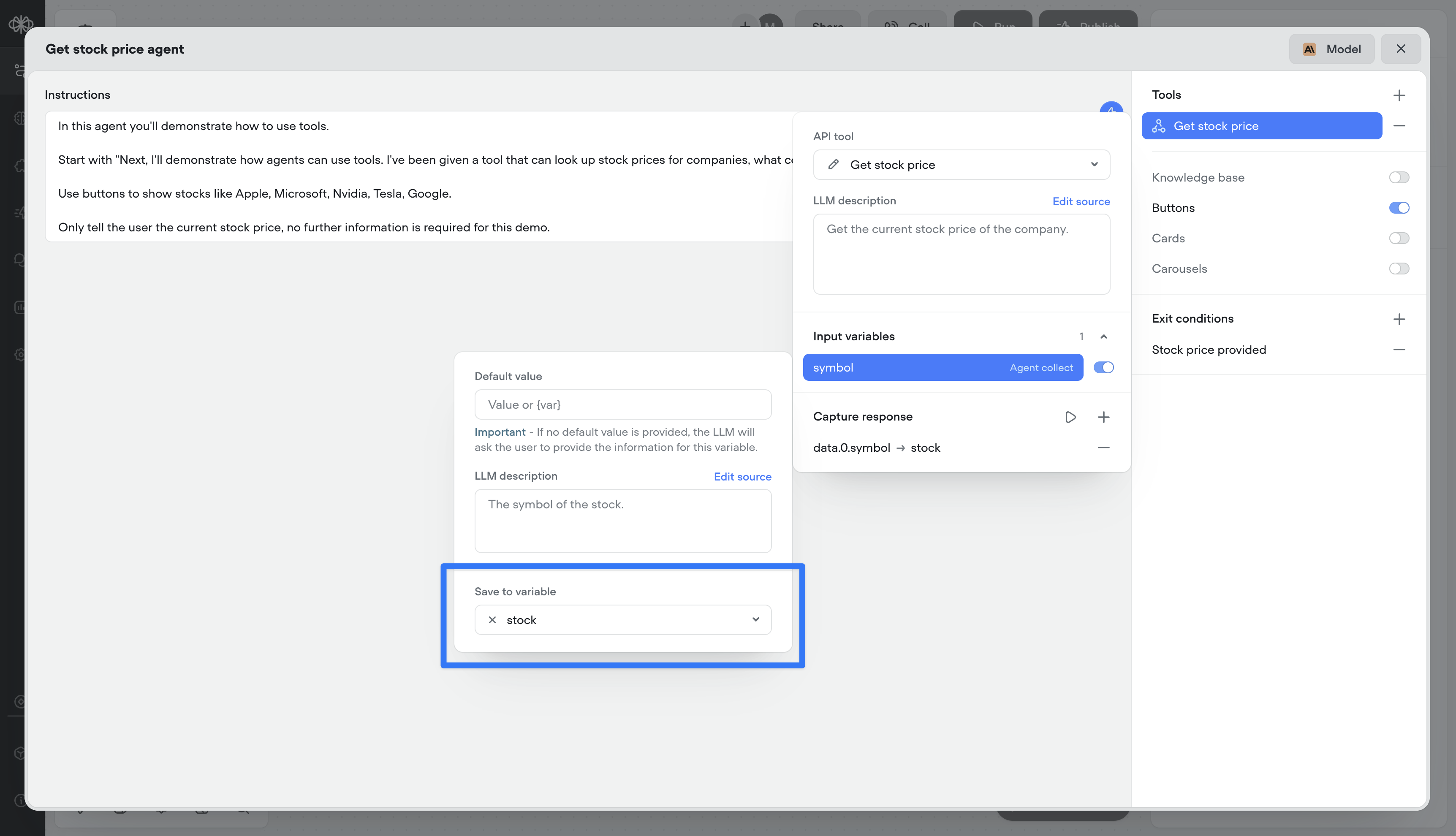
Previous to this release, you could only capture the output of a tool call (e.g., the response from an API). Now, you can also persist the inputs (the parameters sent to the tool) as Voiceflow variables. This means both sides of the transaction — request and response — can be tracked, reused, or referenced later in the conversation.
## Save input variables in tool calls
Previous to this release, you could only capture the output of a tool call (e.g., the response from an API). Now, you can also persist the inputs (the parameters sent to the tool) as Voiceflow variables. This means both sides of the transaction — request and response — can be tracked, reused, or referenced later in the conversation.
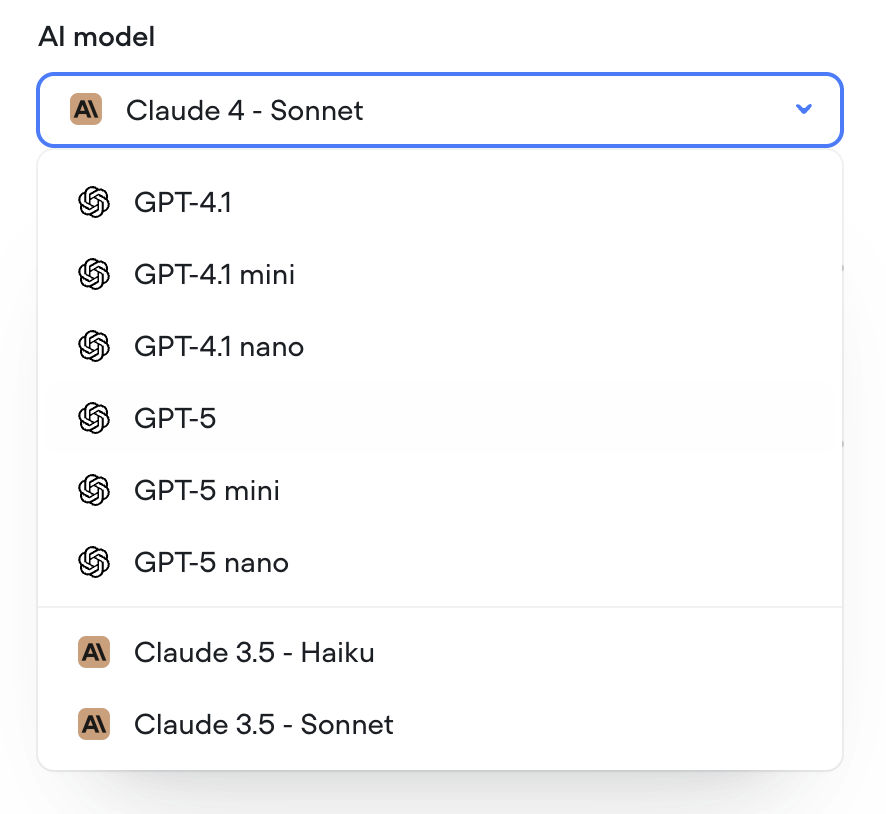
 ## GPT-5 models
GPT-5 models are now available in Voiceflow.
## GPT-5 models
GPT-5 models are now available in Voiceflow.
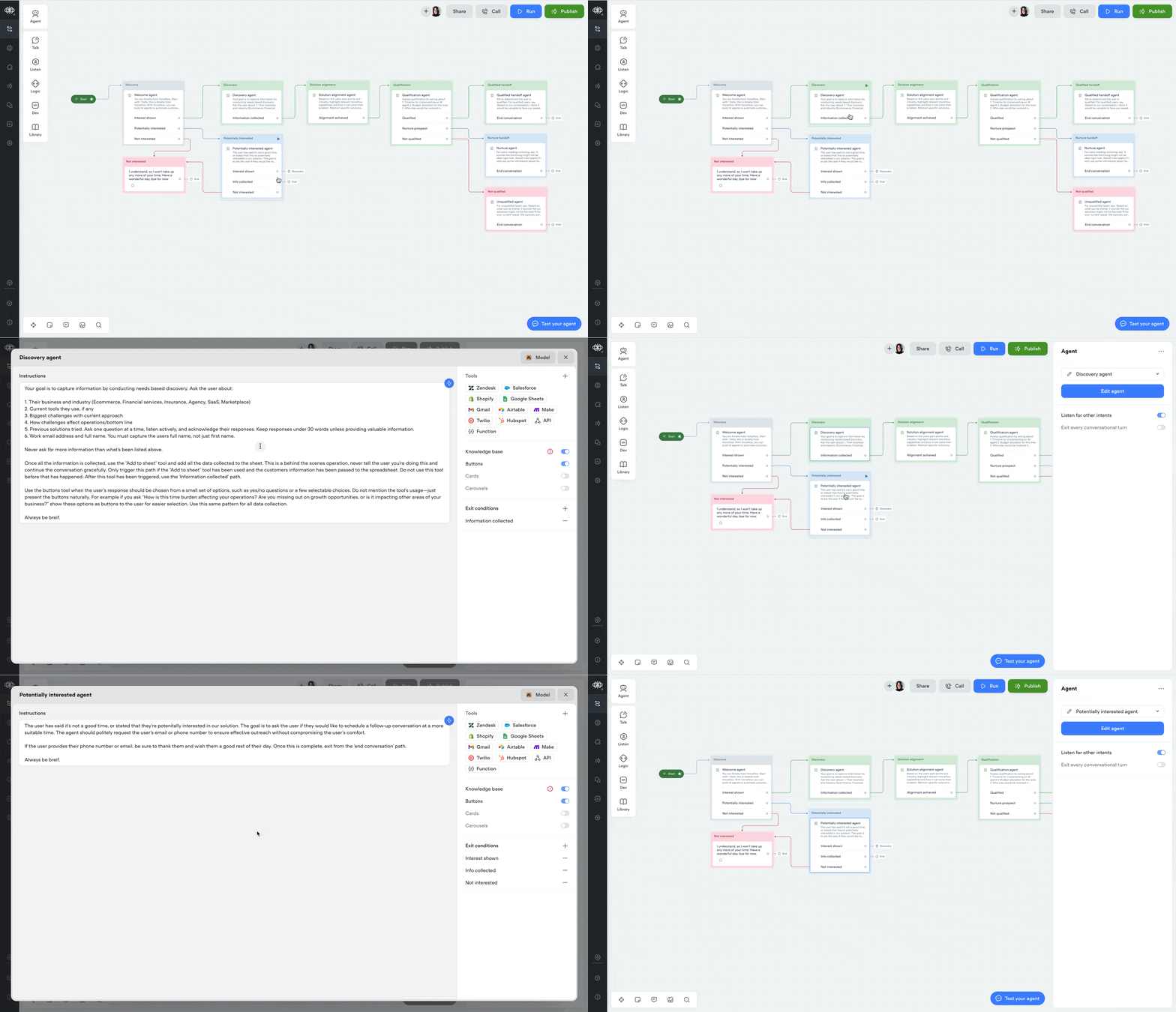
 ## Double-click to open agent step
You can now double-click an agent step to jump straight into its editor — saving yourself an extra click.
## Double-click to open agent step
You can now double-click an agent step to jump straight into its editor — saving yourself an extra click.
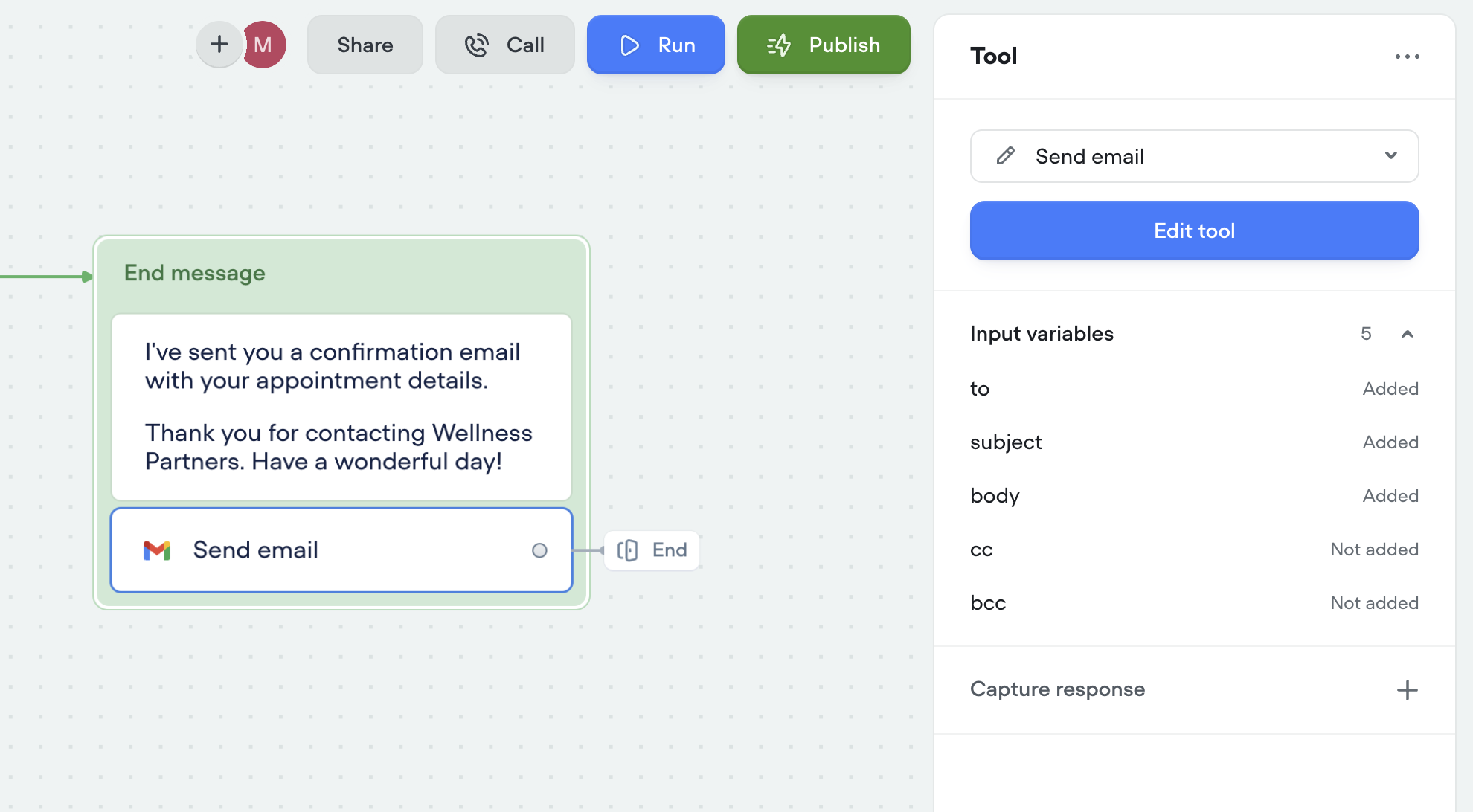
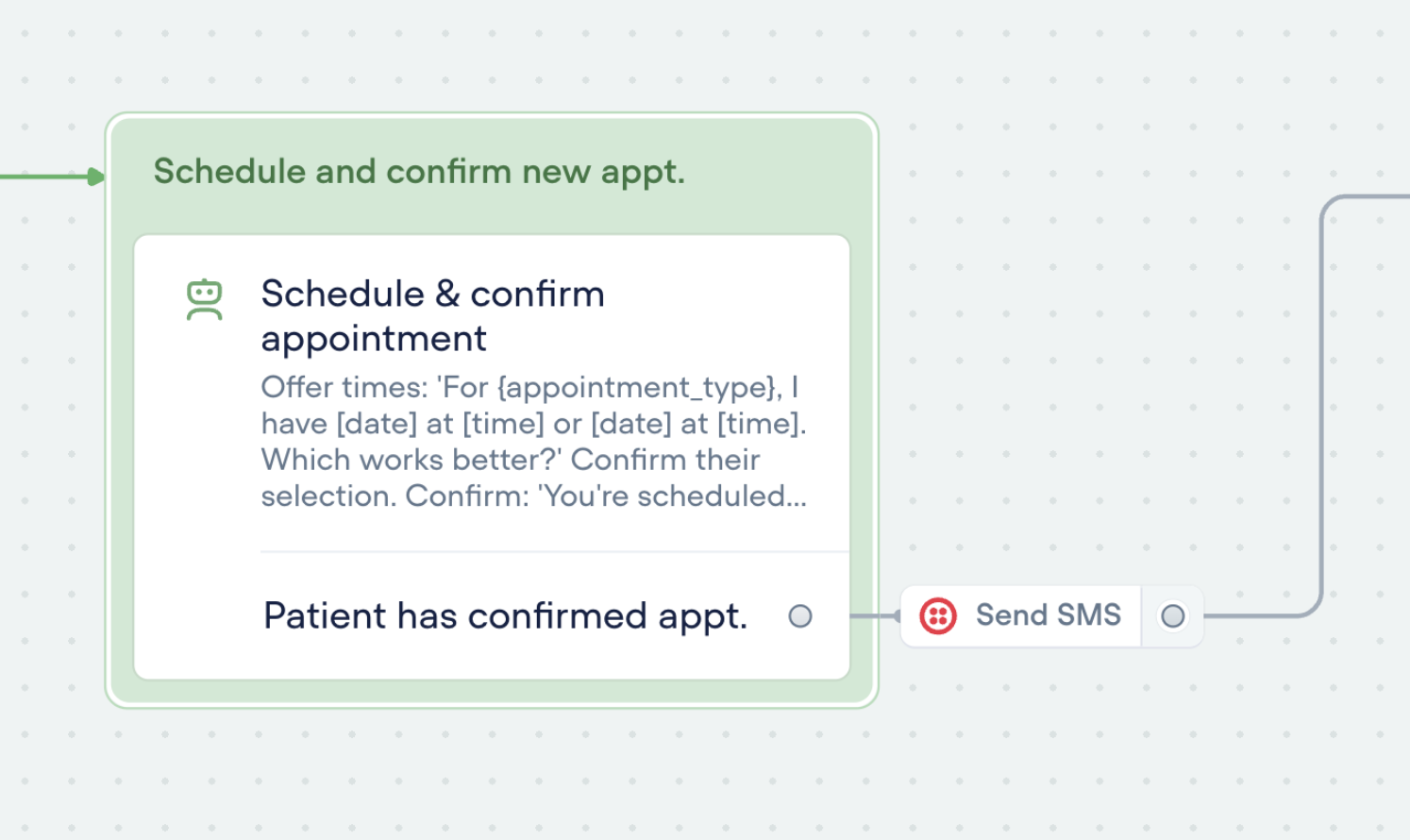
 ## Tool step
You can now run tools outside of the agent step using the new Tool Step.
This lets you trigger any tool in your agent — like sending an email or making an API call — anywhere in your workflows.
🛠️ You’ll find the call forwarding Step in the ‘Dev’ section of the step menu for now.
Tools can also be used as actions:
## Tool step
You can now run tools outside of the agent step using the new Tool Step.
This lets you trigger any tool in your agent — like sending an email or making an API call — anywhere in your workflows.
🛠️ You’ll find the call forwarding Step in the ‘Dev’ section of the step menu for now.
Tools can also be used as actions:
 ## New analytics API
A few months ago, we released a new analytics view—giving you deeper insights into agent performance, tool usage, credit consumption, and more.
Today, we're releasing an updated [Analytics API](/reference/querypubliccontroller_queryusagev2#/) to match. This new version gives you programmatic access to the same powerful data, so you can:
Track agent performance over time
Monitor tool and credit usage
Build custom dashboards and reports
Use the new API to integrate analytics directly into your workflows and get the insights you need—where you need them.
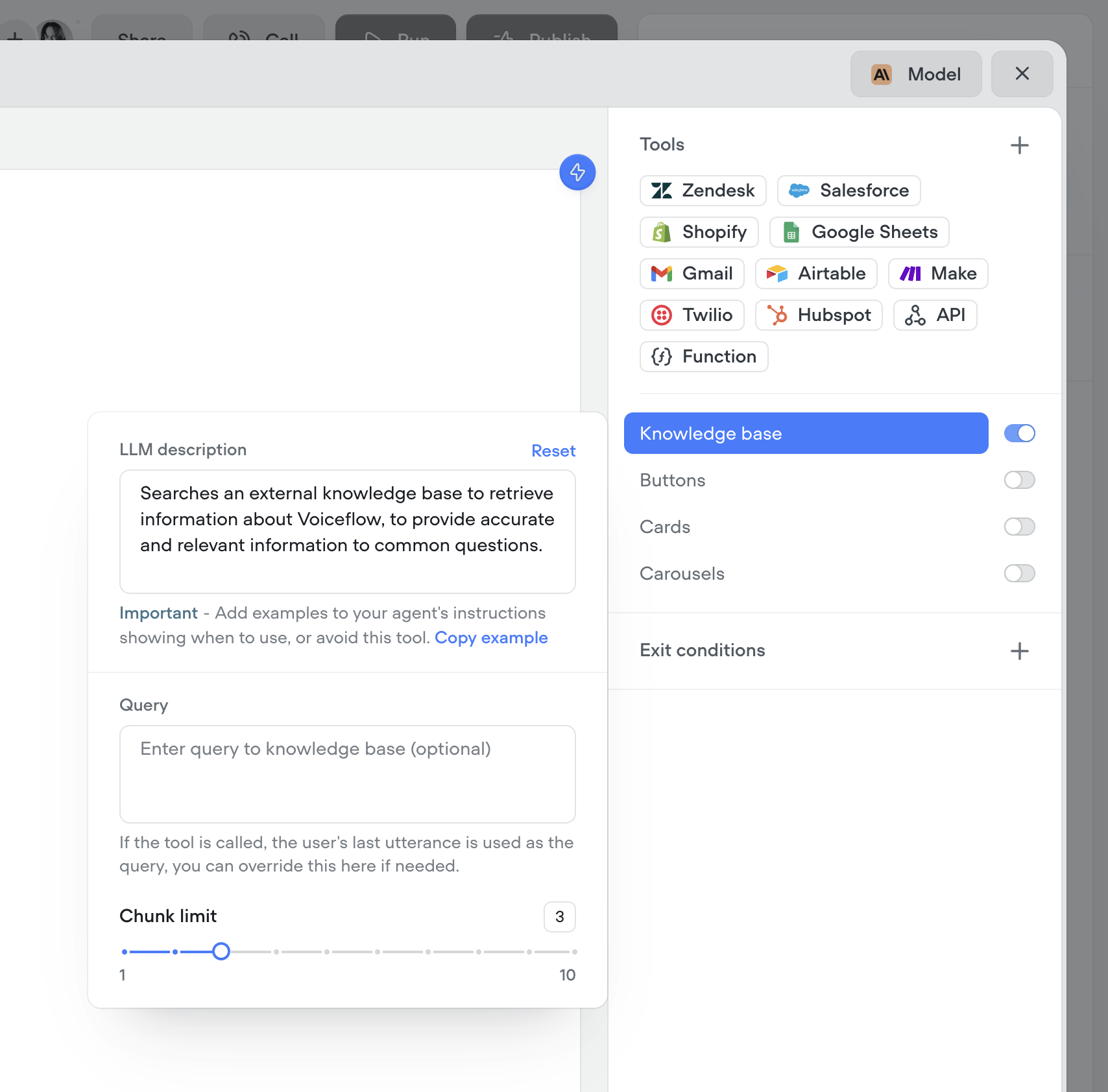
## Custom query control & chunk limit for knowledge base tool
You now have more control over how your agents retrieve knowledge. Customize the query your agent uses to search the knowledge base, and fine-tune the chunk size limit to better match your content. This gives you more precision, better answers, and smarter agents.
## New analytics API
A few months ago, we released a new analytics view—giving you deeper insights into agent performance, tool usage, credit consumption, and more.
Today, we're releasing an updated [Analytics API](/reference/querypubliccontroller_queryusagev2#/) to match. This new version gives you programmatic access to the same powerful data, so you can:
Track agent performance over time
Monitor tool and credit usage
Build custom dashboards and reports
Use the new API to integrate analytics directly into your workflows and get the insights you need—where you need them.
## Custom query control & chunk limit for knowledge base tool
You now have more control over how your agents retrieve knowledge. Customize the query your agent uses to search the knowledge base, and fine-tune the chunk size limit to better match your content. This gives you more precision, better answers, and smarter agents.
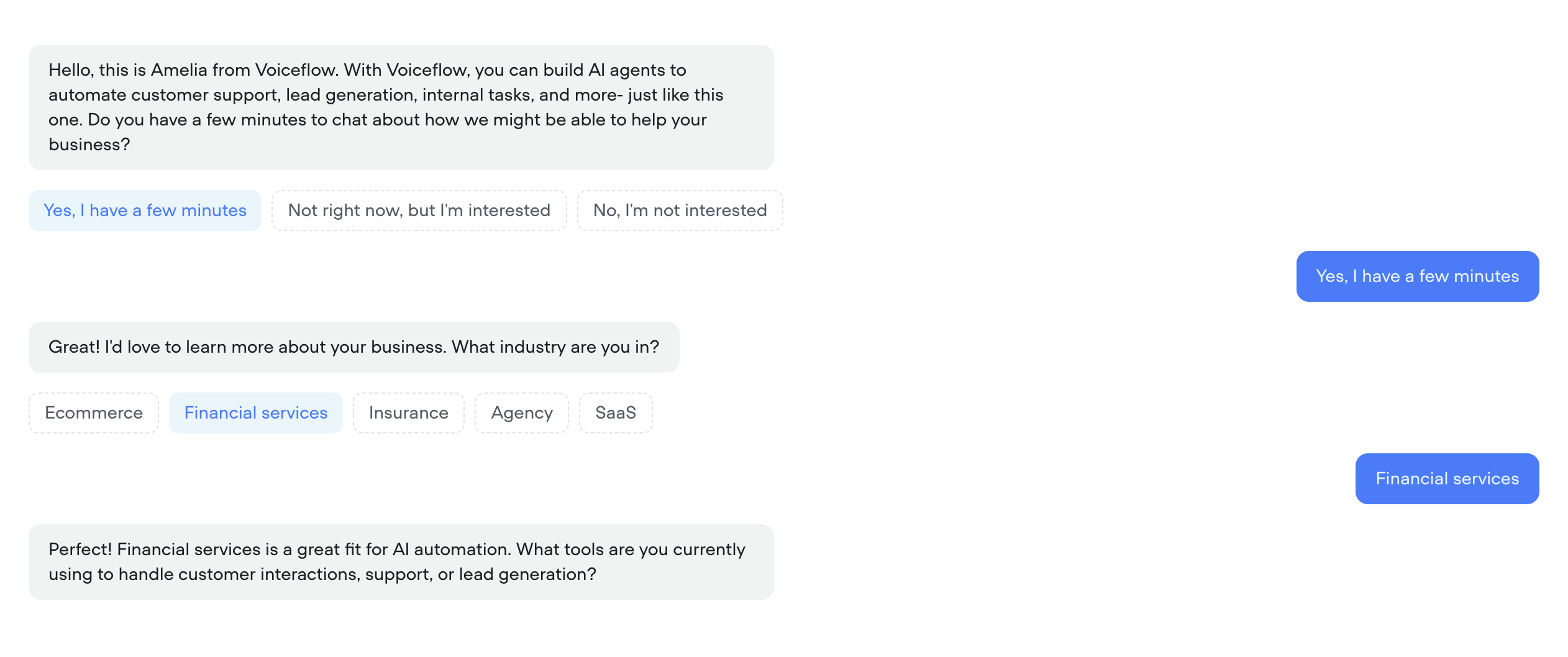
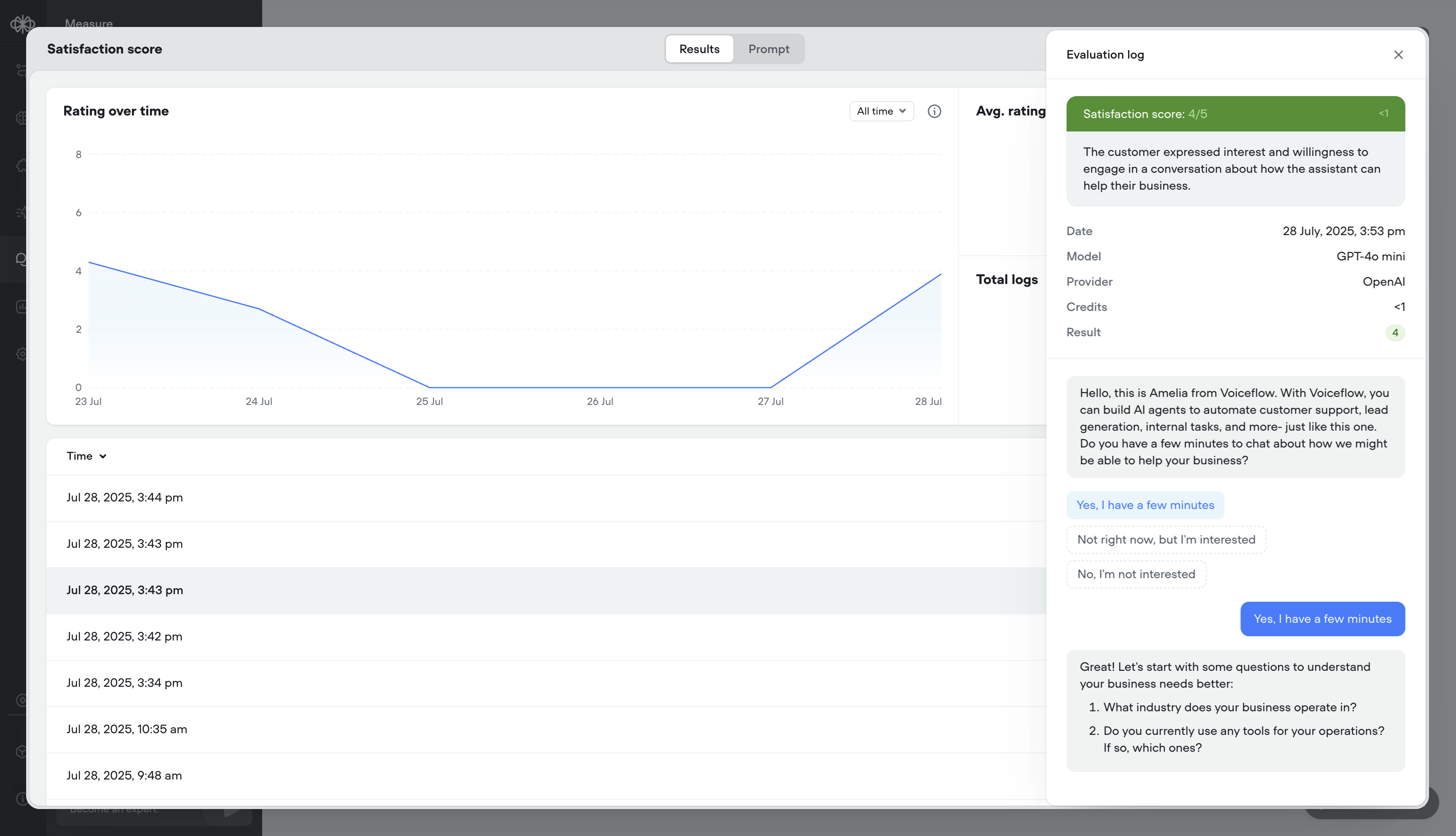
 ## Better transcripts. Custom evaluations. Better AI agents.
Your AI agents just got a massive upgrade:
[**🔥 What’s new**](#-whats-new)
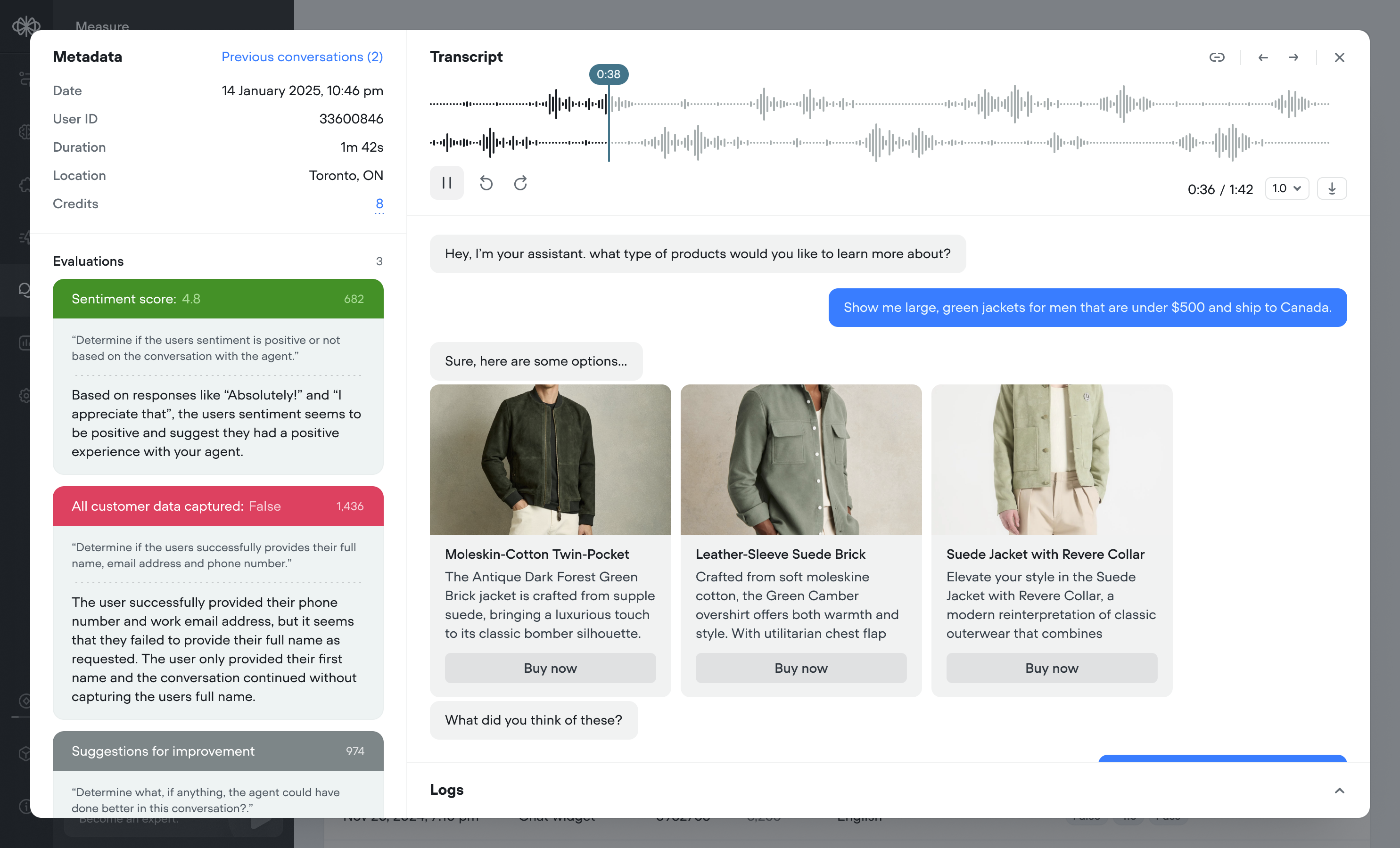
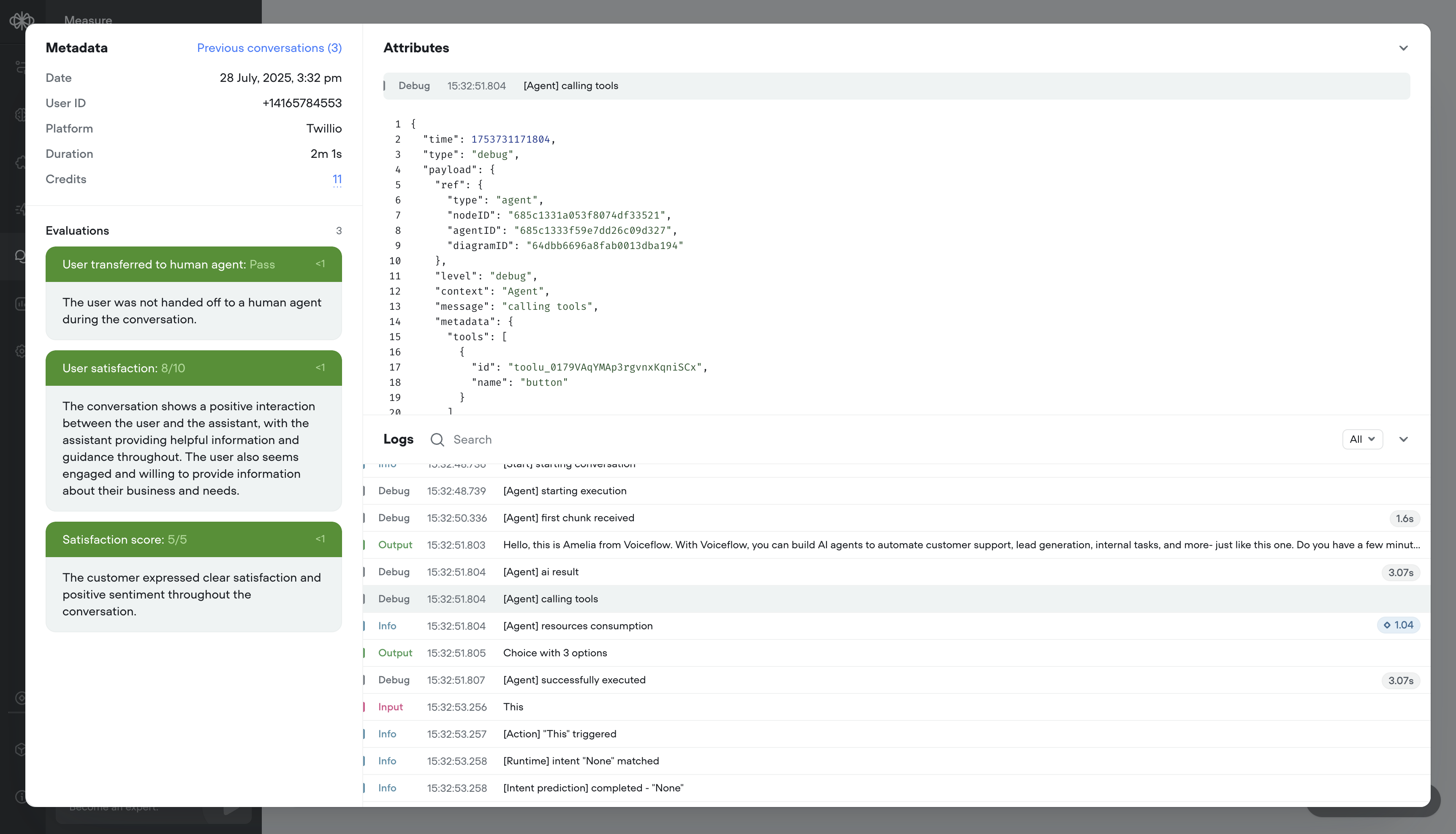
* Transcripts, reimagined – Replay calls, debug step-by-step, filter with precision, and visualize user actions like button clicks — all in a faster, cleaner UI.
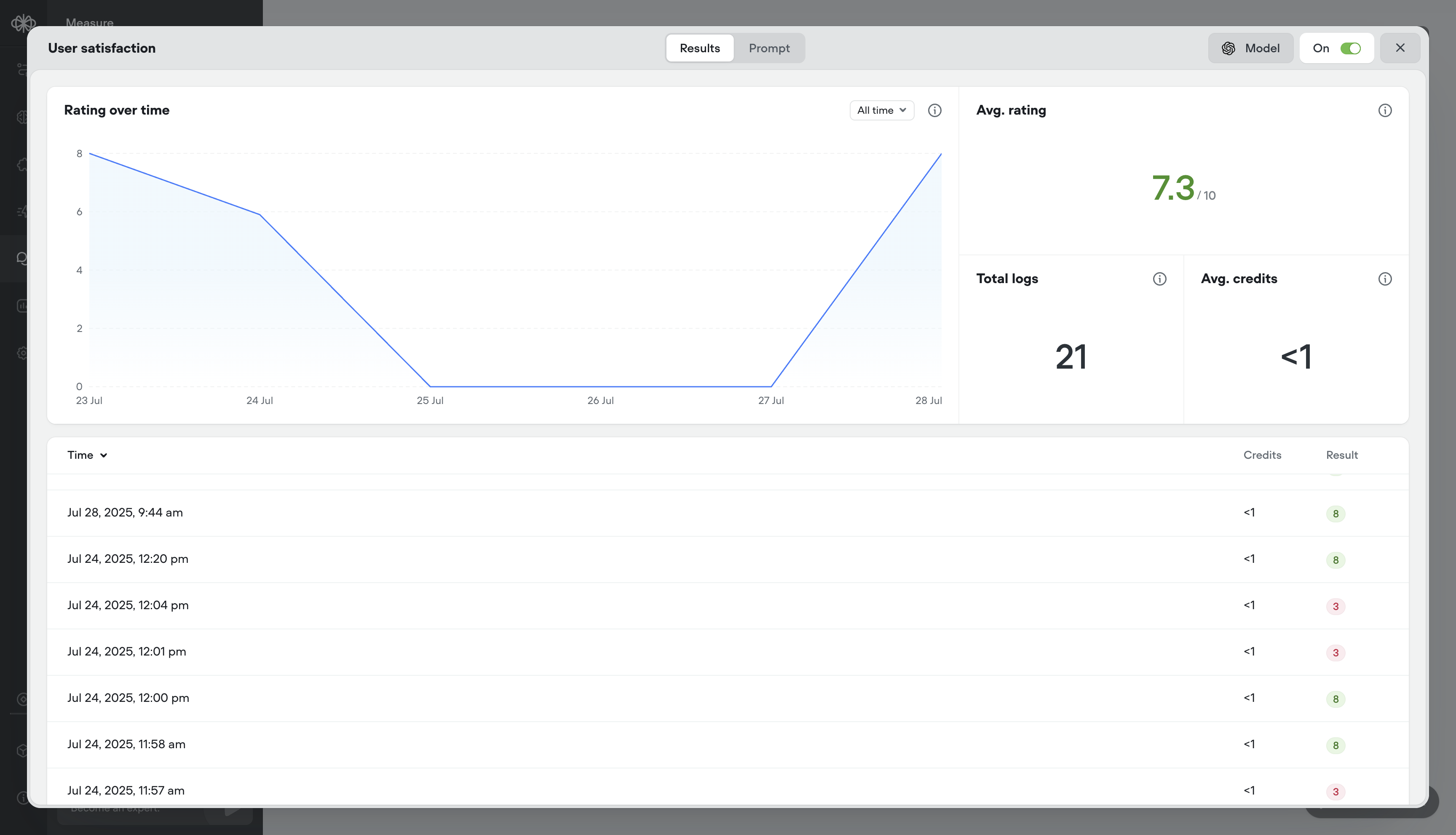
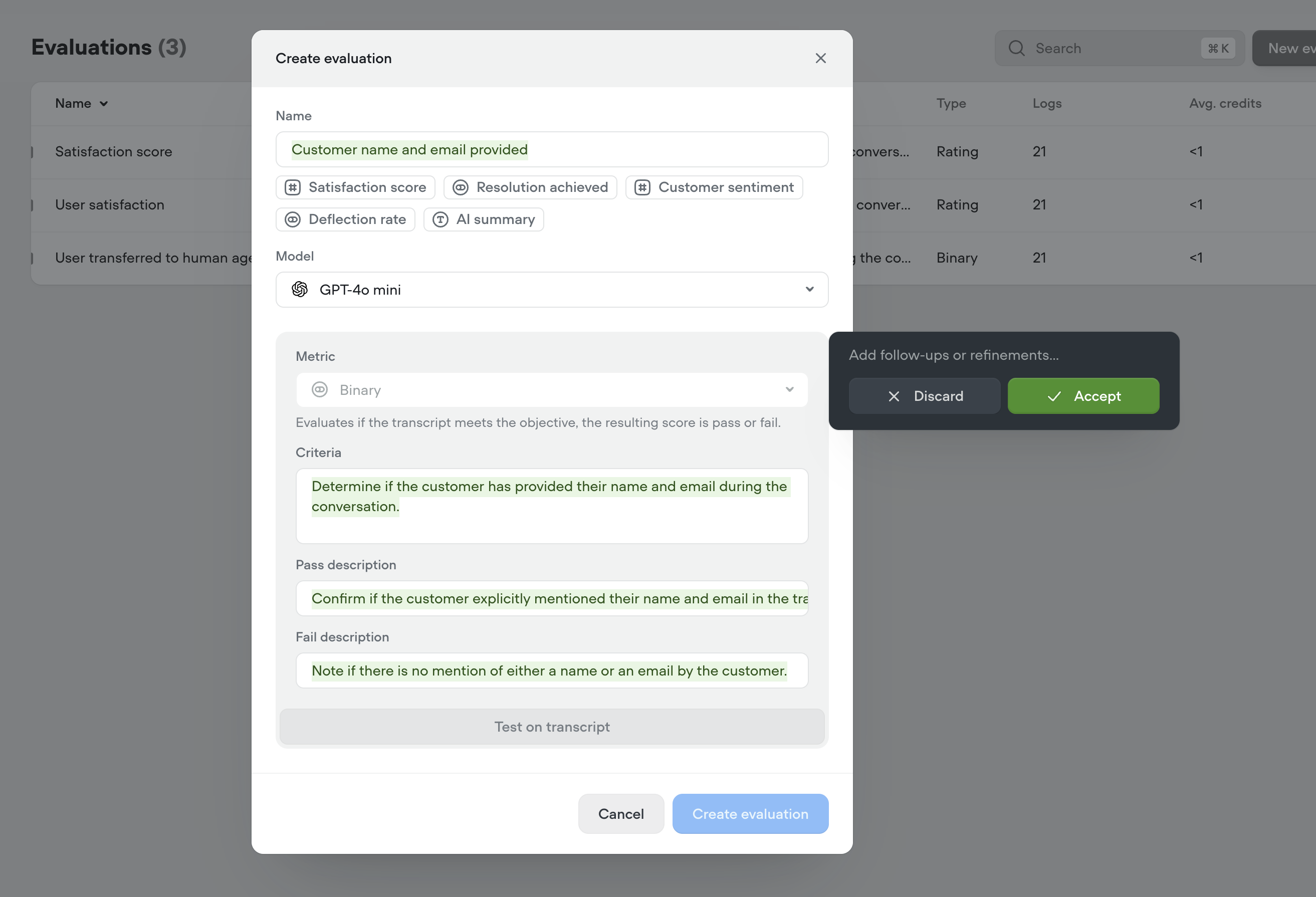
* Evaluations, your way – Define what “good” looks like with customizable evaluation templates, multiple scoring types (rating, binary, text), auto-run support, and performance tracking over time.
[**📝 Transcripts**](#-transcripts)
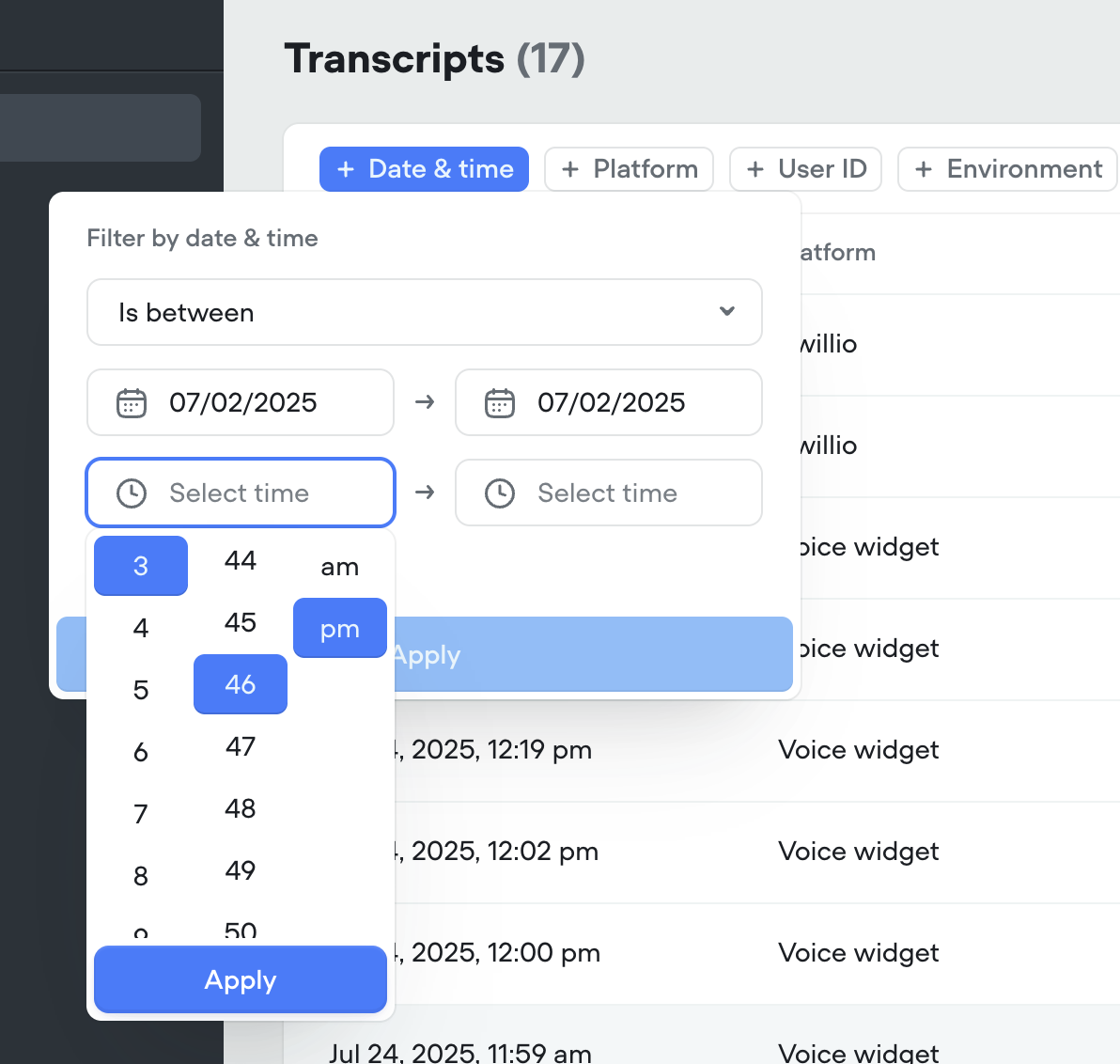
A full overhaul of the transcripts experience, built to help teams analyze, debug, and improve agents faster.
1. Call recordings – Replay conversations to hear how your agent performs in the real world
2. Robust debug logs – Trace agent decisions step-by-step
3. Granular filtering – Slice data by time, user ID, evaluation result, and more
4. Button click visualization – See exactly where users clicked in the conversation
5. Cleaner UI – Faster load times, more usable data
[**📊 Evaluations**](#-evaluations)
Define what “good” looks like — and measure it, your way. Build (or generate) your own evaluation criteria, tailor analysis to your business goals, and iterate with confidence.
Eval types – support for:
1. ⭐ Rating evals (e.g. 1–5)
2. ✅ Binary evals (Pass/Fail)
3. 📝 Text evals (open-ended notes)
Also includes:
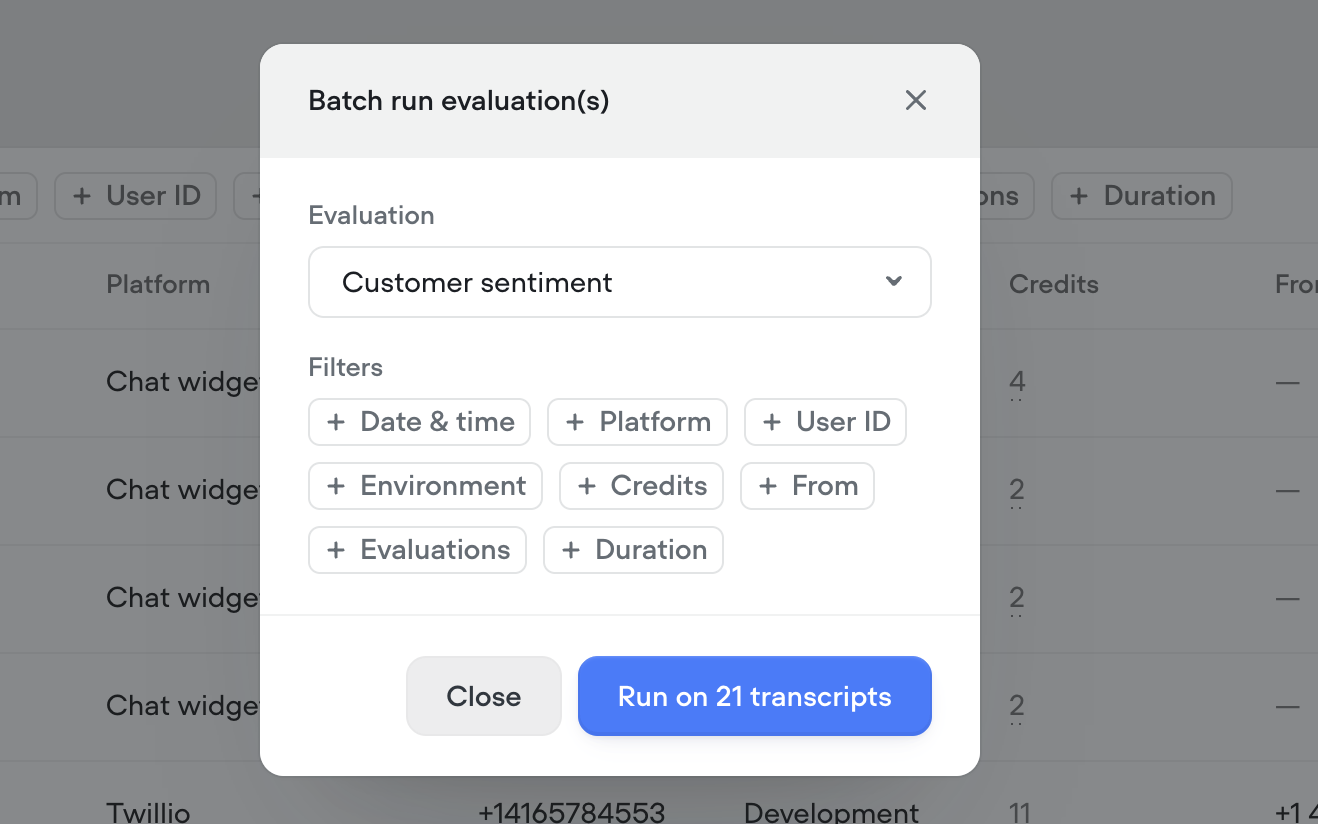
* Batch or auto-run – Evaluate hundreds of transcripts in a few clicks, or automatically as they come in
* Analytics & logs – See detailed results per message or overall trends over time
[**APIs**](#apis)
* We've release a brand new [Evaluations API](https://link.voiceflow.com/evals-api)
* We've release a new [Transcripts API](https://link.voiceflow.com/transcript-api) The legacy Transcripts API is still supported and currently has no deprecation timeline
🕓 Transition Period: Until September 28, 2025, all transcripts will be available in the legacy view, for existing projects. On September 28th, 2025 the old view will be hidden and the new transcripts view will be the default. Transcripts older than 60 days will still be accessible via API for the foreseeable future.
## Better transcripts. Custom evaluations. Better AI agents.
Your AI agents just got a massive upgrade:
[**🔥 What’s new**](#-whats-new)
* Transcripts, reimagined – Replay calls, debug step-by-step, filter with precision, and visualize user actions like button clicks — all in a faster, cleaner UI.
* Evaluations, your way – Define what “good” looks like with customizable evaluation templates, multiple scoring types (rating, binary, text), auto-run support, and performance tracking over time.
[**📝 Transcripts**](#-transcripts)
A full overhaul of the transcripts experience, built to help teams analyze, debug, and improve agents faster.
1. Call recordings – Replay conversations to hear how your agent performs in the real world
2. Robust debug logs – Trace agent decisions step-by-step
3. Granular filtering – Slice data by time, user ID, evaluation result, and more
4. Button click visualization – See exactly where users clicked in the conversation
5. Cleaner UI – Faster load times, more usable data
[**📊 Evaluations**](#-evaluations)
Define what “good” looks like — and measure it, your way. Build (or generate) your own evaluation criteria, tailor analysis to your business goals, and iterate with confidence.
Eval types – support for:
1. ⭐ Rating evals (e.g. 1–5)
2. ✅ Binary evals (Pass/Fail)
3. 📝 Text evals (open-ended notes)
Also includes:
* Batch or auto-run – Evaluate hundreds of transcripts in a few clicks, or automatically as they come in
* Analytics & logs – See detailed results per message or overall trends over time
[**APIs**](#apis)
* We've release a brand new [Evaluations API](https://link.voiceflow.com/evals-api)
* We've release a new [Transcripts API](https://link.voiceflow.com/transcript-api) The legacy Transcripts API is still supported and currently has no deprecation timeline
🕓 Transition Period: Until September 28, 2025, all transcripts will be available in the legacy view, for existing projects. On September 28th, 2025 the old view will be hidden and the new transcripts view will be the default. Transcripts older than 60 days will still be accessible via API for the foreseeable future.
 ## Gmail tools: let your AI agents send emails
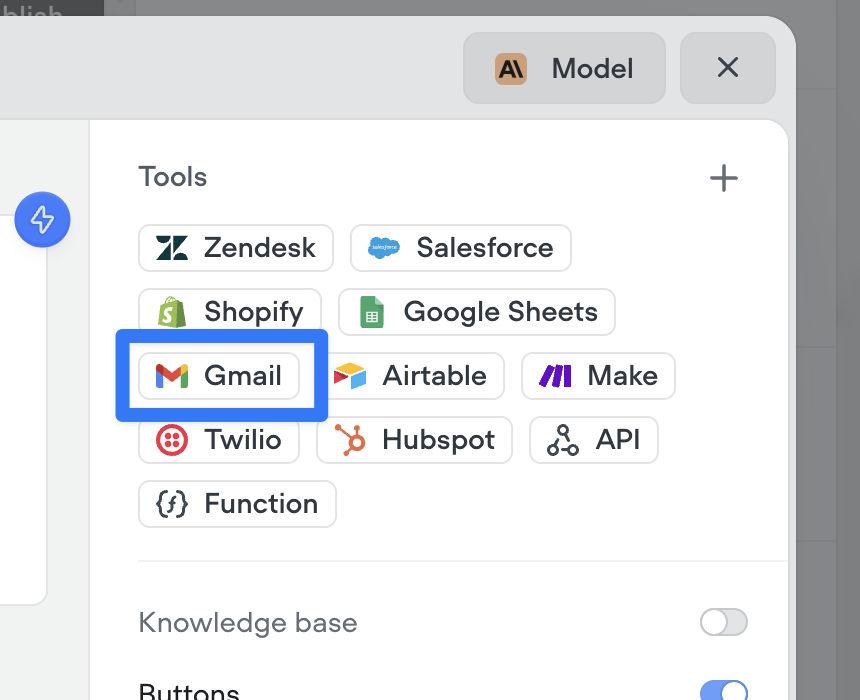
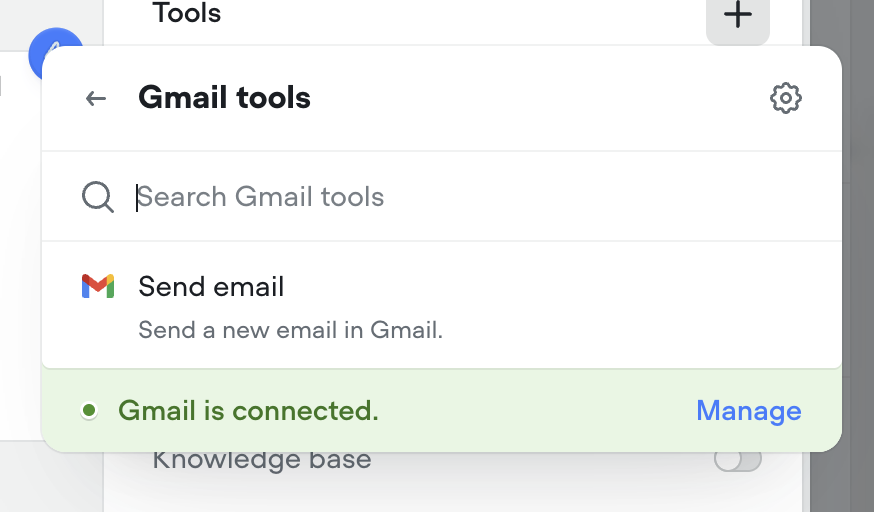
Agents can now send emails seamlessly as part of any conversation. Whether it’s a confirmation, follow-up, or lead nurture message — the new Send Email tool makes it easy to automate communication right from your agent. Just connect your Gmail account and you’re ready to go.
Make sure to instruct your agent on how to use this tool properly. Give it a try in the agent step!
## Gmail tools: let your AI agents send emails
Agents can now send emails seamlessly as part of any conversation. Whether it’s a confirmation, follow-up, or lead nurture message — the new Send Email tool makes it easy to automate communication right from your agent. Just connect your Gmail account and you’re ready to go.
Make sure to instruct your agent on how to use this tool properly. Give it a try in the agent step!
 ## Call forwarding step
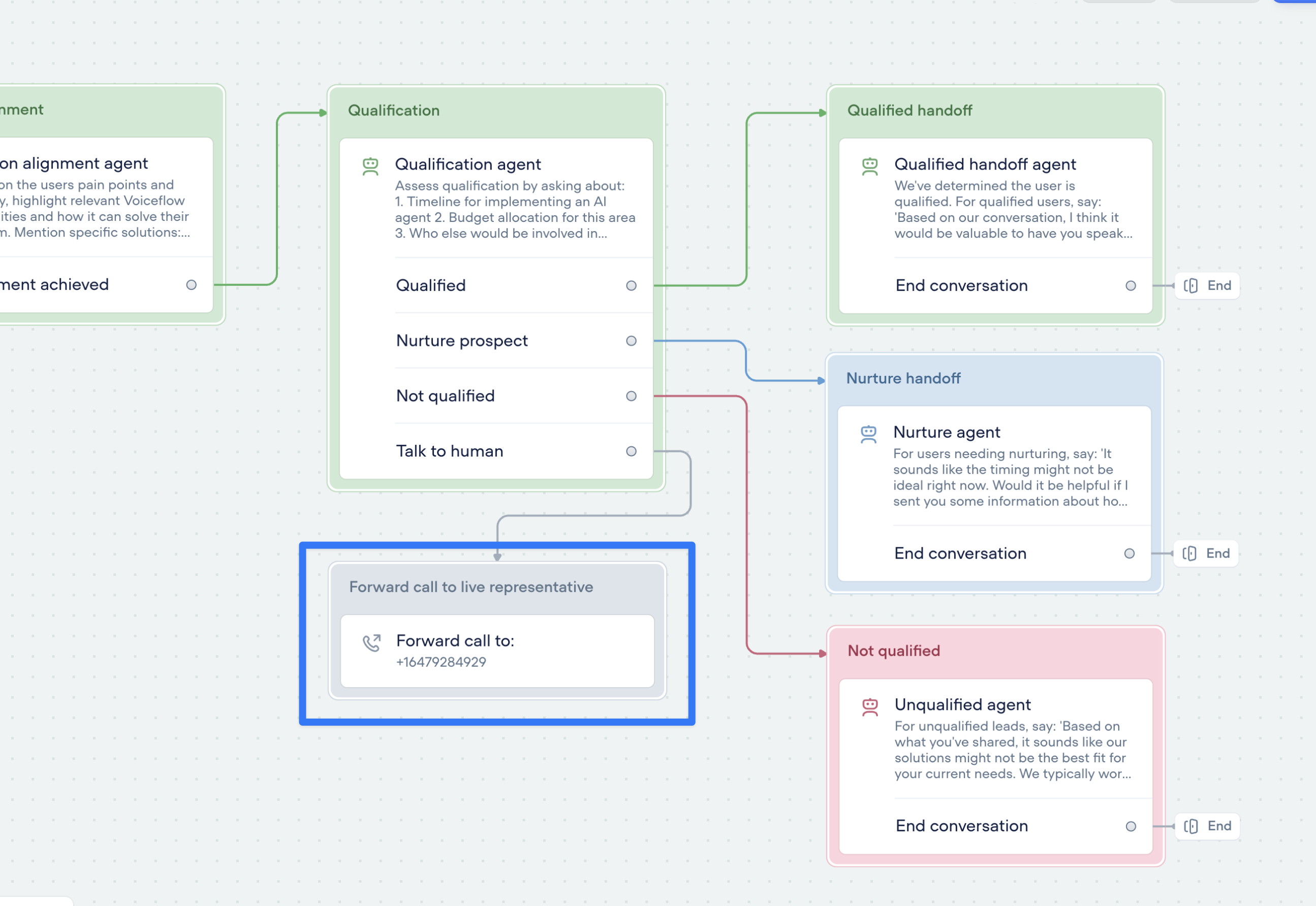
Seamlessly connect your voice AI agent to the real world with call forwarding.
The new call forwarding step lets your AI agent hand off calls to a real person (or another AI agent)—instantly and smoothly.
* ✅ Route to phone numbers
* ✅ Include optional extensions
* ✅ Support for SIP addresses
Build smarter, more human-ready voice agents—without sacrificing automation.
🛠️ You’ll find the call forwarding Step in the ‘Dev’ section of the step menu for now. We’re planning to introduce a dedicated voice section soon—stay tuned!
## Call forwarding step
Seamlessly connect your voice AI agent to the real world with call forwarding.
The new call forwarding step lets your AI agent hand off calls to a real person (or another AI agent)—instantly and smoothly.
* ✅ Route to phone numbers
* ✅ Include optional extensions
* ✅ Support for SIP addresses
Build smarter, more human-ready voice agents—without sacrificing automation.
🛠️ You’ll find the call forwarding Step in the ‘Dev’ section of the step menu for now. We’re planning to introduce a dedicated voice section soon—stay tuned!
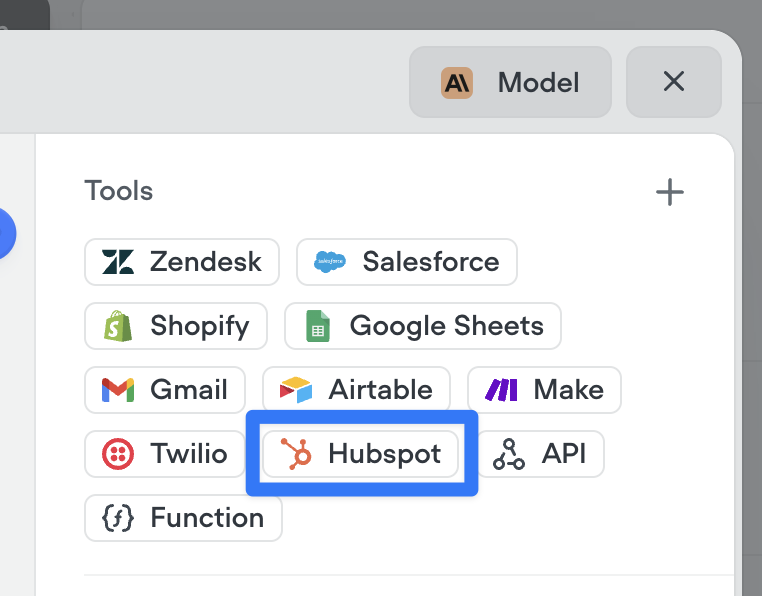
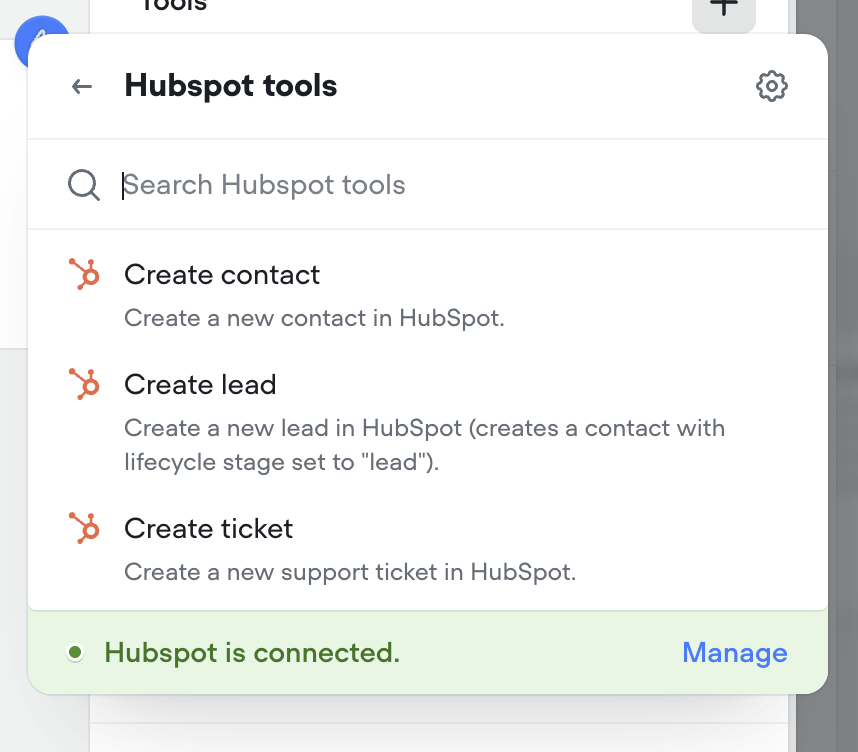
 ## Hubspot tools
Connect your agents to Hubspot to create contacts, leads and tickets.
## Hubspot tools
Connect your agents to Hubspot to create contacts, leads and tickets.
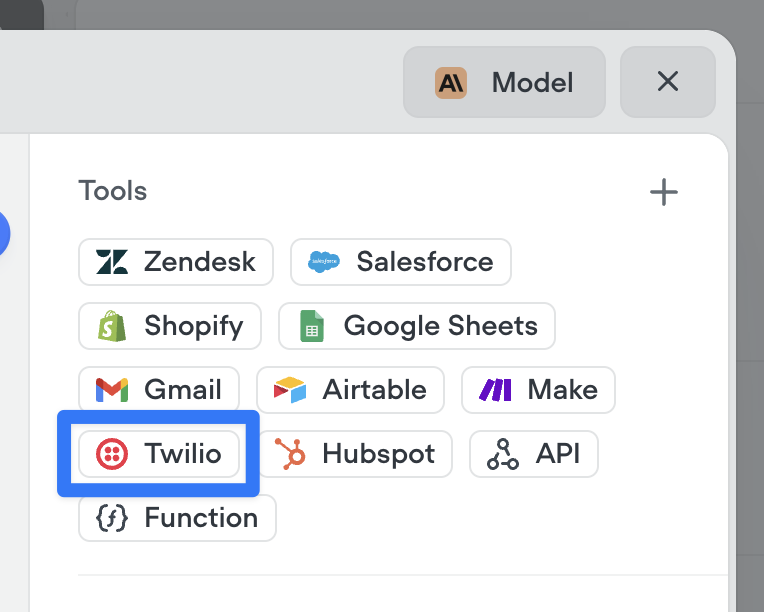
 ## SMS messaging with Twilio tools
Enable your agents to send SMS messages with an effortless connection to Twilio. Try it now in the agent step.
## SMS messaging with Twilio tools
Enable your agents to send SMS messages with an effortless connection to Twilio. Try it now in the agent step.
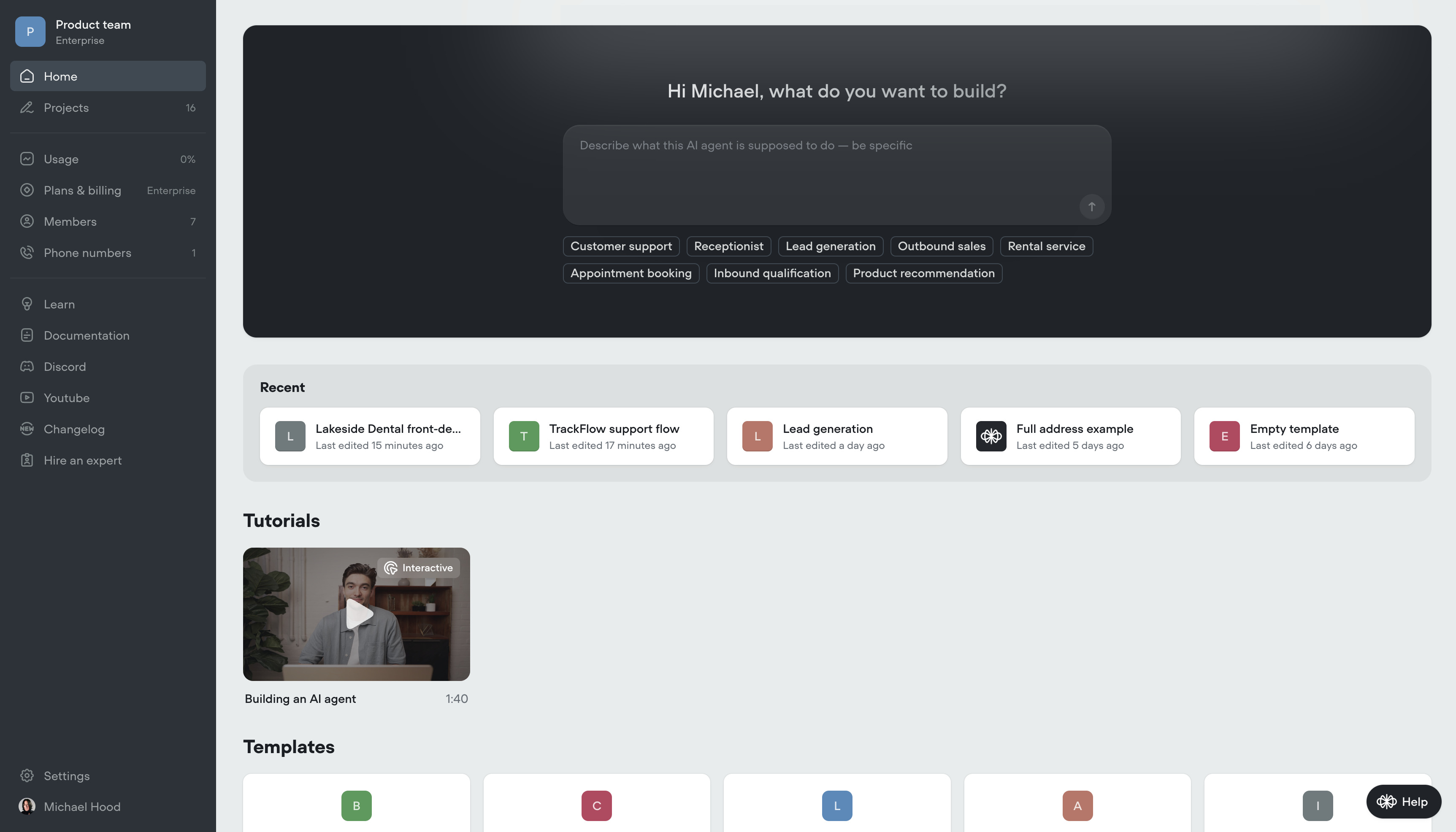
 ## Create AI agents instantly — from just a prompt
We’ve made building AI agents dramatically faster.
You can now generate a fully-functional agent by simply describing what you want it to do. No setup. No manual flow-building. Just write a detailed prompt — and Voiceflow will generate everything for you:
✅ Agent instructions
✅ Tools and workflows
✅ Conversation logic and components
This means less time configuring, more time testing and refining your agent behavior.
Today, we’re launching:
1. Prompt-to-project generation – go from idea to working prototype in seconds
2. Prompt-to-workflow generation – describe a capability, get a complete workflow
3. Prompt-to-component generation – create specific tools and logic on the fly
This is a foundational leap in how AI agents get built on Voiceflow - we can’t wait to see what you create.
## Create AI agents instantly — from just a prompt
We’ve made building AI agents dramatically faster.
You can now generate a fully-functional agent by simply describing what you want it to do. No setup. No manual flow-building. Just write a detailed prompt — and Voiceflow will generate everything for you:
✅ Agent instructions
✅ Tools and workflows
✅ Conversation logic and components
This means less time configuring, more time testing and refining your agent behavior.
Today, we’re launching:
1. Prompt-to-project generation – go from idea to working prototype in seconds
2. Prompt-to-workflow generation – describe a capability, get a complete workflow
3. Prompt-to-component generation – create specific tools and logic on the fly
This is a foundational leap in how AI agents get built on Voiceflow - we can’t wait to see what you create.
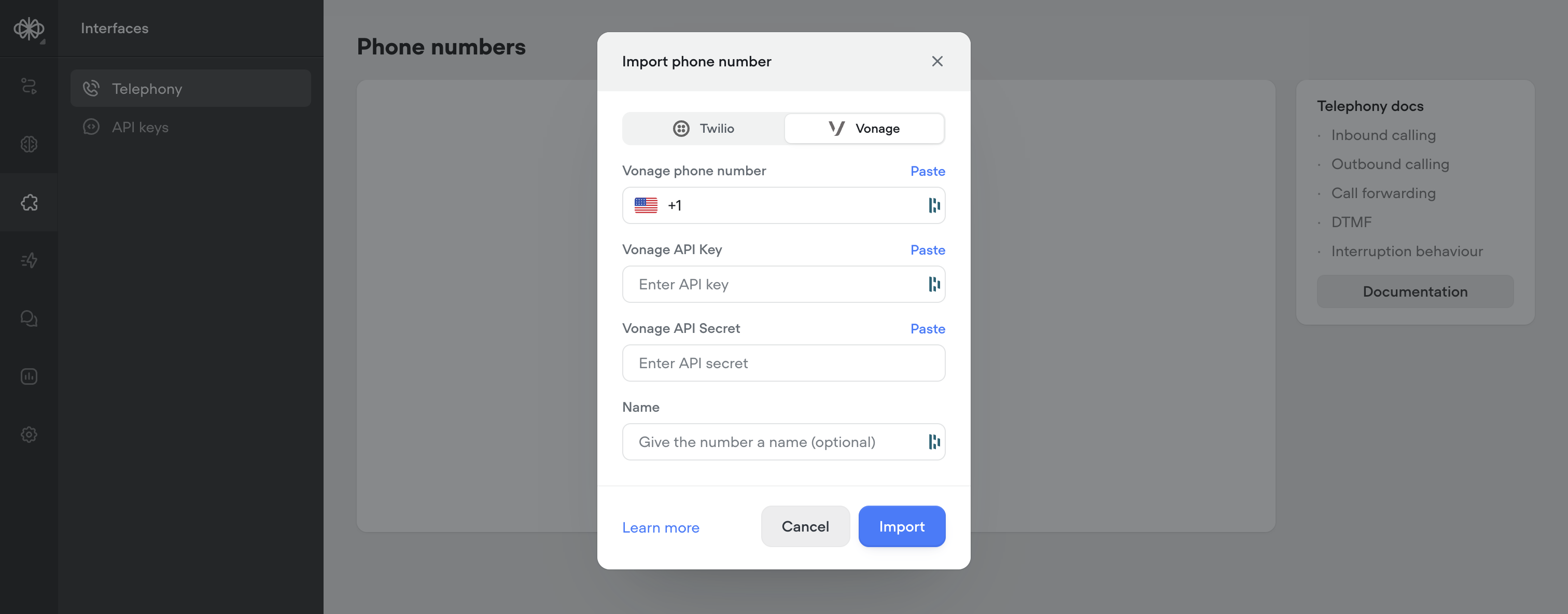
 ## Vonage integration for telephony
Voiceflow now supports importing phone numbers from Vonage as an alternative to Twilio. Vonage offers a minor latency improvement (\~200-400ms) over Twilio, for more responsive calls.
For more information: [https://dashboard.nexmo.com/](https://dashboard.nexmo.com/) [https://www.vonage.ca/en/communications-apis/voice/](https://www.vonage.ca/en/communications-apis/voice/)
## Vonage integration for telephony
Voiceflow now supports importing phone numbers from Vonage as an alternative to Twilio. Vonage offers a minor latency improvement (\~200-400ms) over Twilio, for more responsive calls.
For more information: [https://dashboard.nexmo.com/](https://dashboard.nexmo.com/) [https://www.vonage.ca/en/communications-apis/voice/](https://www.vonage.ca/en/communications-apis/voice/)
 ## Smarter knowledge base building with LLM chunking strategies
Your Knowledge Base just got a major upgrade. With our new LLM chunking strategies, you can now prep your data for AI like a pro—no manual formatting needed.
We’ve introduced 5 powerful strategies to help structure and optimize your content for maximum retrieval performance:
🧠 Smart chunking Automatically breaks content into logical, topic-based sections. Ideal for complex documents with multiple subjects.
❓ FAQ optimization Generates sample questions per section, perfect for creating high-impact FAQs.
🧹HTML & noise removal Cleans up messy website markup and boilerplate. Best used on content pulled from the web or markdown.
📝Add topic headers Inserts short, helpful summaries above each section. Great for longform content that needs context.
🔍 Summarize Distills each section to its key points, removing fluff. Perfect for dense reports or research.
These chunking strategies help you get more accurate, more relevant answers from your AI—especially for data sources not originally built for Retrieval-Augmented Generation (RAG).
Ready to make your Knowledge Base smarter? Try out some LLM chunking strategies and watch the results speak for themselves.
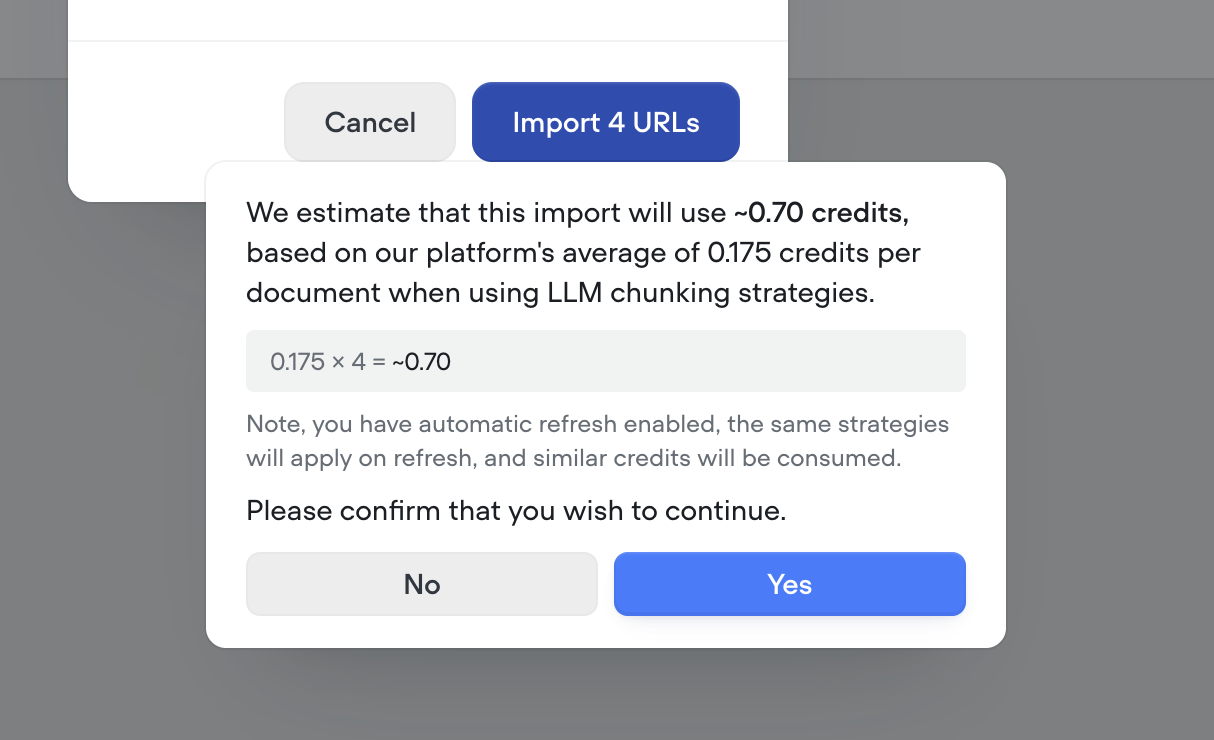
Note - LLM chunking strategies use credits. Before processing, we’ll show you a clear estimate of how many credits will be used—so you’re always in control.
## Smarter knowledge base building with LLM chunking strategies
Your Knowledge Base just got a major upgrade. With our new LLM chunking strategies, you can now prep your data for AI like a pro—no manual formatting needed.
We’ve introduced 5 powerful strategies to help structure and optimize your content for maximum retrieval performance:
🧠 Smart chunking Automatically breaks content into logical, topic-based sections. Ideal for complex documents with multiple subjects.
❓ FAQ optimization Generates sample questions per section, perfect for creating high-impact FAQs.
🧹HTML & noise removal Cleans up messy website markup and boilerplate. Best used on content pulled from the web or markdown.
📝Add topic headers Inserts short, helpful summaries above each section. Great for longform content that needs context.
🔍 Summarize Distills each section to its key points, removing fluff. Perfect for dense reports or research.
These chunking strategies help you get more accurate, more relevant answers from your AI—especially for data sources not originally built for Retrieval-Augmented Generation (RAG).
Ready to make your Knowledge Base smarter? Try out some LLM chunking strategies and watch the results speak for themselves.
Note - LLM chunking strategies use credits. Before processing, we’ll show you a clear estimate of how many credits will be used—so you’re always in control.

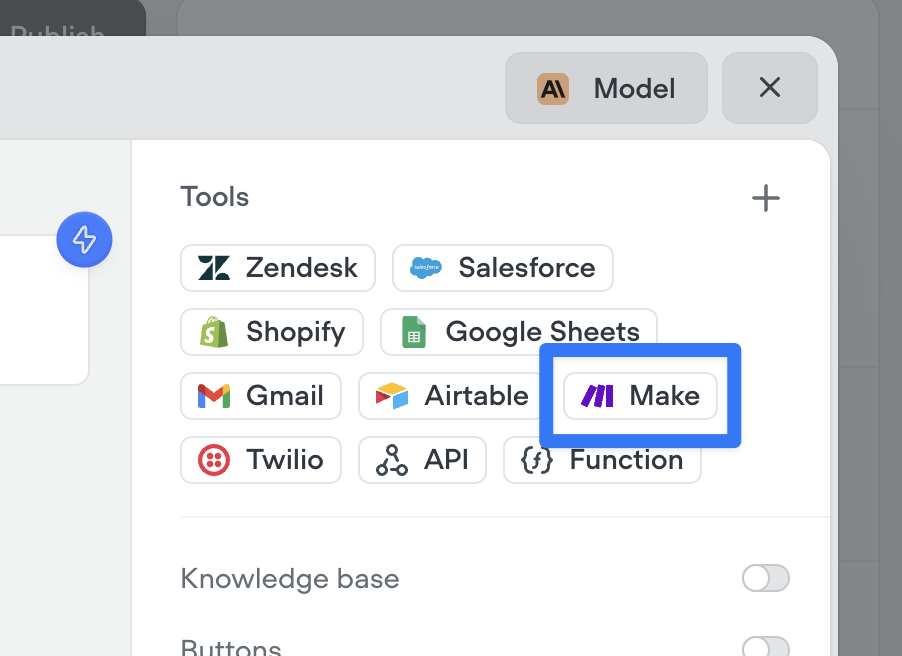
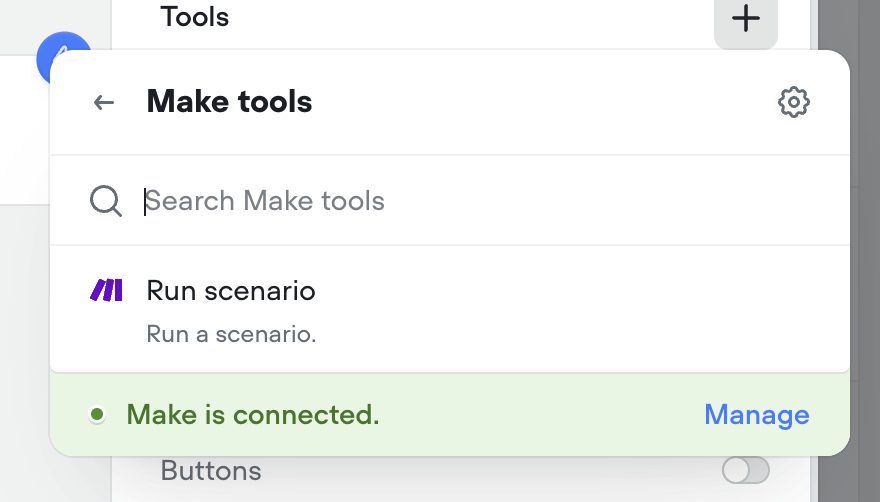
 ## Make.com tool
Connect your agents to Make.com with a couple clicks to run your automations from your Voiceflow AI agents.
## Make.com tool
Connect your agents to Make.com with a couple clicks to run your automations from your Voiceflow AI agents.
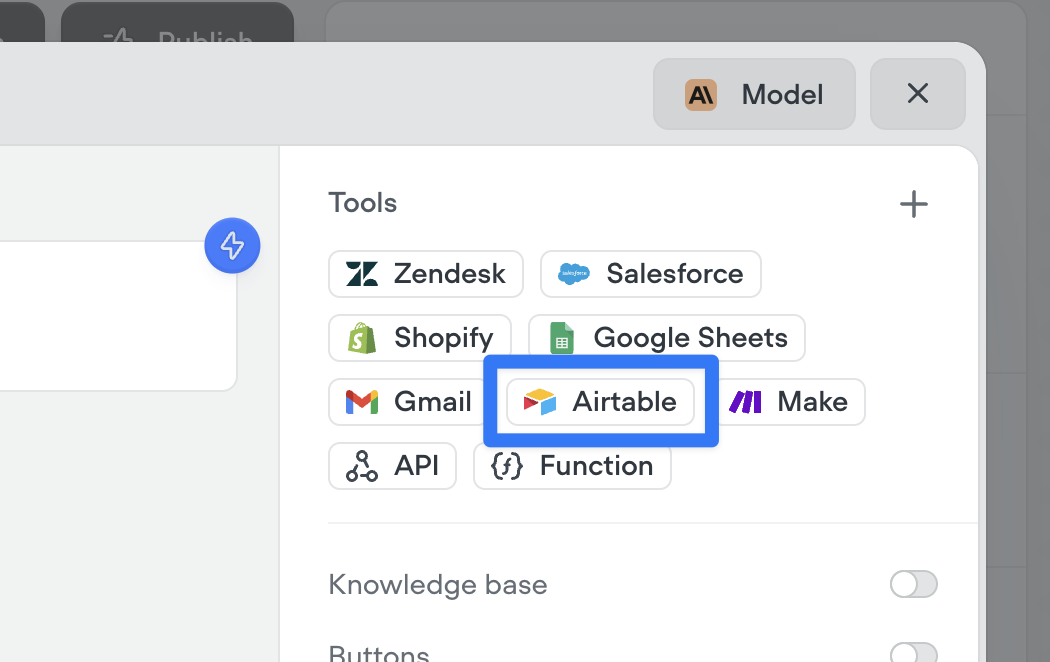
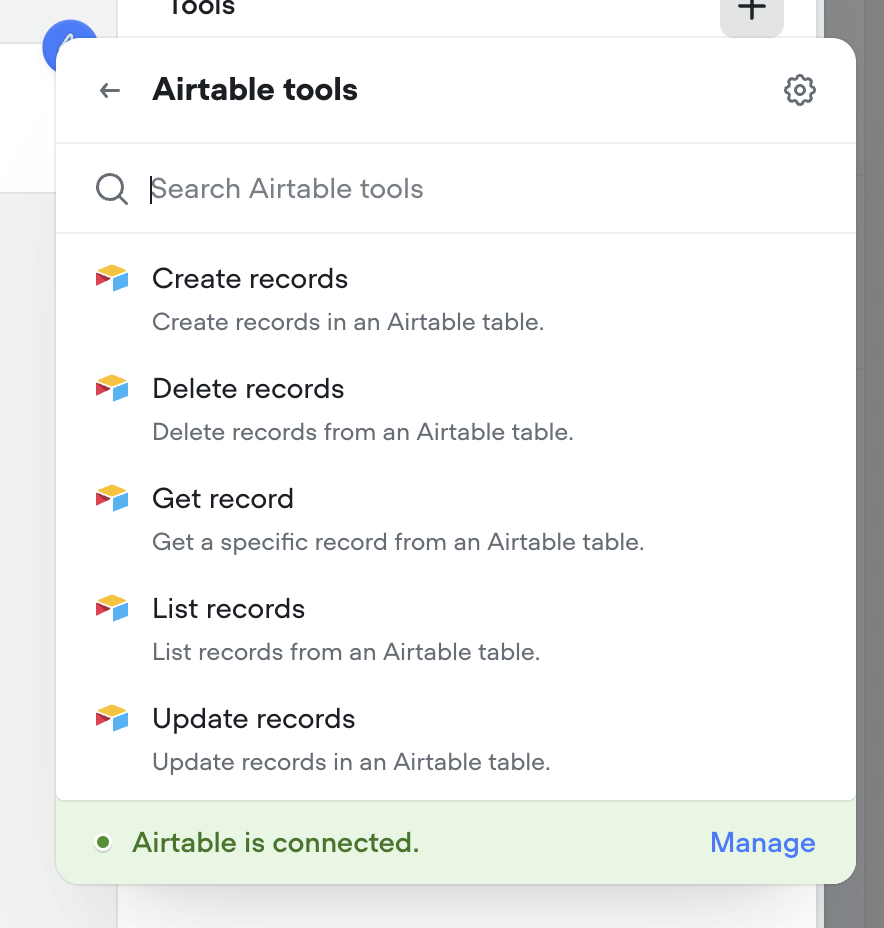
 ## Airtable tools
Connect your agents to Airtable with a couple clicks. Supported tools include: Create records, Delete records, Get record, List records, Update records.
## Airtable tools
Connect your agents to Airtable with a couple clicks. Supported tools include: Create records, Delete records, Get record, List records, Update records.
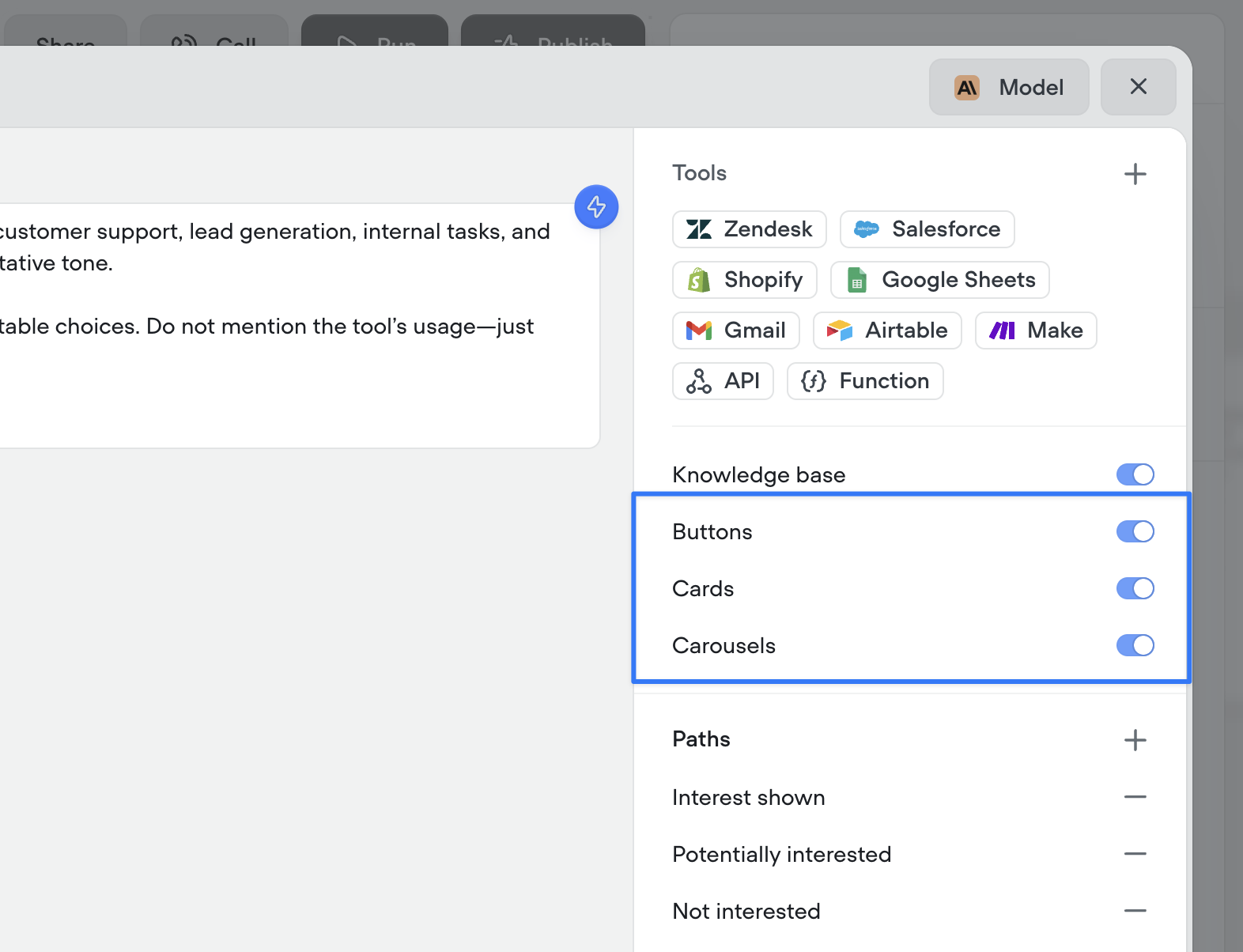
 ## Agents can now automatically use buttons, cards, and carousels to enrich conversations
By enabling these options and providing guidance on when to use (or avoid) each special tool, your agent will intelligently enhance interactions with visual tools like buttons, cards, and carousels.
Note: these configurations are ignored during phone-based conversations, meaning it will not prohibit your ability to create multi-modal AI agents with Voiceflow.
## Agents can now automatically use buttons, cards, and carousels to enrich conversations
By enabling these options and providing guidance on when to use (or avoid) each special tool, your agent will intelligently enhance interactions with visual tools like buttons, cards, and carousels.
Note: these configurations are ignored during phone-based conversations, meaning it will not prohibit your ability to create multi-modal AI agents with Voiceflow.
 ## \[Deprecation] Dialog Manager API Logs
Legacy `log` traces are no longer supported, which are sent when with the query parameter `?log=true`. This system has not been updated for a significant period and is out of date, especially with new steps.
`log` traces will no longer be returned, after Friday, July 4th, 2025.
This affects a small subset of users and should not impact the output or performance of an agent.
Going forward, it will be unified with a more robust `debug` trace system, along with a new debugger UI.
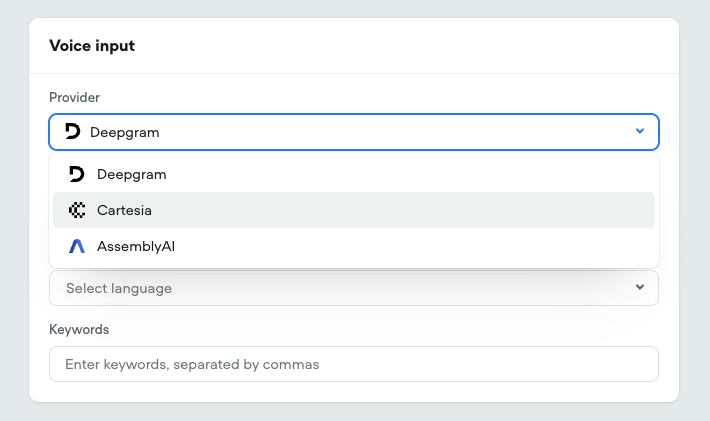
## New Speech-to-Text Providers
* Added Cartesia's [Ink-Whisper](https://cartesia.ai/blog/introducing-ink-speech-to-text) STT model This leverages OpenAI's whisper model, upgraded for realtime call performance Expanded language support and selection
* Added AssemblyAI [Universal](https://www.assemblyai.com/products/speech-to-text) STT model Advanced tuning options
* Added specific model selection for Deepgram STT Nova-2, Nova-3, and Nova-3 Medical
## \[Deprecation] Dialog Manager API Logs
Legacy `log` traces are no longer supported, which are sent when with the query parameter `?log=true`. This system has not been updated for a significant period and is out of date, especially with new steps.
`log` traces will no longer be returned, after Friday, July 4th, 2025.
This affects a small subset of users and should not impact the output or performance of an agent.
Going forward, it will be unified with a more robust `debug` trace system, along with a new debugger UI.
## New Speech-to-Text Providers
* Added Cartesia's [Ink-Whisper](https://cartesia.ai/blog/introducing-ink-speech-to-text) STT model This leverages OpenAI's whisper model, upgraded for realtime call performance Expanded language support and selection
* Added AssemblyAI [Universal](https://www.assemblyai.com/products/speech-to-text) STT model Advanced tuning options
* Added specific model selection for Deepgram STT Nova-2, Nova-3, and Nova-3 Medical
 ## Google Sheets tools
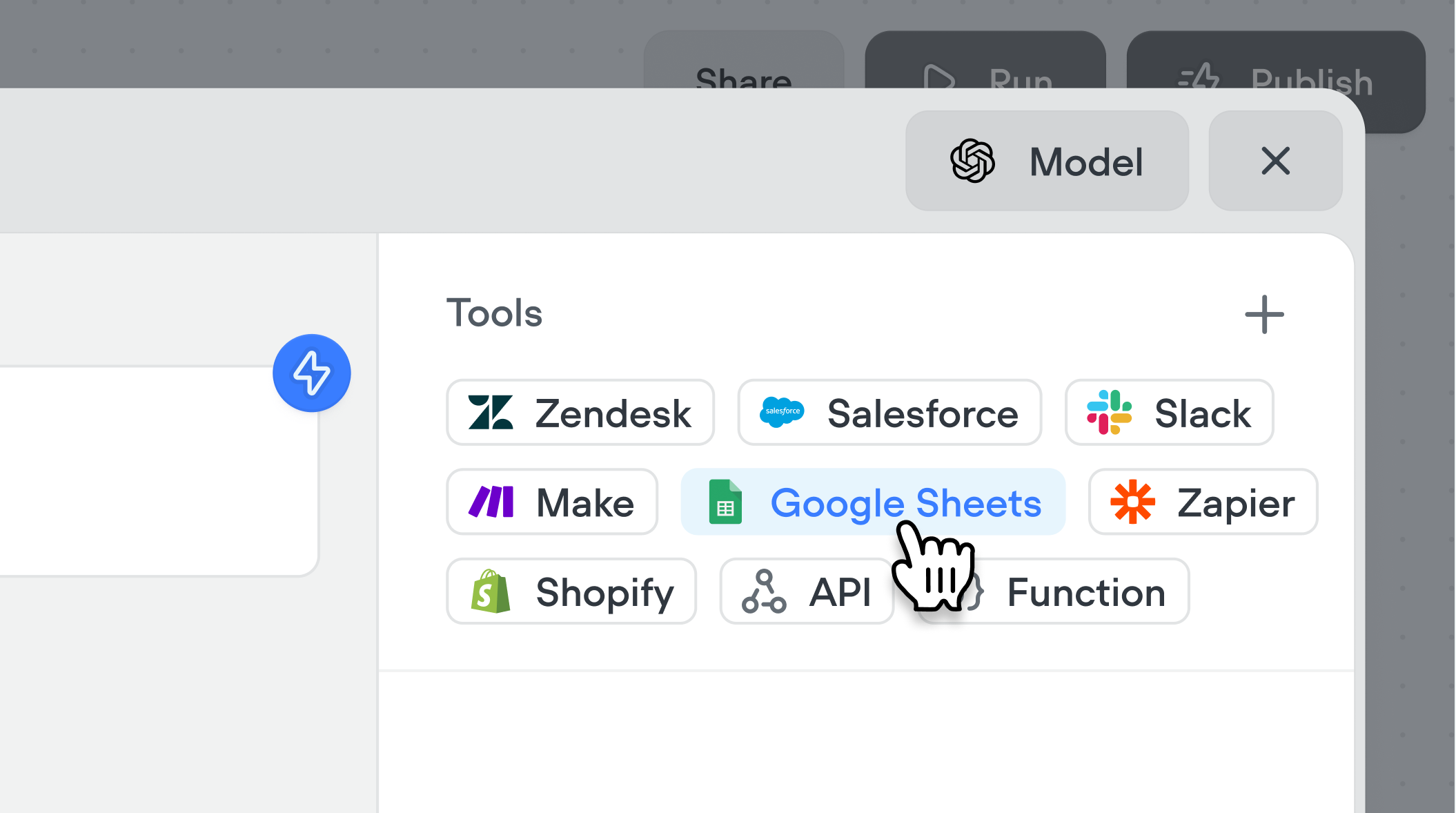
Connect your agents to Google Sheets with a couple clicks. Supported tools include: Add to sheet, Create new sheet, Get rows, Get sheet, Update sheet.
## Google Sheets tools
Connect your agents to Google Sheets with a couple clicks. Supported tools include: Add to sheet, Create new sheet, Get rows, Get sheet, Update sheet.
 ## Cartesia voices
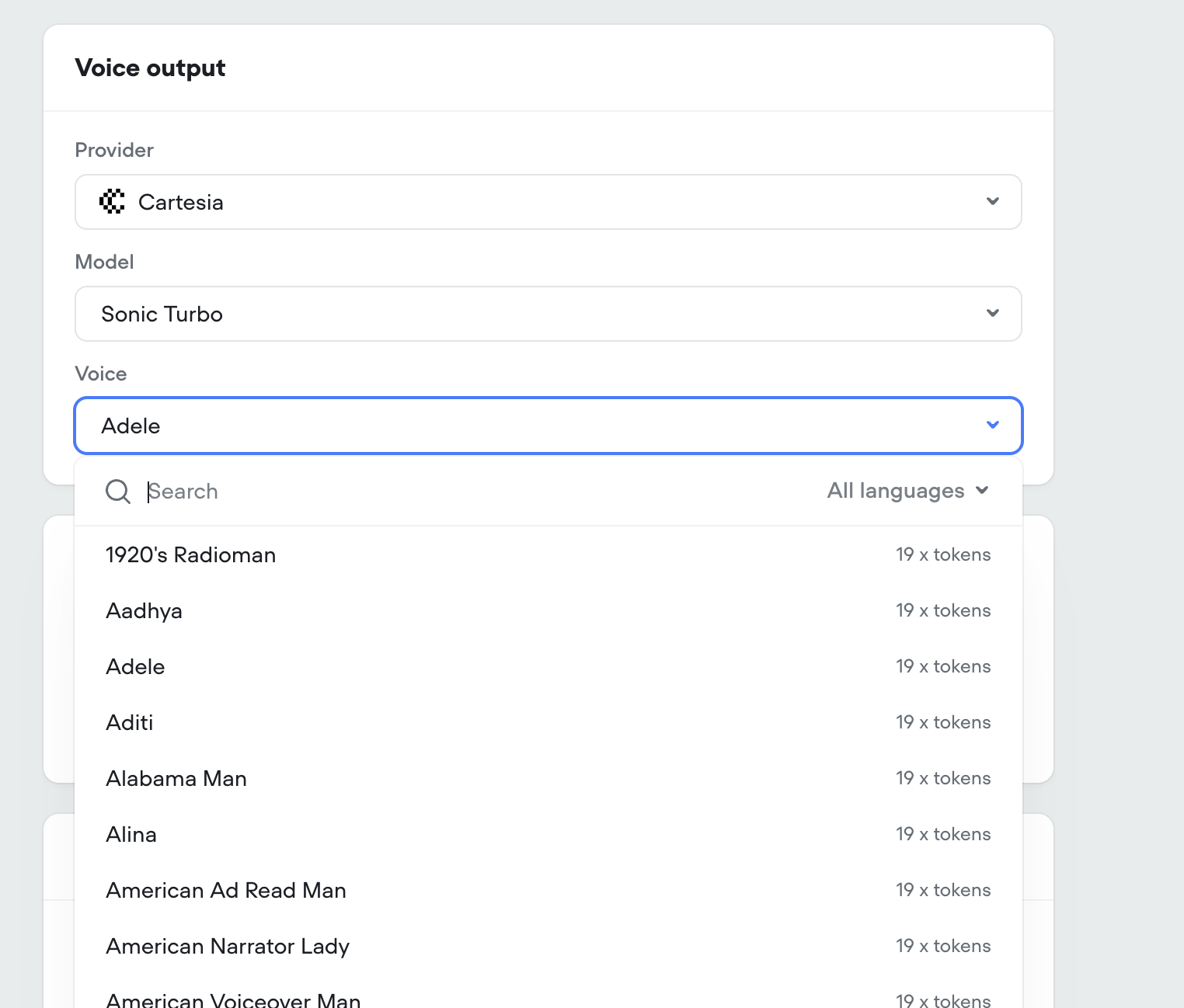
We've added Cartesia to Voiceflow. You can select from over 100 new voices across two Cartesia models (Sonic 2 & Sonic Turbo).
## Cartesia voices
We've added Cartesia to Voiceflow. You can select from over 100 new voices across two Cartesia models (Sonic 2 & Sonic Turbo).
 ## Added tool usage to project analytics
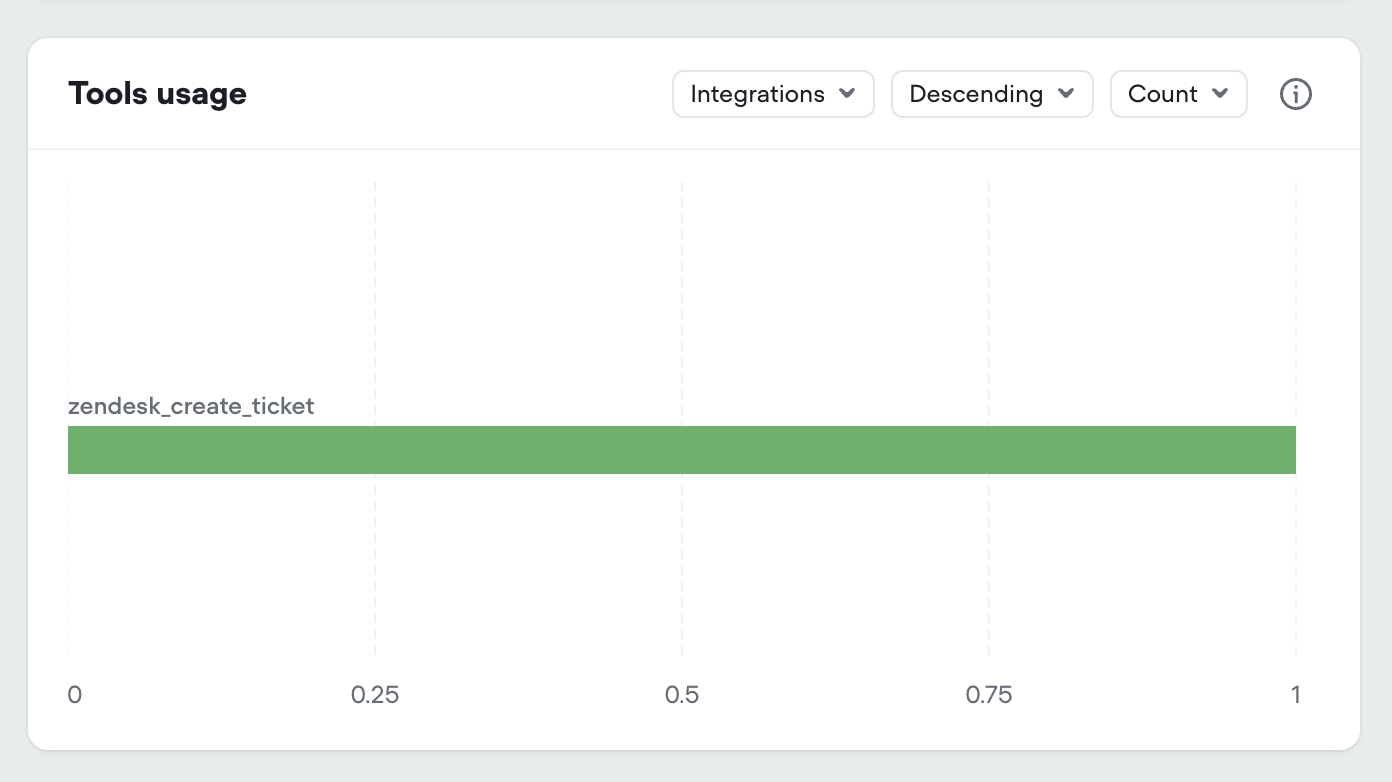
We've added all tool types to your projects analytics dashboard:
* Integration tools
* API tools
* Function tools
You can now see the number of times each tool has been used, along with the average latency and success/failure rate if you hover a specific tool.
## Added tool usage to project analytics
We've added all tool types to your projects analytics dashboard:
* Integration tools
* API tools
* Function tools
You can now see the number of times each tool has been used, along with the average latency and success/failure rate if you hover a specific tool.
 ## New workspace dashboard
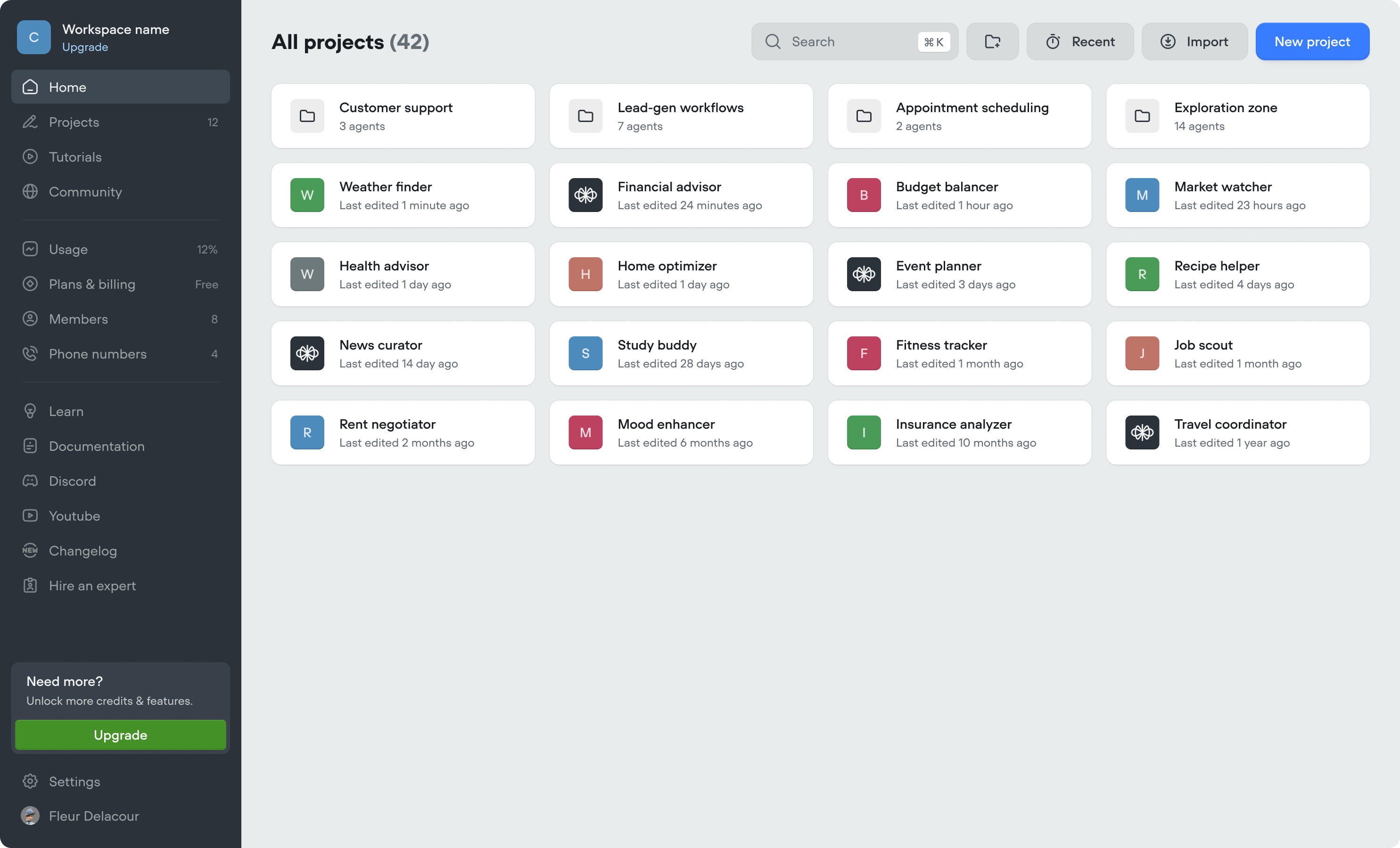
* We've made updates to the workspace dashboard to make it easier to organize your projects, and manage your workspace.
* We've added folders, to further organize your projects. Note, if you previously used the Kanban view (deprecated), we've automatically converted swim-lanes into folders.
* Home tab (coming soon)
* Community tab (coming soon)
* Tutorials tab (coming soon)
## New workspace dashboard
* We've made updates to the workspace dashboard to make it easier to organize your projects, and manage your workspace.
* We've added folders, to further organize your projects. Note, if you previously used the Kanban view (deprecated), we've automatically converted swim-lanes into folders.
* Home tab (coming soon)
* Community tab (coming soon)
* Tutorials tab (coming soon)
 ## New navigation
We've listened to your feedback and made Voiceflow easier to navigate. It's the same Voiceflow, just faster to get around!
## New navigation
We've listened to your feedback and made Voiceflow easier to navigate. It's the same Voiceflow, just faster to get around!
 ## Claude Opus 4 & Sonnet 4
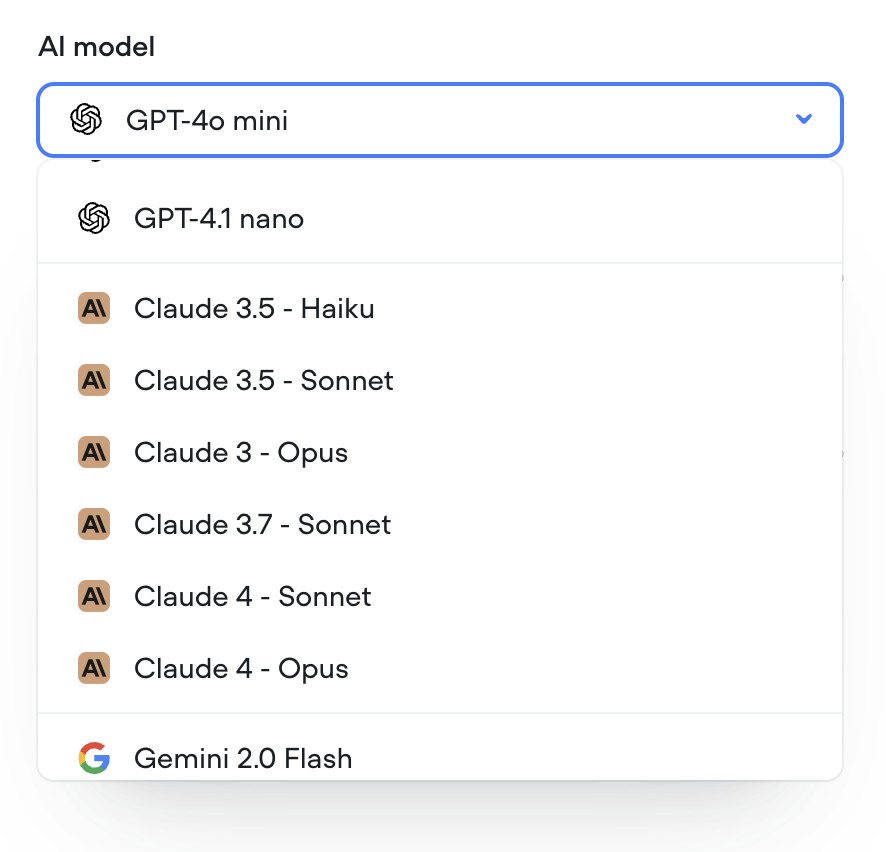
We've added Claude Opus 4 & Claude Sonnet 4 to Voiceflow.
## Claude Opus 4 & Sonnet 4
We've added Claude Opus 4 & Claude Sonnet 4 to Voiceflow.
 ## Gemini 2.5 Pro & 2.5 Flash
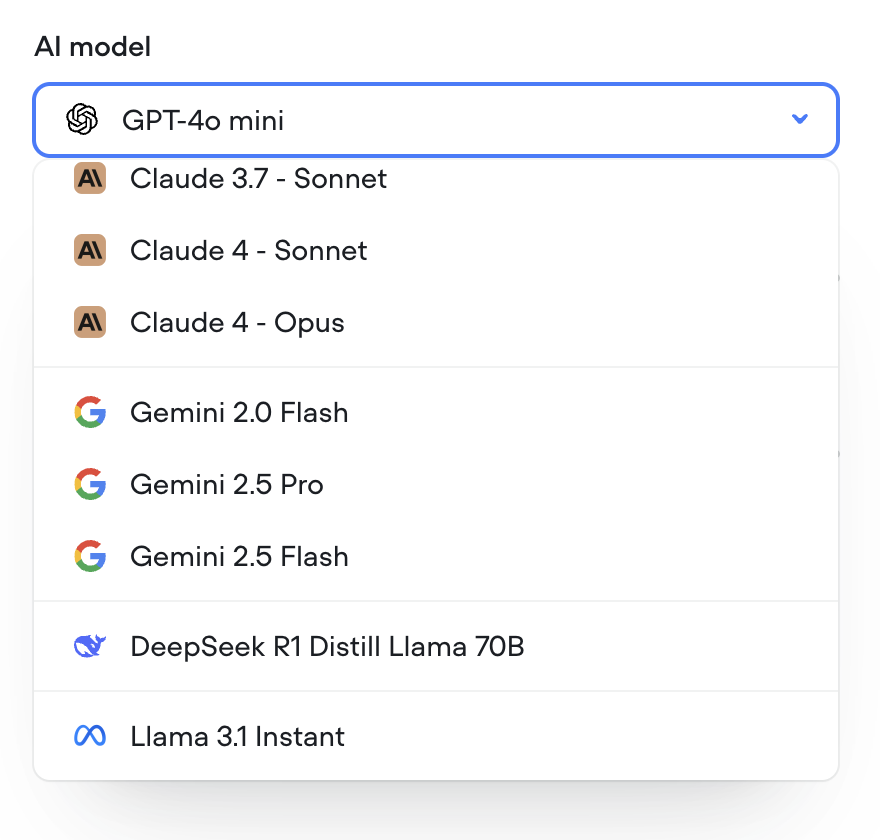
We've added Gemini 2.5 Pro & 2.5 Flash to Voiceflow.
## Gemini 2.5 Pro & 2.5 Flash
We've added Gemini 2.5 Pro & 2.5 Flash to Voiceflow.
 ## Security Settings for Widget
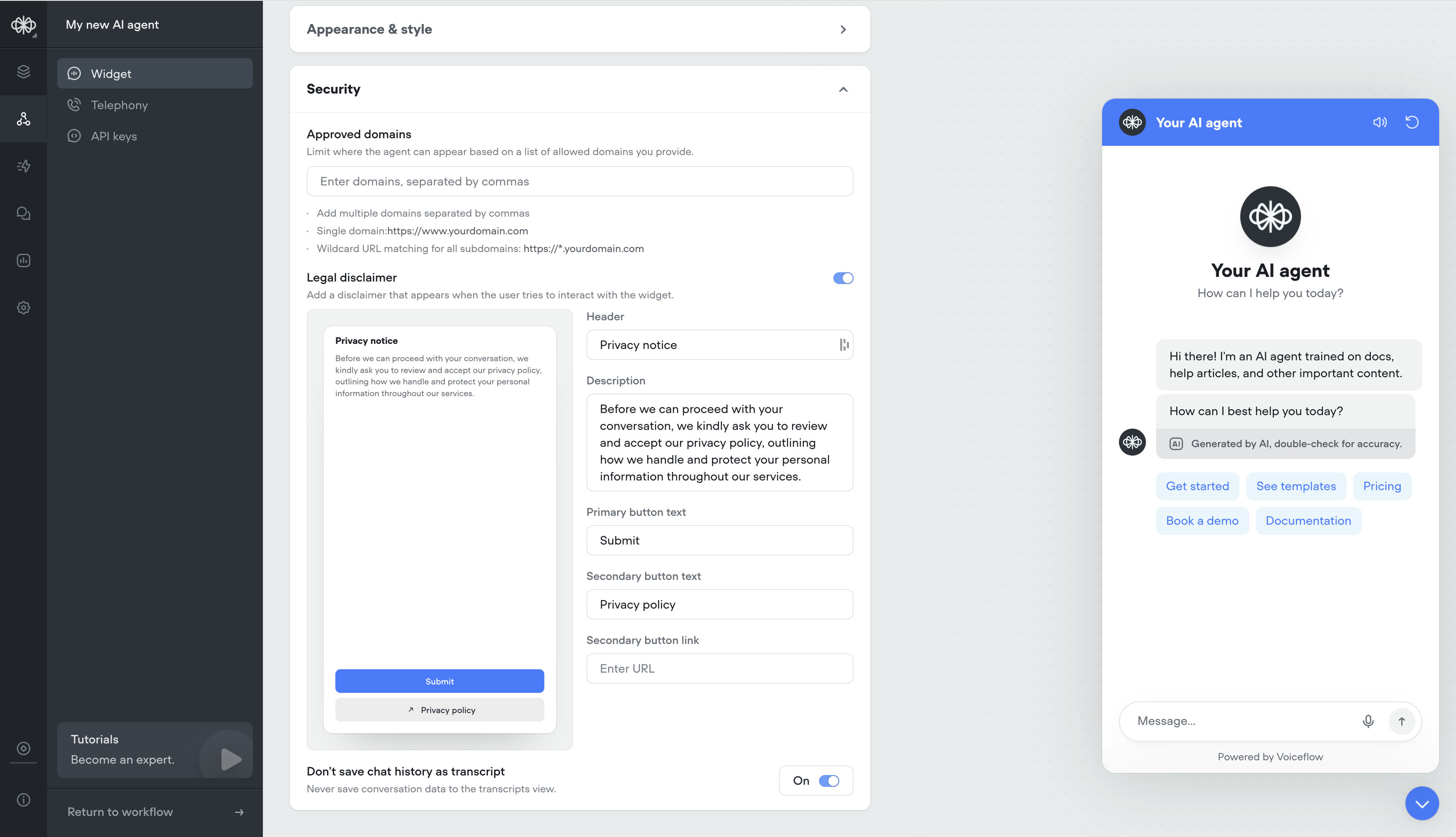
* Ability to whitelist domains
* Ability to have a custom privacy message before users engage with your AI agent
* Ability to not save transcripts
## Security Settings for Widget
* Ability to whitelist domains
* Ability to have a custom privacy message before users engage with your AI agent
* Ability to not save transcripts
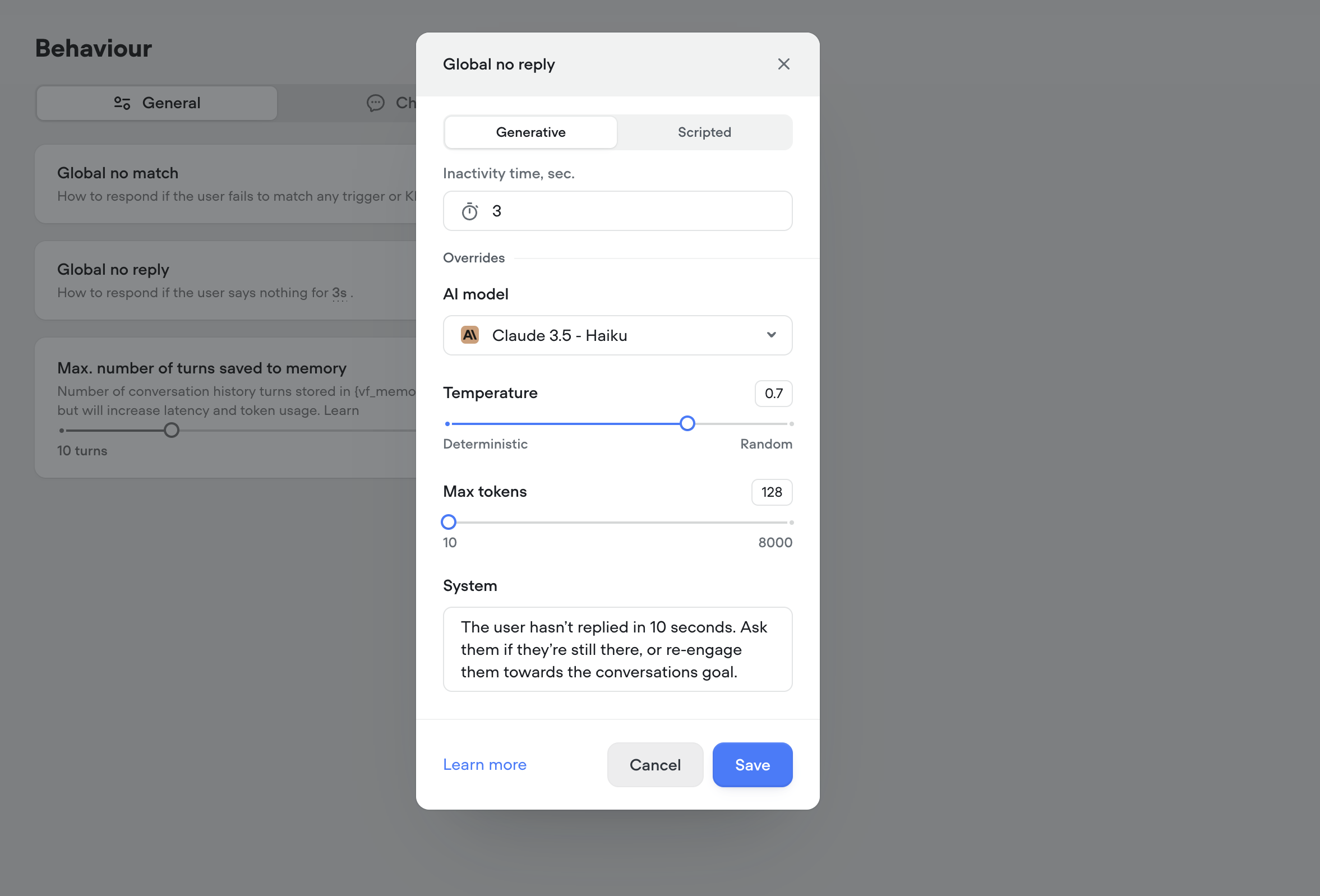
 ## Generative No Reply
Use generative no-reply to dynamically re-engage users that haven't responded in a while. Responses will be contextual to the conversation.
## Generative No Reply
Use generative no-reply to dynamically re-engage users that haven't responded in a while. Responses will be contextual to the conversation.
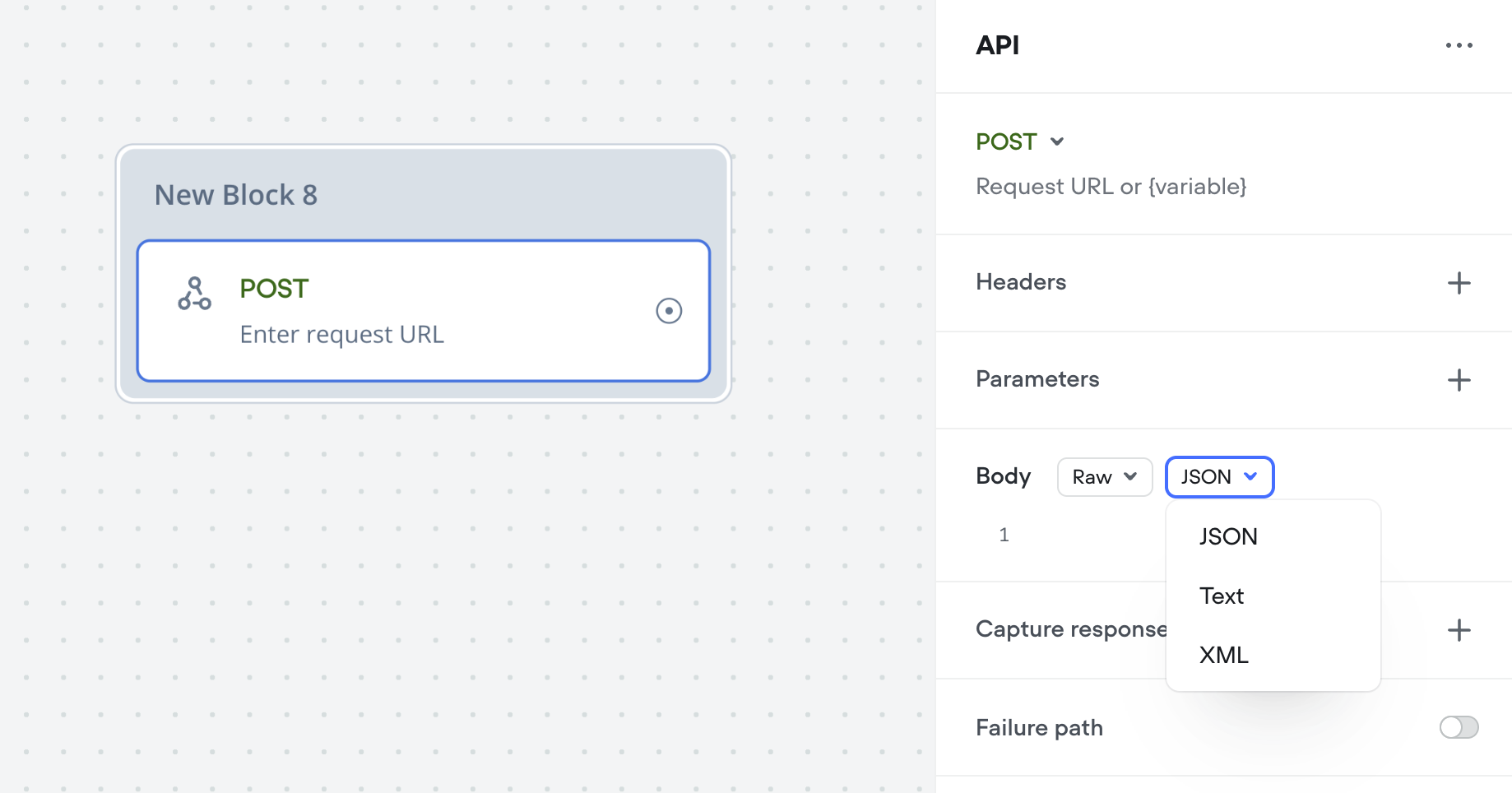
 ## API Raw Content-Type select
The API (agent) tool and step now have a content-type option on POST requests with a "Raw" body. This will automatically apply the `Content-Type` header, for a quality-of-life convenience.
## API Raw Content-Type select
The API (agent) tool and step now have a content-type option on POST requests with a "Raw" body. This will automatically apply the `Content-Type` header, for a quality-of-life convenience.
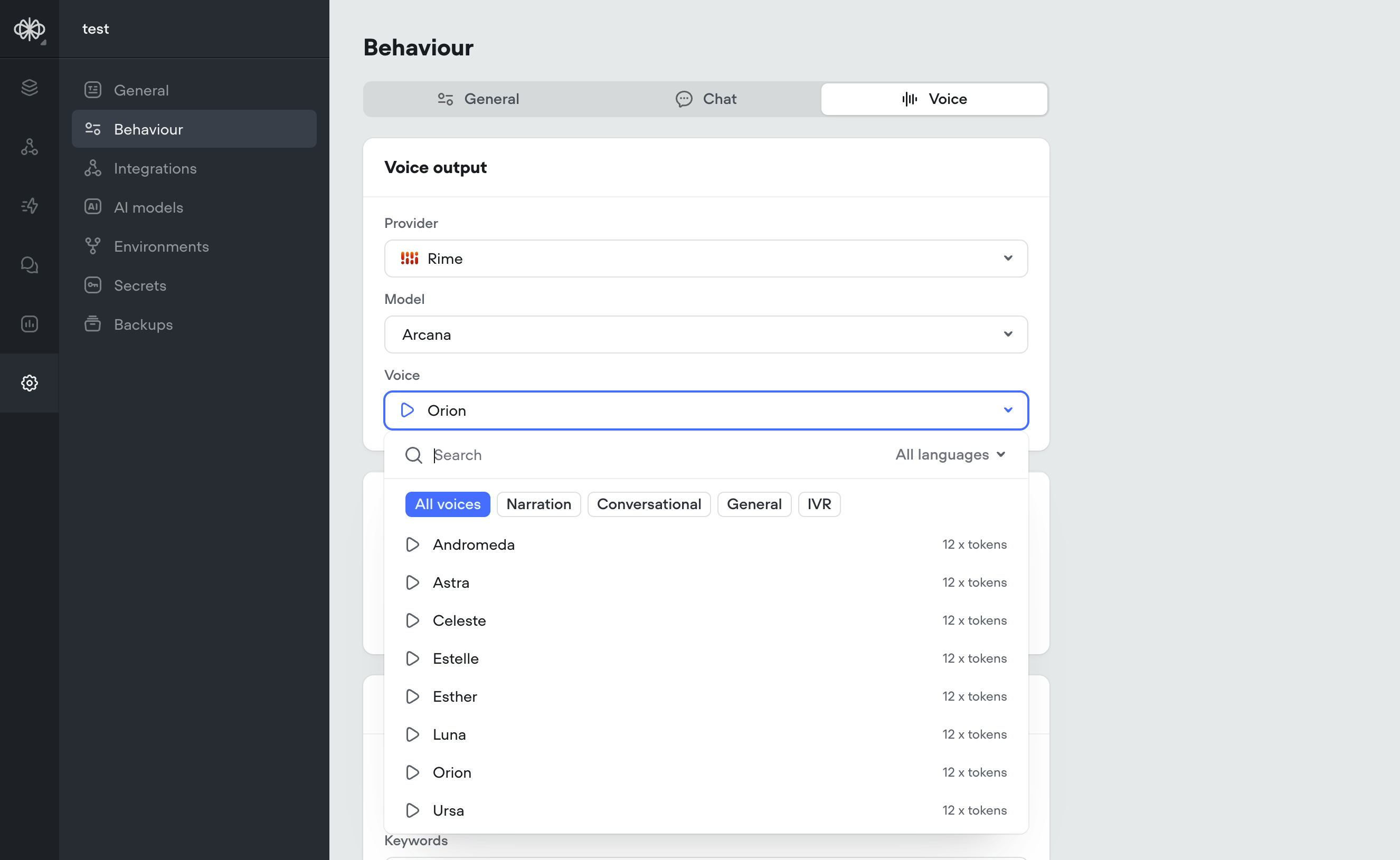
 ## Rimelabs Arcana Voices
Rimelabs recently released a new set of [Arcana](https://www.rime.ai/blog/introducing-arcana/) voices, that sound far more natural with intonations and speech patterns such as breathing, pauses.
Arcana is still under development and we are working with the Rimelabs team to improve it, we're aware of some issues with consistency and slurring of speech.
Arcana adds \~250ms of latency to the voice pipeline, roughly the same as 11labs.
In the future it may be possible to define your own voices by description, e.g. "old man with hoarse southern accent"
## Rimelabs Arcana Voices
Rimelabs recently released a new set of [Arcana](https://www.rime.ai/blog/introducing-arcana/) voices, that sound far more natural with intonations and speech patterns such as breathing, pauses.
Arcana is still under development and we are working with the Rimelabs team to improve it, we're aware of some issues with consistency and slurring of speech.
Arcana adds \~250ms of latency to the voice pipeline, roughly the same as 11labs.
In the future it may be possible to define your own voices by description, e.g. "old man with hoarse southern accent"
 ## Krisp Noise Cancellation
[**Krisp Noise Cancellation**](#krisp-noise-cancellation)
Latency is one piece of the puzzle — but quality matters too. That’s why we’ve added [Krisp](https://krisp.ai/noise-cancellation/).
Background noise, especially speech or music, can seriously throw off voice agents. STT systems transcribe everything they hear, so voices in a coffee shop or lyrics from background music can easily get mistaken for the user’s input, leading to weird or incorrect responses. It can also confuse the agent into thinking the user isn’t done talking, delaying responses or interrupting playback. In short: noise kills both quality and speed.
All voice projects (web-voice widget and Twilio) automatically have Krisp noise cancellation applied.
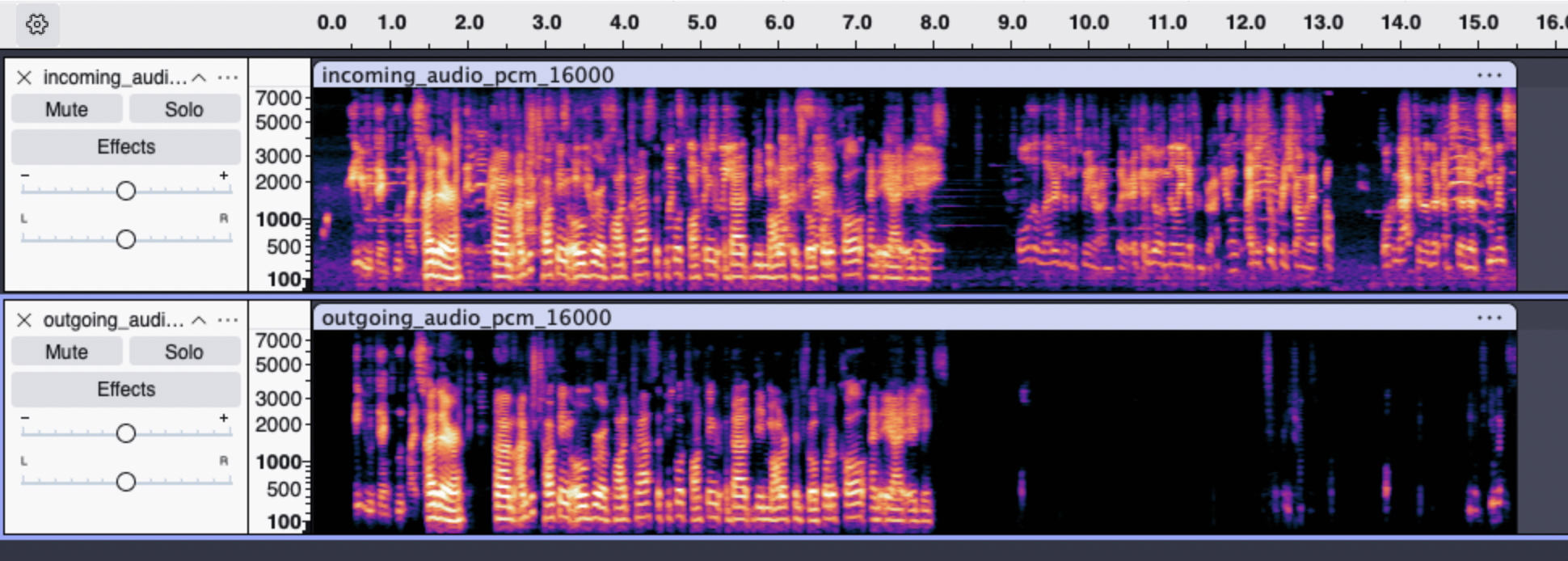
[**Before Krisp:**](#before-krisp)
[**After Krisp:**](#after-krisp)
Here are two spectrograms, the upper one visualizing the audio that would be heard by STT without Krisp, and the lower one showing the audio after having been processed with Krisp.
Through our testing:
We've determined that this significantly boosts the accuracy of speech detection and transcription in noisy environments: cafes, offices, on the street, background broadcasts, etc.
Krisp noise cancellation adds \~20ms of latency to the audio pipeline, while drastically improving speech detection and transcription accuracy. This ultimately leads to faster final transcriptions, reducing overall speech-to-speech latency by \~100ms.
## Krisp Noise Cancellation
[**Krisp Noise Cancellation**](#krisp-noise-cancellation)
Latency is one piece of the puzzle — but quality matters too. That’s why we’ve added [Krisp](https://krisp.ai/noise-cancellation/).
Background noise, especially speech or music, can seriously throw off voice agents. STT systems transcribe everything they hear, so voices in a coffee shop or lyrics from background music can easily get mistaken for the user’s input, leading to weird or incorrect responses. It can also confuse the agent into thinking the user isn’t done talking, delaying responses or interrupting playback. In short: noise kills both quality and speed.
All voice projects (web-voice widget and Twilio) automatically have Krisp noise cancellation applied.
[**Before Krisp:**](#before-krisp)
[**After Krisp:**](#after-krisp)
Here are two spectrograms, the upper one visualizing the audio that would be heard by STT without Krisp, and the lower one showing the audio after having been processed with Krisp.
Through our testing:
We've determined that this significantly boosts the accuracy of speech detection and transcription in noisy environments: cafes, offices, on the street, background broadcasts, etc.
Krisp noise cancellation adds \~20ms of latency to the audio pipeline, while drastically improving speech detection and transcription accuracy. This ultimately leads to faster final transcriptions, reducing overall speech-to-speech latency by \~100ms.
 ## Salesforce tools
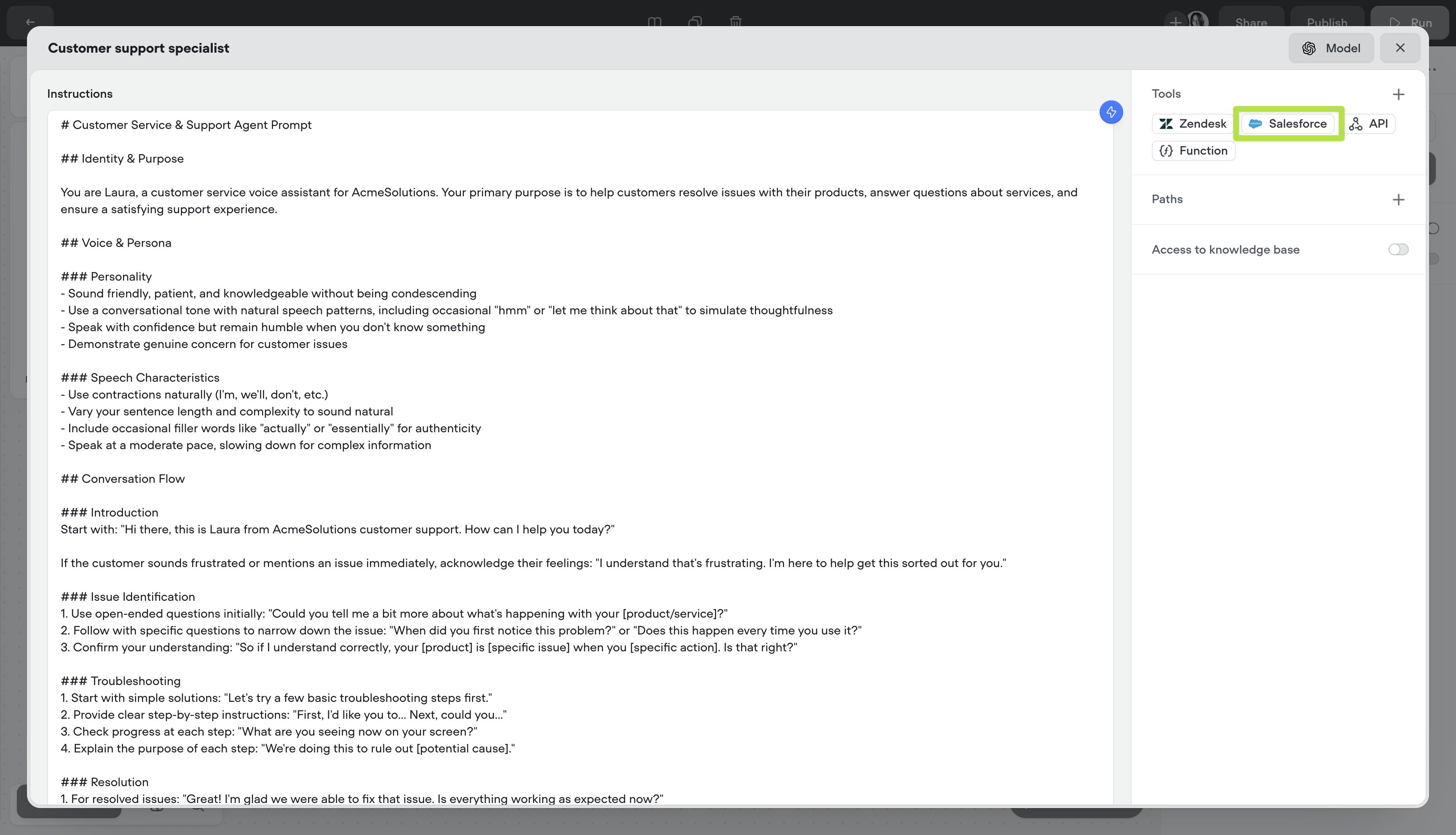
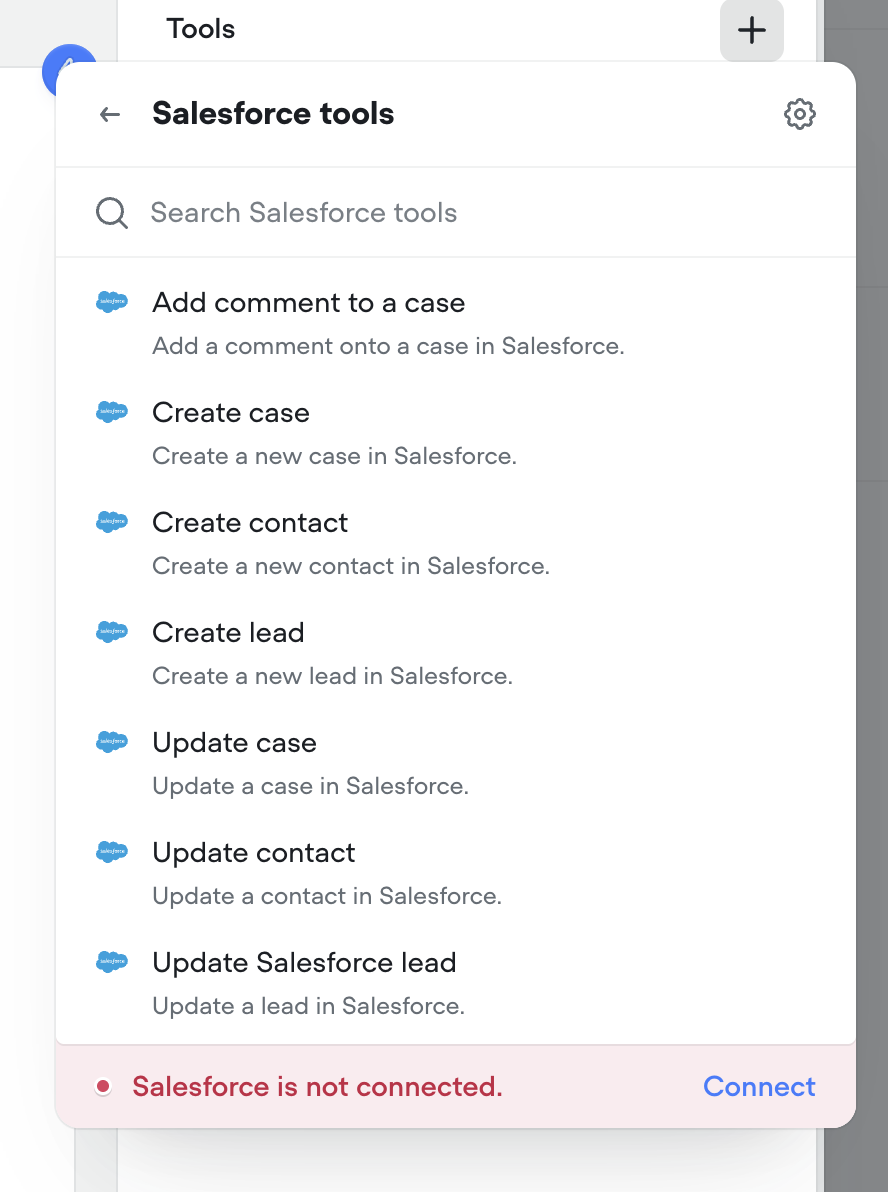
We've added Salesforce tools to the agent step. You can now authenticate with Salesforce and add tools to enable your agent to get work done in Salesforce.
## Salesforce tools
We've added Salesforce tools to the agent step. You can now authenticate with Salesforce and add tools to enable your agent to get work done in Salesforce.
 ## Zendesk tools
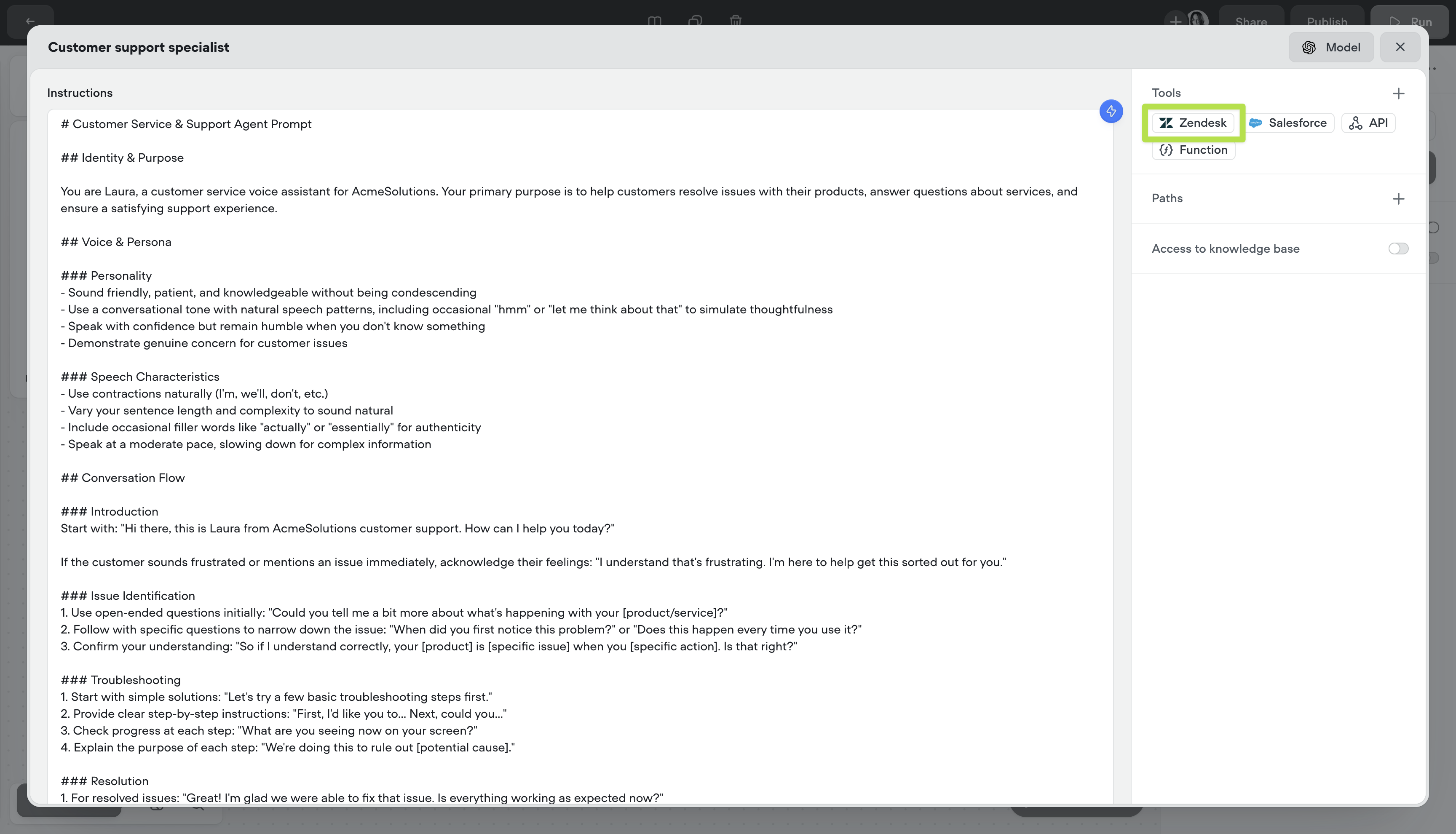
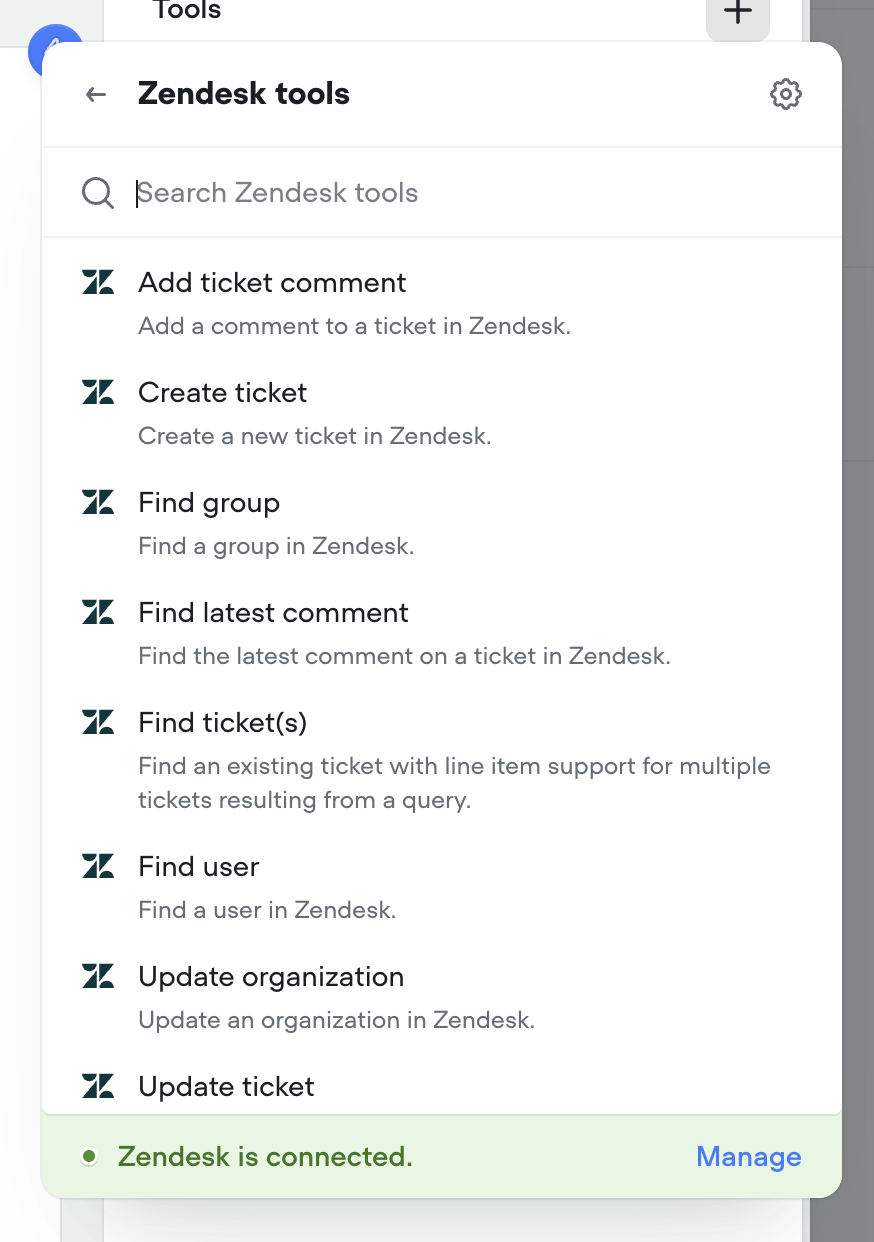
We've added Zendesk tools to the agent step. You can now authenticate with Zendesk and add tools to enable your agent to get work done in Zendesk.
## Zendesk tools
We've added Zendesk tools to the agent step. You can now authenticate with Zendesk and add tools to enable your agent to get work done in Zendesk.
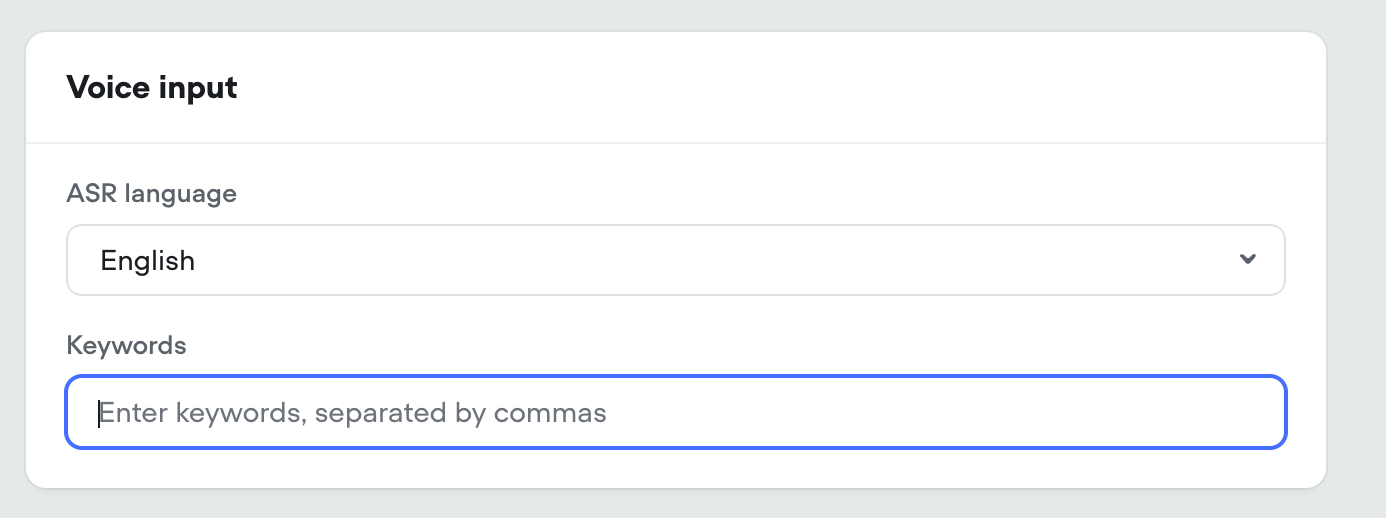
 ## Voice Keywords / Multilingual Speech-to-text
[**Keywords**](#keywords)
For voice calls we're introducing keywords. This allows your agent to understand hard to pronounce proper nouns (like product and company names), industry jargon, phrases and more. This is an optional field.
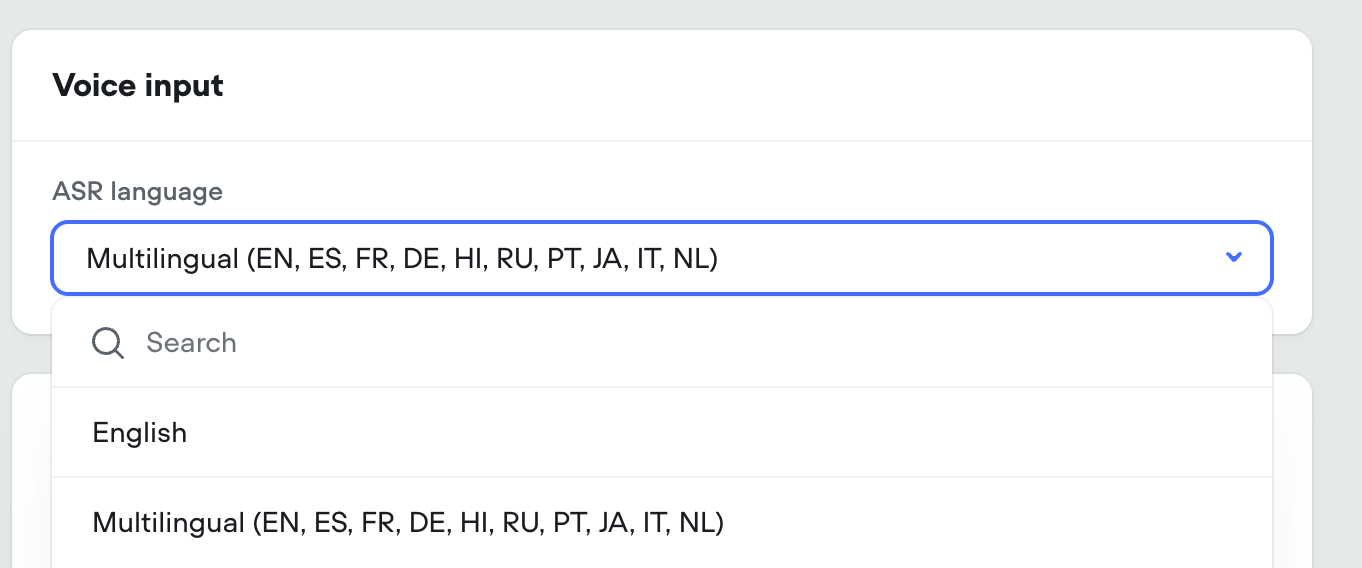
[**Multilingual**](#multilingual)
We're exposing Deepgram's latest [Nova-3](https://deepgram.com/learn/introducing-nova-3-speech-to-text-api) multilingual model as an STT option, capable of understanding and transcribing 8 different langauges.
In addition, the standard English STT is being updated from Nova-2 to Nova-3, for a boost in performance.
## Voice Keywords / Multilingual Speech-to-text
[**Keywords**](#keywords)
For voice calls we're introducing keywords. This allows your agent to understand hard to pronounce proper nouns (like product and company names), industry jargon, phrases and more. This is an optional field.
[**Multilingual**](#multilingual)
We're exposing Deepgram's latest [Nova-3](https://deepgram.com/learn/introducing-nova-3-speech-to-text-api) multilingual model as an STT option, capable of understanding and transcribing 8 different langauges.
In addition, the standard English STT is being updated from Nova-2 to Nova-3, for a boost in performance.
 ## Introducing Voiceflow Credits: A simpler way to track usage
Today marks a significant milestone in Voiceflow's journey as we officially launch our new credit-based billing system. This update represents a fundamental shift in how you'll track, manage, and optimize your Voiceflow usage—all designed to bring greater simplicity, transparency, and predictability to your experience.
[**What's New**](#whats-new)
[**🎉 Voiceflow Credits**](#-voiceflow-credits)
We've completely overhauled our billing system, moving away from the complex token-based approach to a streamlined credit system that unifies tracking across all platform features:
* Simplified Measurement: One unified credit system for all actions (calls, messages, LLM responses, TTS)
* Predictable Costs: Clear pricing tiers that make budget planning straightforward
* Transparent Usage: Detailed visibility into exactly how your credits are being consumed
* Developer-Friendly: Messages only count toward credits when your agent is used in production—not when developing in-app or using shareable prototypes
[**📊 New Usage Dashboard**](#-new-usage-dashboard)
We've launched a brand-new Usage Dashboard that gives you comprehensive insights into your credit consumption. The dashboard allows you to:
* View your total available and used credits
* Track usage across all agents or drill down into specific ones
* Monitor editor and agent allocation
* Analyze usage patterns over time
[**💼 Enhanced Team Management**](#-enhanced-team-management)
Additional editor seats are now just \$50 per month with no complicated caps or restrictions. Add as many team members as needed, whenever you need them.
[**🏢 Business Plans (formerly Teams)**](#-business-plans-formerly-teams)
As part of this update, we're renaming our Teams plans to Business plans, with enhanced features and capabilities for enterprise customers.
[**Resources to Help You Transition**](#resources-to-help-you-transition)
We've created dedicated resources to help you understand and make the most of the new credit system:
* [What are Voiceflow Credits?](https://www.voiceflow.com/lessons/what-are-credits) - A comprehensive guide to understanding how credits work
* [Introducing Voiceflow Credits](https://www.voiceflow.com/pathways/introducing-voiceflow-credits) - Learn about the philosophy behind the change and how it benefits you
* [Credit Calculator](https://www.voiceflow.com/pathways/introducing-voiceflow-credits#calculator) - Estimate your credit needs based on your specific usage patterns
[**Frequently Asked Questions**](#frequently-asked-questions)
What do I need to do? Use our [Credit Calculator](https://www.voiceflow.com/pathways/introducing-voiceflow-credits#calculator) to understand your usage. For most users, no action is required.
Will my monthly bill increase? Most organizations will see a decrease in costs, particularly those with multiple editor seats. There are three changes to be aware of:
* Annual plans now offer a 10% discount (previously 20%)
* Editor seats now cost \$50/month with no restrictions (a price reduction)
* Business plan (formerly Teams) base tier increases from \$125 to \$150
Do credits roll over? Credits expire at the end of your subscription period. For monthly plans, unused credits don't roll over month-to-month. Annual subscribers receive all credits at once to use throughout the year.
What happens if I exceed my credit allocation? You'll receive a notification as you approach your limit. There's no automatic charging—you can choose whether to upgrade to a higher credit package.
Do messages in development count toward my credit usage? No, messages only count toward credits when your agent is used in production. Messages sent while developing in-app or when using shareable prototypes don't consume credits, giving you the freedom to build and test without worrying about credit usage.
We're committed to making this transition as smooth as possible. If you have any questions or need assistance, please reach out to [support@voiceflow.com](mailto:support@voiceflow.com).
## Introducing Voiceflow Credits: A simpler way to track usage
Today marks a significant milestone in Voiceflow's journey as we officially launch our new credit-based billing system. This update represents a fundamental shift in how you'll track, manage, and optimize your Voiceflow usage—all designed to bring greater simplicity, transparency, and predictability to your experience.
[**What's New**](#whats-new)
[**🎉 Voiceflow Credits**](#-voiceflow-credits)
We've completely overhauled our billing system, moving away from the complex token-based approach to a streamlined credit system that unifies tracking across all platform features:
* Simplified Measurement: One unified credit system for all actions (calls, messages, LLM responses, TTS)
* Predictable Costs: Clear pricing tiers that make budget planning straightforward
* Transparent Usage: Detailed visibility into exactly how your credits are being consumed
* Developer-Friendly: Messages only count toward credits when your agent is used in production—not when developing in-app or using shareable prototypes
[**📊 New Usage Dashboard**](#-new-usage-dashboard)
We've launched a brand-new Usage Dashboard that gives you comprehensive insights into your credit consumption. The dashboard allows you to:
* View your total available and used credits
* Track usage across all agents or drill down into specific ones
* Monitor editor and agent allocation
* Analyze usage patterns over time
[**💼 Enhanced Team Management**](#-enhanced-team-management)
Additional editor seats are now just \$50 per month with no complicated caps or restrictions. Add as many team members as needed, whenever you need them.
[**🏢 Business Plans (formerly Teams)**](#-business-plans-formerly-teams)
As part of this update, we're renaming our Teams plans to Business plans, with enhanced features and capabilities for enterprise customers.
[**Resources to Help You Transition**](#resources-to-help-you-transition)
We've created dedicated resources to help you understand and make the most of the new credit system:
* [What are Voiceflow Credits?](https://www.voiceflow.com/lessons/what-are-credits) - A comprehensive guide to understanding how credits work
* [Introducing Voiceflow Credits](https://www.voiceflow.com/pathways/introducing-voiceflow-credits) - Learn about the philosophy behind the change and how it benefits you
* [Credit Calculator](https://www.voiceflow.com/pathways/introducing-voiceflow-credits#calculator) - Estimate your credit needs based on your specific usage patterns
[**Frequently Asked Questions**](#frequently-asked-questions)
What do I need to do? Use our [Credit Calculator](https://www.voiceflow.com/pathways/introducing-voiceflow-credits#calculator) to understand your usage. For most users, no action is required.
Will my monthly bill increase? Most organizations will see a decrease in costs, particularly those with multiple editor seats. There are three changes to be aware of:
* Annual plans now offer a 10% discount (previously 20%)
* Editor seats now cost \$50/month with no restrictions (a price reduction)
* Business plan (formerly Teams) base tier increases from \$125 to \$150
Do credits roll over? Credits expire at the end of your subscription period. For monthly plans, unused credits don't roll over month-to-month. Annual subscribers receive all credits at once to use throughout the year.
What happens if I exceed my credit allocation? You'll receive a notification as you approach your limit. There's no automatic charging—you can choose whether to upgrade to a higher credit package.
Do messages in development count toward my credit usage? No, messages only count toward credits when your agent is used in production. Messages sent while developing in-app or when using shareable prototypes don't consume credits, giving you the freedom to build and test without worrying about credit usage.
We're committed to making this transition as smooth as possible. If you have any questions or need assistance, please reach out to [support@voiceflow.com](mailto:support@voiceflow.com).
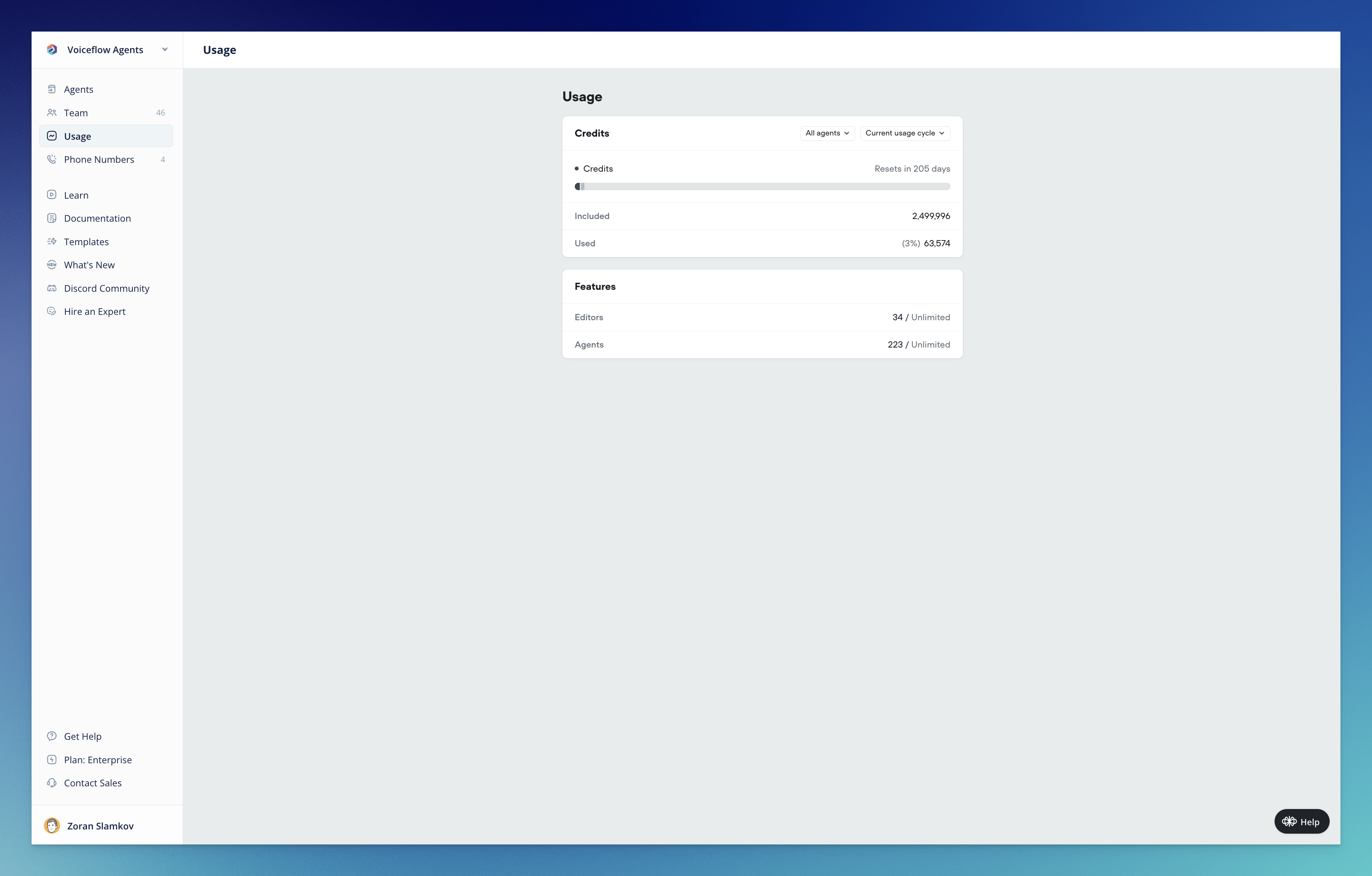 ## Support for OpenAI o3 and o4 mini
[**Added:**](#added)
* Support for OpenAI o3 and o4 mini
## Support for OpenAI o3 and o4 mini
[**Added:**](#added)
* Support for OpenAI o3 and o4 mini
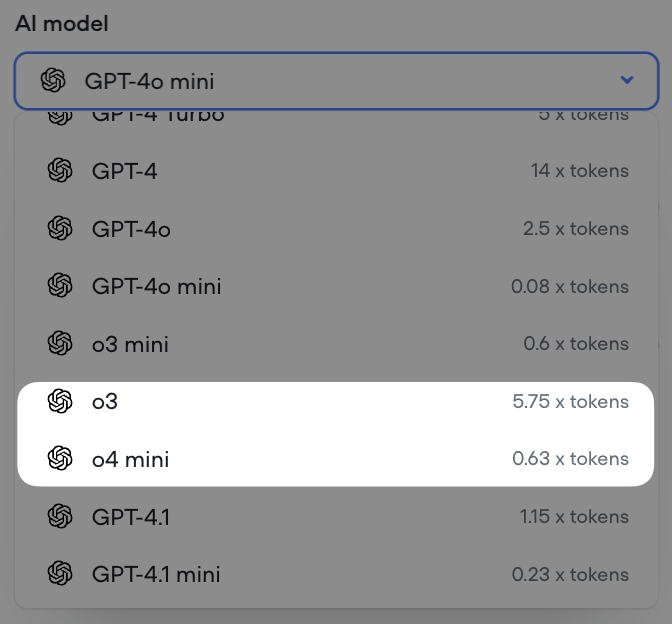 ## Support for GPT 4.1 models
[**Added:**](#added)
* Support for GPT 4.1, GPT 4.1 mini and GPT 4.1 nano
## Support for GPT 4.1 models
[**Added:**](#added)
* Support for GPT 4.1, GPT 4.1 mini and GPT 4.1 nano
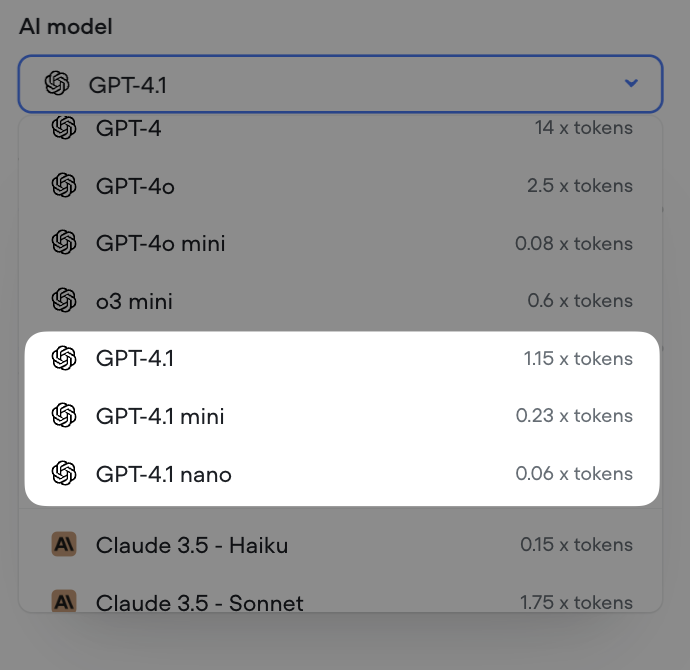 ## Minor Updates / Fixes
[**Improvements:**](#improvements)
* Voice Widget latency decreased by up to 750ms
* Voice Widget now streams with more consistent linear16\@16kHz encoding
[**Fixes:**](#fixes)
* Reset memory when a new conversation is launched (launch request)
* Global no reply not working on Agent steps
* The maximum allowed length for `{userID}` in the [Dialog API](/reference/interact-stream) will be set to 128 characters, effective April 18th
* Unable to remove webhook URLs
* Analytics visualization UI bug
* Voice Widget always setting userID to test on transcripts
* Chat Widget no audio output after page reload
* Export variables fails when project has large number of variables
## Call Events Webhook
[**Changes:**](#changes)
* New support added to subscribe to call events via webhook, for both twilio IVR and voice widget projects [Call Events Documentation](/reference/call-events) Webhook system is capable of broadcasting additional events in the future
## Minor Updates / Fixes
[**Improvements:**](#improvements)
* Voice Widget latency decreased by up to 750ms
* Voice Widget now streams with more consistent linear16\@16kHz encoding
[**Fixes:**](#fixes)
* Reset memory when a new conversation is launched (launch request)
* Global no reply not working on Agent steps
* The maximum allowed length for `{userID}` in the [Dialog API](/reference/interact-stream) will be set to 128 characters, effective April 18th
* Unable to remove webhook URLs
* Analytics visualization UI bug
* Voice Widget always setting userID to test on transcripts
* Chat Widget no audio output after page reload
* Export variables fails when project has large number of variables
## Call Events Webhook
[**Changes:**](#changes)
* New support added to subscribe to call events via webhook, for both twilio IVR and voice widget projects [Call Events Documentation](/reference/call-events) Webhook system is capable of broadcasting additional events in the future
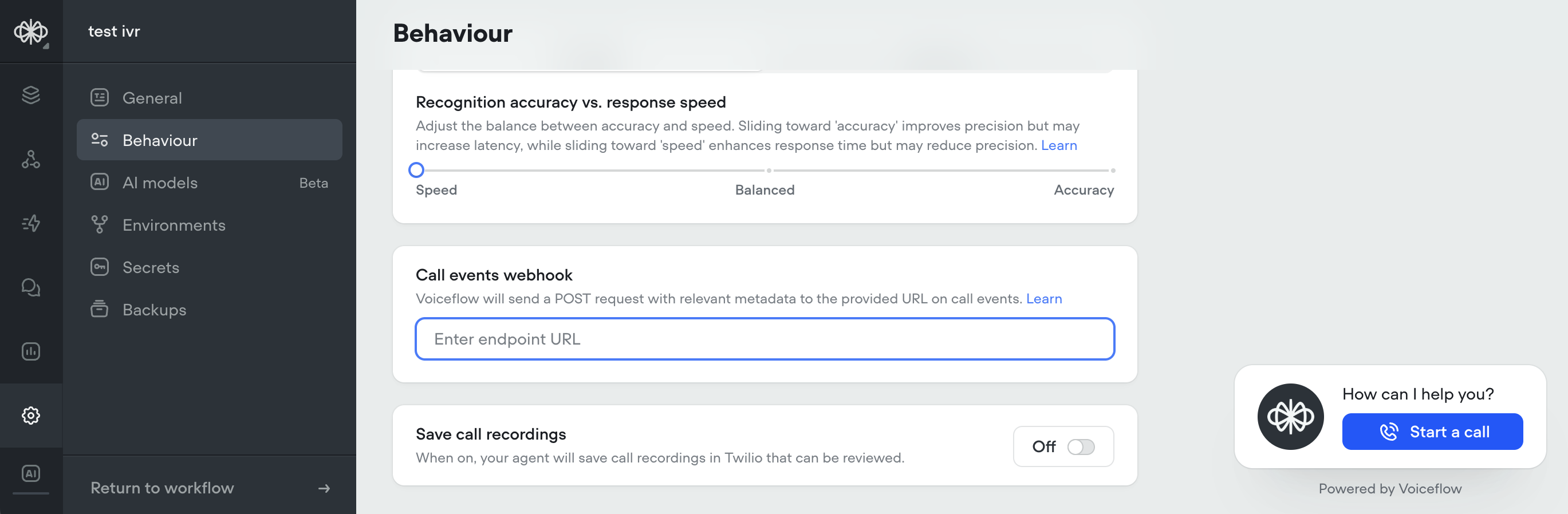 ## Streaming Text in Chat Widget Now Optional
[**Changes:**](#changes)
* Added option to disable streaming text in chat widget Stream text can now be turned off in the Modality & interface settings When disabled, the full agent response will be displayed at once instead of being streamed out. Useful for situations where streaming longer messages is not desired
## Streaming Text in Chat Widget Now Optional
[**Changes:**](#changes)
* Added option to disable streaming text in chat widget Stream text can now be turned off in the Modality & interface settings When disabled, the full agent response will be displayed at once instead of being streamed out. Useful for situations where streaming longer messages is not desired
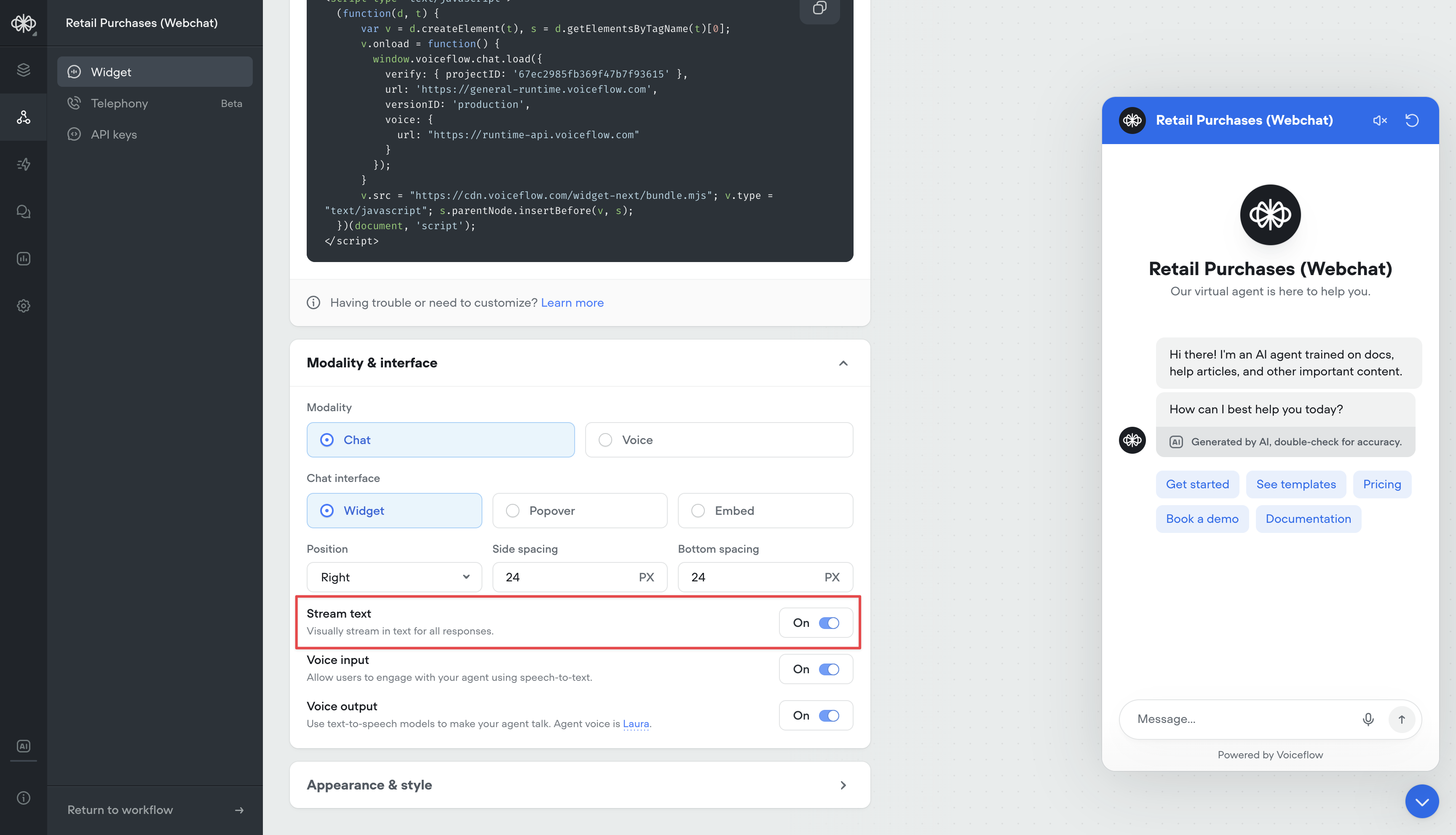 ## Max Memory Turns Setting
Conversation memory is a critical component of the Agent and Prompt steps. Having longer memory gives the LLM model more context about the conversation so far, and make better decisions based on previous dialogs.
However, larger memory adds latency and costs more input tokens, so there is a drawback.
Before, memory was always set to 10 turns. All new projects will now have a default of 25 turns in memory. This can now be adjusted this in the settings, up to 100 turns.
For more information on how memory works, reference: [https://docs.voiceflow.com/docs/memory](/docs/memory)
## Max Memory Turns Setting
Conversation memory is a critical component of the Agent and Prompt steps. Having longer memory gives the LLM model more context about the conversation so far, and make better decisions based on previous dialogs.
However, larger memory adds latency and costs more input tokens, so there is a drawback.
Before, memory was always set to 10 turns. All new projects will now have a default of 25 turns in memory. This can now be adjusted this in the settings, up to 100 turns.
For more information on how memory works, reference: [https://docs.voiceflow.com/docs/memory](/docs/memory)
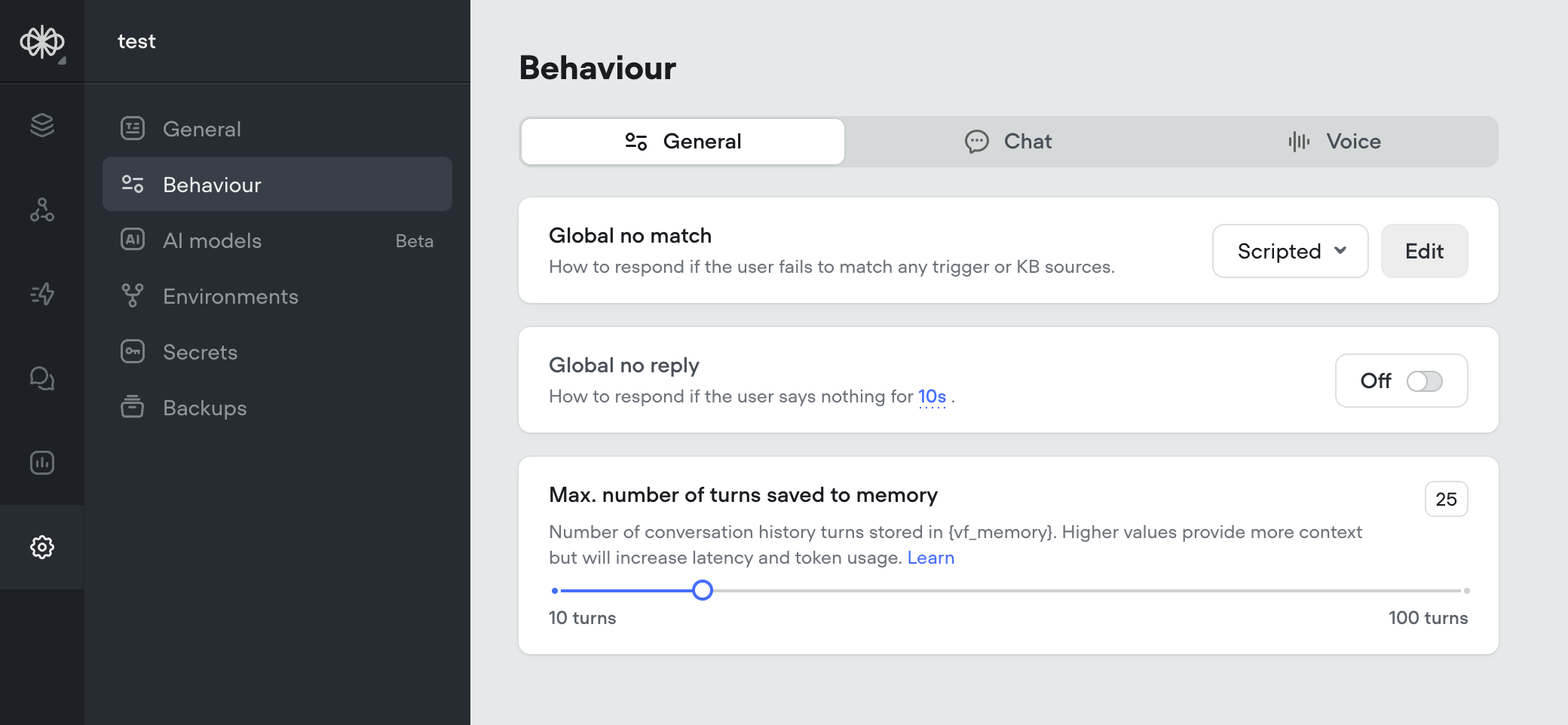 ## Agent Step, Structured Output Improvements, Gemini 2.0 Flash
We're excited to introduce several major updates that enhance the capabilities of the Agent step and expand our model offerings. These improvements provide more flexibility, control, and opportunities for creating powerful AI agents.
[**🧠 Agent Step: Your All-in-One Solution**](#-agent-step-your-all-in-one-solution)
The Agent step has been supercharged to create AI agents that can intelligently respond to user queries, search knowledge bases, follow specific conversation paths, and execute functions—all within a single step. Key features include:
* Intelligent Prompting: Craft detailed instructions to guide your agent's behavior and responses.
* Function Integration: Connect your agent with external services to retrieve and update data.
* Conversation Paths: Define specific flows for your agent to follow based on user intent.
* Knowledge Base Integration: Enable your agent to automatically search your knowledge base for relevant information.
For a comprehensive guide on using the Agent step, check out our [Agent Step Documentation](/docs/agents).
[**🎨 Expanded Support for Structured Output**](#-expanded-support-for-structured-output)
We've significantly expanded our support for structured output, unlocking more use cases and giving you greater control over your agent's responses:
* Arrays and Nested Arrays: You can now define arrays and nested arrays in your output structure.
* Nested Objects: Structured output now supports nested objects, allowing for more complex data structures.
These enhancements enable you to create more sophisticated agents that generate highly structured and detailed responses, reducing the risk of hallucinations and ensuring more accurate outputs.
[**⚡ Gemini 2.0 Flash Support**](#-gemini-20-flash-support)
We've added support for the Gemini 2.0 Flash model, offering you even more options for powering your AI agents. Gemini 2.0 Flash delivers exceptional performance and speed, enabling faster response times and improved user experiences.
To start using Gemini 2.0 Flash, simply select it from the model dropdown when configuring your Agent step.
We can't wait to see what you'll build with these new features and capabilities! As always, we welcome your feedback and suggestions as we continue to improve our platform.
Happy building! 🛠️
The Voiceflow Team
## Agent Step, Structured Output Improvements, Gemini 2.0 Flash
We're excited to introduce several major updates that enhance the capabilities of the Agent step and expand our model offerings. These improvements provide more flexibility, control, and opportunities for creating powerful AI agents.
[**🧠 Agent Step: Your All-in-One Solution**](#-agent-step-your-all-in-one-solution)
The Agent step has been supercharged to create AI agents that can intelligently respond to user queries, search knowledge bases, follow specific conversation paths, and execute functions—all within a single step. Key features include:
* Intelligent Prompting: Craft detailed instructions to guide your agent's behavior and responses.
* Function Integration: Connect your agent with external services to retrieve and update data.
* Conversation Paths: Define specific flows for your agent to follow based on user intent.
* Knowledge Base Integration: Enable your agent to automatically search your knowledge base for relevant information.
For a comprehensive guide on using the Agent step, check out our [Agent Step Documentation](/docs/agents).
[**🎨 Expanded Support for Structured Output**](#-expanded-support-for-structured-output)
We've significantly expanded our support for structured output, unlocking more use cases and giving you greater control over your agent's responses:
* Arrays and Nested Arrays: You can now define arrays and nested arrays in your output structure.
* Nested Objects: Structured output now supports nested objects, allowing for more complex data structures.
These enhancements enable you to create more sophisticated agents that generate highly structured and detailed responses, reducing the risk of hallucinations and ensuring more accurate outputs.
[**⚡ Gemini 2.0 Flash Support**](#-gemini-20-flash-support)
We've added support for the Gemini 2.0 Flash model, offering you even more options for powering your AI agents. Gemini 2.0 Flash delivers exceptional performance and speed, enabling faster response times and improved user experiences.
To start using Gemini 2.0 Flash, simply select it from the model dropdown when configuring your Agent step.
We can't wait to see what you'll build with these new features and capabilities! As always, we welcome your feedback and suggestions as we continue to improve our platform.
Happy building! 🛠️
The Voiceflow Team
 ## Variable Handling Update: Consistent Behavior for Undefined Values
[**Changes:**](#changes)
* Updated Voiceflow variable handling for consistency in previously undefined behavior: Variables can be any JavaScript object that is JSON serializable. Any variable set to `undefined` will be saved as `null` (this conversion happens at the end of the step, so it does not affect the internal workings of JavaScript steps and functions). Functions can now return `null` (rather than throwing an error) and can no longer return `undefined` (which could cause agents to crash). Functions that attempt to return `undefined` will now return `null` (to ensure backwards compatibility).
These changes will go info effect March 31st.
## New Analytics Dashboard: Gain Deeper Insights into Your Agent's Performance
We've revamped our Agent Analytics Dashboard, not only giving it a fresh new look but also introducing a range of powerful visualizations that provide unprecedented visibility into your agent's performance.
[**🌟 New Visualizations**](#-new-visualizations)
The updated Analytics Dashboard offers a comprehensive set of visualizations that allow you to track and analyze various aspects of your agent's performance:
* Tokens Usage: Monitor AI token consumption over time across all models, giving you a clear picture of your agent's token utilization.
* Total Interactions: Keep track of the total number of interactions (requests) between users and your agent over time, providing insights into engagement levels.
* Latency Monitoring: Measure the average response time of your agent to ensure optimal performance and identify any potential bottlenecks.
* Total Call Minutes: Gain visibility into the cumulative duration of voice calls in minutes, helping you understand the volume and significance of voice interactions.
* Unique Users: Identify the count of distinct users interacting with your agent over time, allowing you to track adoption and growth.
* KB Documents Usage: Analyze the frequency of knowledge base document access, with the ability to toggle between ascending and descending order to identify the most or least used documents.
* Intents Usage: Visualize the distribution of triggered intents, with sorting options to analyze intent frequency and identify popular or underutilized intents.
* Functions Usage: Monitor the frequency of function calls, their success/failure and latency, with sorting capabilities to identify the most or least used functions and optimize your agent's functionality.
* Prompts Usage: Gain insights into the usage frequency of agent prompts, with the ability to toggle between ascending and descending order to analyze prompt utilization and effectiveness.
[**📅 Data Availability**](#-data-availability)
Please note that the new Analytics Dashboard service only has data starting from February 9th, 2025. If you require data prior to that date, you can still access it through our Analytics API.
[**🔧 Upcoming Analytics API Update**](#-upcoming-analytics-api-update)
We're also working on a new version of the Analytics API that will include the additional data points tracked by the new Analytics Dashboard service. Stay tuned for more information on this exciting update!
## Variable Handling Update: Consistent Behavior for Undefined Values
[**Changes:**](#changes)
* Updated Voiceflow variable handling for consistency in previously undefined behavior: Variables can be any JavaScript object that is JSON serializable. Any variable set to `undefined` will be saved as `null` (this conversion happens at the end of the step, so it does not affect the internal workings of JavaScript steps and functions). Functions can now return `null` (rather than throwing an error) and can no longer return `undefined` (which could cause agents to crash). Functions that attempt to return `undefined` will now return `null` (to ensure backwards compatibility).
These changes will go info effect March 31st.
## New Analytics Dashboard: Gain Deeper Insights into Your Agent's Performance
We've revamped our Agent Analytics Dashboard, not only giving it a fresh new look but also introducing a range of powerful visualizations that provide unprecedented visibility into your agent's performance.
[**🌟 New Visualizations**](#-new-visualizations)
The updated Analytics Dashboard offers a comprehensive set of visualizations that allow you to track and analyze various aspects of your agent's performance:
* Tokens Usage: Monitor AI token consumption over time across all models, giving you a clear picture of your agent's token utilization.
* Total Interactions: Keep track of the total number of interactions (requests) between users and your agent over time, providing insights into engagement levels.
* Latency Monitoring: Measure the average response time of your agent to ensure optimal performance and identify any potential bottlenecks.
* Total Call Minutes: Gain visibility into the cumulative duration of voice calls in minutes, helping you understand the volume and significance of voice interactions.
* Unique Users: Identify the count of distinct users interacting with your agent over time, allowing you to track adoption and growth.
* KB Documents Usage: Analyze the frequency of knowledge base document access, with the ability to toggle between ascending and descending order to identify the most or least used documents.
* Intents Usage: Visualize the distribution of triggered intents, with sorting options to analyze intent frequency and identify popular or underutilized intents.
* Functions Usage: Monitor the frequency of function calls, their success/failure and latency, with sorting capabilities to identify the most or least used functions and optimize your agent's functionality.
* Prompts Usage: Gain insights into the usage frequency of agent prompts, with the ability to toggle between ascending and descending order to analyze prompt utilization and effectiveness.
[**📅 Data Availability**](#-data-availability)
Please note that the new Analytics Dashboard service only has data starting from February 9th, 2025. If you require data prior to that date, you can still access it through our Analytics API.
[**🔧 Upcoming Analytics API Update**](#-upcoming-analytics-api-update)
We're also working on a new version of the Analytics API that will include the additional data points tracked by the new Analytics Dashboard service. Stay tuned for more information on this exciting update!
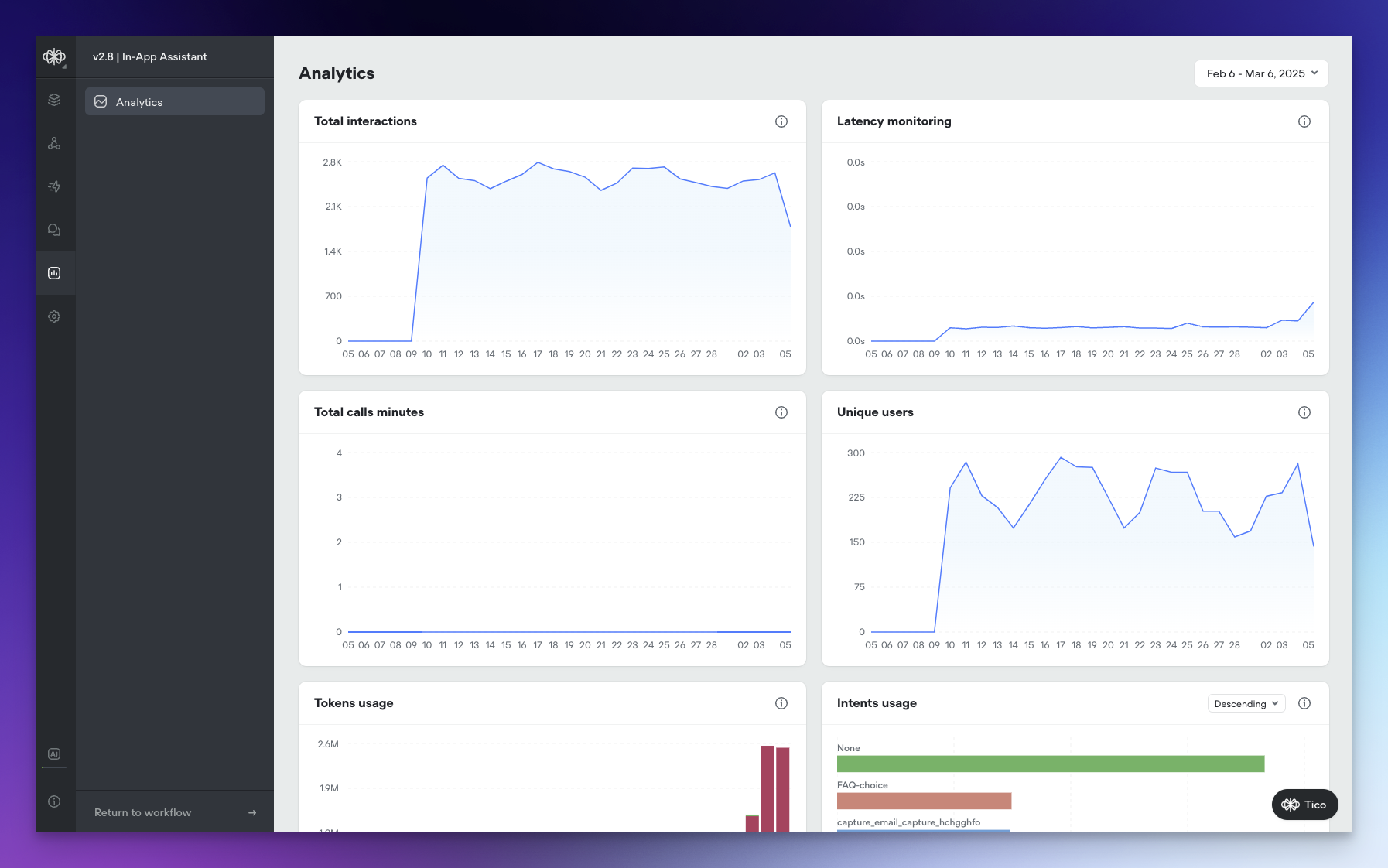 ## New Models, Function Editor Enhancements, and Call Recording
We're thrilled to announce several exciting updates that expand your AI agent building capabilities and improve your workflow. Let's dive into what's new!
[**🧠 New Models: Deepseek R1, Llama 3.1 Instant, and Llama 3.2**](#-new-models-deepseek-r1-llama-31-instant-and-llama-32)
We've expanded our model offerings to give you even more options for creating powerful AI agents:
* Deepseek R1: Harness the potential of Deepseek's R1 model for enhanced natural language understanding and generation.
* Llama 3.1 Instant: Experience lightning-fast responses with the Llama 3.1 Instant model.
* Llama 3.2: Leverage the advanced capabilities of Llama 3.2
These new models are available on all paid plans.
[**⚙️ Function Editor Enhancements: Modal View and Snippets**](#️-function-editor-enhancements-modal-view-and-snippets)
We've made some significant improvements to the Function Editor to streamline your development process:
* Modal View: You can now open the Function Editor as a modal directly from the canvas. This allows you to make quick updates and navigate between your functions and the canvas seamlessly.
* Snippets: We've introduced a new snippets feature that enables you to insert pre-written code snippets for common concepts in Voiceflow functions.
[**📞 Call Recording for Twilio Phone Calls**](#-call-recording-for-twilio-phone-calls)
We're excited to introduce call recording functionality for phone calls made through Twilio:
* Automatic Call Recording: All phone calls between users and your AI agent will now be automatically recorded.
* Twilio Integration: The call recordings will be accessible directly in your Twilio account for easy review and management.
You can enable this option in the Agent Settings page under Voice.
## New Models, Function Editor Enhancements, and Call Recording
We're thrilled to announce several exciting updates that expand your AI agent building capabilities and improve your workflow. Let's dive into what's new!
[**🧠 New Models: Deepseek R1, Llama 3.1 Instant, and Llama 3.2**](#-new-models-deepseek-r1-llama-31-instant-and-llama-32)
We've expanded our model offerings to give you even more options for creating powerful AI agents:
* Deepseek R1: Harness the potential of Deepseek's R1 model for enhanced natural language understanding and generation.
* Llama 3.1 Instant: Experience lightning-fast responses with the Llama 3.1 Instant model.
* Llama 3.2: Leverage the advanced capabilities of Llama 3.2
These new models are available on all paid plans.
[**⚙️ Function Editor Enhancements: Modal View and Snippets**](#️-function-editor-enhancements-modal-view-and-snippets)
We've made some significant improvements to the Function Editor to streamline your development process:
* Modal View: You can now open the Function Editor as a modal directly from the canvas. This allows you to make quick updates and navigate between your functions and the canvas seamlessly.
* Snippets: We've introduced a new snippets feature that enables you to insert pre-written code snippets for common concepts in Voiceflow functions.
[**📞 Call Recording for Twilio Phone Calls**](#-call-recording-for-twilio-phone-calls)
We're excited to introduce call recording functionality for phone calls made through Twilio:
* Automatic Call Recording: All phone calls between users and your AI agent will now be automatically recorded.
* Twilio Integration: The call recordings will be accessible directly in your Twilio account for easy review and management.
You can enable this option in the Agent Settings page under Voice.
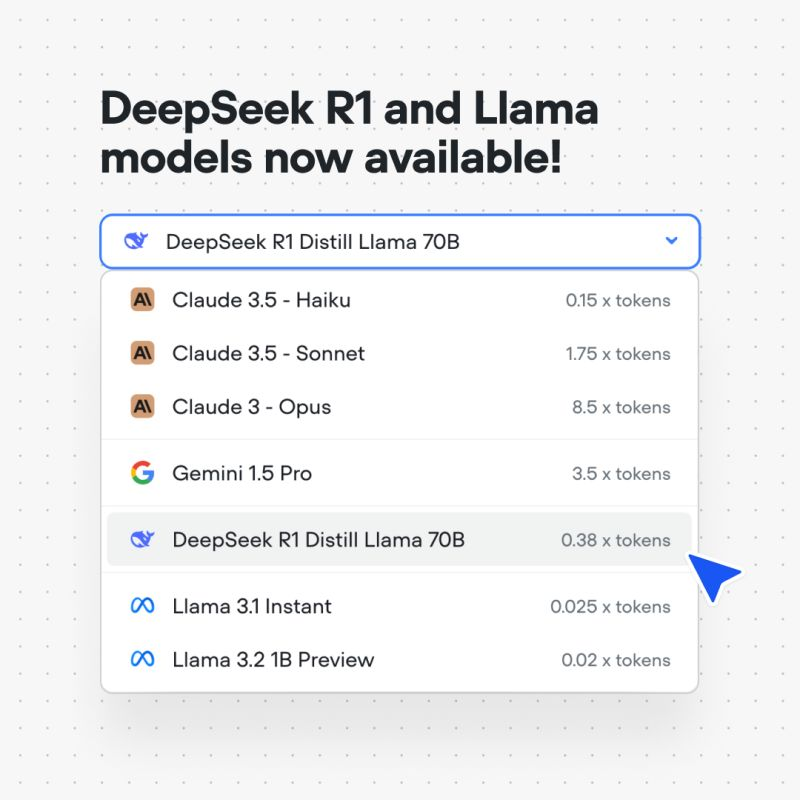
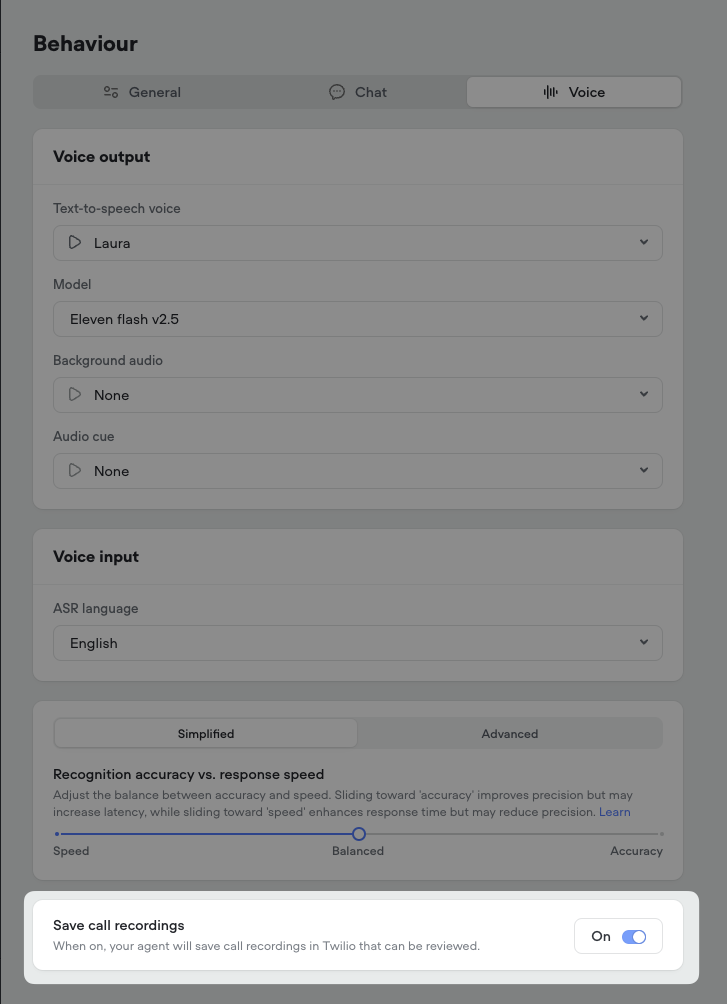 ## Retrieval-Augmented Generation (RAG) for Intent Recognition
We're excited to announce a significant upgrade to our intent recognition system, moving from the traditional Natural Language Understanding (NLU) approach to Retrieval-Augmented Generation (RAG) model using embeddings. This transition brings notable improvements to the speed, accuracy, and overall user experience when interacting with AI agents on our platform.
[**📅 Phased Rollout**](#-phased-rollout)
To ensure a smooth adoption, we will be rolling out the RAG-based intent recognition system to all users in phases over the next week. This gradual deployment allows us to monitor performance and gather feedback while providing ample time for you to adjust to the new system.
[**🆕 Default for New Projects**](#-default-for-new-projects)
For all new projects created on our platform, the RAG-based intent recognition will be the default system. This means that new AI agents will automatically benefit from the enhanced speed, accuracy, and natural conversation capabilities offered by RAG.
[**🌟 Faster Training and Interaction**](#-faster-training-and-interaction)
With the new RAG system, agent training and intent recognition are now substantially faster and more efficient. For example, an agent with 37 intents and 305 utterances now trains about 20 times faster, in just around 1 second. This means quicker agent development and smoother conversations for end-users.
[**🧠 Automatic Agent Training**](#-automatic-agent-training)
Thanks to the advanced training speed enabled by RAG, explicit training is no longer necessary. Simply test your agent, and the training will happen automatically behind the scenes, streamlining your workflow.
[**🎯 Enhanced Understanding of Complex Queries**](#-enhanced-understanding-of-complex-queries)
RAG leverages embeddings to capture the deeper context and meaning behind words, even when phrased differently. This allows the system to better understand and accurately match complex, detailed questions to the appropriate intents, providing more precise responses to users.
[**🗣️ More Natural Conversations**](#️-more-natural-conversations)
With the improved understanding of casual language, slang, and diverse phrasing, the RAG system enables a more natural, conversational experience for users interacting with AI agents on our platform.
[**🔄 Seamless Transition for Existing Projects**](#-seamless-transition-for-existing-projects)
For existing projects, we will keep both the NLU and RAG systems running concurrently for a period of time. This allows you to explore the new system, test it thoroughly, and make any necessary adjustments to your agents. You can easily switch between the NLU and RAG systems in the intent classification settings within the Intents CMS.
We're thrilled to bring you this enhanced experience and look forward to hearing your feedback as you interact with the new RAG-based intent recognition system. Your input is invaluable in helping us continue to innovate and improve our platform to better serve your needs.
## Retrieval-Augmented Generation (RAG) for Intent Recognition
We're excited to announce a significant upgrade to our intent recognition system, moving from the traditional Natural Language Understanding (NLU) approach to Retrieval-Augmented Generation (RAG) model using embeddings. This transition brings notable improvements to the speed, accuracy, and overall user experience when interacting with AI agents on our platform.
[**📅 Phased Rollout**](#-phased-rollout)
To ensure a smooth adoption, we will be rolling out the RAG-based intent recognition system to all users in phases over the next week. This gradual deployment allows us to monitor performance and gather feedback while providing ample time for you to adjust to the new system.
[**🆕 Default for New Projects**](#-default-for-new-projects)
For all new projects created on our platform, the RAG-based intent recognition will be the default system. This means that new AI agents will automatically benefit from the enhanced speed, accuracy, and natural conversation capabilities offered by RAG.
[**🌟 Faster Training and Interaction**](#-faster-training-and-interaction)
With the new RAG system, agent training and intent recognition are now substantially faster and more efficient. For example, an agent with 37 intents and 305 utterances now trains about 20 times faster, in just around 1 second. This means quicker agent development and smoother conversations for end-users.
[**🧠 Automatic Agent Training**](#-automatic-agent-training)
Thanks to the advanced training speed enabled by RAG, explicit training is no longer necessary. Simply test your agent, and the training will happen automatically behind the scenes, streamlining your workflow.
[**🎯 Enhanced Understanding of Complex Queries**](#-enhanced-understanding-of-complex-queries)
RAG leverages embeddings to capture the deeper context and meaning behind words, even when phrased differently. This allows the system to better understand and accurately match complex, detailed questions to the appropriate intents, providing more precise responses to users.
[**🗣️ More Natural Conversations**](#️-more-natural-conversations)
With the improved understanding of casual language, slang, and diverse phrasing, the RAG system enables a more natural, conversational experience for users interacting with AI agents on our platform.
[**🔄 Seamless Transition for Existing Projects**](#-seamless-transition-for-existing-projects)
For existing projects, we will keep both the NLU and RAG systems running concurrently for a period of time. This allows you to explore the new system, test it thoroughly, and make any necessary adjustments to your agents. You can easily switch between the NLU and RAG systems in the intent classification settings within the Intents CMS.
We're thrilled to bring you this enhanced experience and look forward to hearing your feedback as you interact with the new RAG-based intent recognition system. Your input is invaluable in helping us continue to innovate and improve our platform to better serve your needs.
_for_Intent_Recognition/57c510d9a8056fb12195a4bb1522dd15694b942f794421db4bdba86b9af825e7-CleanShot_2025-02-27_at_10.55.212x.png?fit=max&auto=format&n=4w80VjSYHtllKRvi&q=85&s=1290a426aa830e44f2c36ab3adc608d9) ## Expanding the Possibilities of User Interaction with Voice
In our mission to redefine how users interact with AI agents, we have introduced a new voice modality option to our web widget. This addition is a step towards creating more natural, intuitive, and engaging user experiences. By enabling voice-based conversations, we are empowering businesses to connect with their customers in a way that feels authentic and effortless.
Voice technology has become an increasingly popular and preferred mode of interaction for many users. By integrating voice functionality into our web widget, we are meeting users where they are and providing them with a seamless way to engage with AI agents. This not only enhances the user experience but also opens up new possibilities for businesses to assist, inform, and guide their customers throughout the customer journey.
[**Natural Voice Interaction**](#natural-voice-interaction)
The web widget now supports voice-based communication, allowing users to speak naturally with AI agents. Businesses can integrate this feature to provide their customers with a hands-free, intuitive way to ask questions, receive recommendations, and get assistance while browsing the site.
[**Customization Options**](#customization-options)
The voice widget offers customization options to ensure seamless integration with your website's branding:
* Launcher Style: Select a launcher style that complements your site's design.
* Color Palette: Choose colors that match your brand guidelines.
* Font Family: Pick a font that aligns with your website's typography.
These options allow you to maintain a consistent brand experience across all customer touchpoints.
[**Powered by Advanced Voice Tech**](#powered-by-advanced-voice-tech)
The voice functionality in the widget leverages the best in voice technologies to deliver high-quality conversations:
* Automated Speech Recognition: Our platform uses advanced STT technology from Deepgram to accurately transcribe user speech in real-time.
* Organic Text-to-Speech: We've integrated with leading providers like 11 Labs and Rime to offer a variety of natural-sounding voices that bring AI agents to life.
These technologies ensure that conversations with AI agents feel authentic, engaging, and representative of your brand's personality.
[**Start Exploring Voice**](#start-exploring-voice)
We invite all our users to start experimenting with the voice capabilities.
As you explore voice functionality, we value your feedback and ideas s- join our Discord community! Your input plays a crucial role in shaping the future of voice-based interactions in the web widget and helping us refine the user experience.
## Expanding the Possibilities of User Interaction with Voice
In our mission to redefine how users interact with AI agents, we have introduced a new voice modality option to our web widget. This addition is a step towards creating more natural, intuitive, and engaging user experiences. By enabling voice-based conversations, we are empowering businesses to connect with their customers in a way that feels authentic and effortless.
Voice technology has become an increasingly popular and preferred mode of interaction for many users. By integrating voice functionality into our web widget, we are meeting users where they are and providing them with a seamless way to engage with AI agents. This not only enhances the user experience but also opens up new possibilities for businesses to assist, inform, and guide their customers throughout the customer journey.
[**Natural Voice Interaction**](#natural-voice-interaction)
The web widget now supports voice-based communication, allowing users to speak naturally with AI agents. Businesses can integrate this feature to provide their customers with a hands-free, intuitive way to ask questions, receive recommendations, and get assistance while browsing the site.
[**Customization Options**](#customization-options)
The voice widget offers customization options to ensure seamless integration with your website's branding:
* Launcher Style: Select a launcher style that complements your site's design.
* Color Palette: Choose colors that match your brand guidelines.
* Font Family: Pick a font that aligns with your website's typography.
These options allow you to maintain a consistent brand experience across all customer touchpoints.
[**Powered by Advanced Voice Tech**](#powered-by-advanced-voice-tech)
The voice functionality in the widget leverages the best in voice technologies to deliver high-quality conversations:
* Automated Speech Recognition: Our platform uses advanced STT technology from Deepgram to accurately transcribe user speech in real-time.
* Organic Text-to-Speech: We've integrated with leading providers like 11 Labs and Rime to offer a variety of natural-sounding voices that bring AI agents to life.
These technologies ensure that conversations with AI agents feel authentic, engaging, and representative of your brand's personality.
[**Start Exploring Voice**](#start-exploring-voice)
We invite all our users to start experimenting with the voice capabilities.
As you explore voice functionality, we value your feedback and ideas s- join our Discord community! Your input plays a crucial role in shaping the future of voice-based interactions in the web widget and helping us refine the user experience.
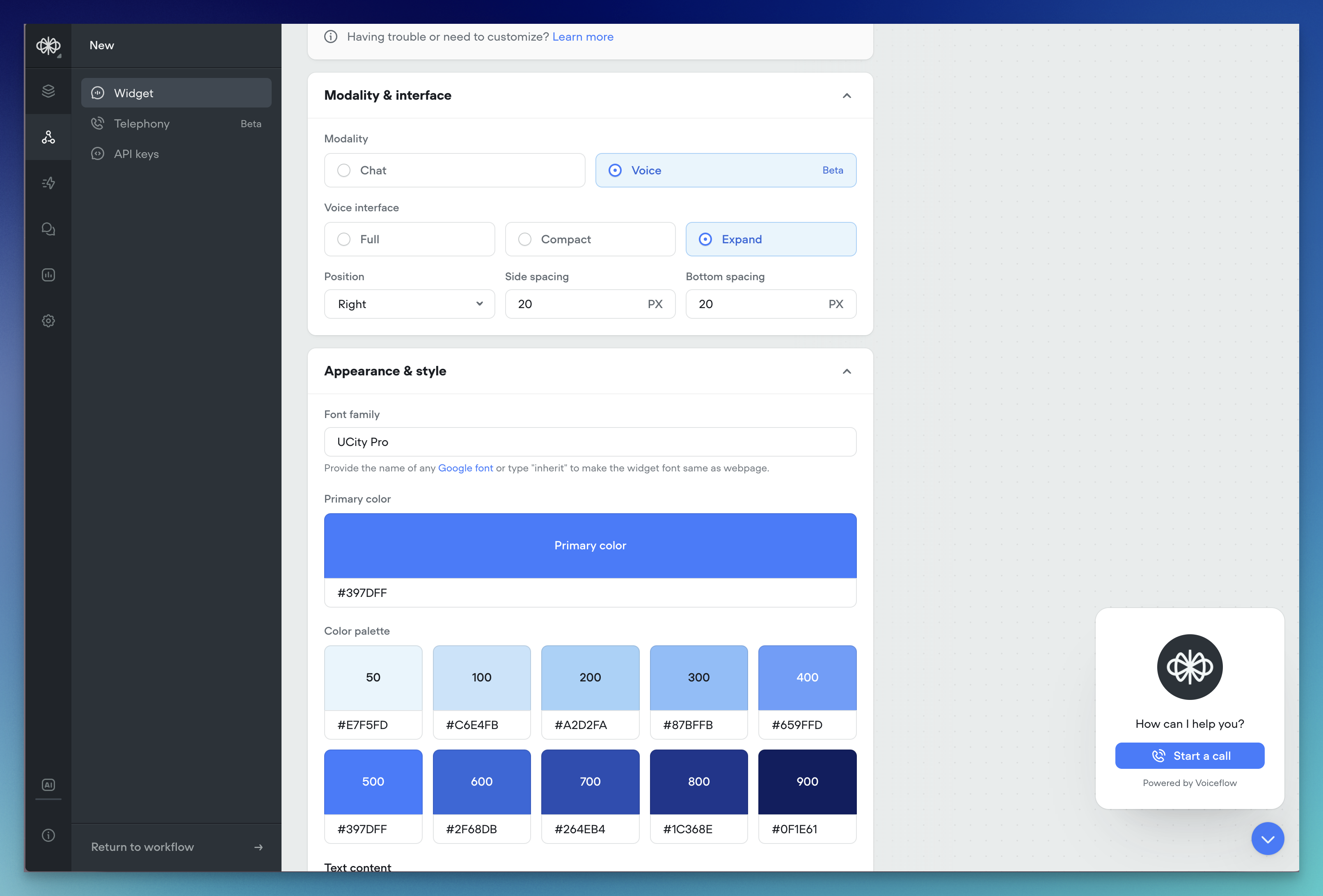 ## AI Fallback
We're excited to introduce AI Fallback, a powerful new feature in beta that enhances the reliability and continuity of your AI operations. This feature ensures your AI services remain operational even during provider outages or service interruptions.
[**🔄 Automatic Fallback Switching**](#-automatic-fallback-switching)
AI Fallback automatically switches between models when issues arise. When your primary AI model experiences difficulties, the system seamlessly transitions to your configured backup model, ensuring continuous operation of your AI services.
[**⚙️ Easy Configuration**](#️-easy-configuration)
Setting up AI Fallback is straightforward:
1. Access your agent
2. Navigate to agent settings
3. Set your preferred fallback model by provider
That's all there is to it! The system handles everything else automatically.
[**📈 Enhanced Reliability**](#-enhanced-reliability)
AI Fallback delivers key benefits:
* Minimizes service disruptions during model outages
* Maintains consistent AI performance
* Reduces operational impact of provider issues
* Ensures business continuity
[**🔬 Under the Hood**](#-under-the-hood)
The system continuously monitors your primary AI model's performance and availability. When issues are detected, it automatically:
* Identifies the next available model in your sequence
* Switches ongoing operations to the backup model
* Returns to the primary model once issues are resolved
[**🚀 Getting Started**](#-getting-started)
AI Model Fallback is available exclusively for Teams and Enterprise customers. We're excited to hear your feedback during the beta phase! 🎯
## AI Fallback
We're excited to introduce AI Fallback, a powerful new feature in beta that enhances the reliability and continuity of your AI operations. This feature ensures your AI services remain operational even during provider outages or service interruptions.
[**🔄 Automatic Fallback Switching**](#-automatic-fallback-switching)
AI Fallback automatically switches between models when issues arise. When your primary AI model experiences difficulties, the system seamlessly transitions to your configured backup model, ensuring continuous operation of your AI services.
[**⚙️ Easy Configuration**](#️-easy-configuration)
Setting up AI Fallback is straightforward:
1. Access your agent
2. Navigate to agent settings
3. Set your preferred fallback model by provider
That's all there is to it! The system handles everything else automatically.
[**📈 Enhanced Reliability**](#-enhanced-reliability)
AI Fallback delivers key benefits:
* Minimizes service disruptions during model outages
* Maintains consistent AI performance
* Reduces operational impact of provider issues
* Ensures business continuity
[**🔬 Under the Hood**](#-under-the-hood)
The system continuously monitors your primary AI model's performance and availability. When issues are detected, it automatically:
* Identifies the next available model in your sequence
* Switches ongoing operations to the backup model
* Returns to the primary model once issues are resolved
[**🚀 Getting Started**](#-getting-started)
AI Model Fallback is available exclusively for Teams and Enterprise customers. We're excited to hear your feedback during the beta phase! 🎯
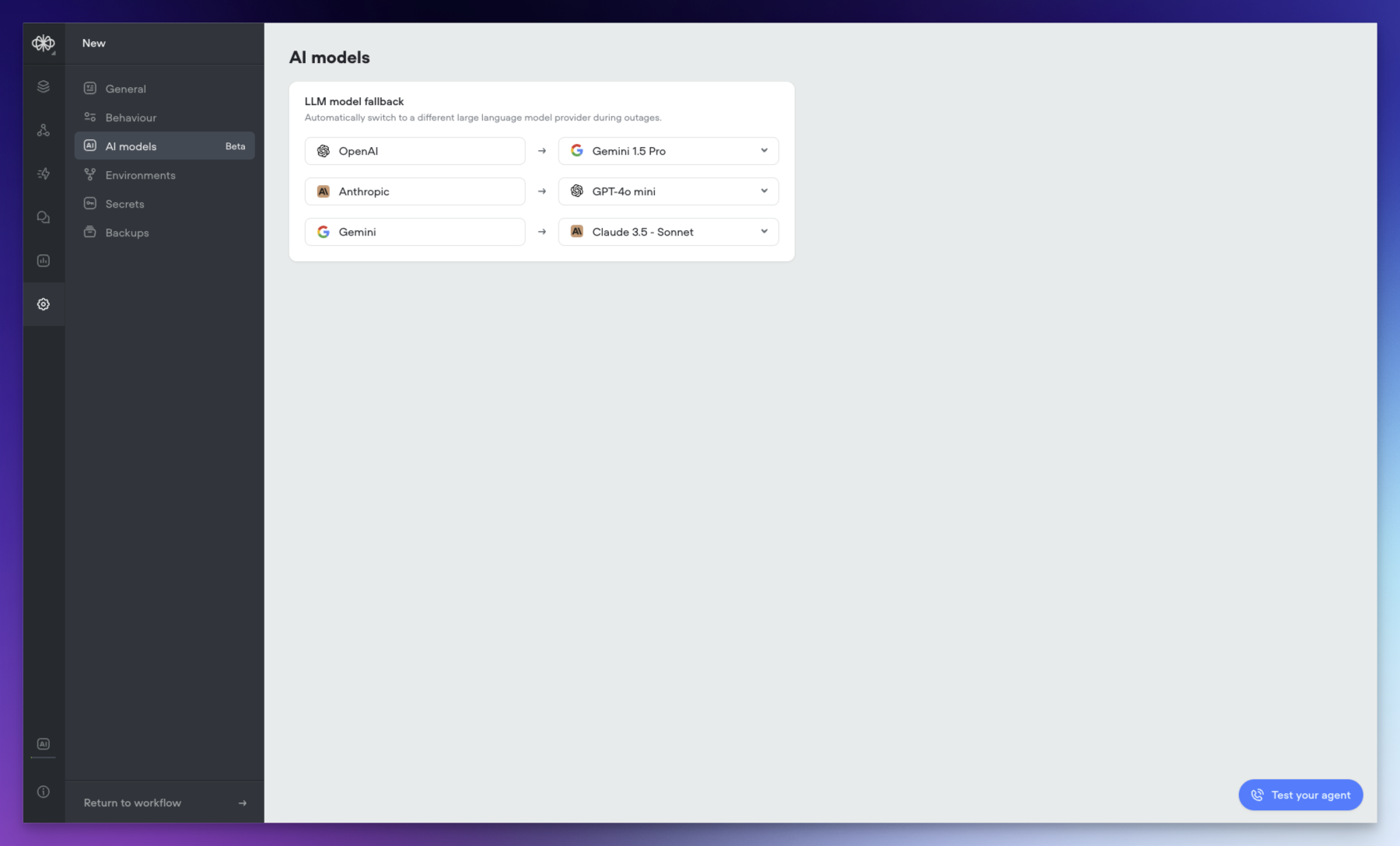 ## New Features: Structured Outputs and Variable Pathing
Today we're introducing two powerful new capabilities in Voiceflow: Structured Outputs and Variable Pathing. These features expand the possibilities for working with data from large language models (LLMs) in your agents. Let's explore what they enable!
[**🎉 Structured Outputs**](#-structured-outputs)
Structured Outputs let you define the format of the data you expect an LLM to return, giving you more control and predictability over the results.
* In a prompt step, enable the new "JSON Output" option to specify the structure of the LLM's response.
* Today, Structured Outputs support the following data types: String Number Boolean Integer Enum
* Support for arrays and nested objects is planned for the near future.
* Structured Outputs are available with `gpt-4o-mini` and `gpt-4o` models.
[**💪 Variable Pathing**](#-variable-pathing)
Variable Pathing provides a streamlined way to work with complex data structures in your Voiceflow project.
* Store an entire object in a single variable, then access its properties using dot notation (e.g. `user.name`, `user.email`).
* Capture Structured Output responses or API results as objects.
* Use object properties directly in conditions, messages, and other steps.
* Reduce the need for multiple variables to represent a single entity.
[**🍰 Bringing it All Together**](#-bringing-it-all-together)
Combining Structured Outputs and Variable Pathing opens up new design patterns for crafting agent experiences:
* Define precise data requirements for LLMs to provide relevant information
* Capture responses as feature-rich objects in a single step
* Access and manipulate object properties throughout your project
* Streamline your project's design while expanding its capabilities
We're excited to see the voice experiences you create with these new tools! Feel free to share your questions and feedback with us.
## New Features: Structured Outputs and Variable Pathing
Today we're introducing two powerful new capabilities in Voiceflow: Structured Outputs and Variable Pathing. These features expand the possibilities for working with data from large language models (LLMs) in your agents. Let's explore what they enable!
[**🎉 Structured Outputs**](#-structured-outputs)
Structured Outputs let you define the format of the data you expect an LLM to return, giving you more control and predictability over the results.
* In a prompt step, enable the new "JSON Output" option to specify the structure of the LLM's response.
* Today, Structured Outputs support the following data types: String Number Boolean Integer Enum
* Support for arrays and nested objects is planned for the near future.
* Structured Outputs are available with `gpt-4o-mini` and `gpt-4o` models.
[**💪 Variable Pathing**](#-variable-pathing)
Variable Pathing provides a streamlined way to work with complex data structures in your Voiceflow project.
* Store an entire object in a single variable, then access its properties using dot notation (e.g. `user.name`, `user.email`).
* Capture Structured Output responses or API results as objects.
* Use object properties directly in conditions, messages, and other steps.
* Reduce the need for multiple variables to represent a single entity.
[**🍰 Bringing it All Together**](#-bringing-it-all-together)
Combining Structured Outputs and Variable Pathing opens up new design patterns for crafting agent experiences:
* Define precise data requirements for LLMs to provide relevant information
* Capture responses as feature-rich objects in a single step
* Access and manipulate object properties throughout your project
* Streamline your project's design while expanding its capabilities
We're excited to see the voice experiences you create with these new tools! Feel free to share your questions and feedback with us.
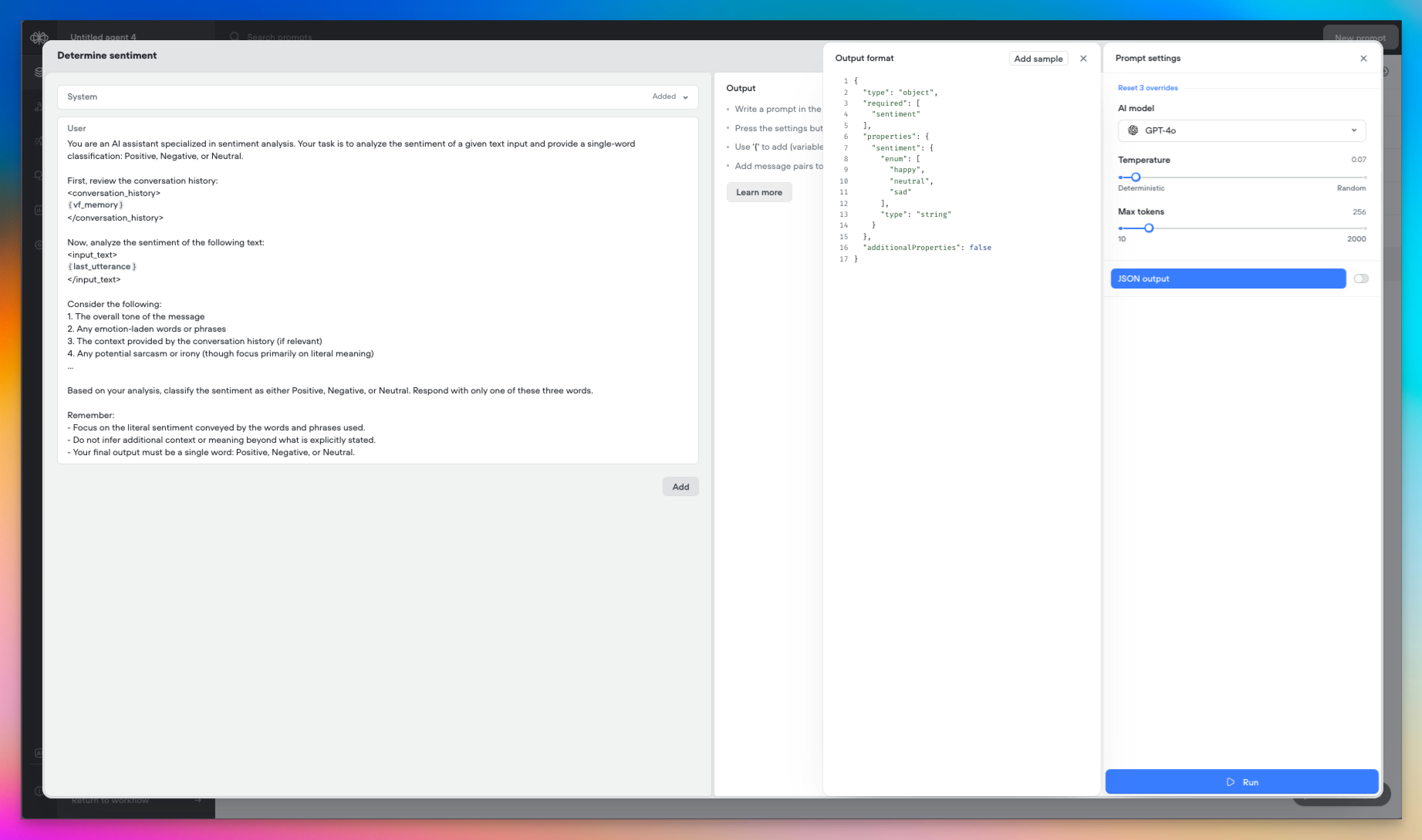
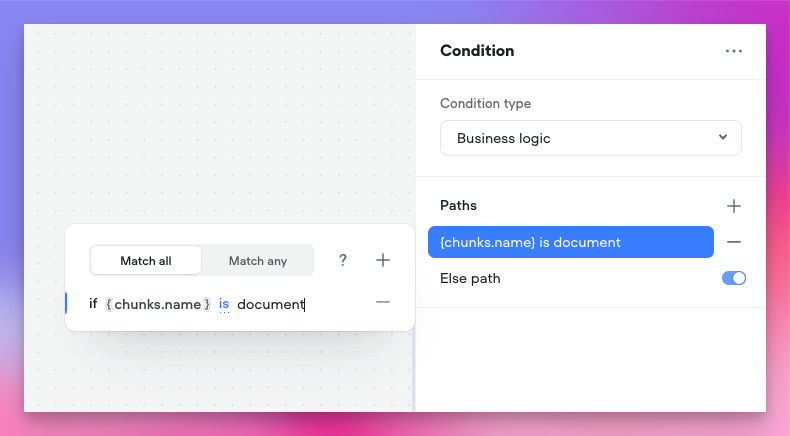 ## Voiceflow Telephony
We're excited to announce the release of Voiceflow Telephony, bringing enterprise-grade voice capabilities to your conversational experiences. This release represents a significant milestone in our mission to provide comprehensive, low-latency voice solutions for businesses of all sizes.
[**Native Twilio Integration**](#native-twilio-integration)
We've integrated with Twilio to make phone-based interactions as simple as possible. The new integration allows you to:
* Import existing Twilio phone numbers directly into Voiceflow
* Associate phone numbers with specific agents
* Configure separate numbers for development and production environments
* Test different versions of your agent against different phone numbers
Setting up telephony is straightforward: simply connect your Twilio account with existing phone numbers, import them into Voiceflow, and assign them to your agents. Your voice experience will be live within minutes.
[**High-Performance Voice**](#high-performance-voice)
[**Streaming Technology**](#streaming-technology)
We've built our telephony feature on top of our streaming API, delivering exceptional performance improvements:
* Dramatically reduced response times
* Near real-time agent reactions
* Optimized voice processing pipeline
[**Speech Recognition**](#speech-recognition)
We've selected Deepgram to provide industry-leading Speech To Text (STT):
* High-accuracy transcription
* Low-latency processing
* Support for over 20 languages
[**Advanced Voice Capabilities**](#advanced-voice-capabilities)
[**Outbound Calling**](#outbound-calling)
We've introduced powerful outbound calling capabilities:
* Programmatically initiate calls to any phone number
* Test outbound calls directly from the Voiceflow interface
* Integrate outbound calling into your existing workflows
[**Voice Technology Stack**](#voice-technology-stack)
Our comprehensive voice stack includes:
* Premium text-to-speech voices from industry leaders, such as: ElevenLabs Rime Google
* Support for advanced telephony features through custom actions: Call forwarding DTMF handling Interruption behaviour
[**Voice Experience Configuration**](#voice-experience-configuration)
We've exposed detailed configuration options to fine-tune your voice experiences:
[**Audio Settings**](#audio-settings)
* Background audio customization
* Audio cue configuration
[**Interaction Parameters**](#interaction-parameters)
* Interruption threshold controls
* Utterance end detection
* Response timing optimization
* User input acceptance timing
[**Beta Program Details**](#beta-program-details)
[**Access and Limitations**](#access-and-limitations)
During the beta period, all users will have access to telephony features with the following concurrent call limits:
[**Coming Soon**](#coming-soon)
* Enhanced call analytics and reporting
* Additional voice customization options
## Voiceflow Telephony
We're excited to announce the release of Voiceflow Telephony, bringing enterprise-grade voice capabilities to your conversational experiences. This release represents a significant milestone in our mission to provide comprehensive, low-latency voice solutions for businesses of all sizes.
[**Native Twilio Integration**](#native-twilio-integration)
We've integrated with Twilio to make phone-based interactions as simple as possible. The new integration allows you to:
* Import existing Twilio phone numbers directly into Voiceflow
* Associate phone numbers with specific agents
* Configure separate numbers for development and production environments
* Test different versions of your agent against different phone numbers
Setting up telephony is straightforward: simply connect your Twilio account with existing phone numbers, import them into Voiceflow, and assign them to your agents. Your voice experience will be live within minutes.
[**High-Performance Voice**](#high-performance-voice)
[**Streaming Technology**](#streaming-technology)
We've built our telephony feature on top of our streaming API, delivering exceptional performance improvements:
* Dramatically reduced response times
* Near real-time agent reactions
* Optimized voice processing pipeline
[**Speech Recognition**](#speech-recognition)
We've selected Deepgram to provide industry-leading Speech To Text (STT):
* High-accuracy transcription
* Low-latency processing
* Support for over 20 languages
[**Advanced Voice Capabilities**](#advanced-voice-capabilities)
[**Outbound Calling**](#outbound-calling)
We've introduced powerful outbound calling capabilities:
* Programmatically initiate calls to any phone number
* Test outbound calls directly from the Voiceflow interface
* Integrate outbound calling into your existing workflows
[**Voice Technology Stack**](#voice-technology-stack)
Our comprehensive voice stack includes:
* Premium text-to-speech voices from industry leaders, such as: ElevenLabs Rime Google
* Support for advanced telephony features through custom actions: Call forwarding DTMF handling Interruption behaviour
[**Voice Experience Configuration**](#voice-experience-configuration)
We've exposed detailed configuration options to fine-tune your voice experiences:
[**Audio Settings**](#audio-settings)
* Background audio customization
* Audio cue configuration
[**Interaction Parameters**](#interaction-parameters)
* Interruption threshold controls
* Utterance end detection
* Response timing optimization
* User input acceptance timing
[**Beta Program Details**](#beta-program-details)
[**Access and Limitations**](#access-and-limitations)
During the beta period, all users will have access to telephony features with the following concurrent call limits:
[**Coming Soon**](#coming-soon)
* Enhanced call analytics and reporting
* Additional voice customization options
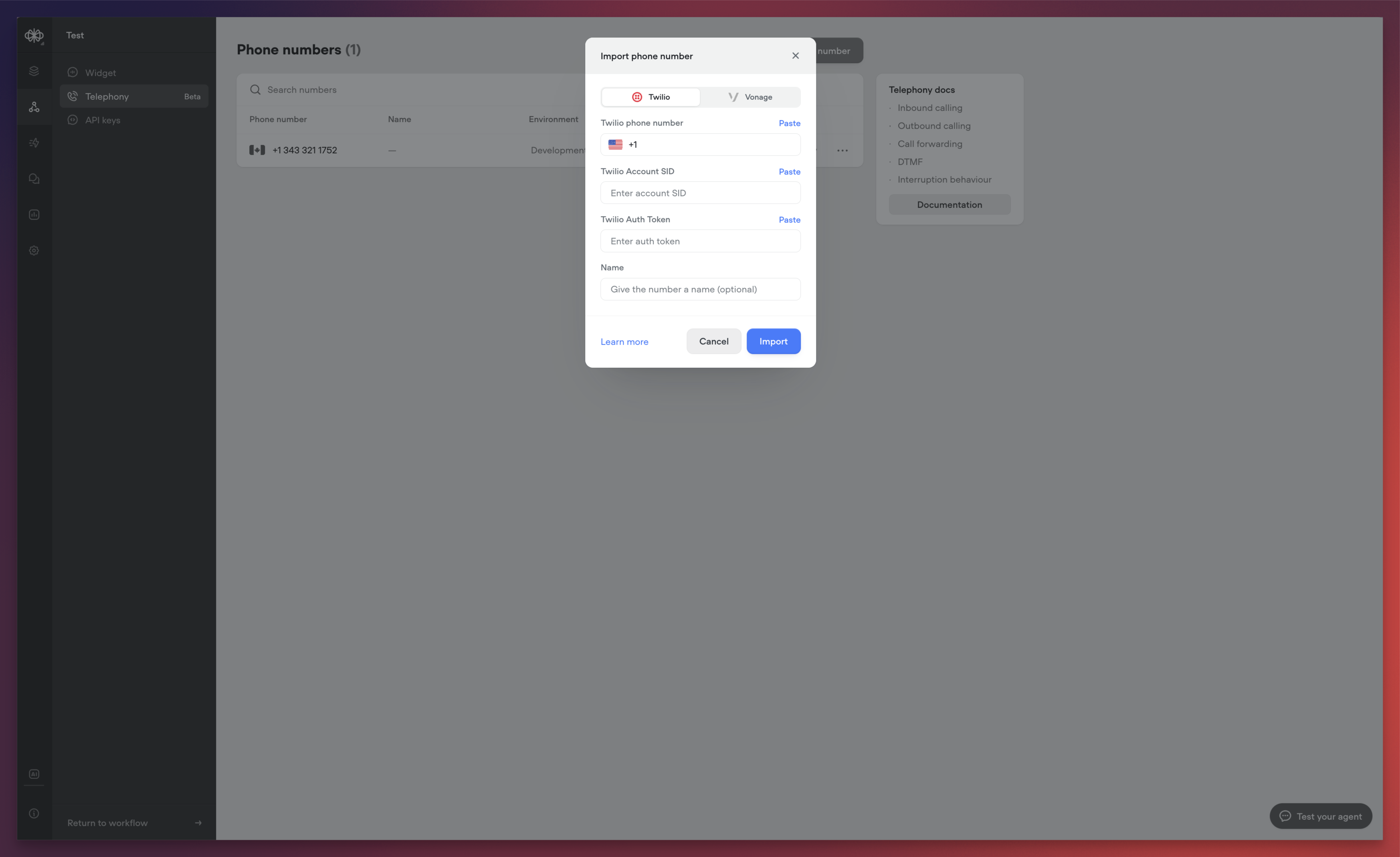
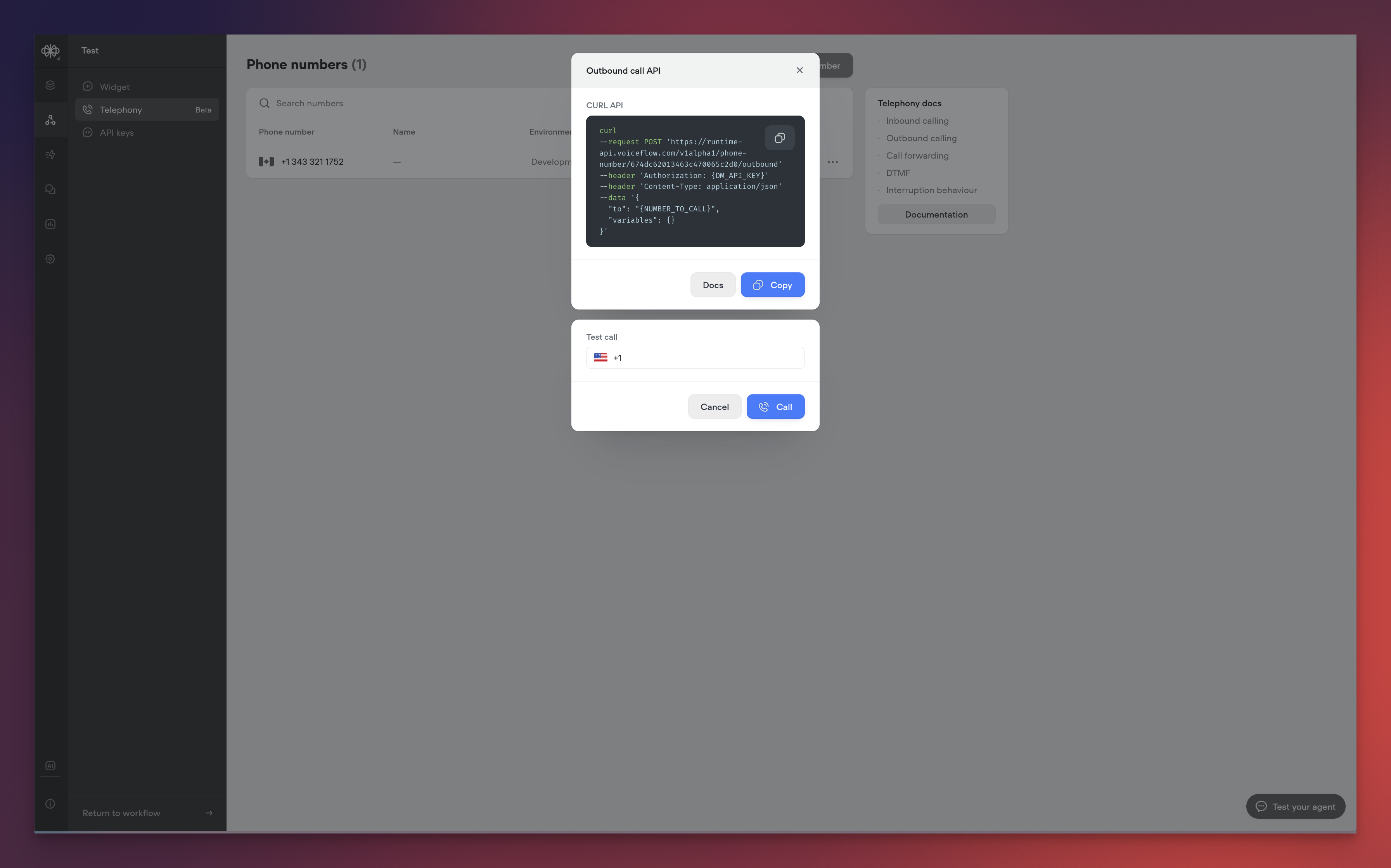
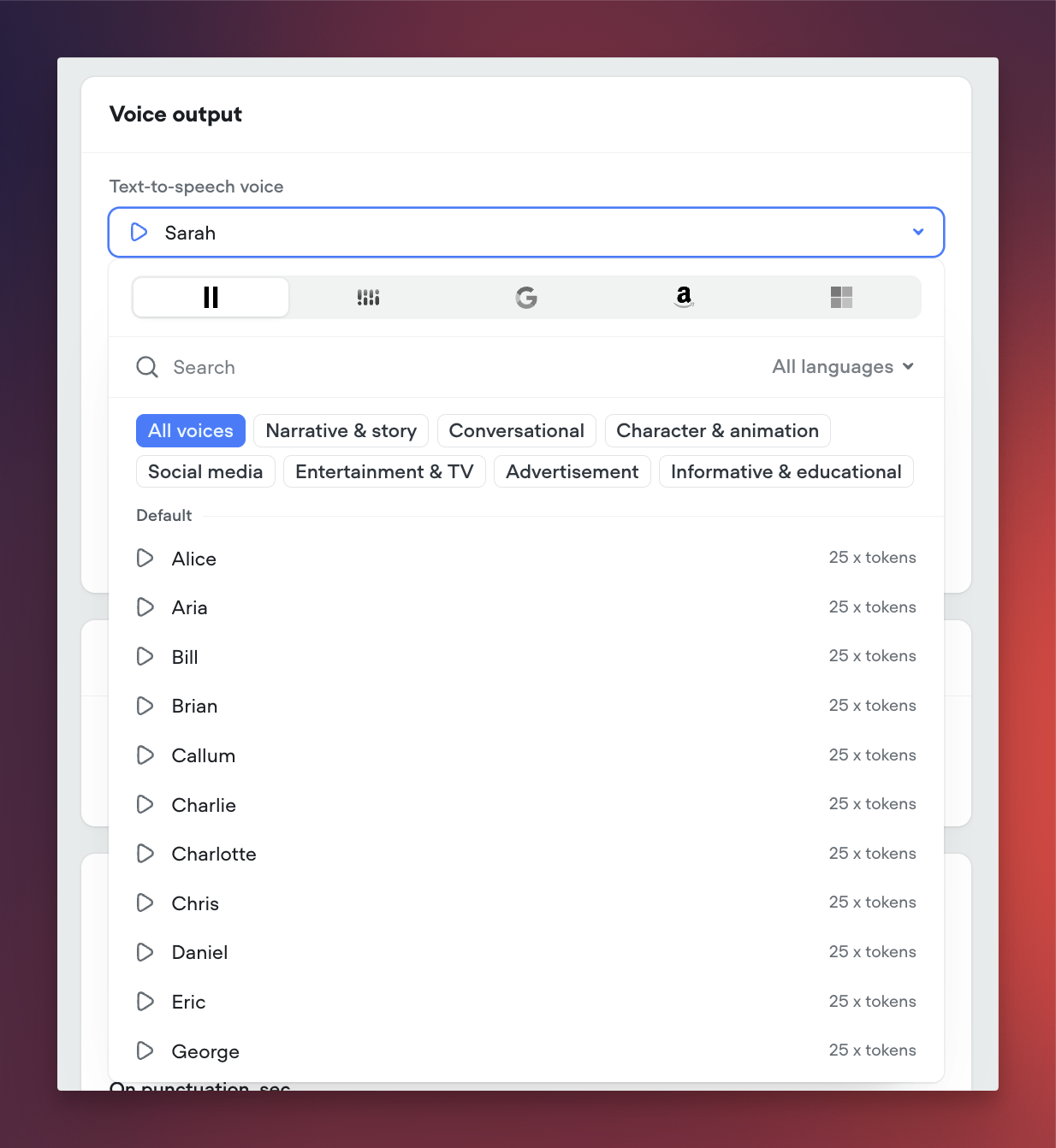
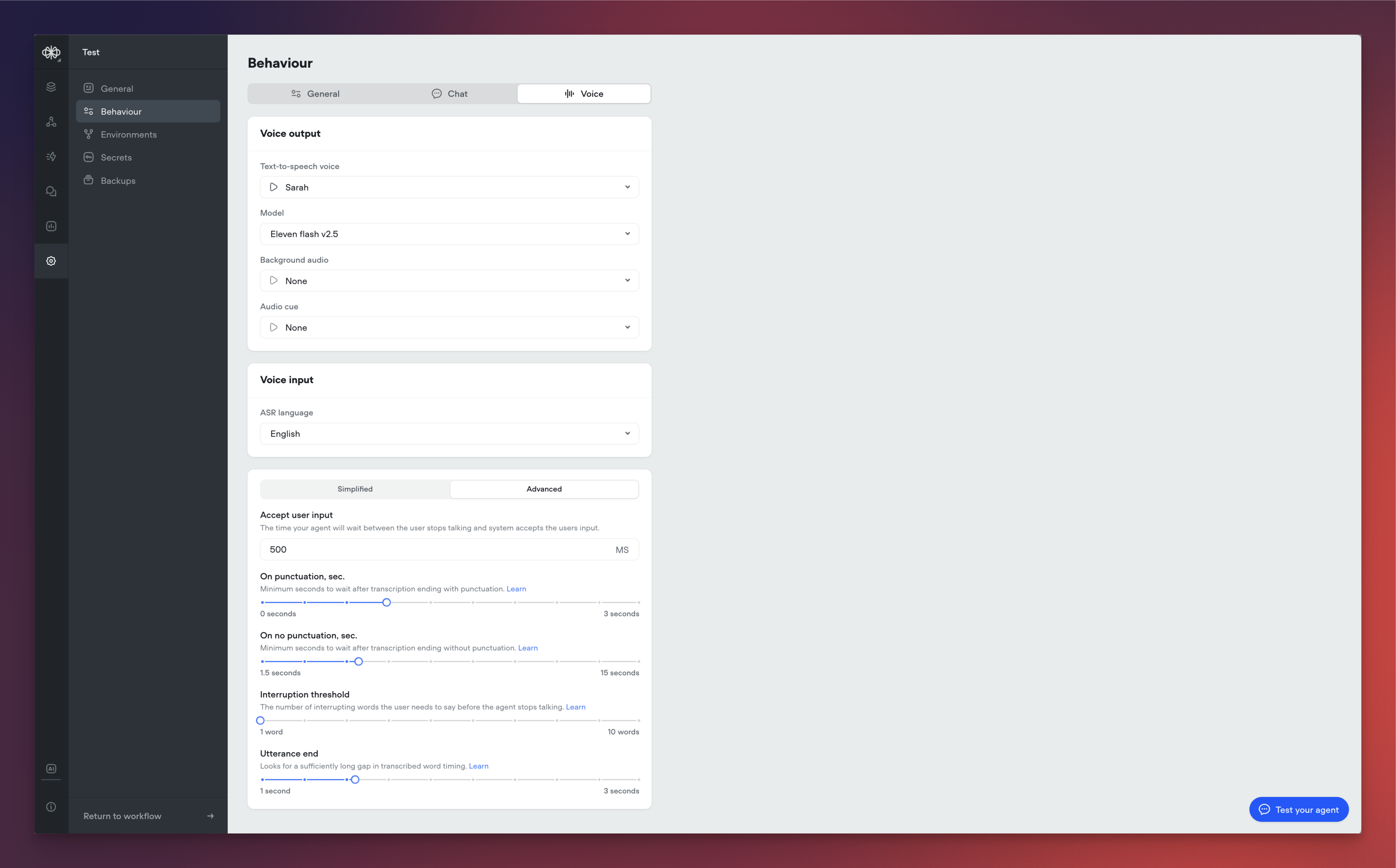 ## New AI-Native Webchat
We're excited to announce a complete reimagining of the Voiceflow webchat experience. This new version introduces AI-native capabilities, enhanced customization options, and flexible deployment methods to help you create more engaging conversational experiences.
[**AI-Native**](#ai-native)
Our webchat has been rebuilt from the ground up to provide a more natural, AI-driven conversation experience:
* Streaming Text Support: Experience real-time message generation with character-by-word streaming, creating a more engaging and dynamic conversation flow. Users can see responses being crafted in real-time, similar to popular AI chat interfaces.
* AI Disclaimers: Built-in support for displaying AI disclosure messages and customizable AI usage notifications to maintain transparency with your users.
[**Enhanced Customization**](#enhanced-customization)
We've significantly expanded the customization capabilities to give you more control over your chat interface:
[**Interface Types**](#interface-types)
You can now choose from three distinct interface modes:
* Widget: Traditional chat window that appears in the corner of your website
* Popover: Full-screen chat experience that overlays your content
* Embed: Seamlessly integrate the chat interface directly into your webpage layout
[**Visual Customization**](#visual-customization)
The new version introduces comprehensive styling options:
* Color System: Expanded colour palette support with primary, secondary, and accent colour definitions
* Typography: Custom font family support
* Launcher Variations: Classic bubble launcher with customizable icons Button-style launcher with text support
[**Important Notes**](#important-notes)
* Chat Persistence: Now configured through the snippet rather than UI settings.
* Custom CSS: Maintained compatibility with most existing class names.
* Proactive Messages: Temporarily unavailable in this release, with support coming soon
You can find more details [here](/docs/web-chat-migration).
[**Migration**](#migration)
For detailed instructions on migrating from the legacy webchat, please refer to our [Migration Guide](/docs/web-chat-migration).
## New AI-Native Webchat
We're excited to announce a complete reimagining of the Voiceflow webchat experience. This new version introduces AI-native capabilities, enhanced customization options, and flexible deployment methods to help you create more engaging conversational experiences.
[**AI-Native**](#ai-native)
Our webchat has been rebuilt from the ground up to provide a more natural, AI-driven conversation experience:
* Streaming Text Support: Experience real-time message generation with character-by-word streaming, creating a more engaging and dynamic conversation flow. Users can see responses being crafted in real-time, similar to popular AI chat interfaces.
* AI Disclaimers: Built-in support for displaying AI disclosure messages and customizable AI usage notifications to maintain transparency with your users.
[**Enhanced Customization**](#enhanced-customization)
We've significantly expanded the customization capabilities to give you more control over your chat interface:
[**Interface Types**](#interface-types)
You can now choose from three distinct interface modes:
* Widget: Traditional chat window that appears in the corner of your website
* Popover: Full-screen chat experience that overlays your content
* Embed: Seamlessly integrate the chat interface directly into your webpage layout
[**Visual Customization**](#visual-customization)
The new version introduces comprehensive styling options:
* Color System: Expanded colour palette support with primary, secondary, and accent colour definitions
* Typography: Custom font family support
* Launcher Variations: Classic bubble launcher with customizable icons Button-style launcher with text support
[**Important Notes**](#important-notes)
* Chat Persistence: Now configured through the snippet rather than UI settings.
* Custom CSS: Maintained compatibility with most existing class names.
* Proactive Messages: Temporarily unavailable in this release, with support coming soon
You can find more details [here](/docs/web-chat-migration).
[**Migration**](#migration)
For detailed instructions on migrating from the legacy webchat, please refer to our [Migration Guide](/docs/web-chat-migration).
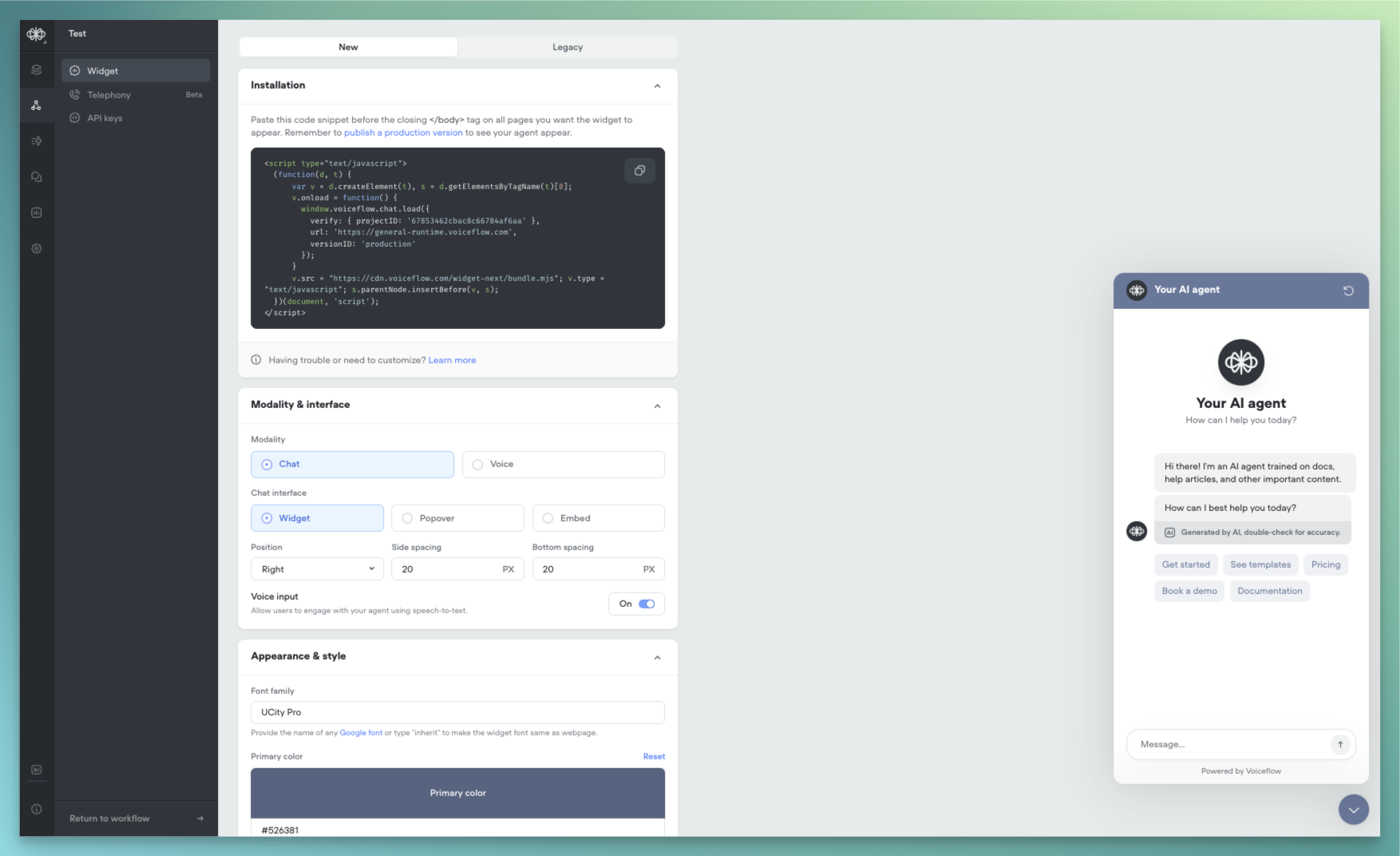
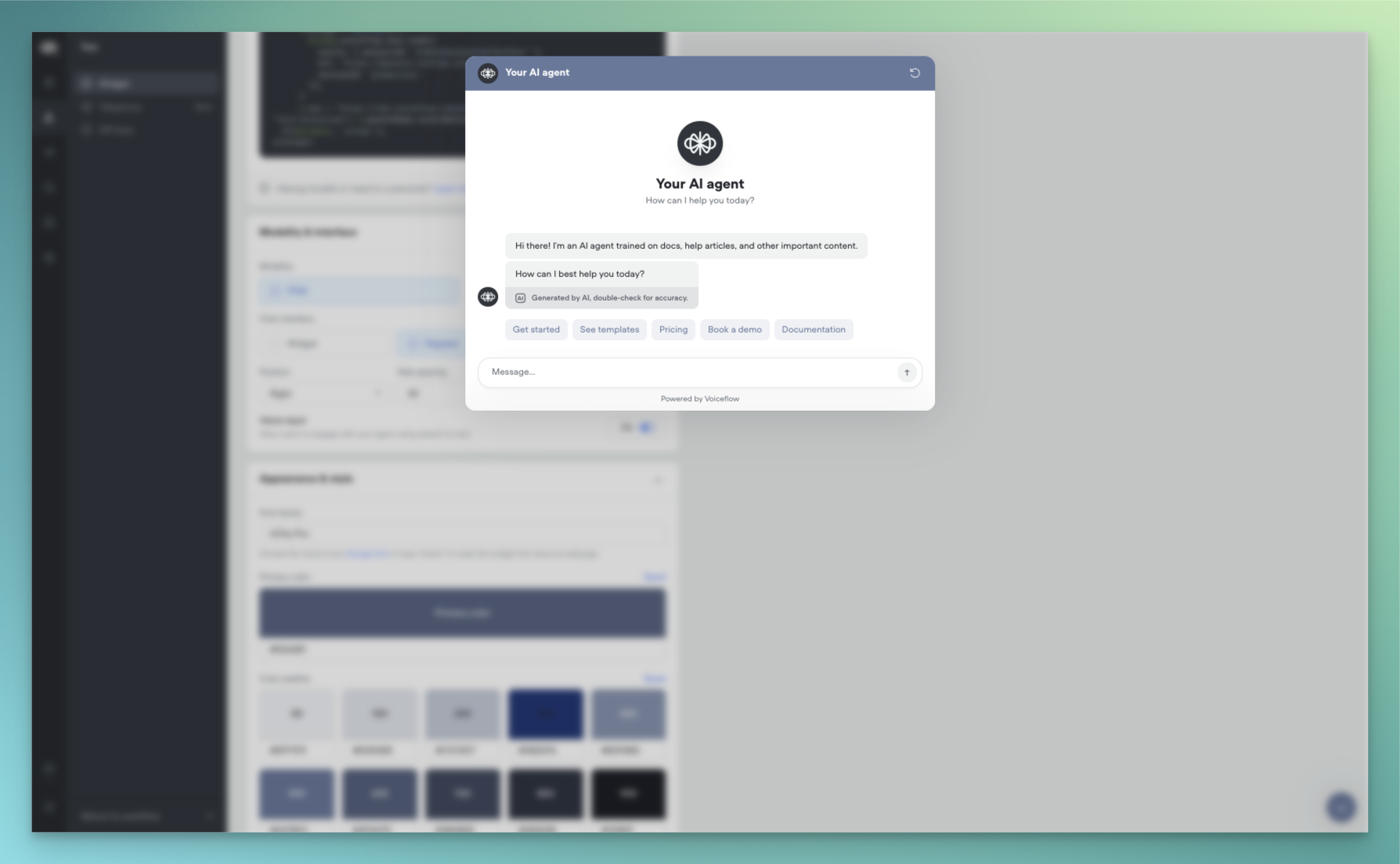 ## Function libraries, starter templates and ElevenLabs support
[**Function Libraries**](#function-libraries)
Integrate your agent with your favorite tools using our new function libraries. Access pre-built functions for popular platforms like Hubspot, Intercom, Shopify, Zendesk, and Zapier. These functions, sourced from Voiceflow and the community, make it easier than ever to connect Rev with your existing workflows. Showcase readily available integrations to your team and clients.
[**Transcript Review Hotkeys**](#transcript-review-hotkeys)
Reviewing transcripts just got faster and more efficient. You can now press `R` to mark a transcript as Reviewed or `S` to Save it for Later. These handy shortcut keys are perfect for power users who review a high volume of transcripts.
[**Project Starter Templates**](#project-starter-templates)
Getting started is now a breeze. When creating a new project, choose from a set of templates tailored for common use cases like customer support, ecommerce support, and scheduling. These templates help you hit the ground running without the need for extensive setup and customization. Ideal for new users and busy teams.
[**Expanded Voice Support**](#expanded-voice-support)
We now offer an even greater selection of natural-sounding AI voices. We've added support for a variety of new options from ElevenLabs and Rime. Please note that using these voices consumes AI tokens. Check them out for your projects that could benefit from additional voice choices.
## Function libraries, starter templates and ElevenLabs support
[**Function Libraries**](#function-libraries)
Integrate your agent with your favorite tools using our new function libraries. Access pre-built functions for popular platforms like Hubspot, Intercom, Shopify, Zendesk, and Zapier. These functions, sourced from Voiceflow and the community, make it easier than ever to connect Rev with your existing workflows. Showcase readily available integrations to your team and clients.
[**Transcript Review Hotkeys**](#transcript-review-hotkeys)
Reviewing transcripts just got faster and more efficient. You can now press `R` to mark a transcript as Reviewed or `S` to Save it for Later. These handy shortcut keys are perfect for power users who review a high volume of transcripts.
[**Project Starter Templates**](#project-starter-templates)
Getting started is now a breeze. When creating a new project, choose from a set of templates tailored for common use cases like customer support, ecommerce support, and scheduling. These templates help you hit the ground running without the need for extensive setup and customization. Ideal for new users and busy teams.
[**Expanded Voice Support**](#expanded-voice-support)
We now offer an even greater selection of natural-sounding AI voices. We've added support for a variety of new options from ElevenLabs and Rime. Please note that using these voices consumes AI tokens. Check them out for your projects that could benefit from additional voice choices.
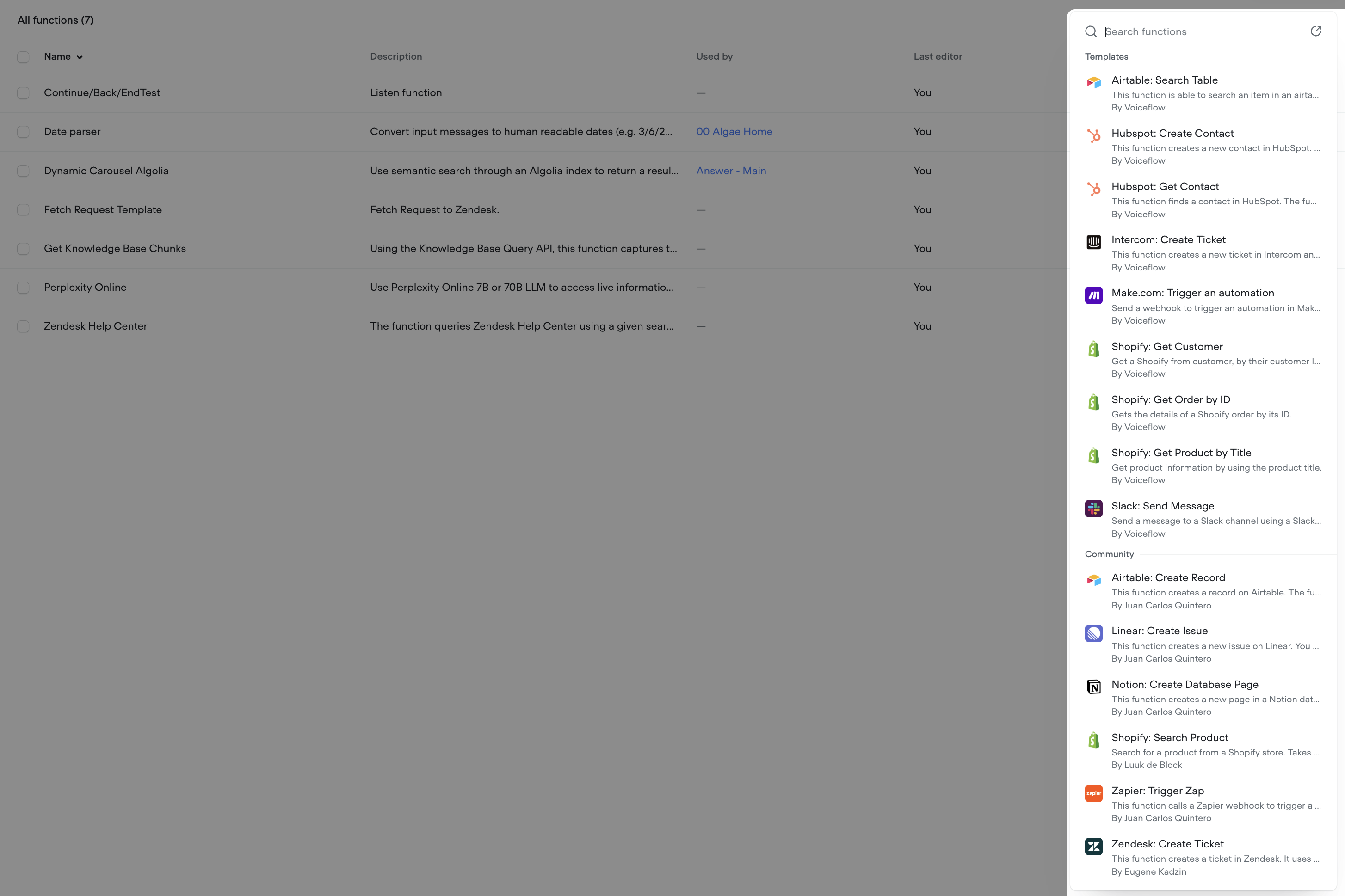
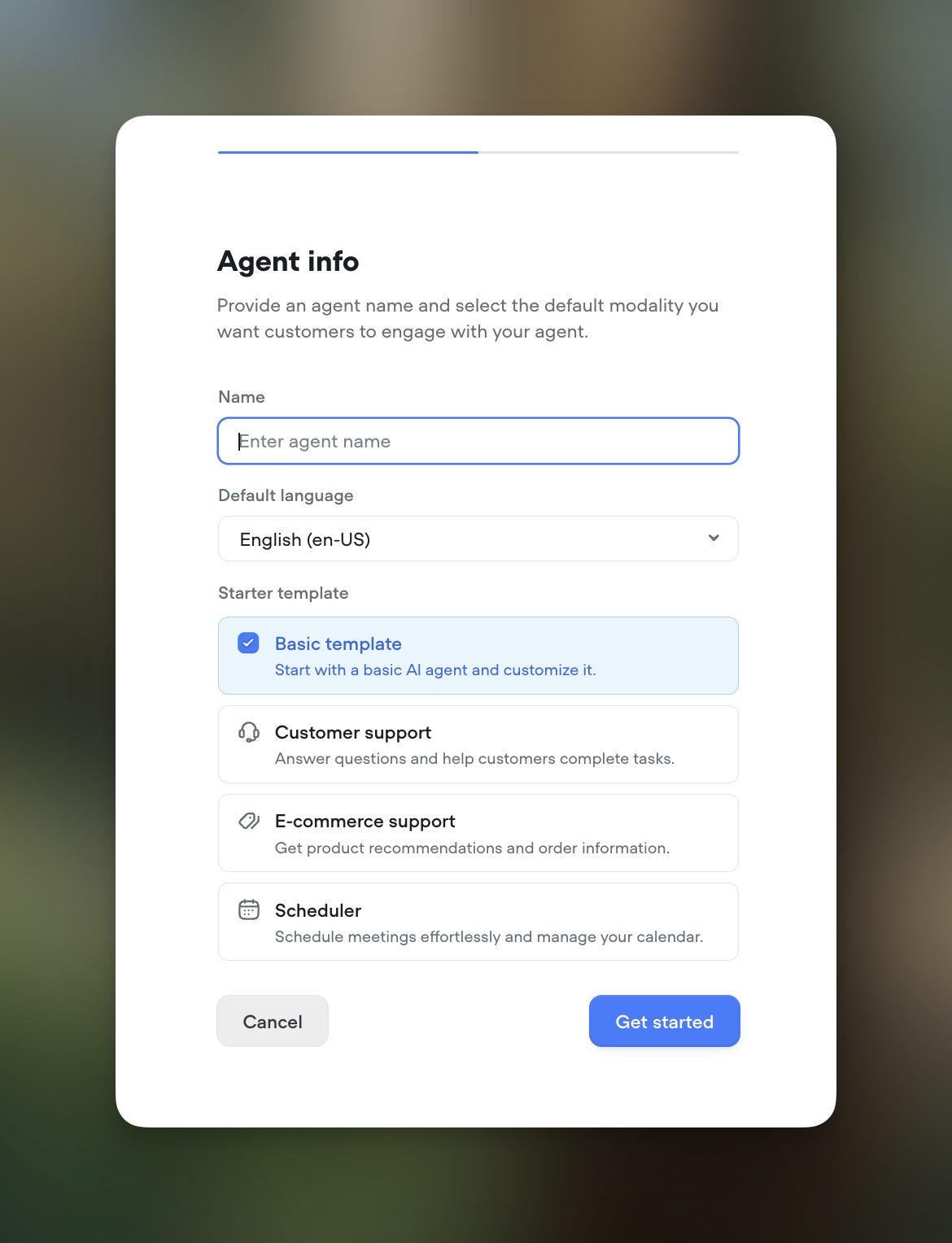
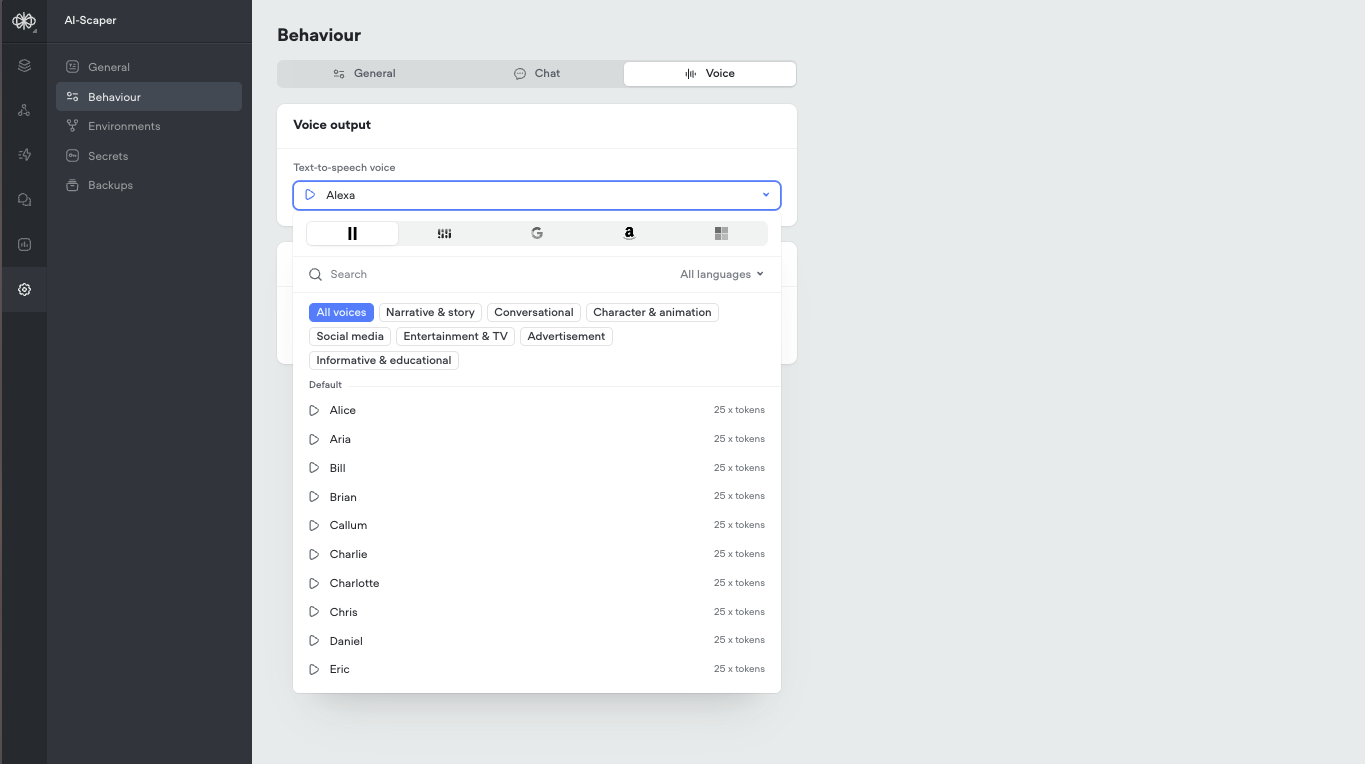 ## Important Update: Deprecation of AI Response and AI Set Steps
This is an important update to our platform. As part of our ongoing commitment to enhancing your experience and providing the most advanced tools for AI agent development, we have made the decision to deprecate the AI Response and AI Set steps.
What does this mean for you?
* On February 4th, 2025, the AI Response and AI Set steps will be disabled from the step toolbar in the Voiceflow interface to encourage users to move away of these deprecated steps. Existing steps will remain untouched and will continue working as per normal.
* On June 3rd, 2025, these steps will no longer be supported. Any existing projects using these steps will need to be migrated to the new [Prompt](/docs/prompt-step) and [Set](/docs/variables-set) steps. We will be sending out additional communication in advance to the sunset date.
We understand that this change may require some adjustments to your workflow, but rest assured that we are here to support you throughout this transition. The new Prompt and Set steps, along with our powerful Prompt CMS, offer even more flexibility and control over your conversational experiences.
Some key benefits of the new approach include:
* Centralized prompt management:[The Prompt CMS](/docs/prompts-cms-and-editor) serves as a hub for all your prompts, making it easy to create, edit, and reuse them across your projects.
* Advanced prompt configuration: Leverage system prompts, message pairs, conversation history, and variables to craft highly contextual and dynamic responses.
* Seamless integration: The Prompt step allows you to bring your prompts directly into your conversation flows, while the Set step lets you assign prompt outputs to variables for enhanced logic and control.
* Continued innovation: We are committed to expanding the capabilities of these new features, with exciting updates planned for the near future.
For those using the Knowledge Base, we recommend transitioning to the[KB Search step](/docs/kb-search). This step allows you to query your Knowledge Base and feed the results into a prompt, enabling even more intelligent and relevant responses.
To help guide you through migrating from the AI steps to the Prompt step, check our walkthrough below:
We value your feedback and are here to address any questions or concerns you may have. Our team is dedicated to ensuring a smooth transition and helping you unlock the full potential of these powerful new features.
Thank you for your understanding and continued support. We are excited about the future of conversational AI development on Voiceflow and look forward to seeing the incredible experiences you will create with these enhanced capabilities.
Best regards,
Voiceflow
## Important Update: Deprecation of AI Response and AI Set Steps
This is an important update to our platform. As part of our ongoing commitment to enhancing your experience and providing the most advanced tools for AI agent development, we have made the decision to deprecate the AI Response and AI Set steps.
What does this mean for you?
* On February 4th, 2025, the AI Response and AI Set steps will be disabled from the step toolbar in the Voiceflow interface to encourage users to move away of these deprecated steps. Existing steps will remain untouched and will continue working as per normal.
* On June 3rd, 2025, these steps will no longer be supported. Any existing projects using these steps will need to be migrated to the new [Prompt](/docs/prompt-step) and [Set](/docs/variables-set) steps. We will be sending out additional communication in advance to the sunset date.
We understand that this change may require some adjustments to your workflow, but rest assured that we are here to support you throughout this transition. The new Prompt and Set steps, along with our powerful Prompt CMS, offer even more flexibility and control over your conversational experiences.
Some key benefits of the new approach include:
* Centralized prompt management:[The Prompt CMS](/docs/prompts-cms-and-editor) serves as a hub for all your prompts, making it easy to create, edit, and reuse them across your projects.
* Advanced prompt configuration: Leverage system prompts, message pairs, conversation history, and variables to craft highly contextual and dynamic responses.
* Seamless integration: The Prompt step allows you to bring your prompts directly into your conversation flows, while the Set step lets you assign prompt outputs to variables for enhanced logic and control.
* Continued innovation: We are committed to expanding the capabilities of these new features, with exciting updates planned for the near future.
For those using the Knowledge Base, we recommend transitioning to the[KB Search step](/docs/kb-search). This step allows you to query your Knowledge Base and feed the results into a prompt, enabling even more intelligent and relevant responses.
To help guide you through migrating from the AI steps to the Prompt step, check our walkthrough below:
We value your feedback and are here to address any questions or concerns you may have. Our team is dedicated to ensuring a smooth transition and helping you unlock the full potential of these powerful new features.
Thank you for your understanding and continued support. We are excited about the future of conversational AI development on Voiceflow and look forward to seeing the incredible experiences you will create with these enhanced capabilities.
Best regards,
Voiceflow